


Shaikh Zeeshan Start A Project

Tourbase

Simplifying Travel Operations for a Growing Booking Platform

Industry
  • Travel01
  • SaaS02
Project Type
  • Internal Booking Platform01
Services
  • Product Design01
  • UI/UX02
Tools
  • Figma01
  • InVision02
  • Jitter03
Overview

One Back Office, Every Trip

Tourbase is a travel platform connecting travelers with tours, activities, and local operators across multiple destinations.

As the business grew, I helped simplify the internal experience for managing bookings, hotels, tickets, itineraries, traveler information, and confirmations.

The Problem

The Challenge

Travel operations involve many moving parts, and important information can easily become fragmented across different tools and screens.

The challenge was to bring those workflows into one clear, manageable experience.

Many moving parts
  • Bookings
  • Hotels
  • Tickets
  • Itineraries
  • Traveler information
  • Confirmations
Many people
  • Reservation agents
  • Product managers
  • Marketing coordinators
  • Reporting collaborators
  • Administrators
  • Franchise partners
What I Delivered

How I Helped

I designed a more centralized travel-management experience with clearer information hierarchy, simplified booking workflows, and reusable UI patterns.

This made it easier for teams to understand trip status, traveler details, and important actions without constantly switching between tools.

  • Centralized travel management
  • Clearer information hierarchy
  • Simplified booking workflows
  • Reusable UI patterns
  • Trip status at a glance
  • Less switching between tools
Areas Reservations Travelers Help Desk Tours Settings Reporting Training
The Product

Book, Serve, Scale

Tourbase’s back office is where a booking is made, where every traveler is looked after, and where a new destination is set up. The design job was to make all three feel like one product, so the team always knows a trip’s status and the next step.

78

High-fidelity screens designed, from the first booking to training new staff

ReservationsTravelersHelp DeskToursSettingsReportingTraining
206

Components in the system, reused 4,088 times across the screens

7 areas

One login and one shell for reservations, travelers, tickets, tours, settings, reporting and training

Screen and component counts taken from the project’s Figma file.

Design Thinking

Six Questions Behind Every Screen

I mapped the operation before drawing anything, so every screen answers a question a busy travel team asks all day. Each answer became a rule for the product, and each rule became a design decision you’ll see below.

How the work ran Five steps, each one checked with the team before the next
Step 01Map the operation

Every admin task grouped into four families before a screen was drawn.

Team · Communication · Invoicing · Tours
Step 02First layouts

Early layouts for reservations and people, so the team could react to structure first.

Structure agreed first
Step 03Explore options

Five layouts for New Reservation alone, before choosing guided steps.

Guided steps chosen
Step 04Build the parts

Repeated pieces became components: record header, guest card, status badge.

206 components
Step 05Design every screen

78 screens built from those parts, then prototyped for the team to review.

Prototype reviewed
User Flow

First Question To The Review

Every stage of a trip has a screen for the team and a message for the guest. The message names come from the product’s email templates.

  1. 01InquiryPicked up as a ticket in the help deskInquiry follow-up
  2. 02BookingTwo steps, with seats left in viewPayment reminder
  3. 03ConfirmedPaid on the invoice, status turns ConfirmedConfirmation email
  4. 04DepartureGuests, pickup and the itinerary togetherPre-tour reminder
  5. 05ReturnThe activity log shows who did whatPost-tour review
Chapter 01 / 03 · Book
Decision 01 · The reservation hub

Everything About A Booking On One Page

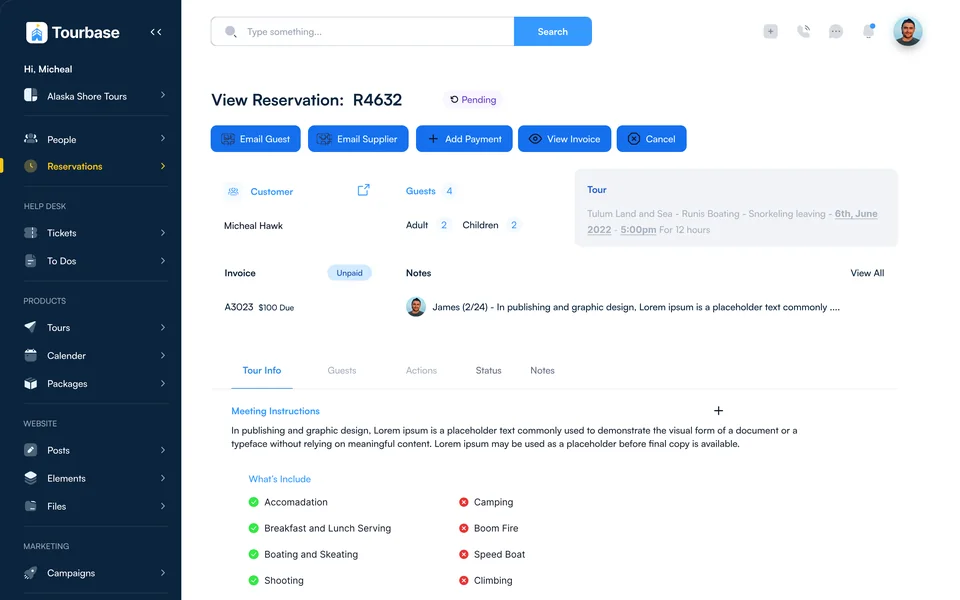
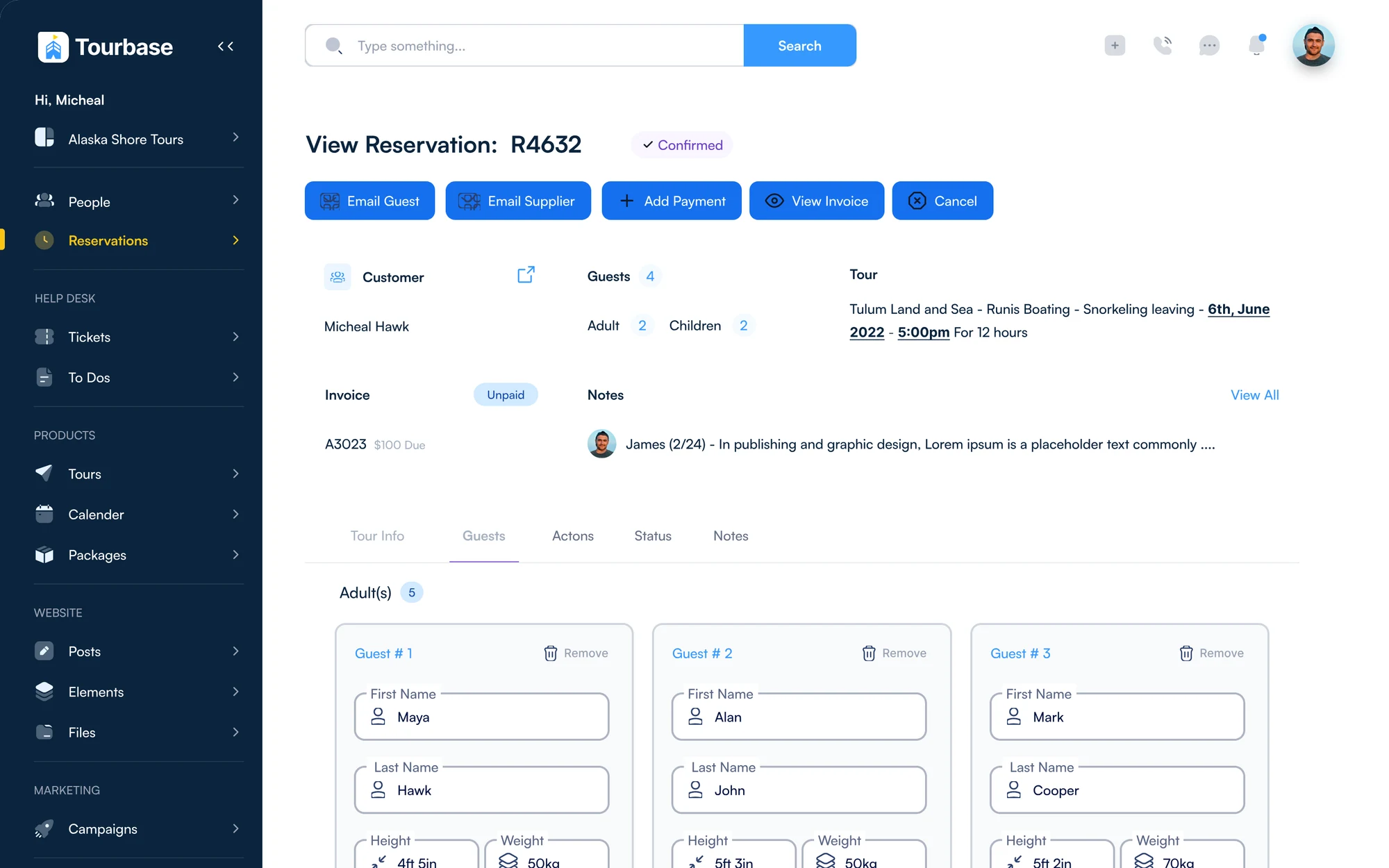
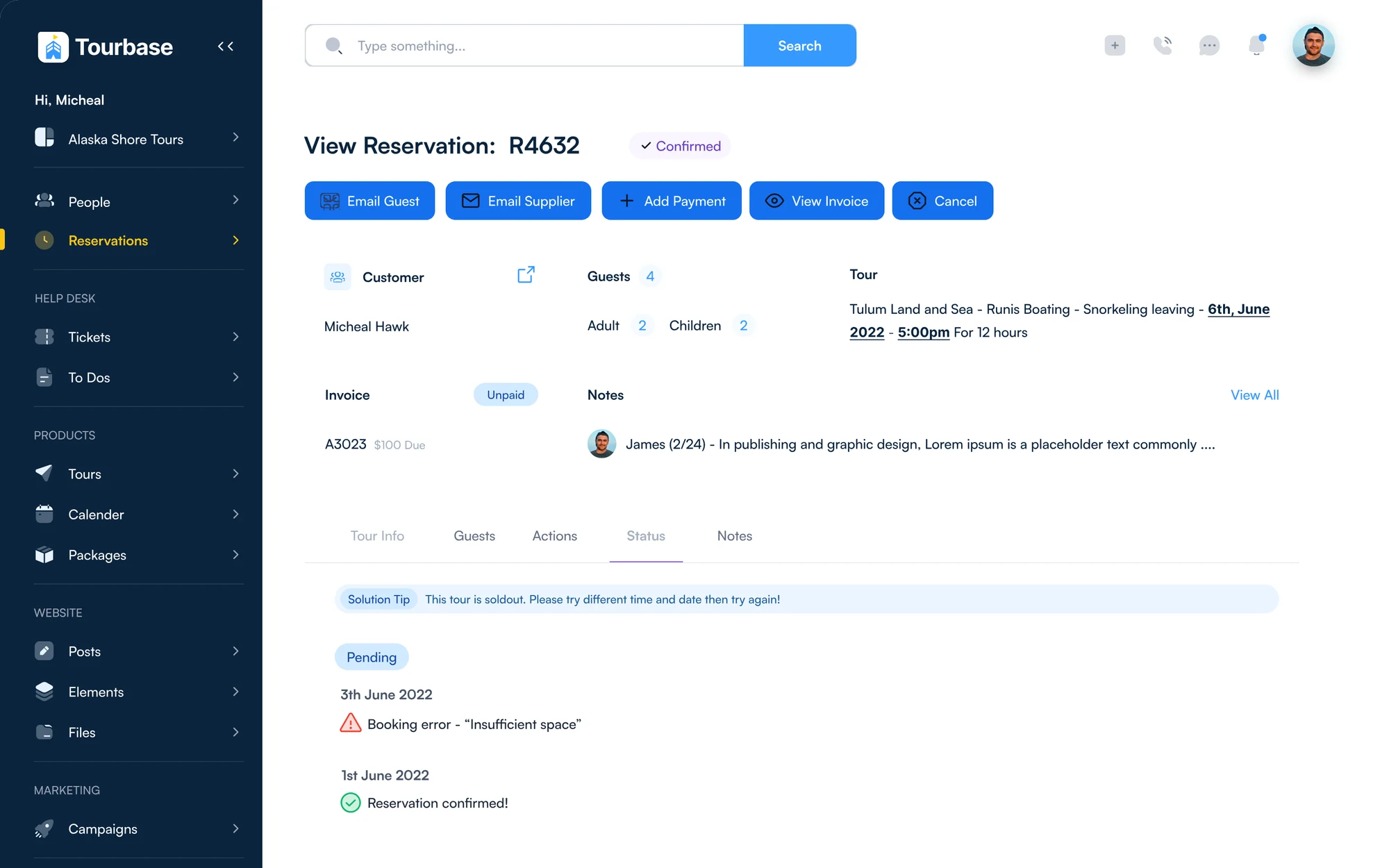
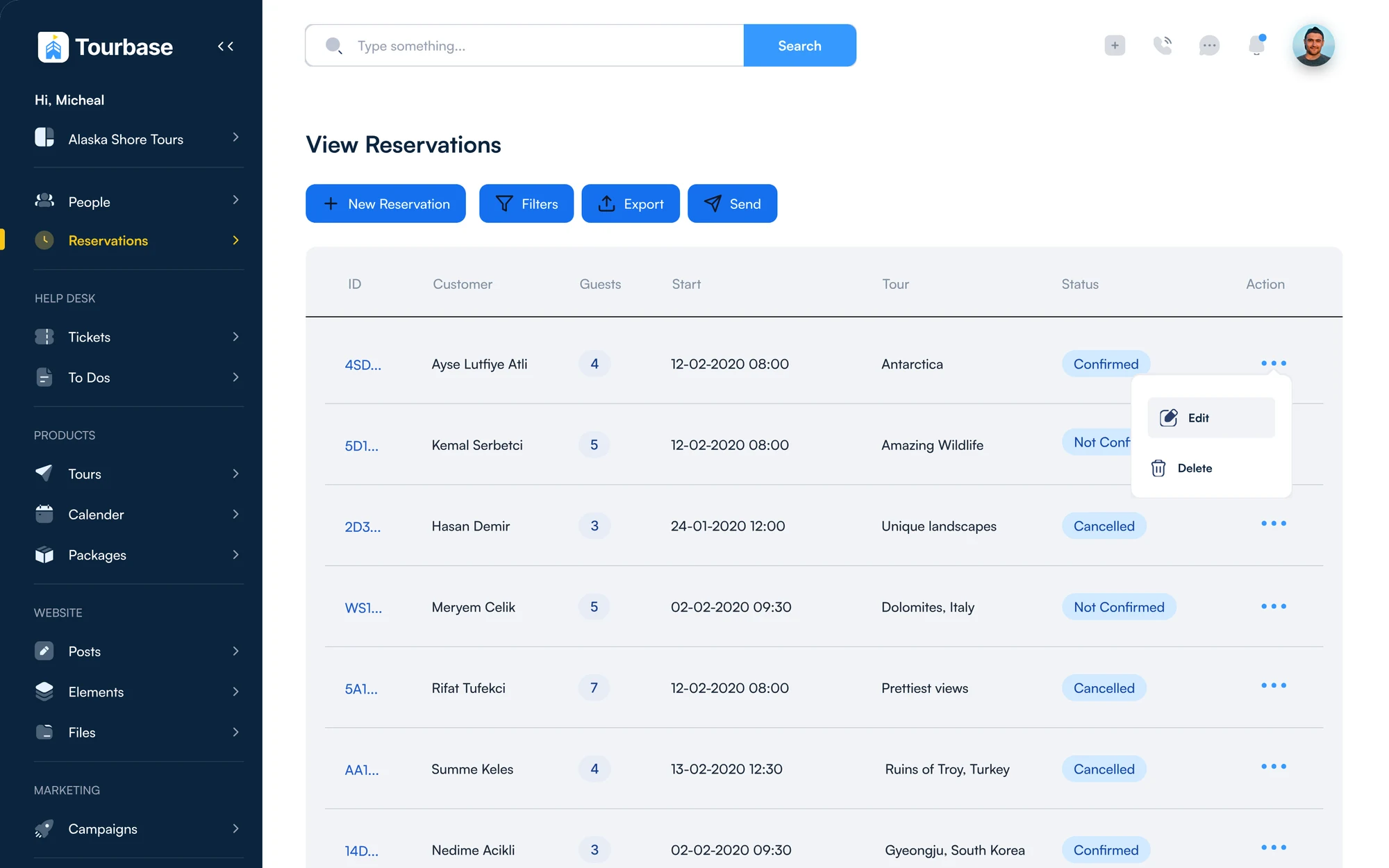
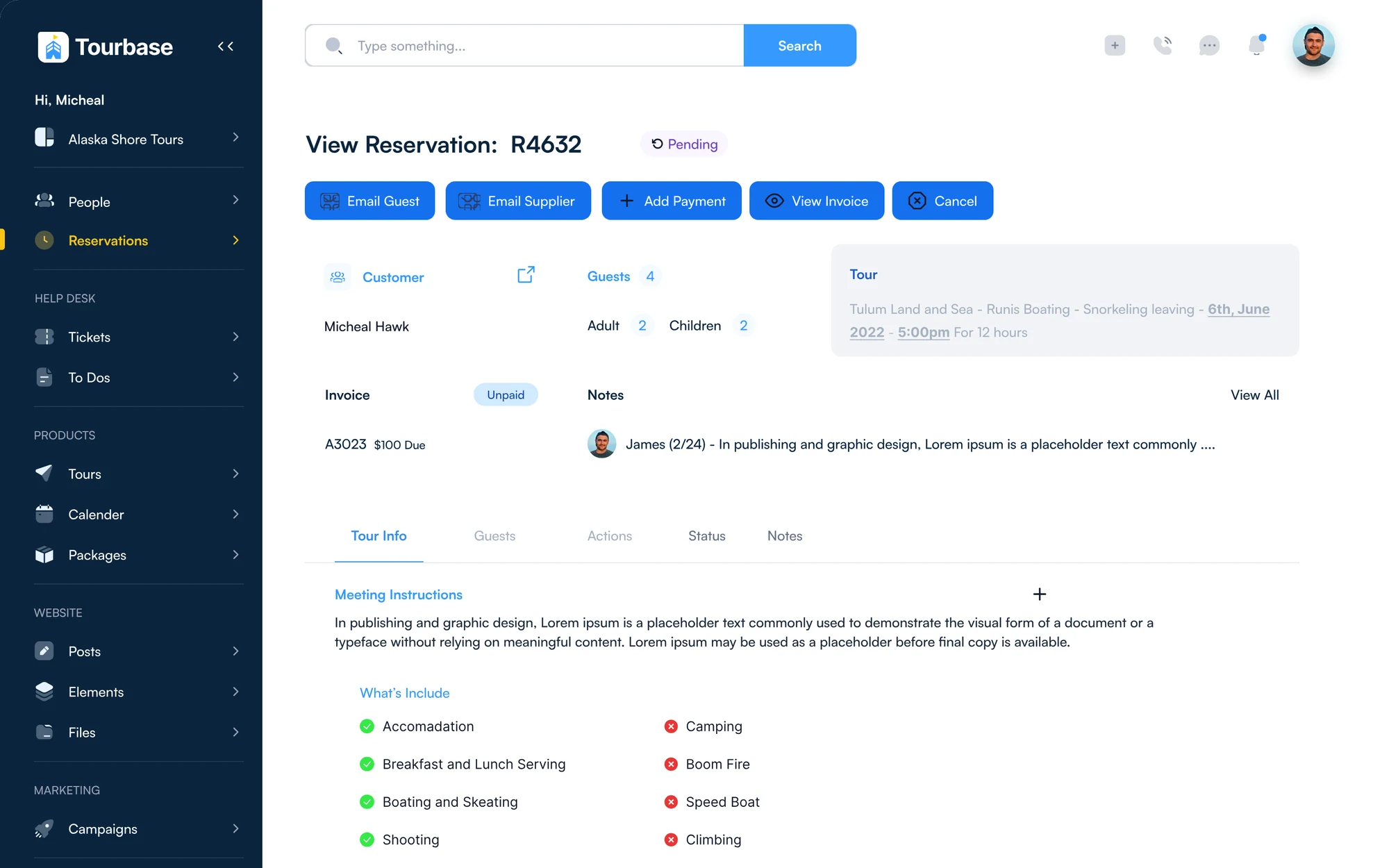
Everything about a booking sits on one record, so staff answer a guest’s question without leaving the page. Status, the five most used actions, the guests, the tour and what’s owed sit at the top. Depth lives in tabs: tour info, guests, actions, status and notes.

View Reservation R4632 · one record
Reservation record on the Tour Info tab, with status, actions, customer, guests, tour, invoice and notes The same reservation on the Guests tab, one card per guest The same reservation on the Status tab, with a booking error and a solution tip
Reservation record · Tour info, guests, status
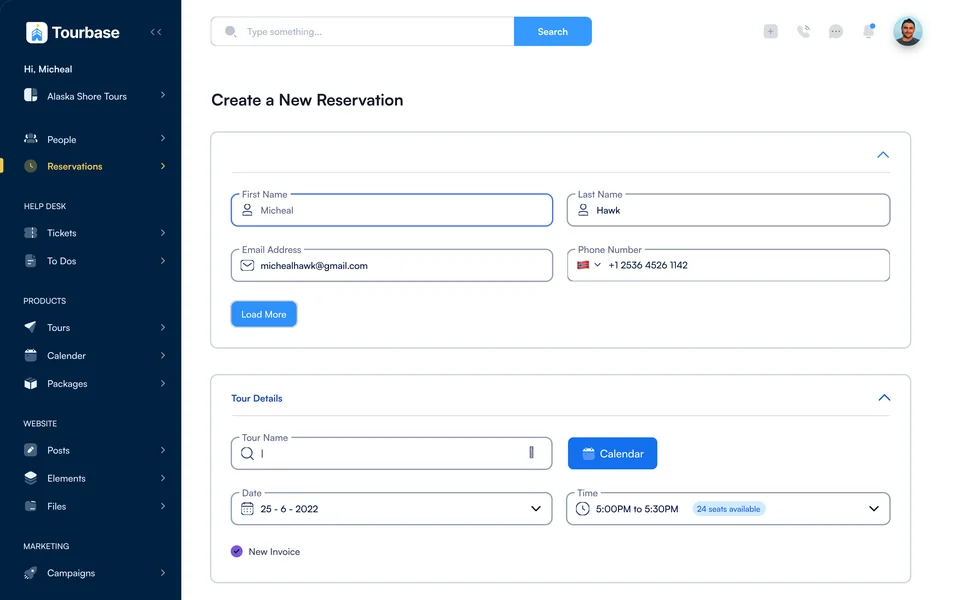
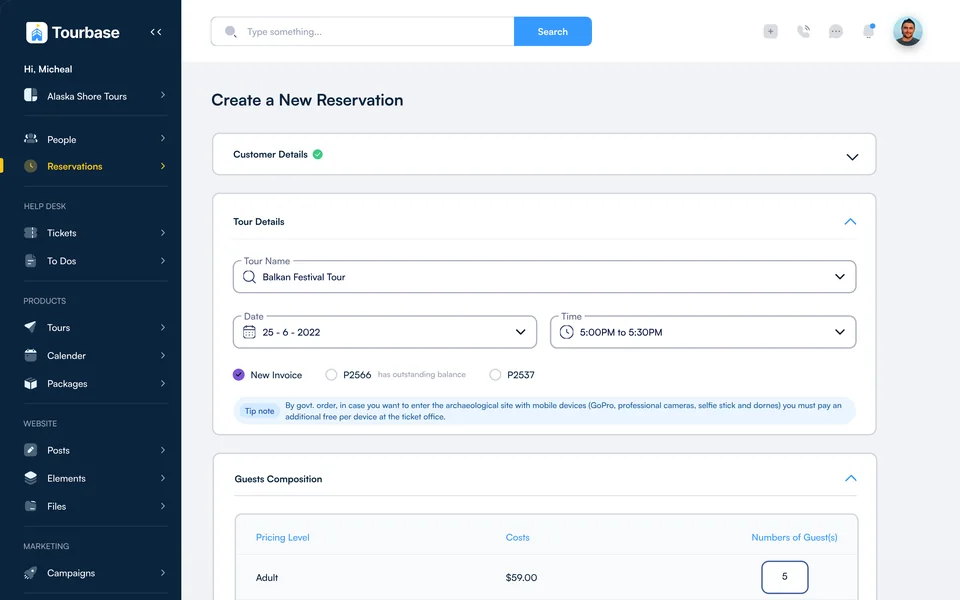
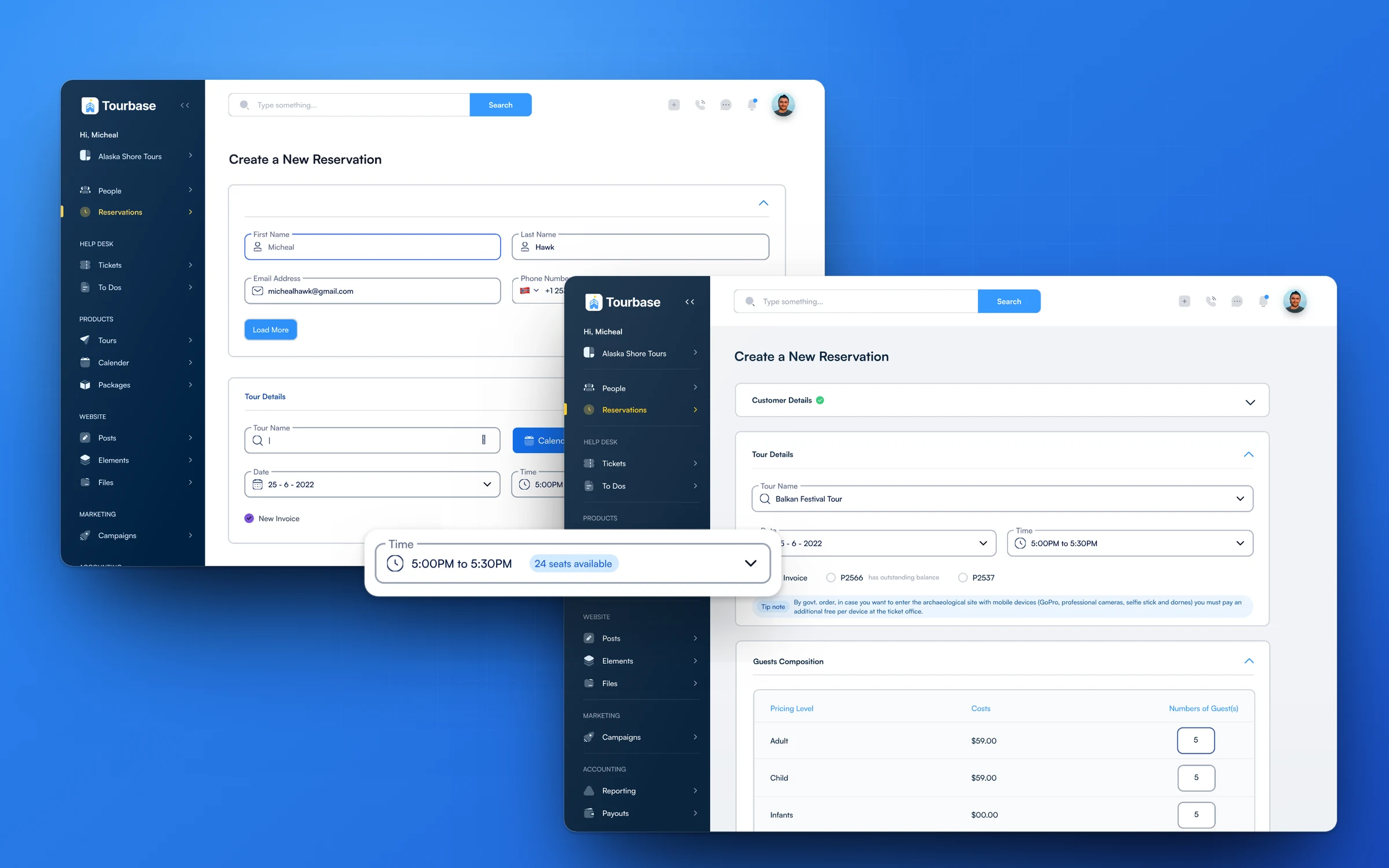
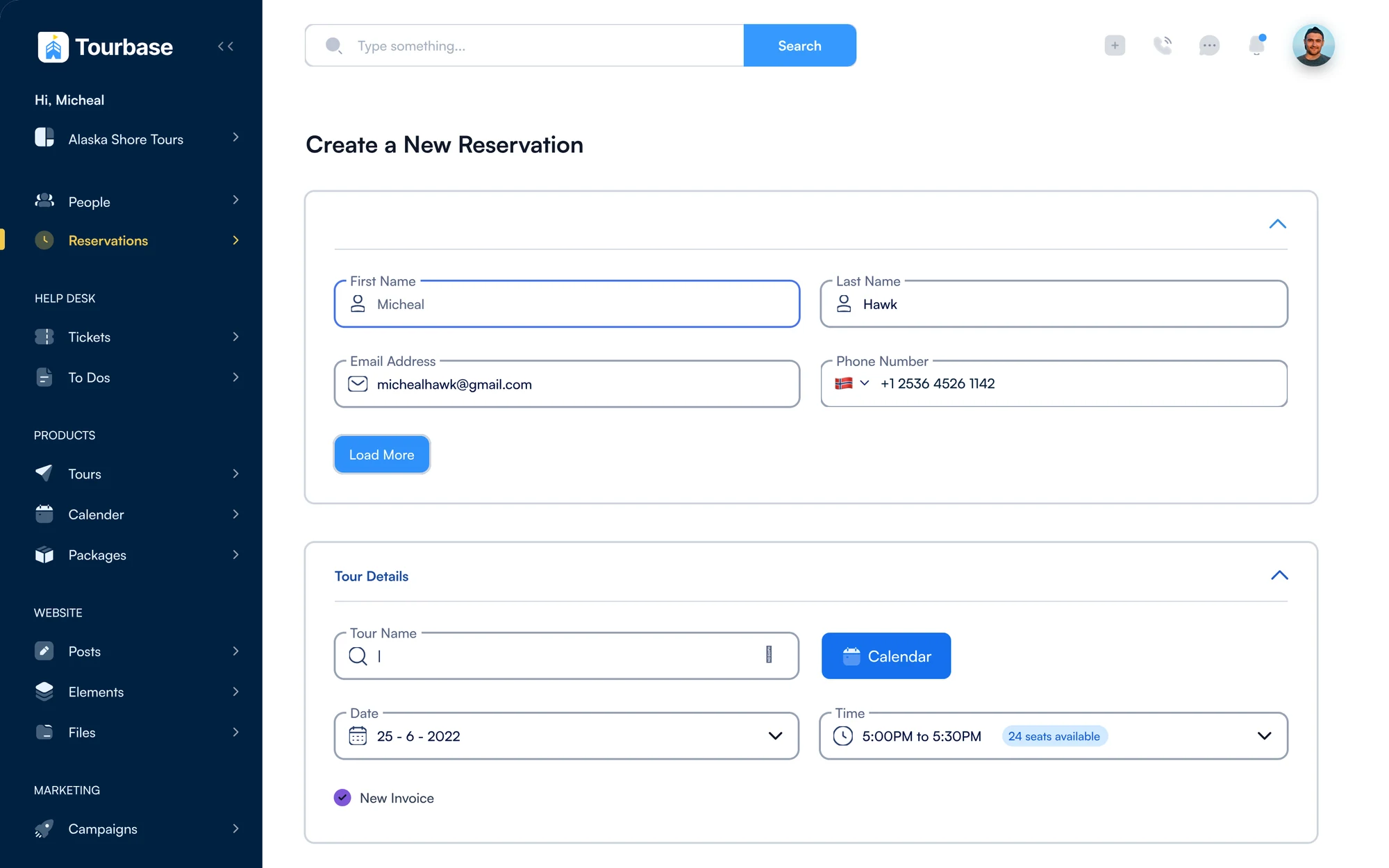
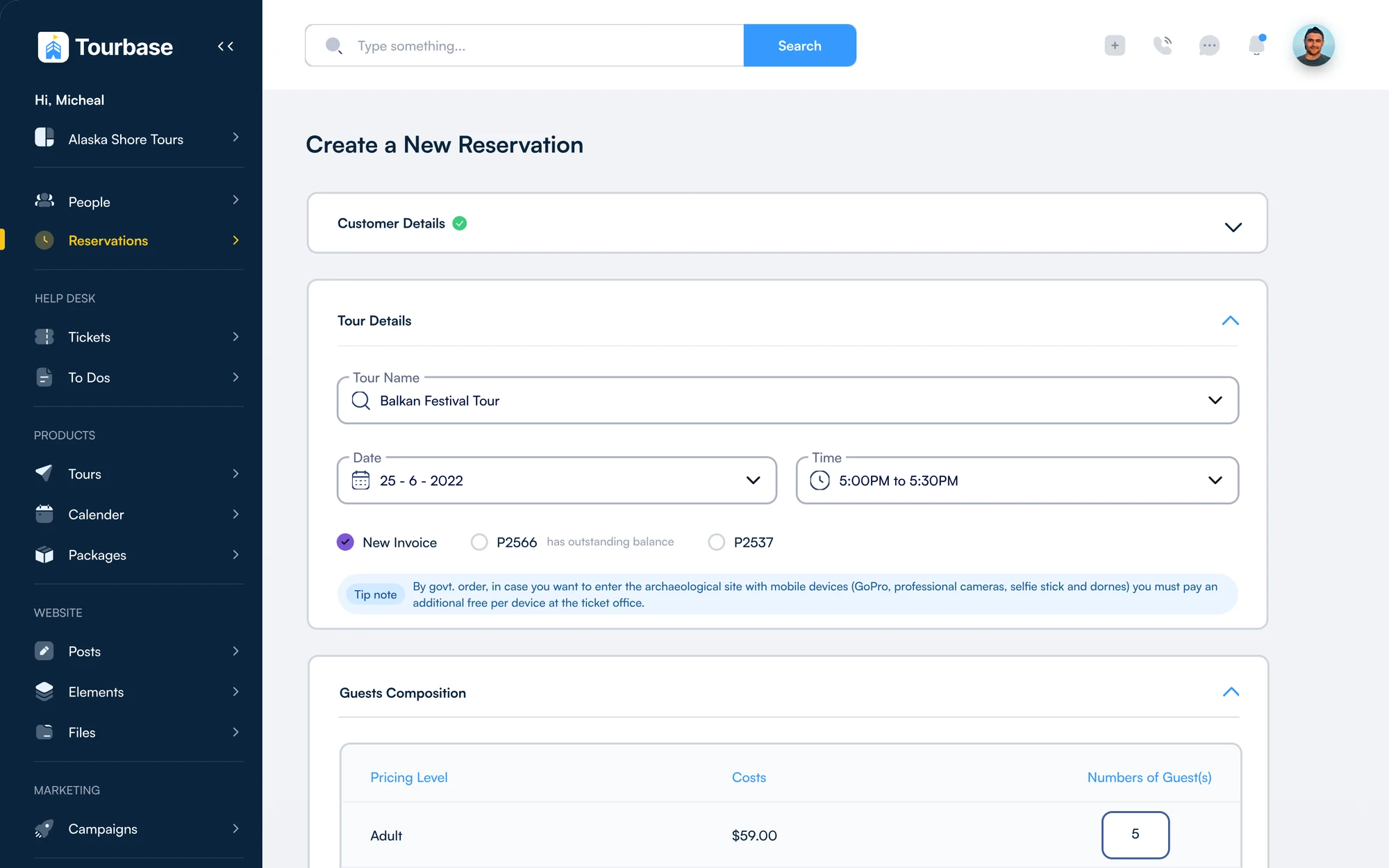
New reservation · two steps
Create a new reservation: customer details and tour details, with 24 seats available beside the time The next step: customer details done, the tour chosen and guests added by price level
New reservation · Seats left beside the time
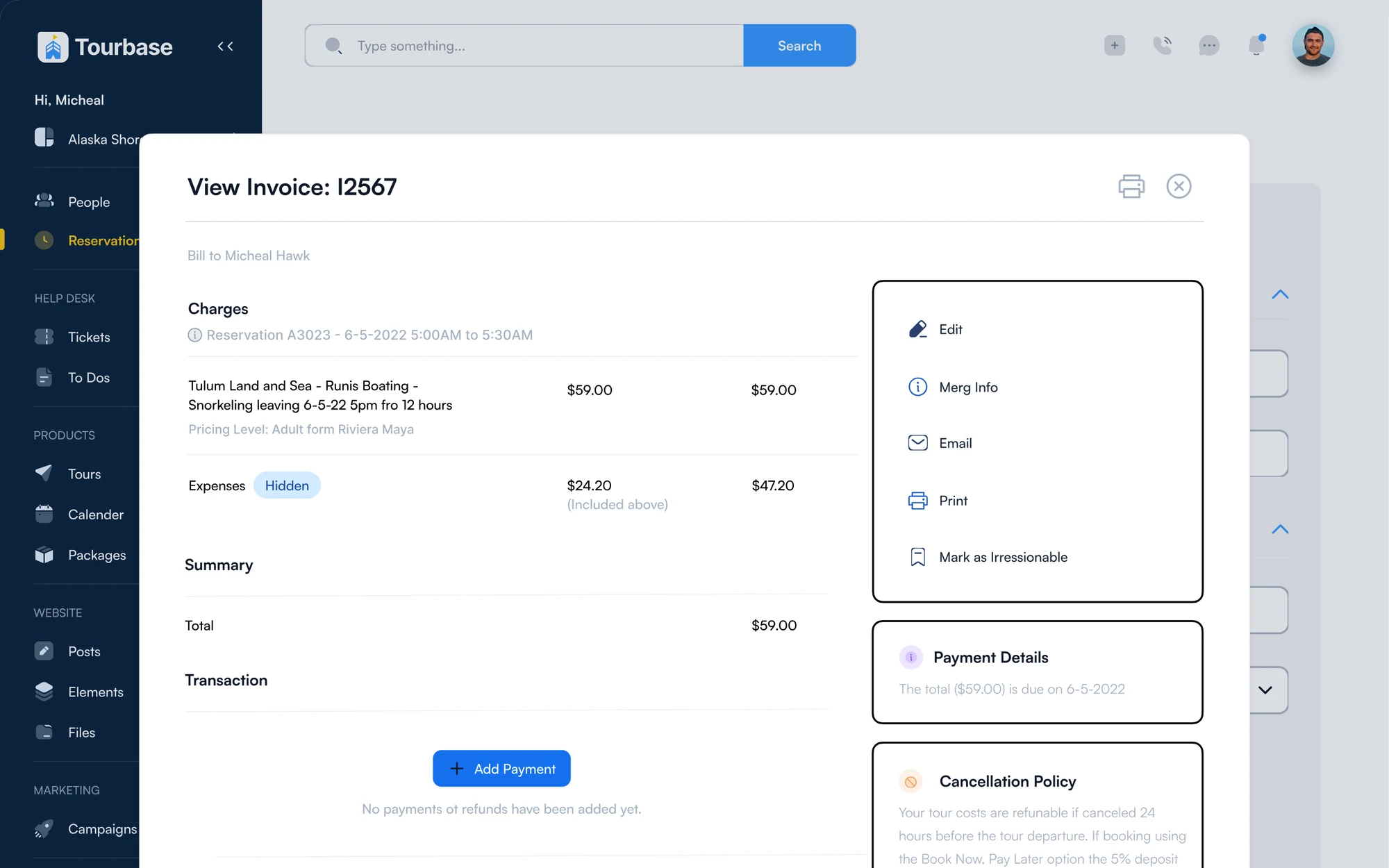
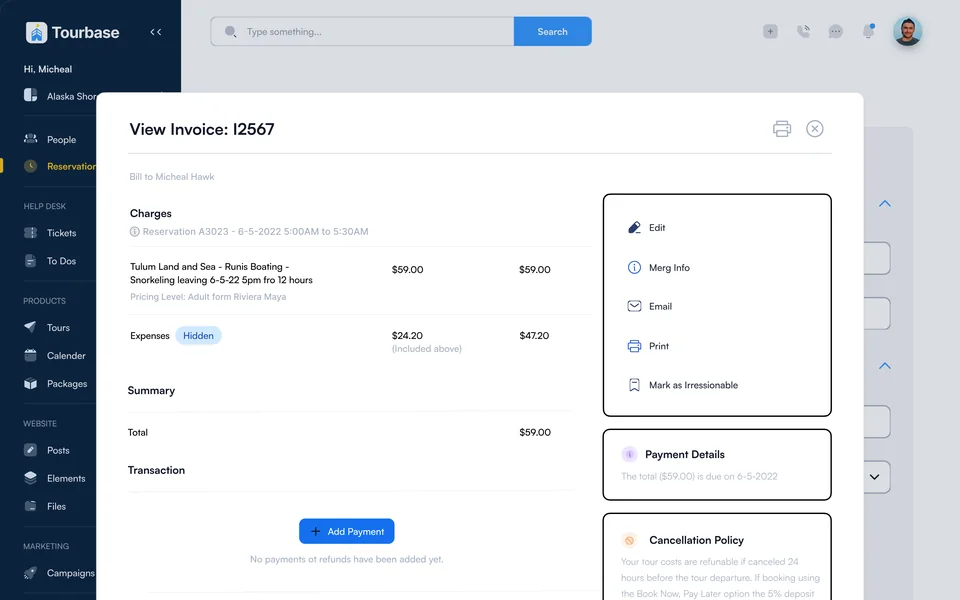
Invoice I2567
Invoice overlay with charges, payment details and the cancellation policy
Invoice · Payments and refund rules
From customer to a booked tour, with seats left beside the time picker
2 steps
Tour info, guests, actions, status and notes on every reservation
5 tabs
Email guest, email supplier, add payment, view invoice and cancel, one click away
5 actions
Decision 02 · New reservation

Guided steps, not one long form

I explored five layouts for New Reservation. The final one asks for the customer and the tour first, with live seat availability right beside the time picker, then guests and pickup. Fewer fields at once means fewer mistakes at the desk.

What I designed Reservations table with status badgesTwo-step bookingSeats left beside the timeReservation record with five tabsInvoice overlay with payments and refund rulesEdit guests, tour and notes in placeGuest cards for every travelerErrors that suggest a fix
Decision 03 · Guest cards

Guests as cards, with what the tour needs

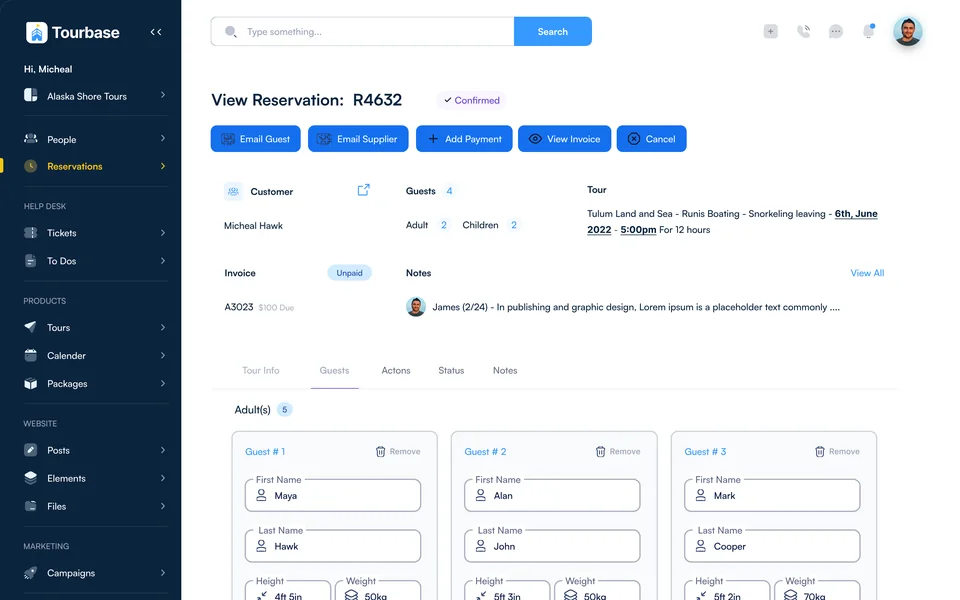
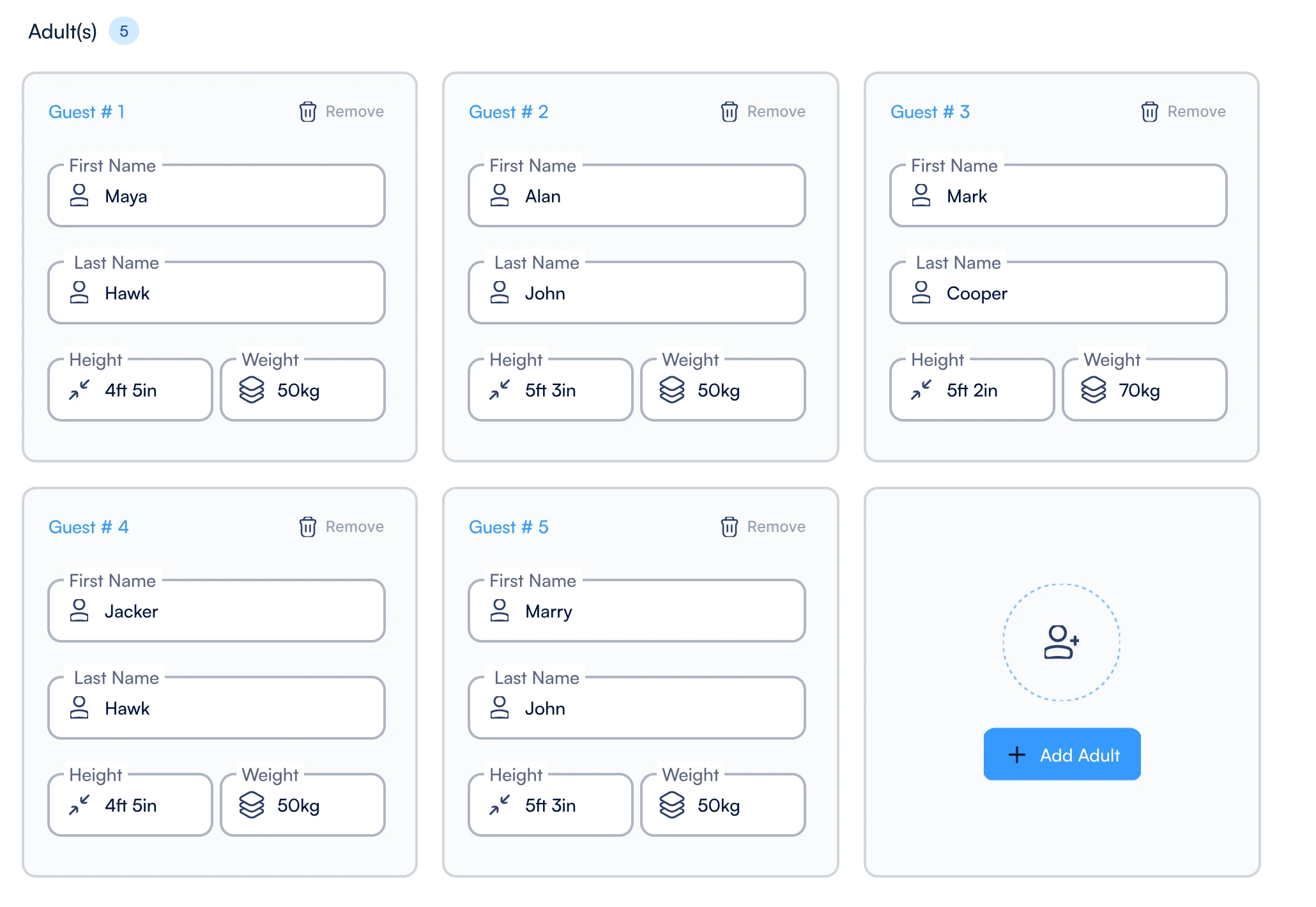
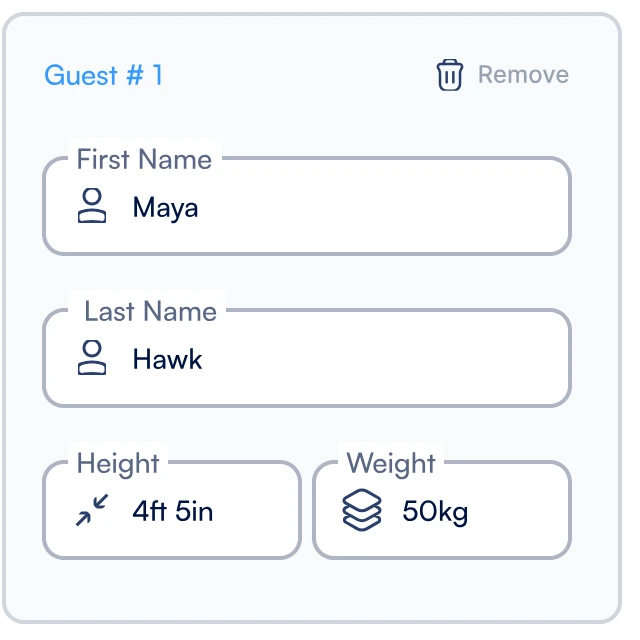
Each guest gets a card with name, height and weight, because helicopter, boat and adventure tours depend on them. Adults and children are grouped separately, and adding one more is a single button.

1Name2Height3Weight
R4632 · Guests
Guests tab with five guest cards, each with first name, last name, height and weight, and an Add guest button
Chapter 02 / 03 · Serve
Decision 05 · Traveler profile

One Traveler, One History

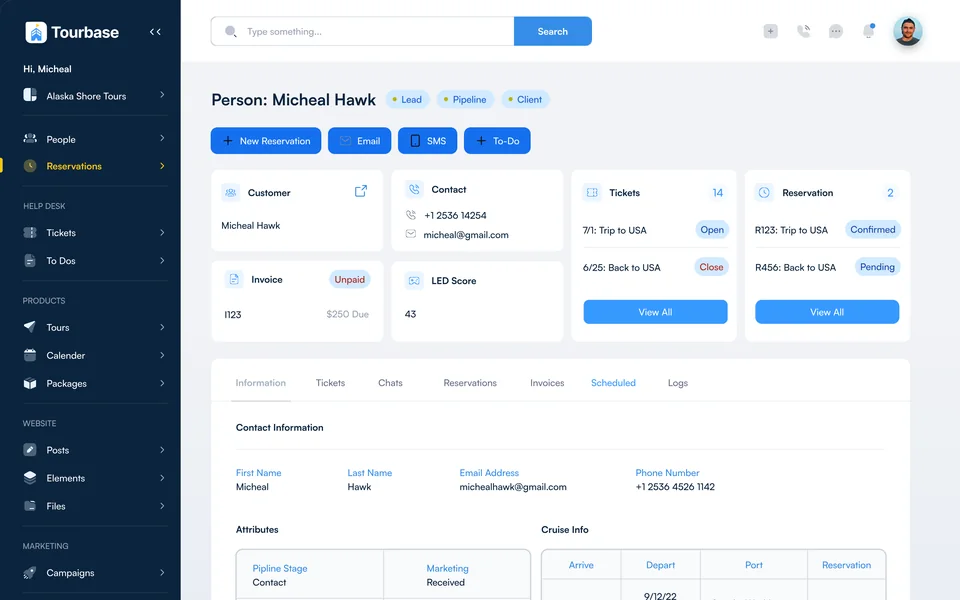
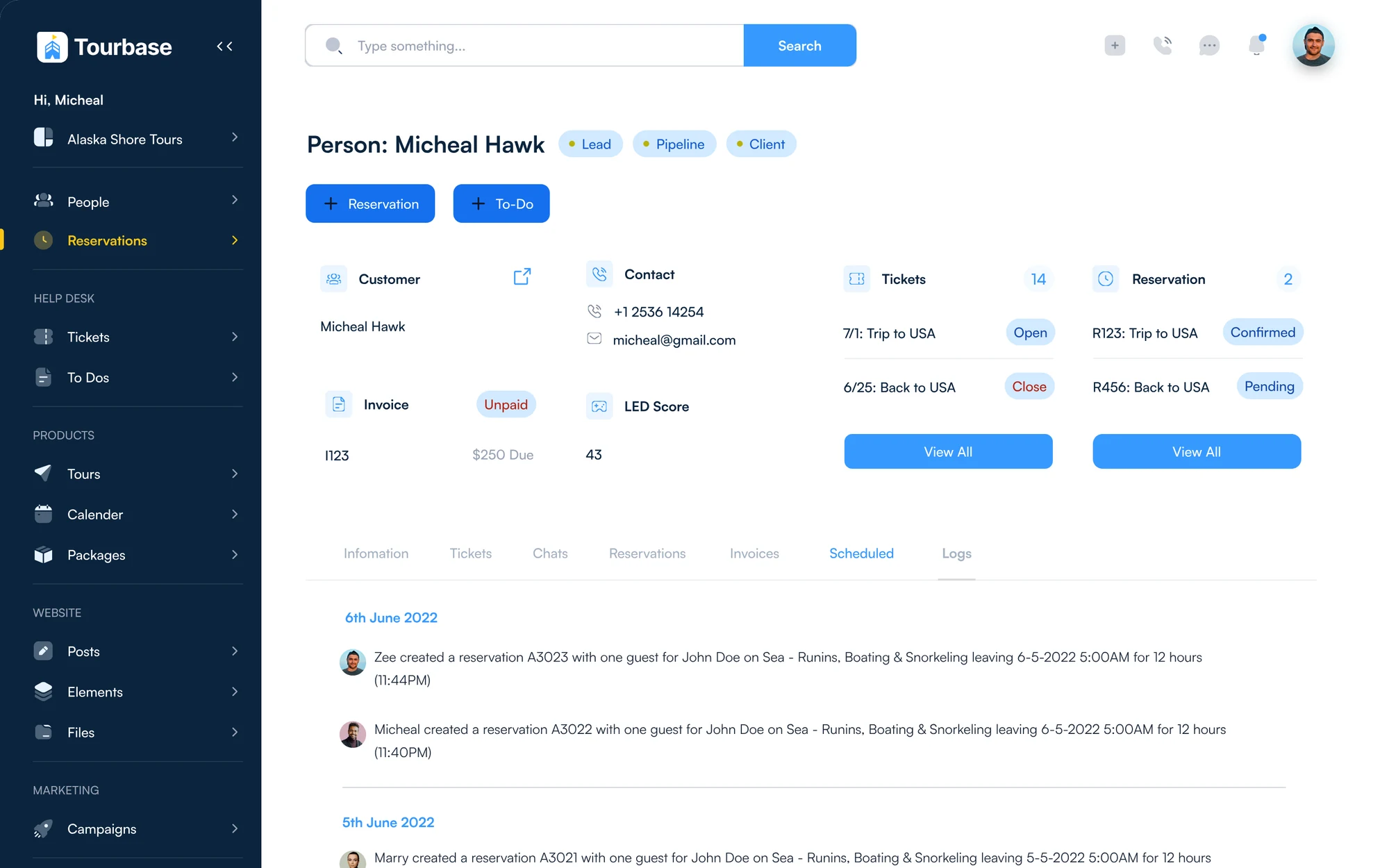
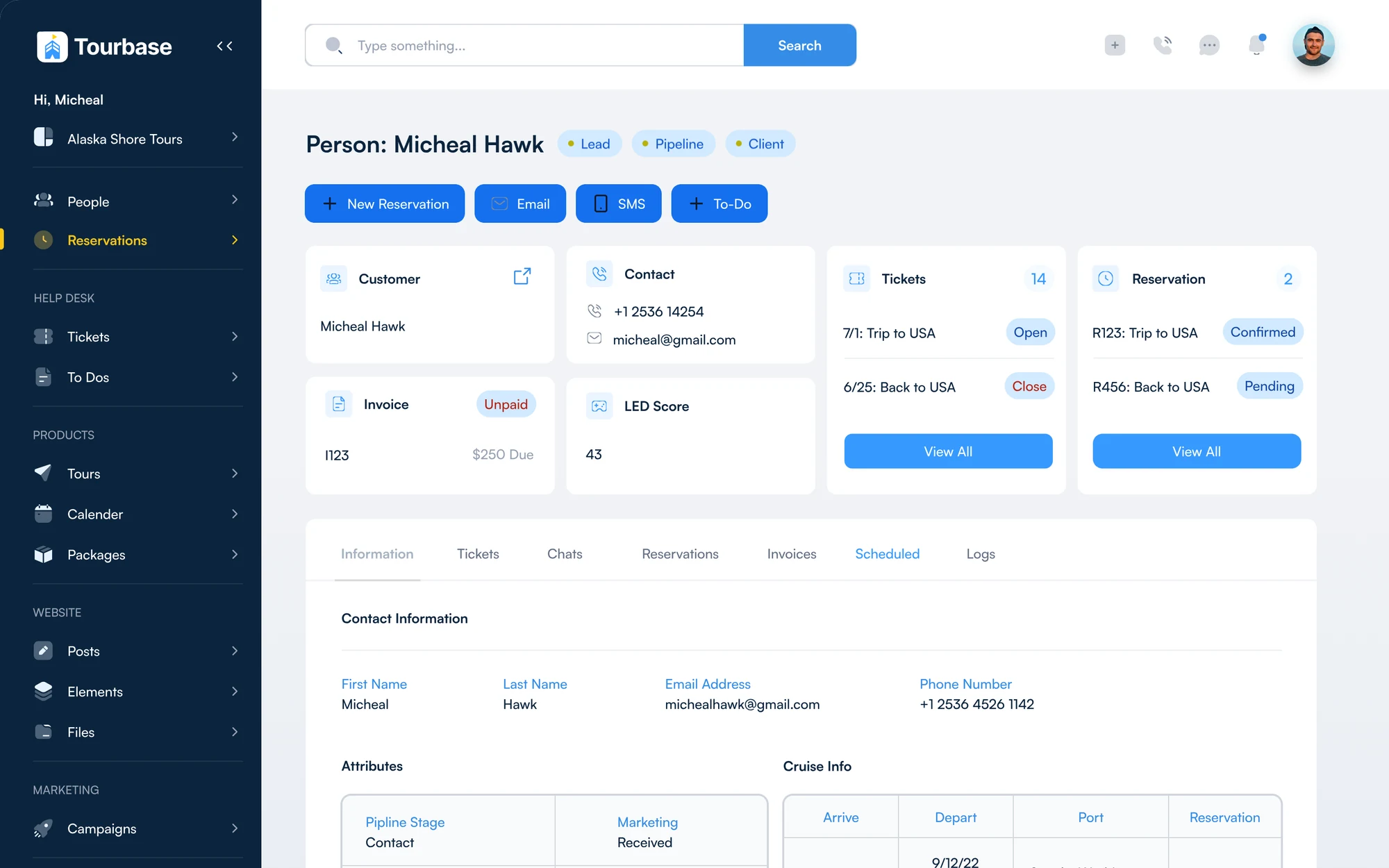
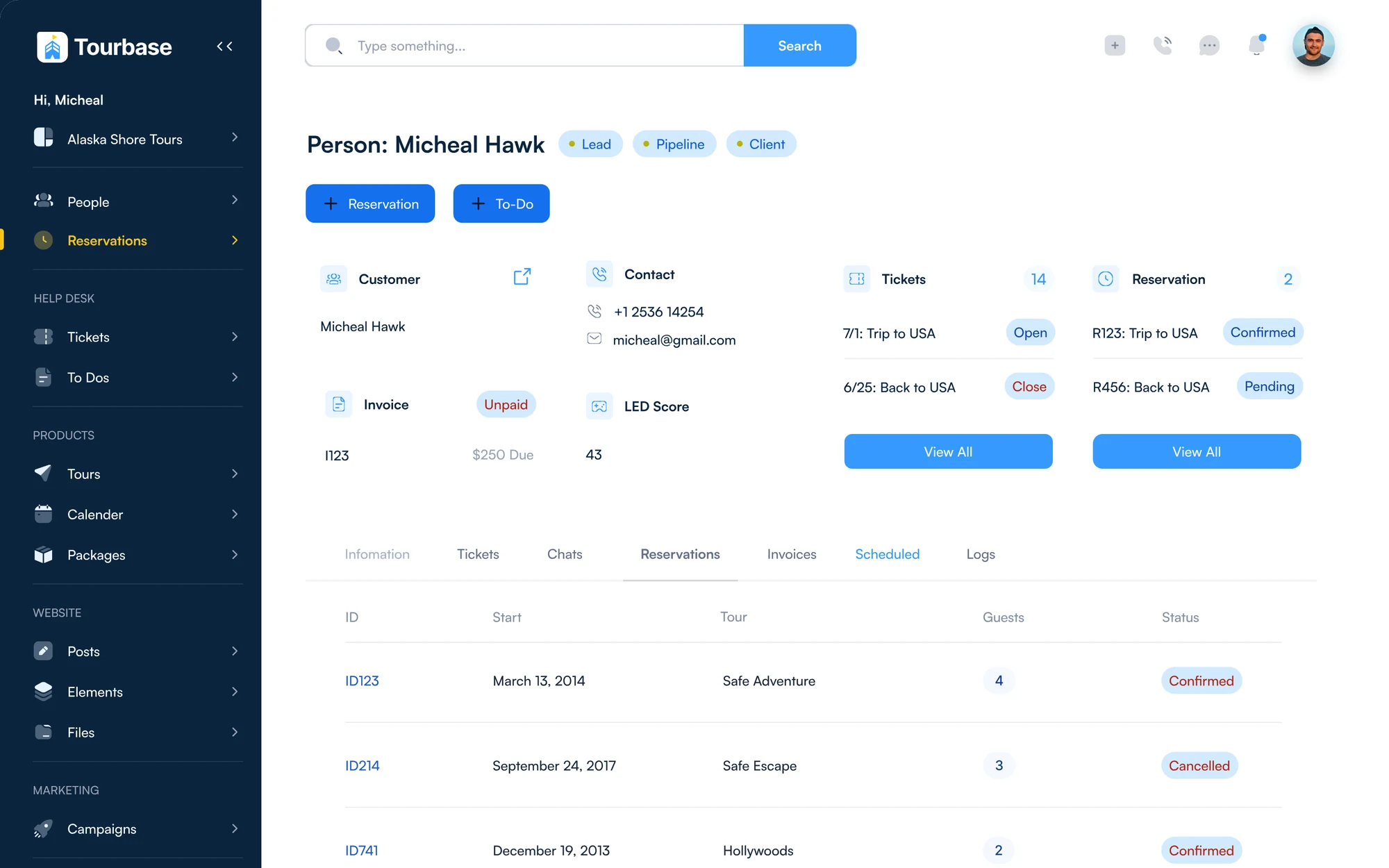
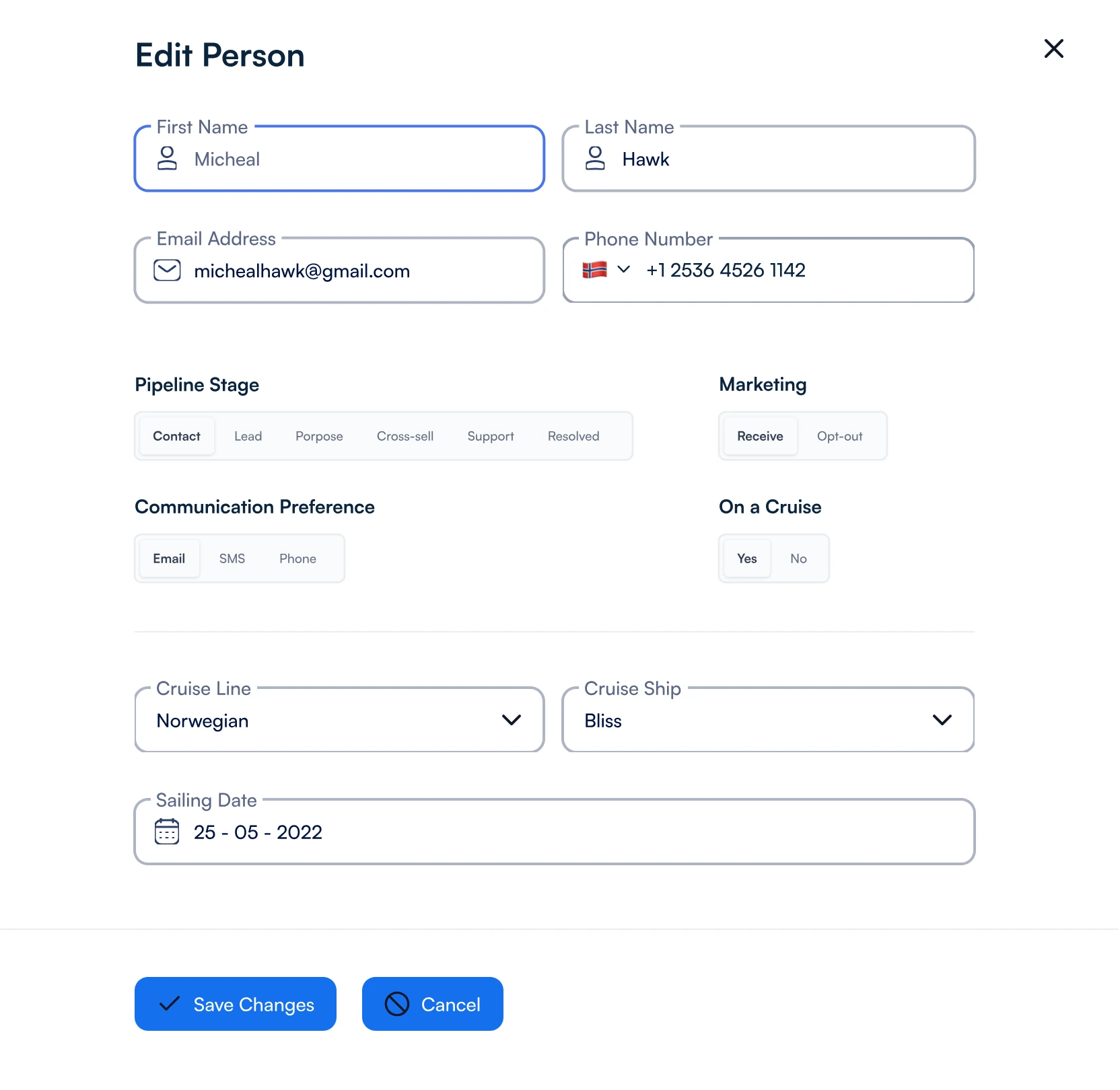
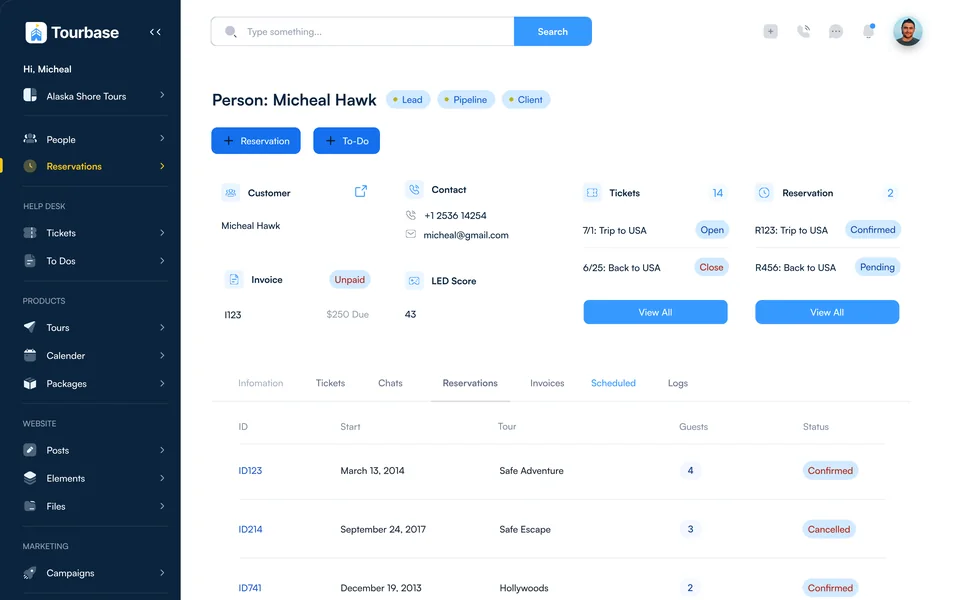
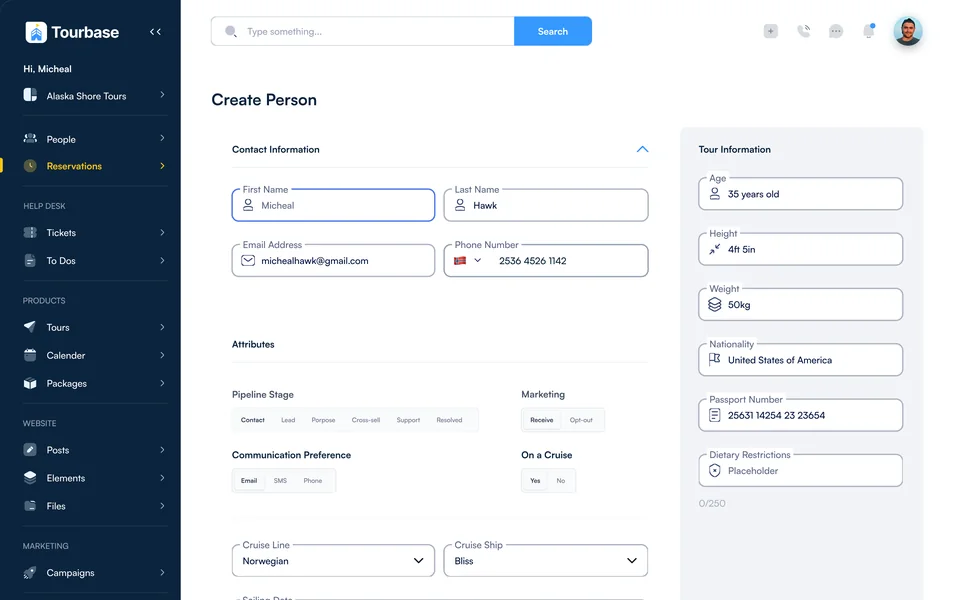
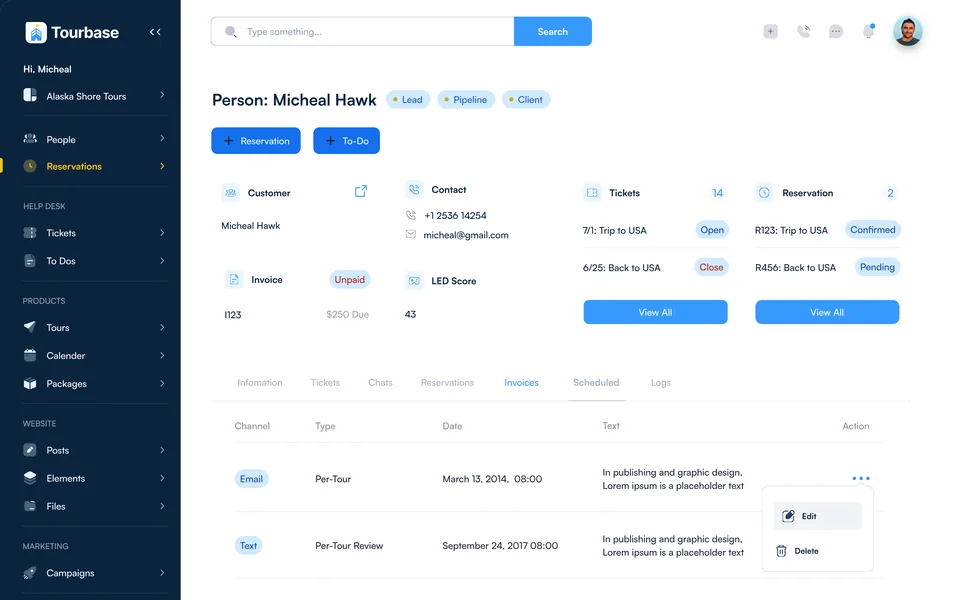
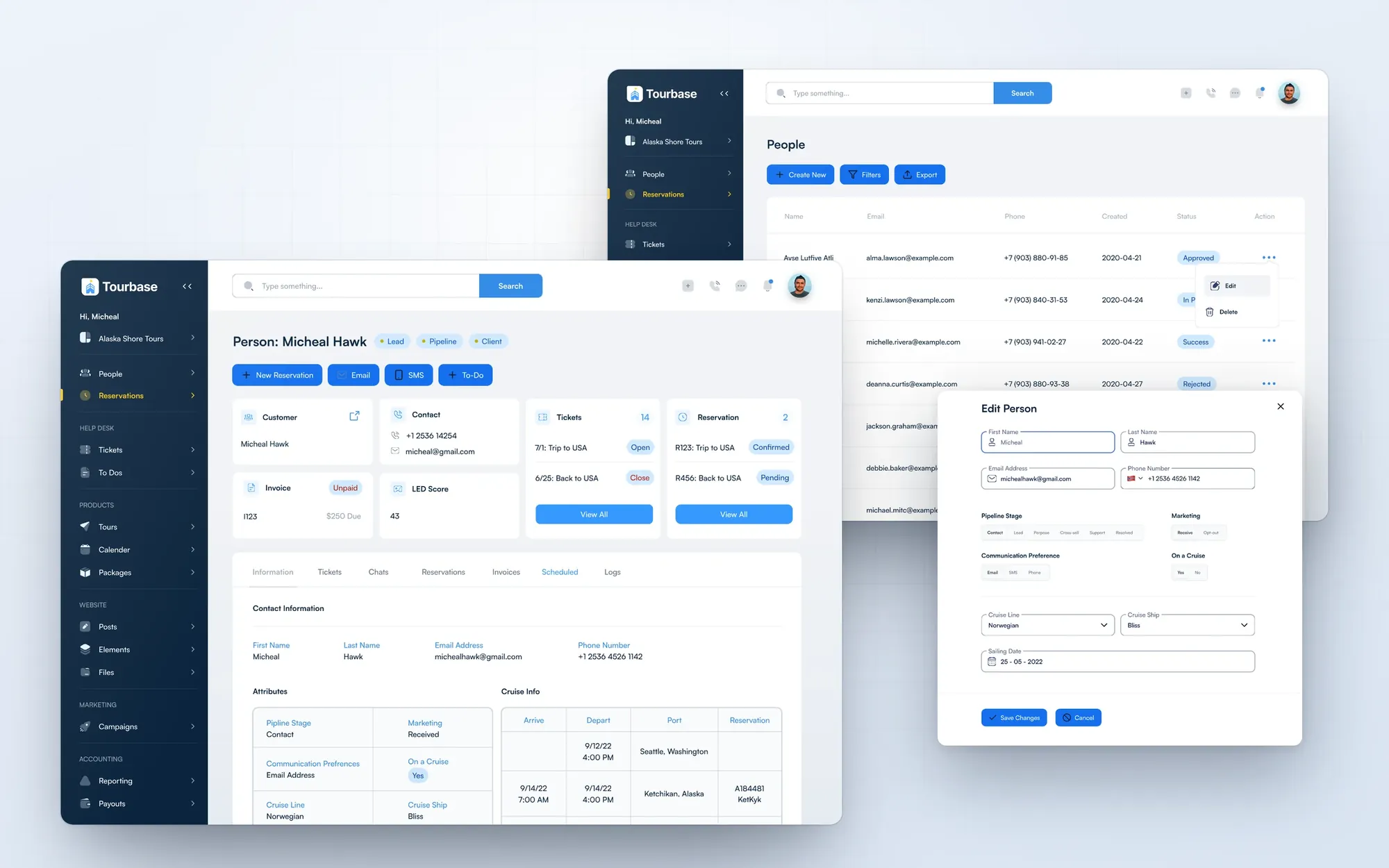
Sales, support and operations share one person record: contact details, pipeline stage, tickets, reservations, invoices, chats, scheduled messages and logs. For cruise guests on shore excursions it also keeps cruise line, ship and sailing date.

Person · Micheal Hawk
Traveler profile with customer, contact, tickets, reservations, invoice and lead score, on the Information tab The same profile on the Reservations tab The same profile on the Logs tab, every action with who and when
Traveler profile · Information, reservations, logs
Edit person overlay with name, email, phone, pipeline stage, marketing, communication preference, cruise line, cruise ship and sailing date
Edit person · Pipeline, preferences, cruise
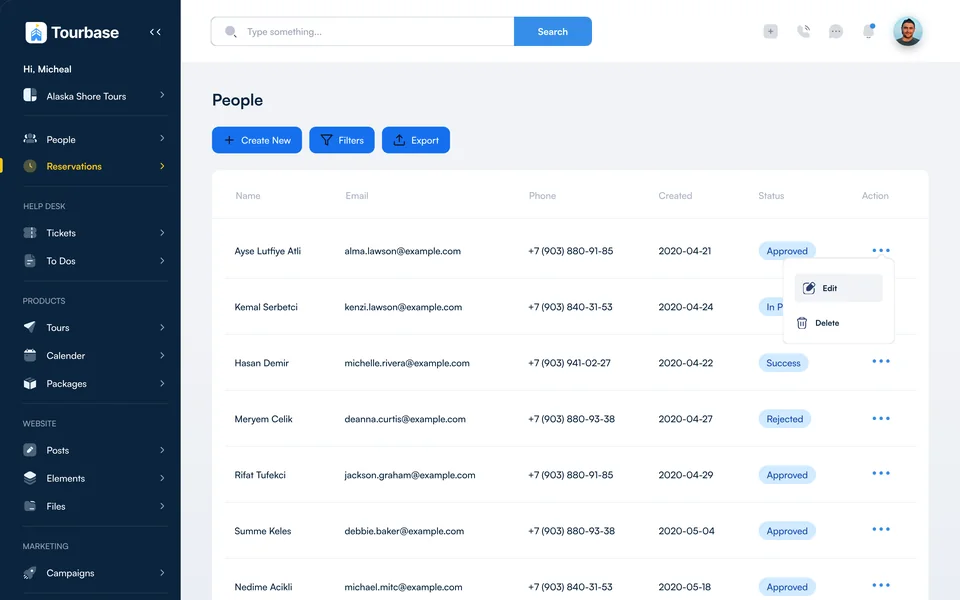
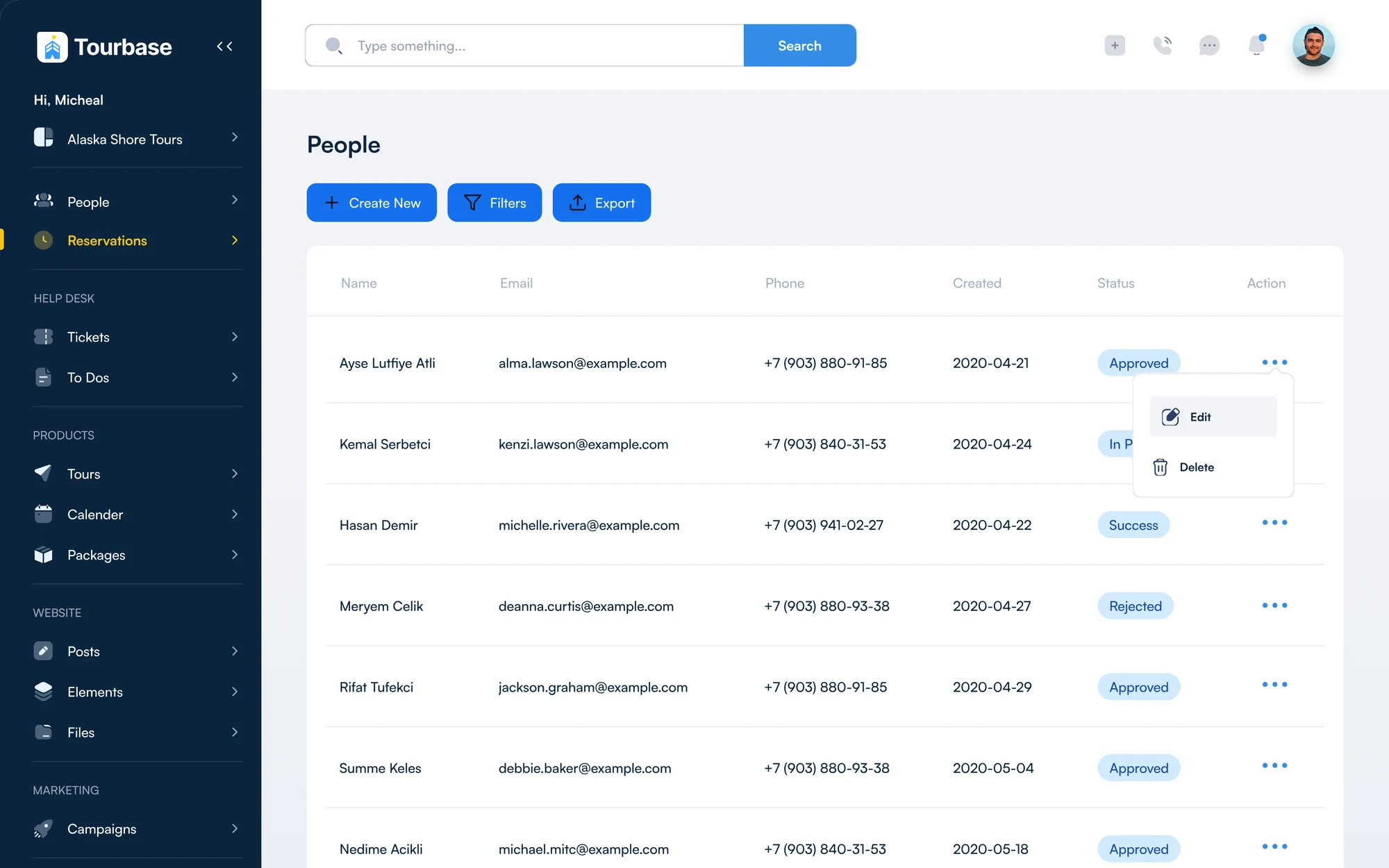
People
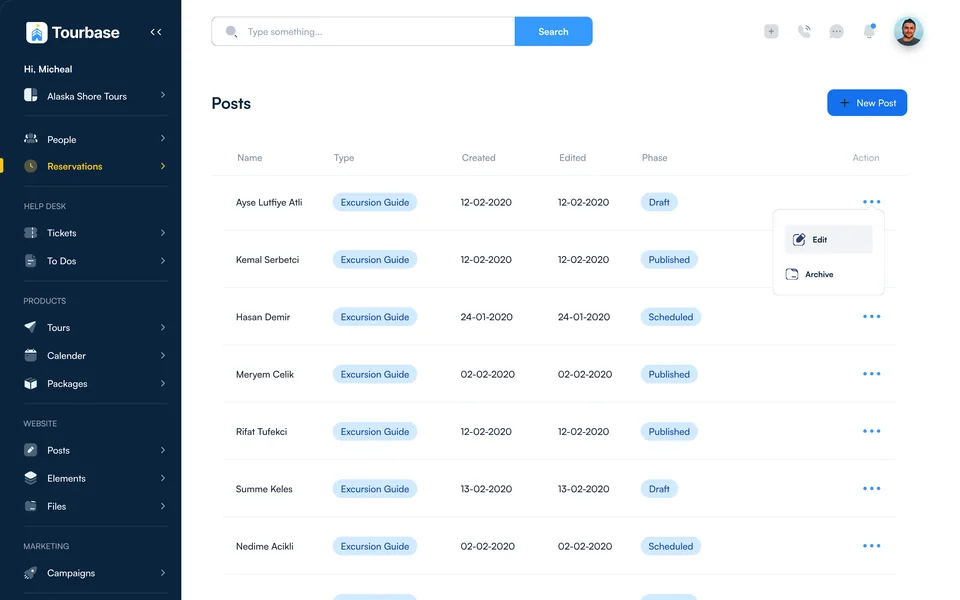
People table with name, email, phone, created date and status
People · Status at a glance
Information, tickets, chats, reservations, invoices, scheduled messages and logs
7 tabs
Per traveler, shared by sales, support and operations
1 profile
Cruise line, ship and sailing date for guests on shore excursions
3 fields
Decision 04 · Status

One status language, everywhere

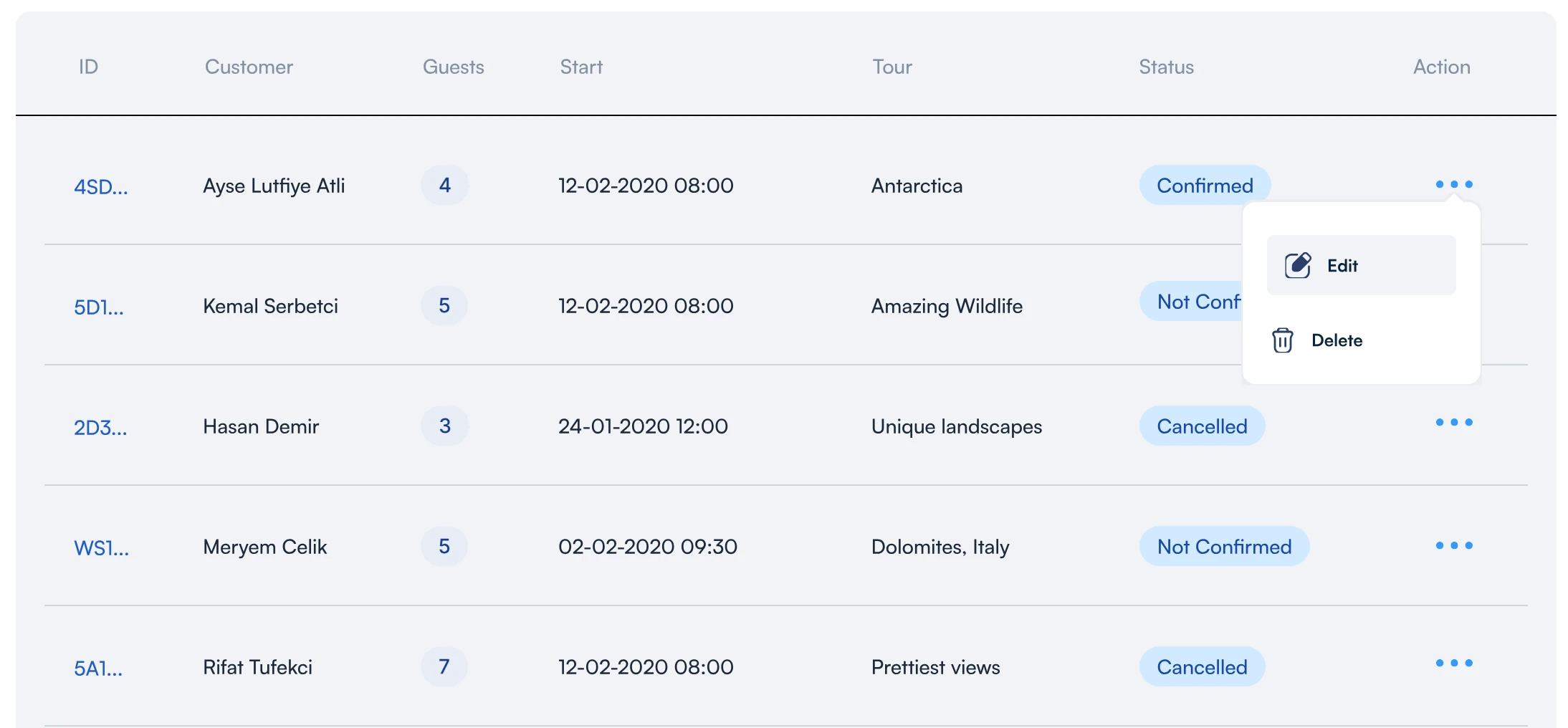
Confirmed, Not Confirmed, Cancelled, Pending, Unpaid, Open and Closed use the same badge in tables, records and tickets. Departures add a four-step itinerary from reservation to return, so anyone can read a trip’s state at a glance.

One badge, in tables, records and tickets
ConfirmedNot ConfirmedCancelledPendingUnpaidOpenClosed
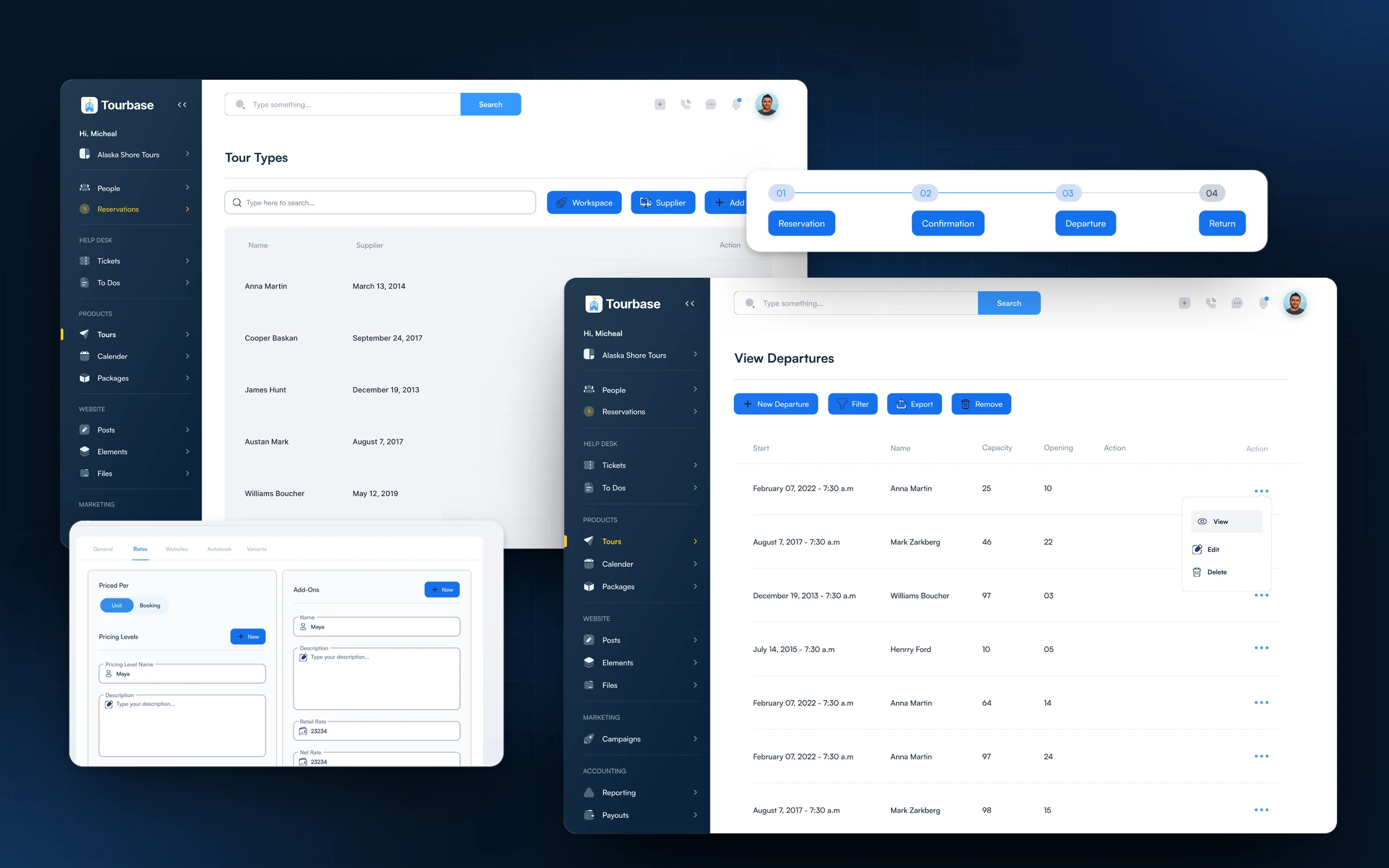
The itinerary on every departure Itinerary stepper with four steps: reservation, confirmation, departure and return
What I designed People table with statusProfile with seven tabsEdit person in placeLead, pipeline and client tagsCruise line, ship and sailing dateChats inside the profileScheduled messagesActivity log with who and when
Chapter 03 / 03 · Scale
Decision 06 · Marketplaces

Many Marketplaces, One Back Office

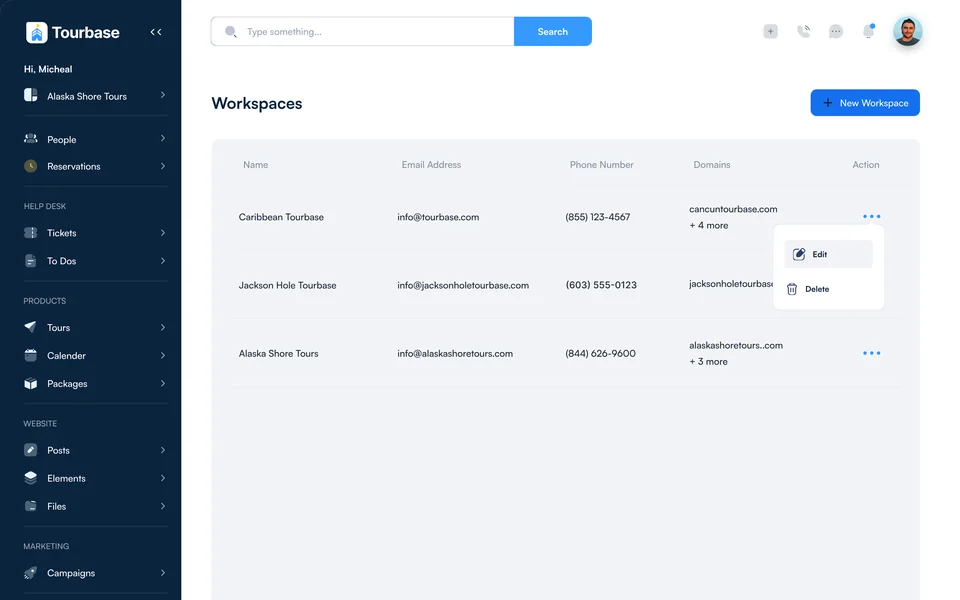
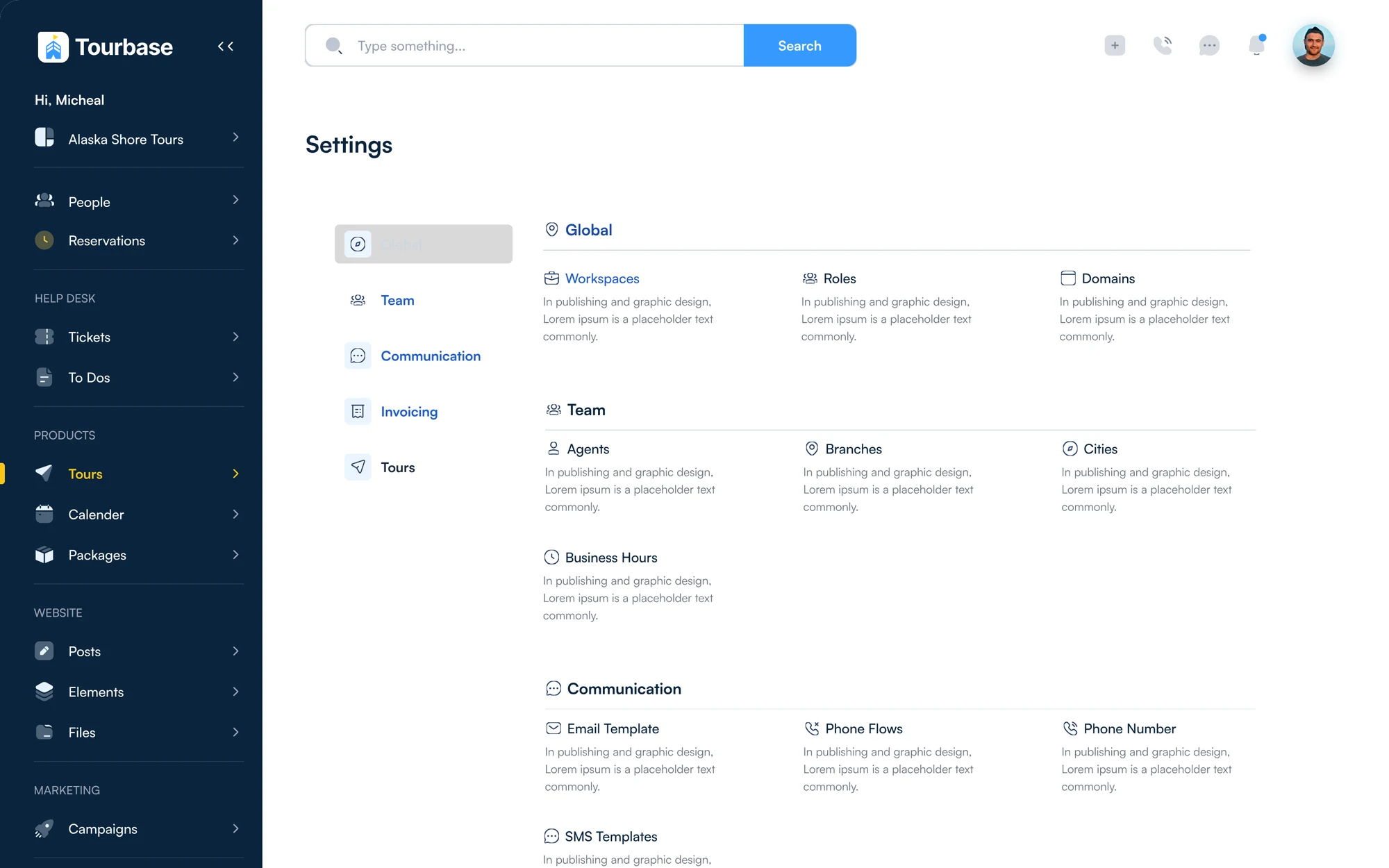
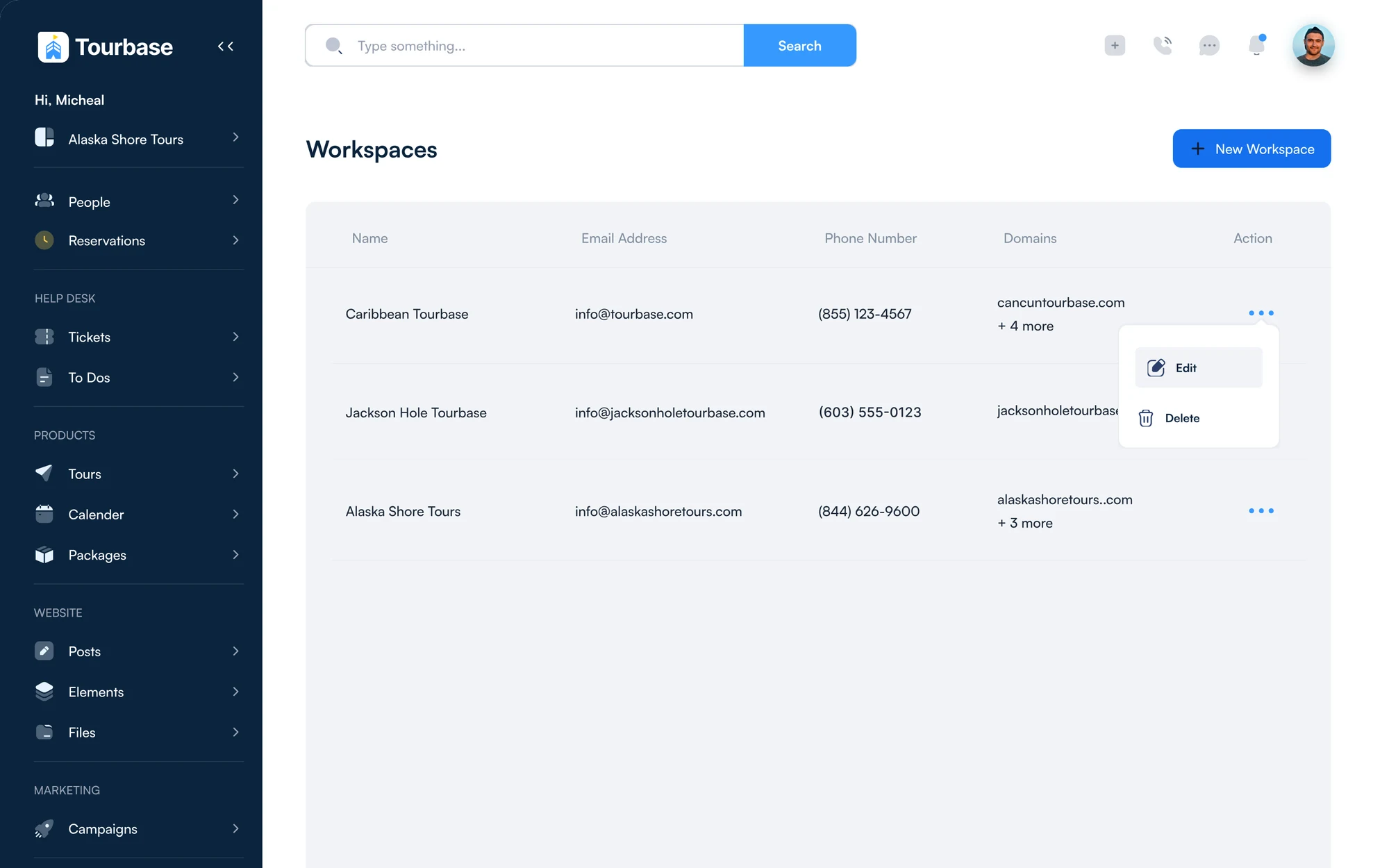
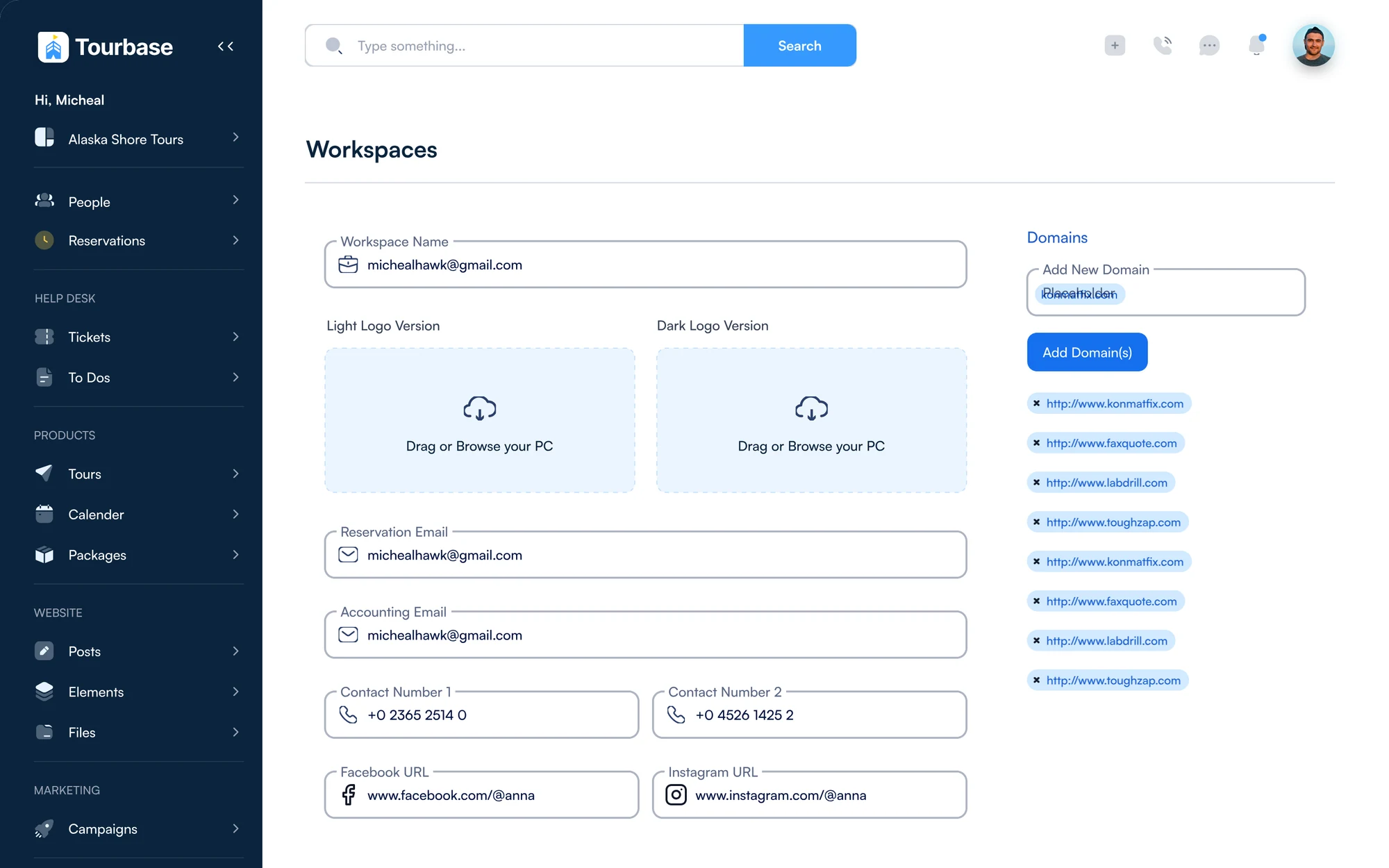
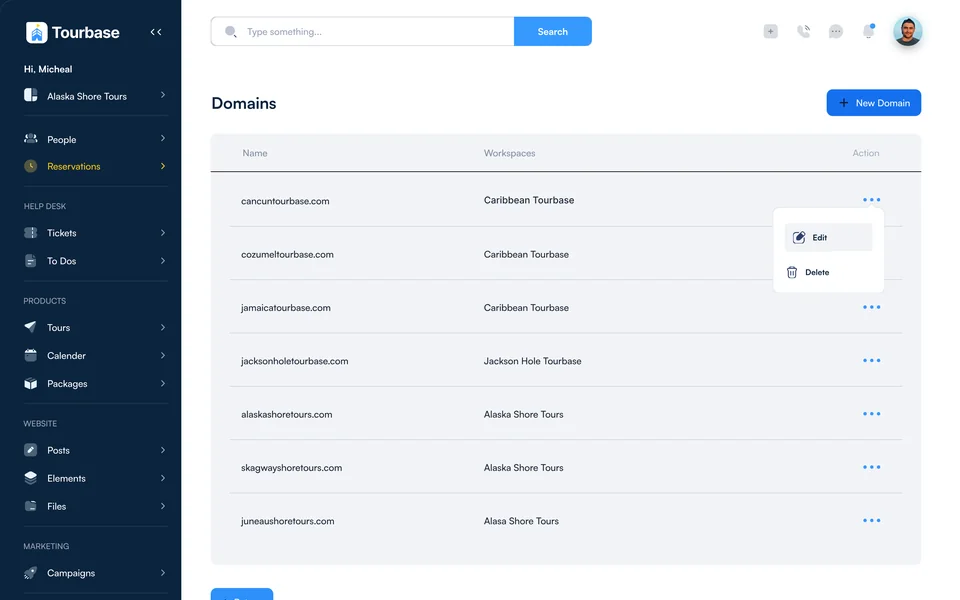
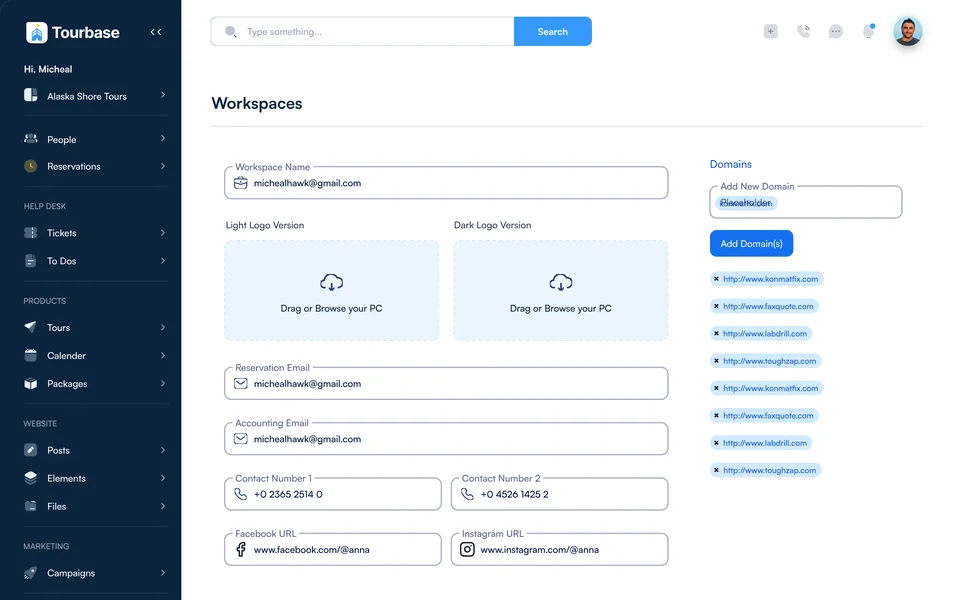
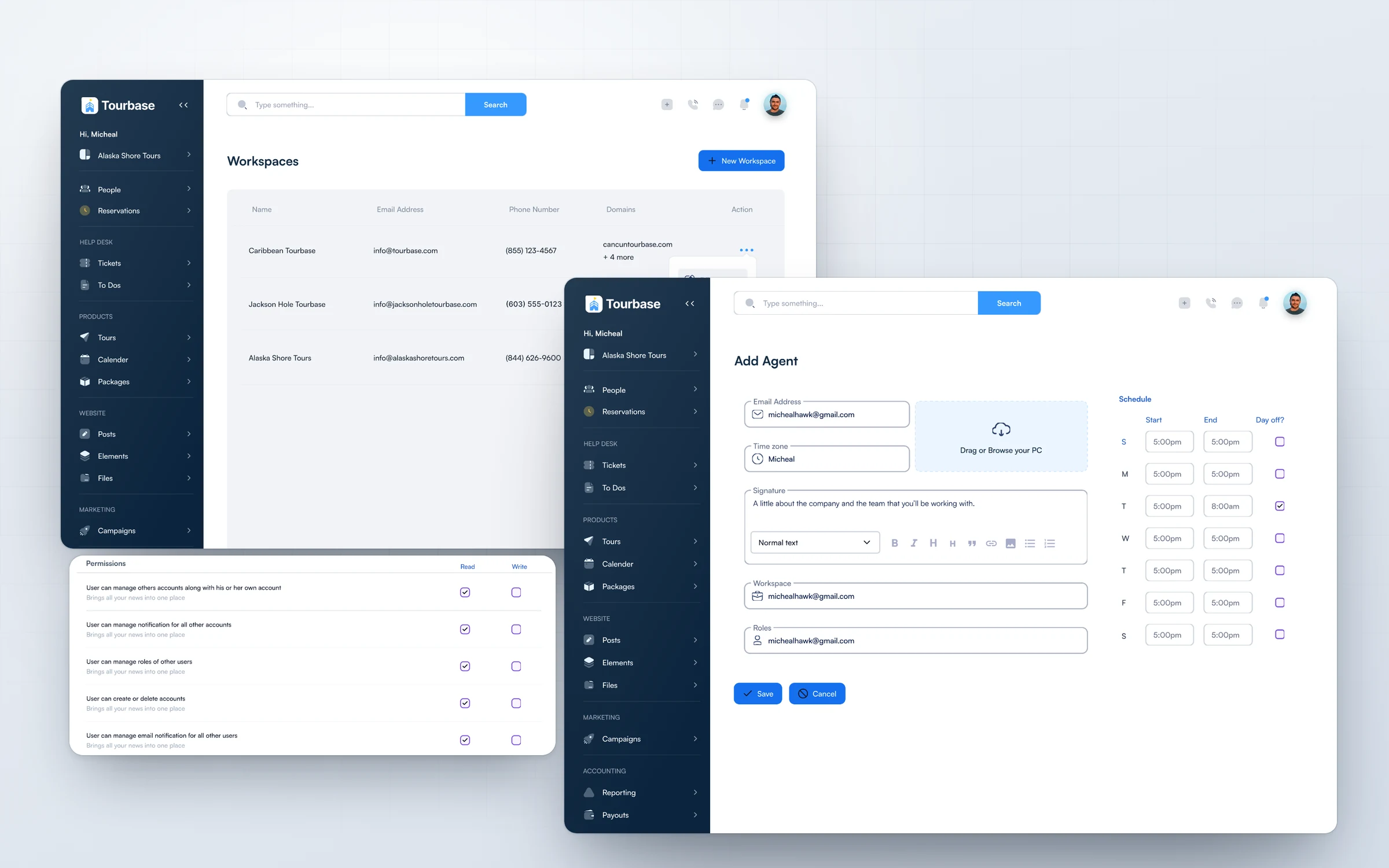
Workspaces and domains let one team run Caribbean Tourbase, Jackson Hole Tourbase and Alaska Shore Tours side by side, each with its own sites, logos, emails and phone numbers. A new destination or franchise becomes a settings task, not a new build.

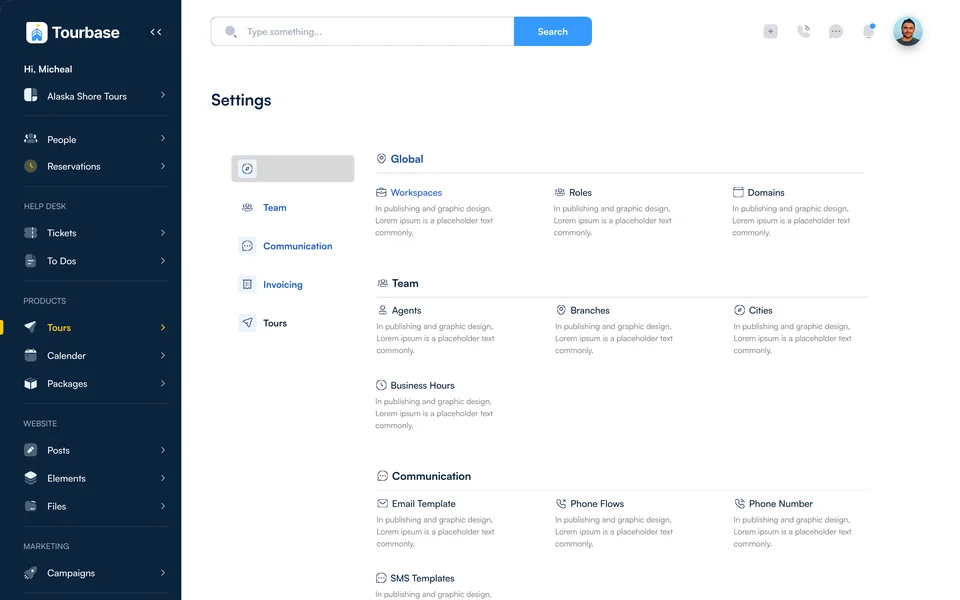
Settings · Workspaces
Settings home with global, team, communication, invoicing and tours groups Workspaces table with Caribbean Tourbase, Jackson Hole Tourbase and Alaska Shore Tours, each with its own email, phone number and domains Editing a workspace: name, light and dark logos, reservation and accounting emails, contact numbers and its list of domains
Workspaces · Brands, sites and domains
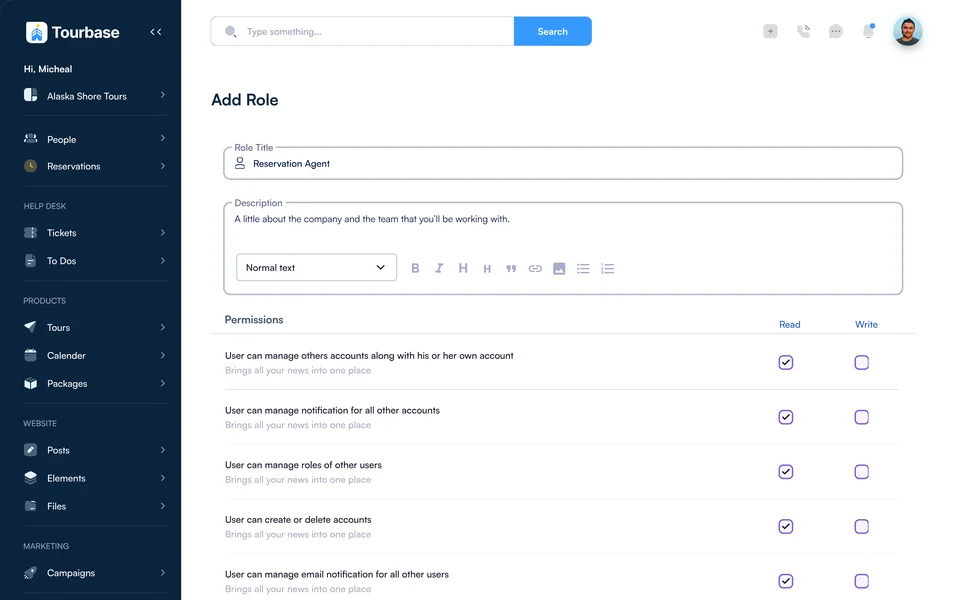
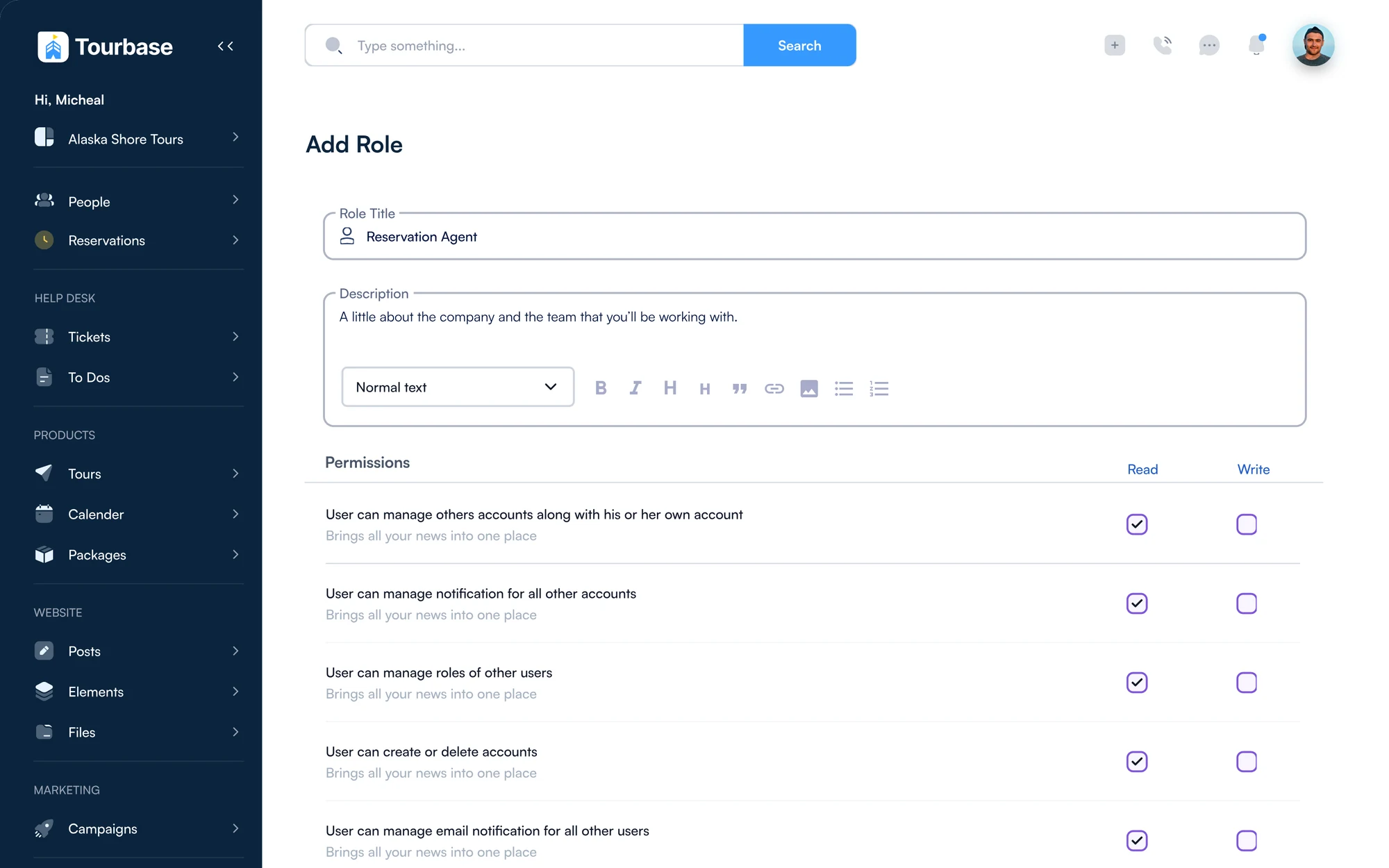
Add role · permissions
Add role screen with a role title, description and read and write permissions for each capability
Roles · Read and write, per capability
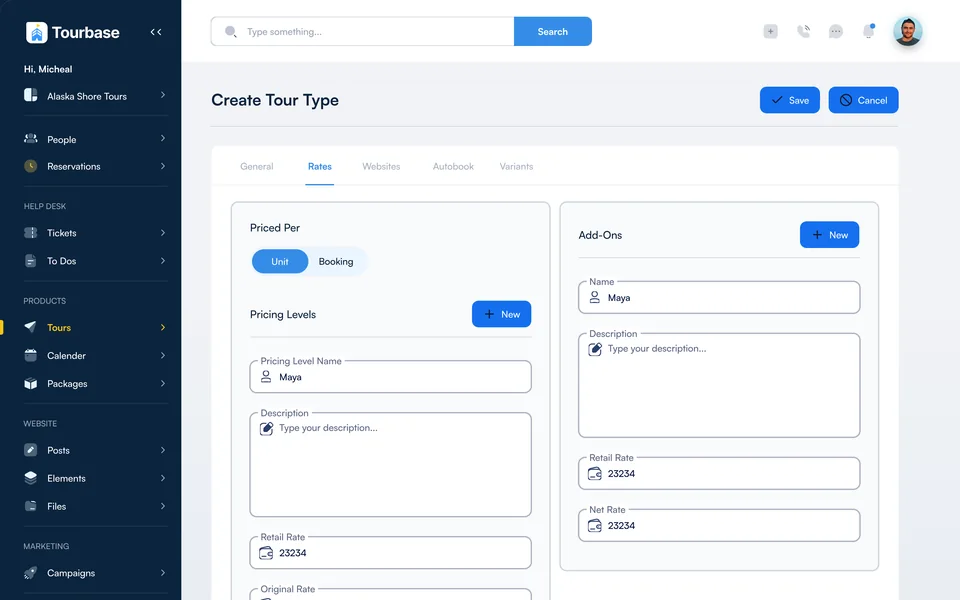
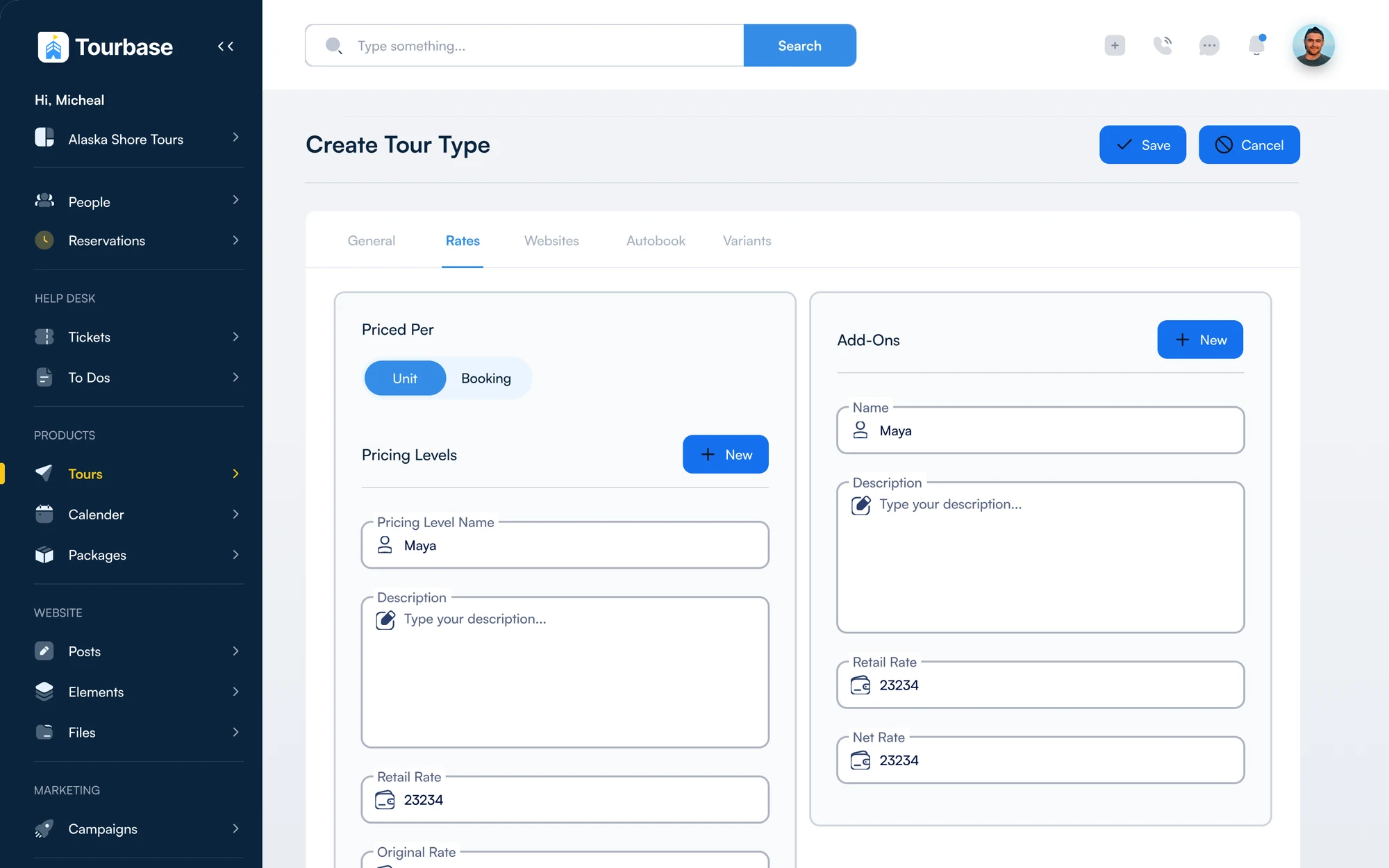
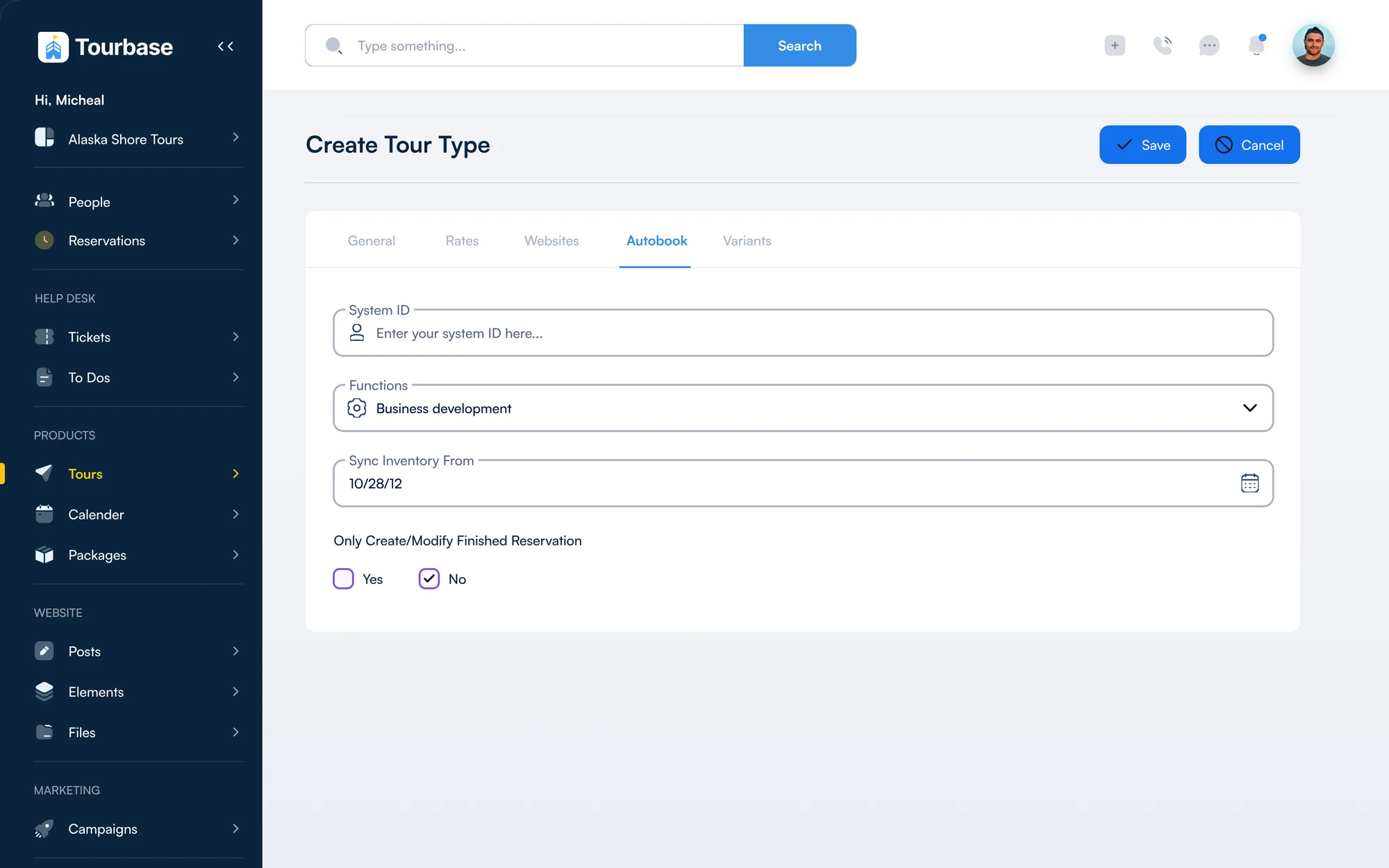
Create tour type
Create tour type on the Rates tab: priced per unit or booking, pricing levels and add-ons Create tour type on the Autobook tab: system ID, function and inventory sync from the supplier
Tour types · Rates and Autobook
Caribbean Tourbase, Jackson Hole Tourbase and Alaska Shore Tours, side by side
3 brands
From reservation agent to administrator, with read and write set per capability
5 roles
General, rates, websites, autobook and variants for every tour type
5 tabs
Tours

Set up a tour once

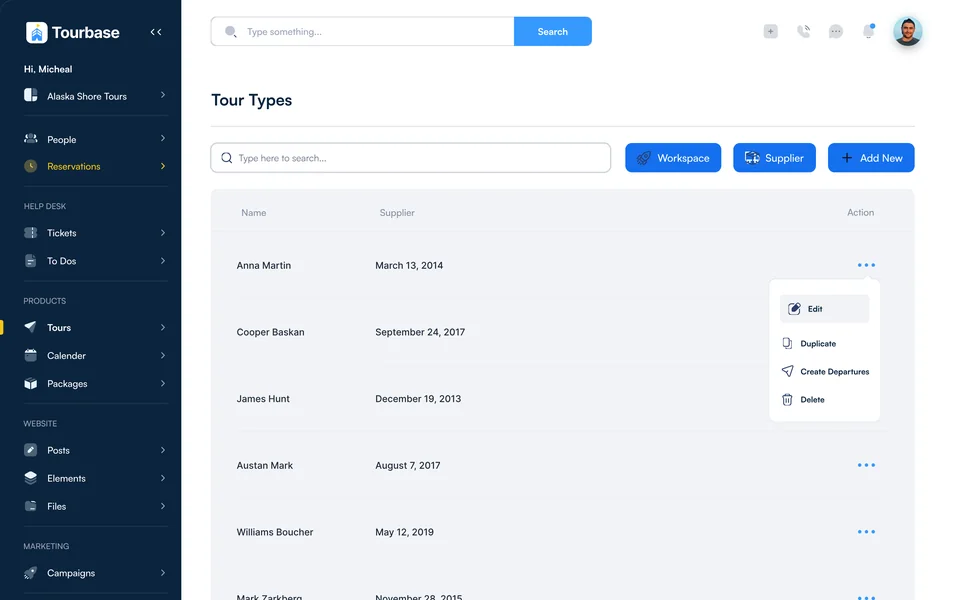
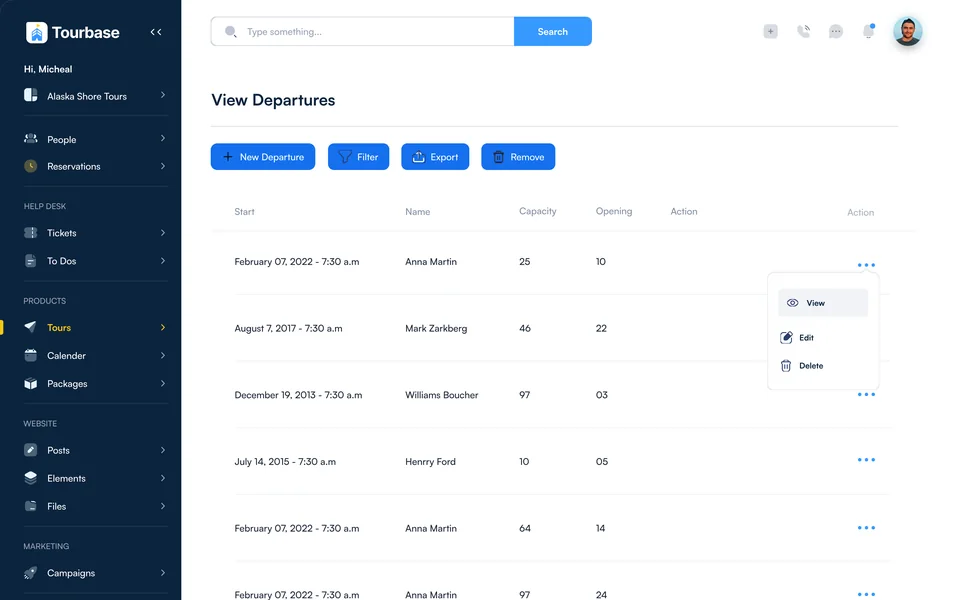
Every tour type has General, Rates, Websites, Autobook and Variants tabs. Price per unit or per booking, add extras, write the web page and sync inventory from the supplier’s system.

Tour types table with supplier and actions
Tour types
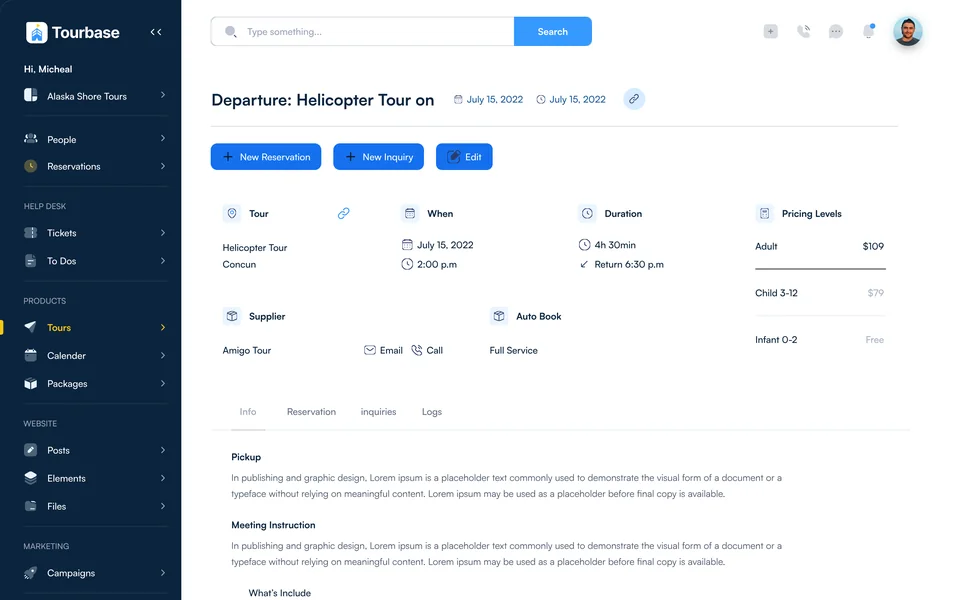
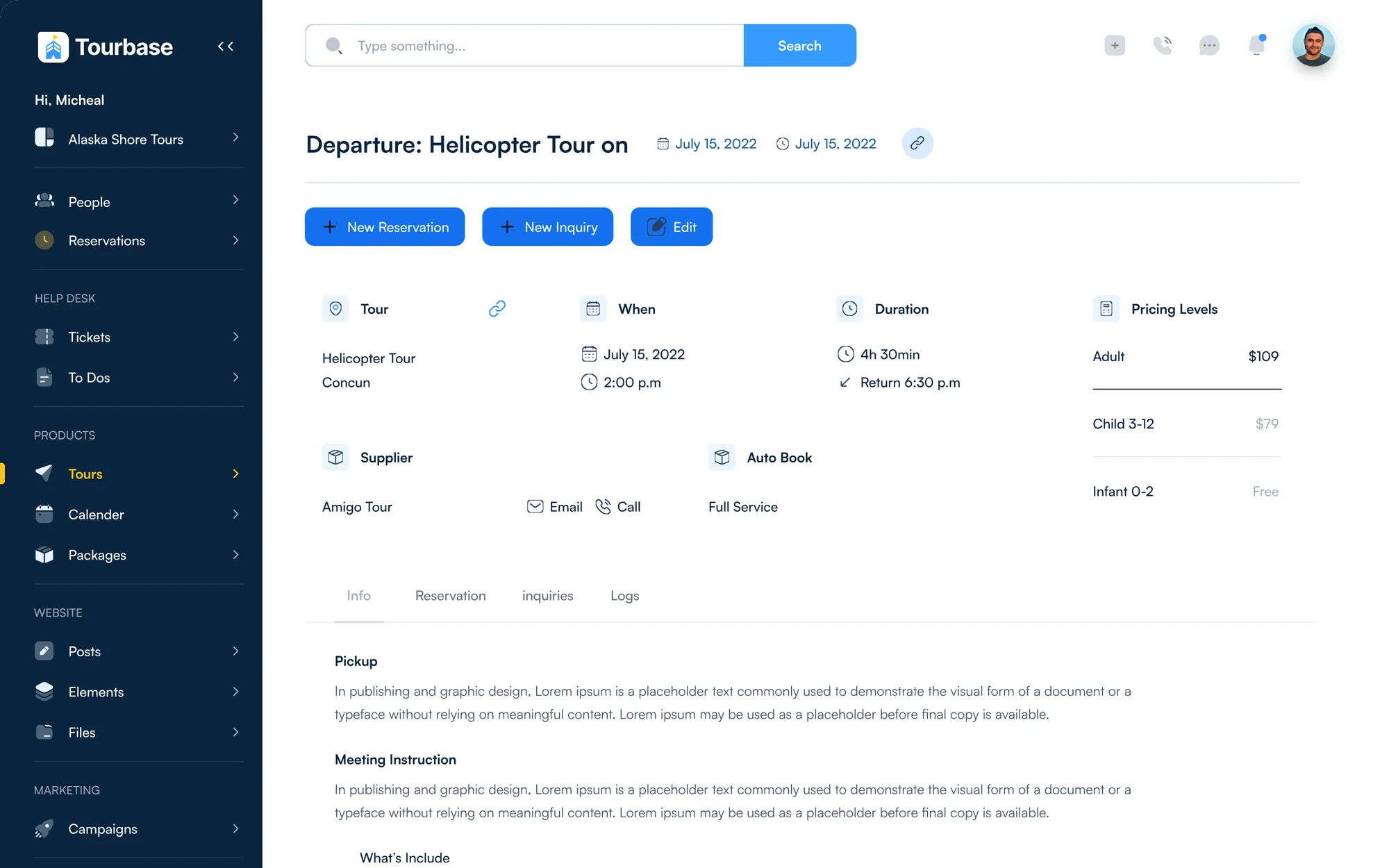
Departures table with capacity and openings
Departures
Departure detail for a helicopter tour with pricing levels and supplier
Departure detail
What I designed Workspaces with their own logos, emails and numbersDomains with indexing and trackingRoles with read and write permissionsPhone flows with business hoursPayment plans and couponsCancellation policiesEmail and SMS templatesAutobook inventory sync
Also In The Product

Support And Training, Built In

Two areas outside the booking path, built from the same parts, so they feel like the rest of the back office from the first click.

Decision 07

Support that knows the trip

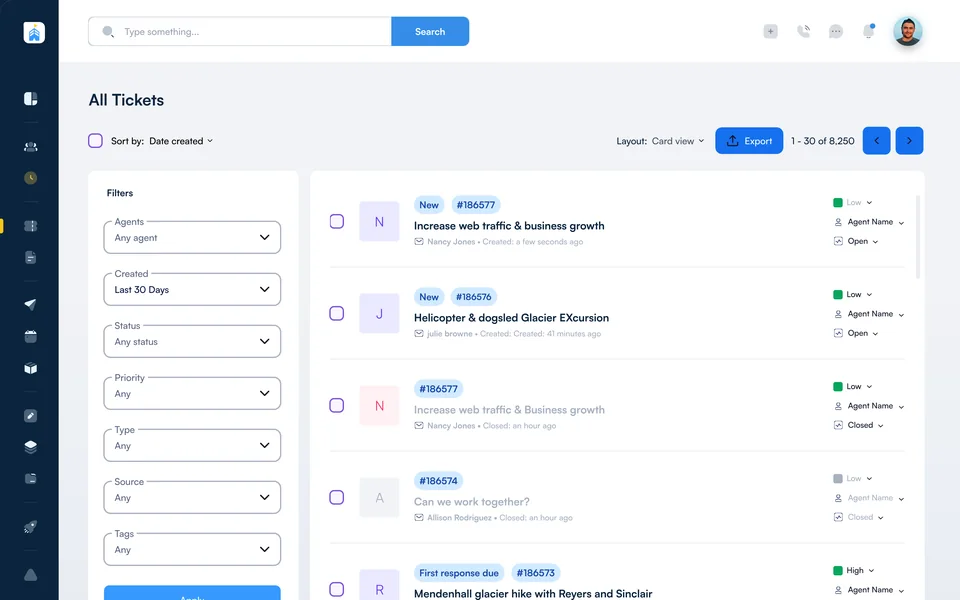
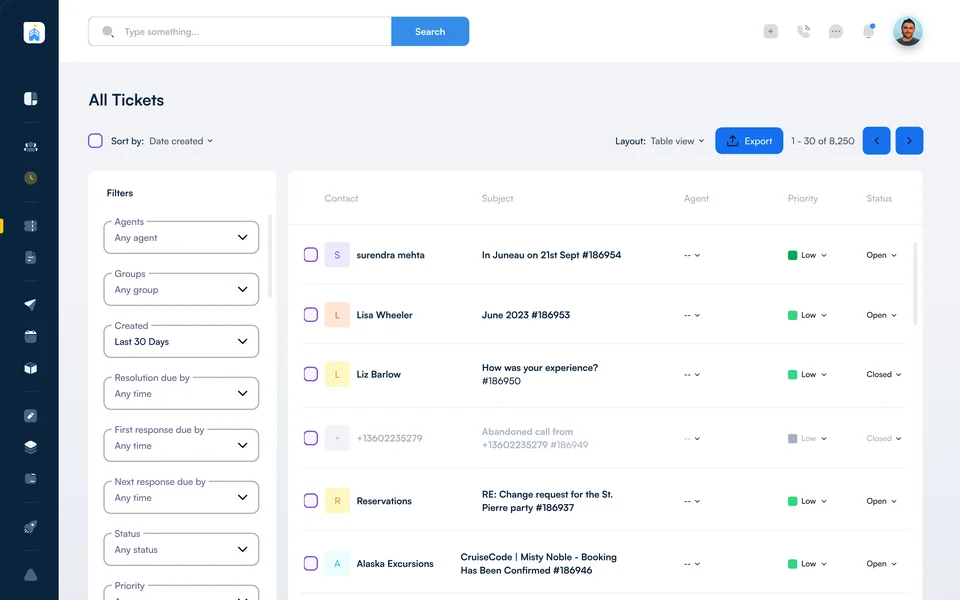
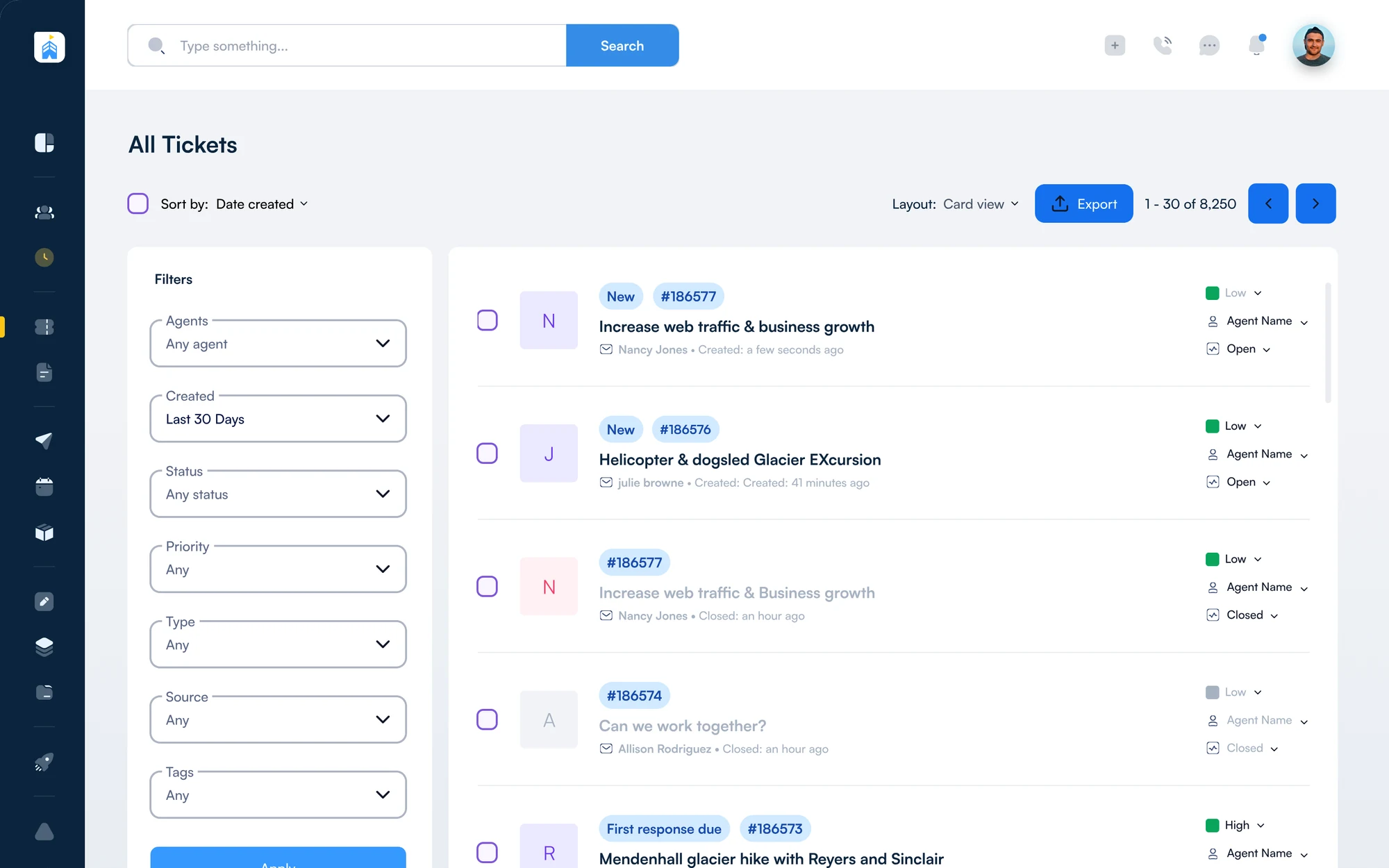
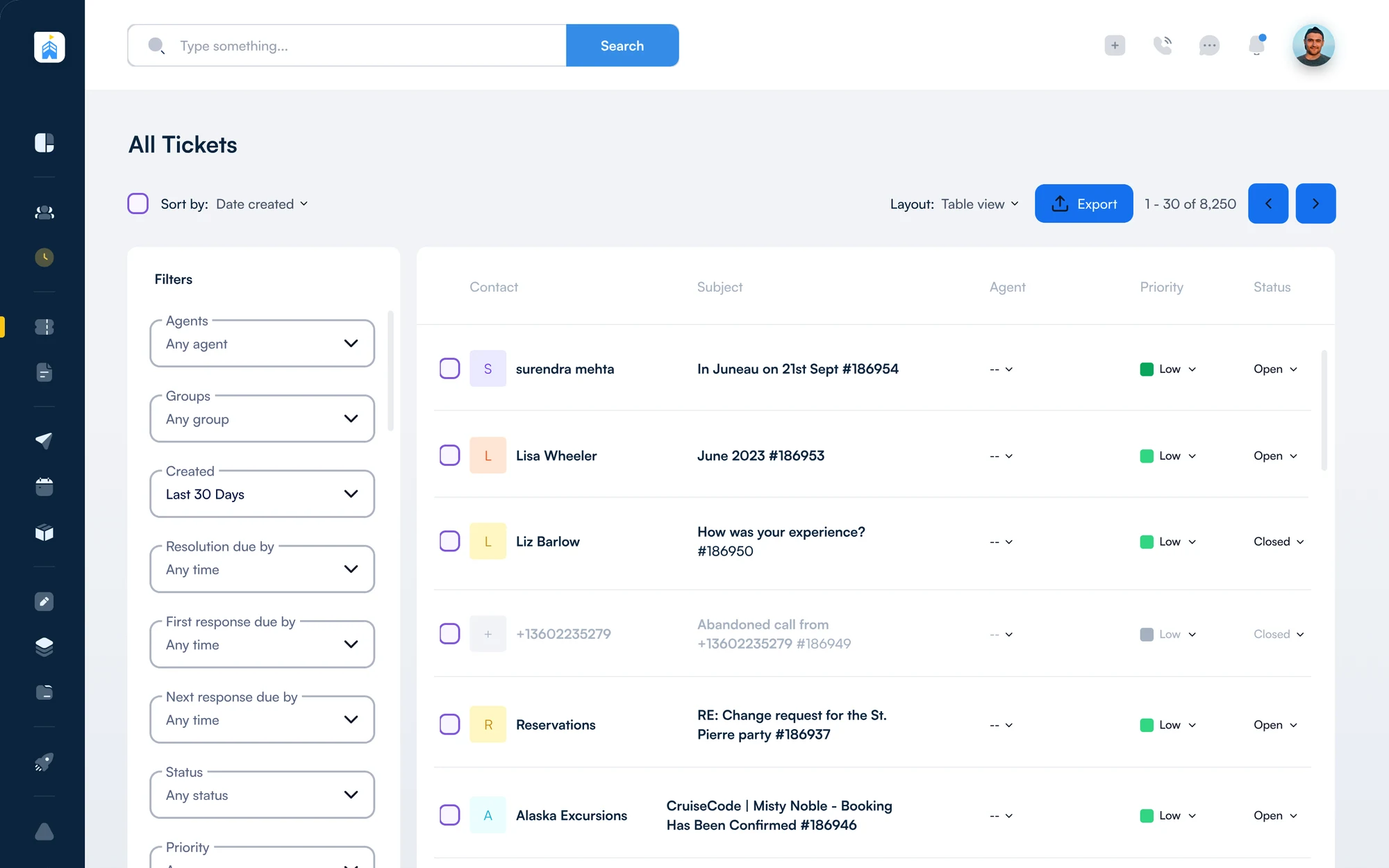
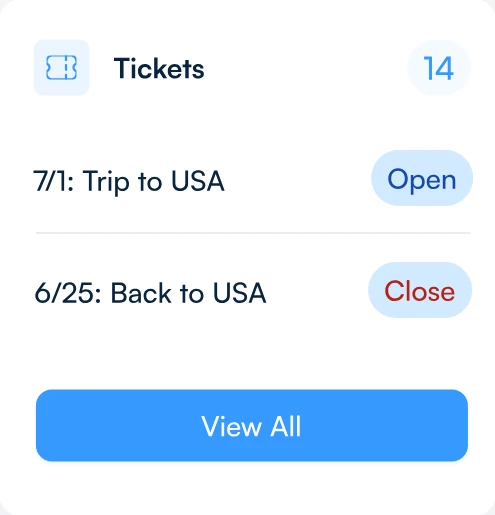
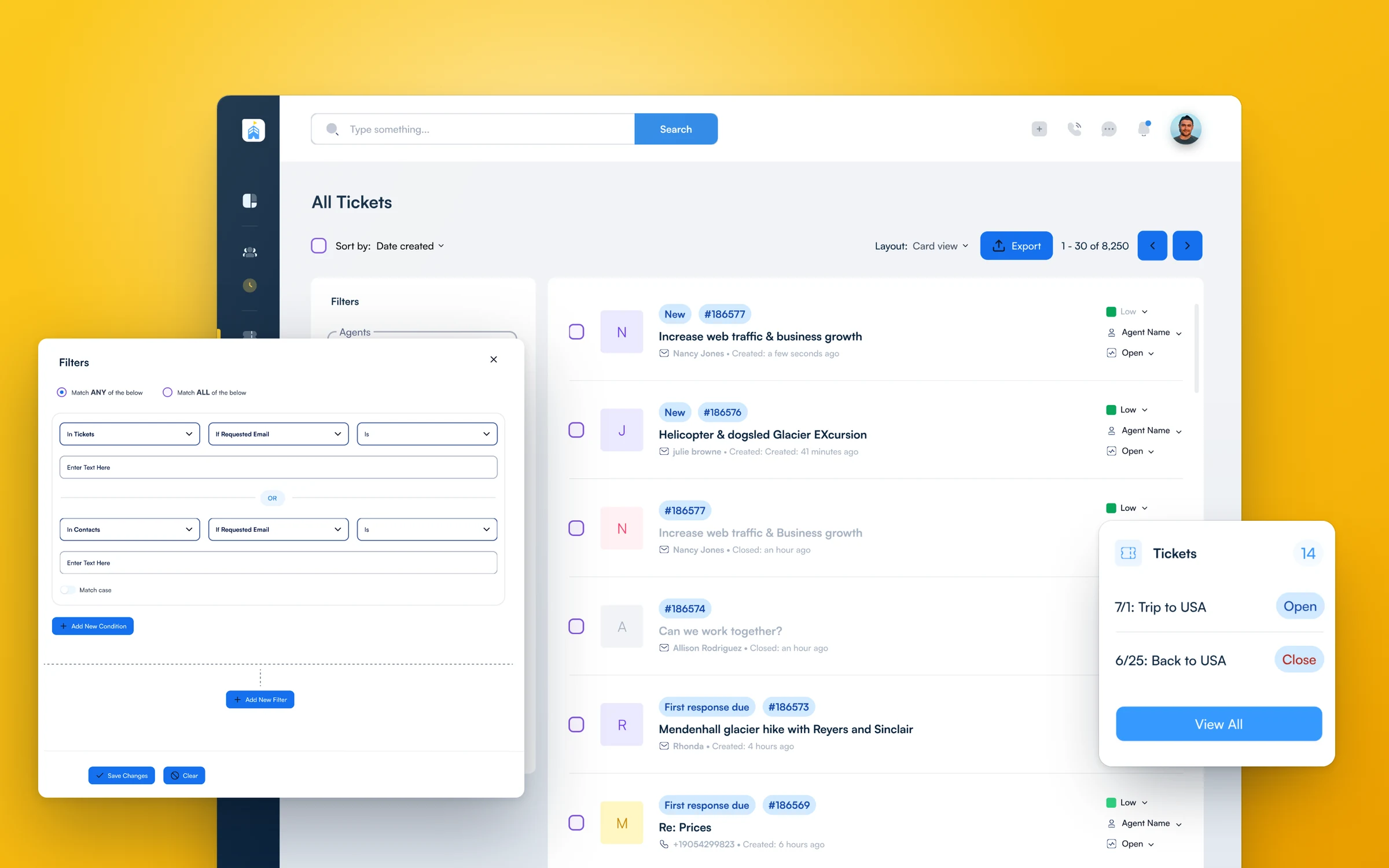
Tickets come in card or table view, a filter builder matches any or all conditions, and every ticket also lives on the guest’s profile, so support sees the trip behind each question.

1Card view2Table view3Any or all filters
Help desk · All tickets
All tickets in card view, with filters, priority, agent and status on each ticket All tickets in table view with contact, subject, agent, priority and status columns
Decision 08

Teach the system inside the system

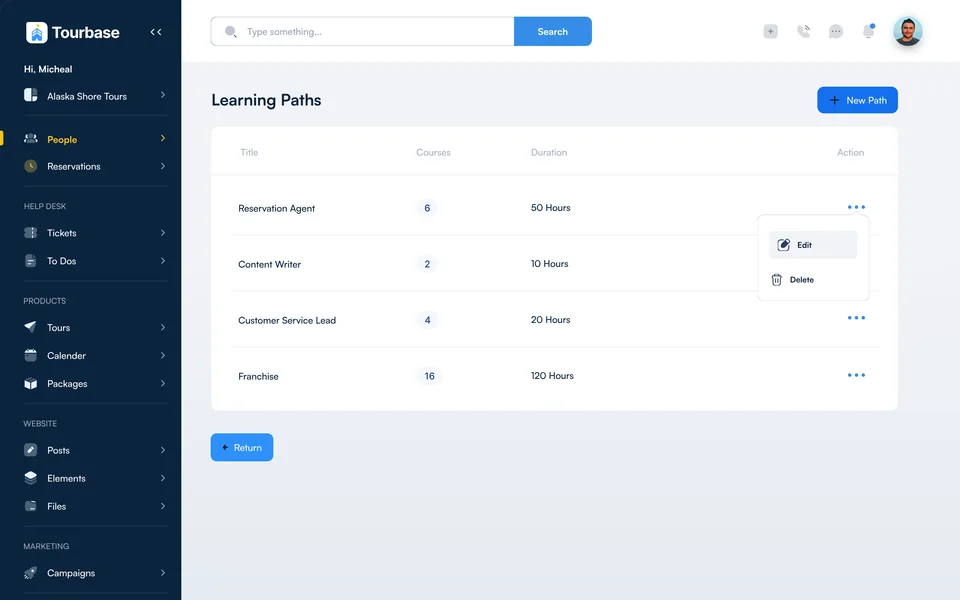
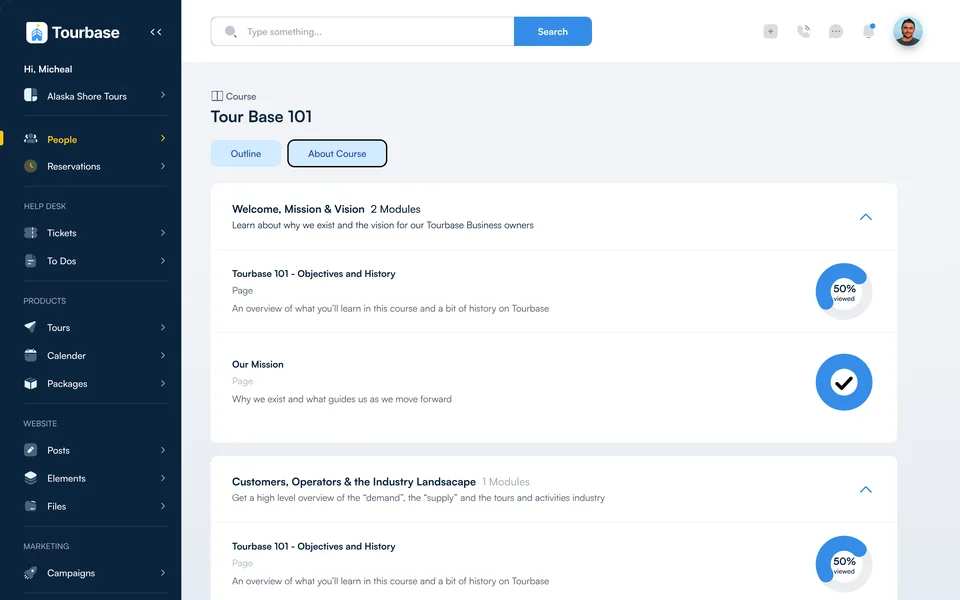
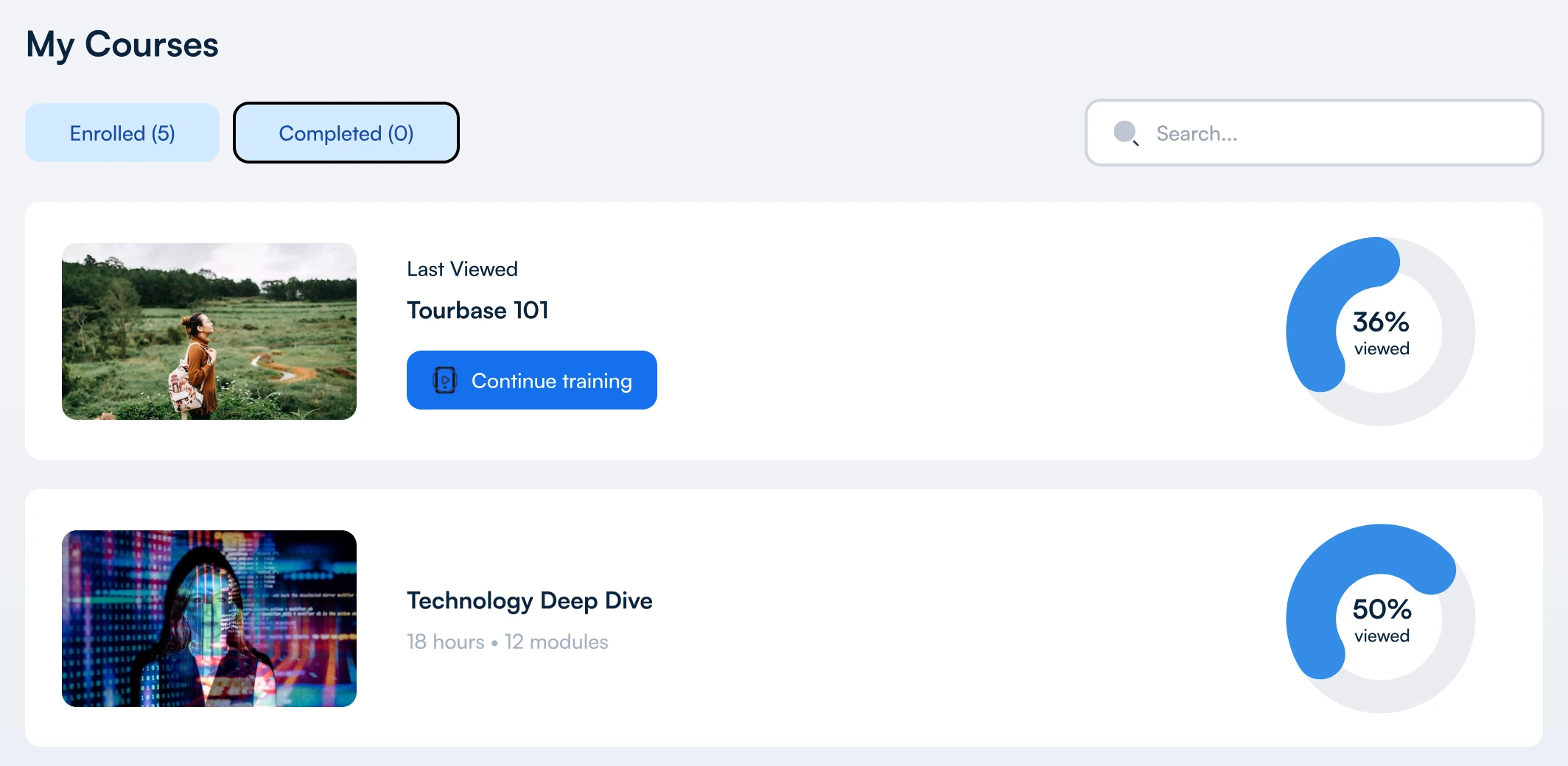
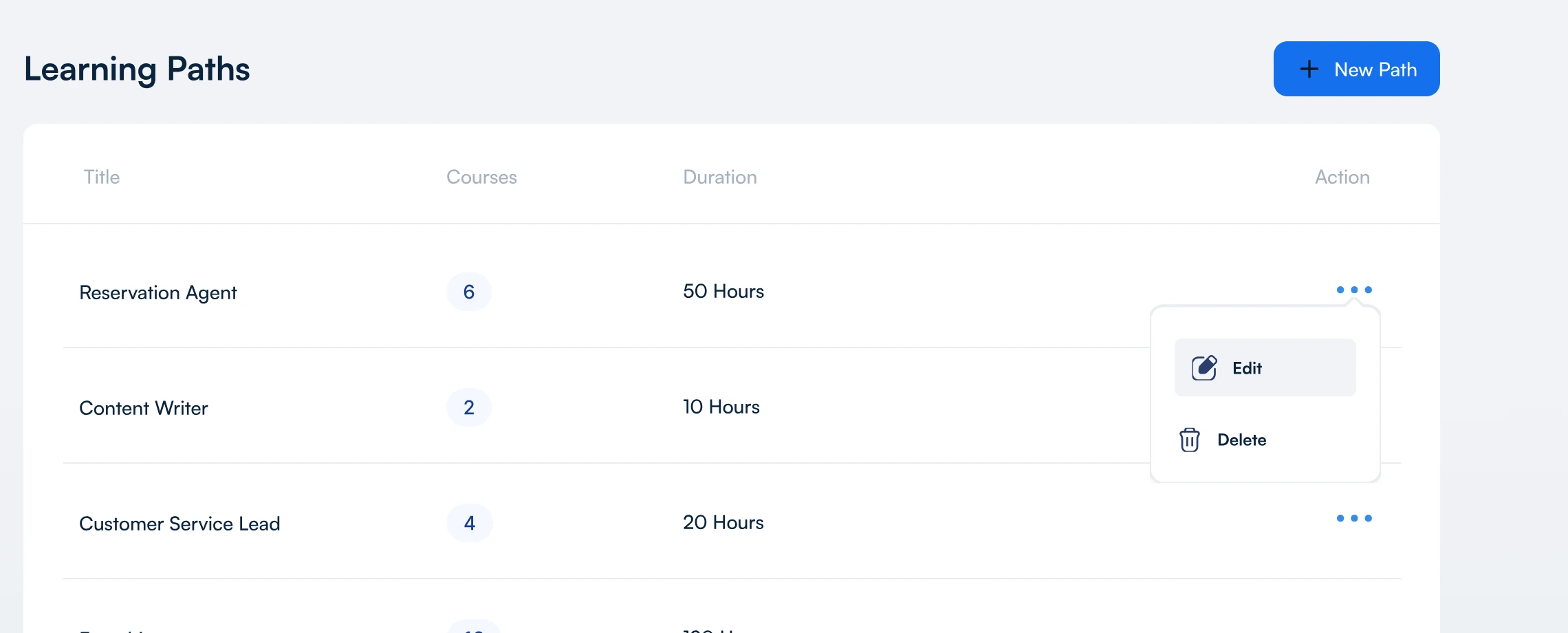
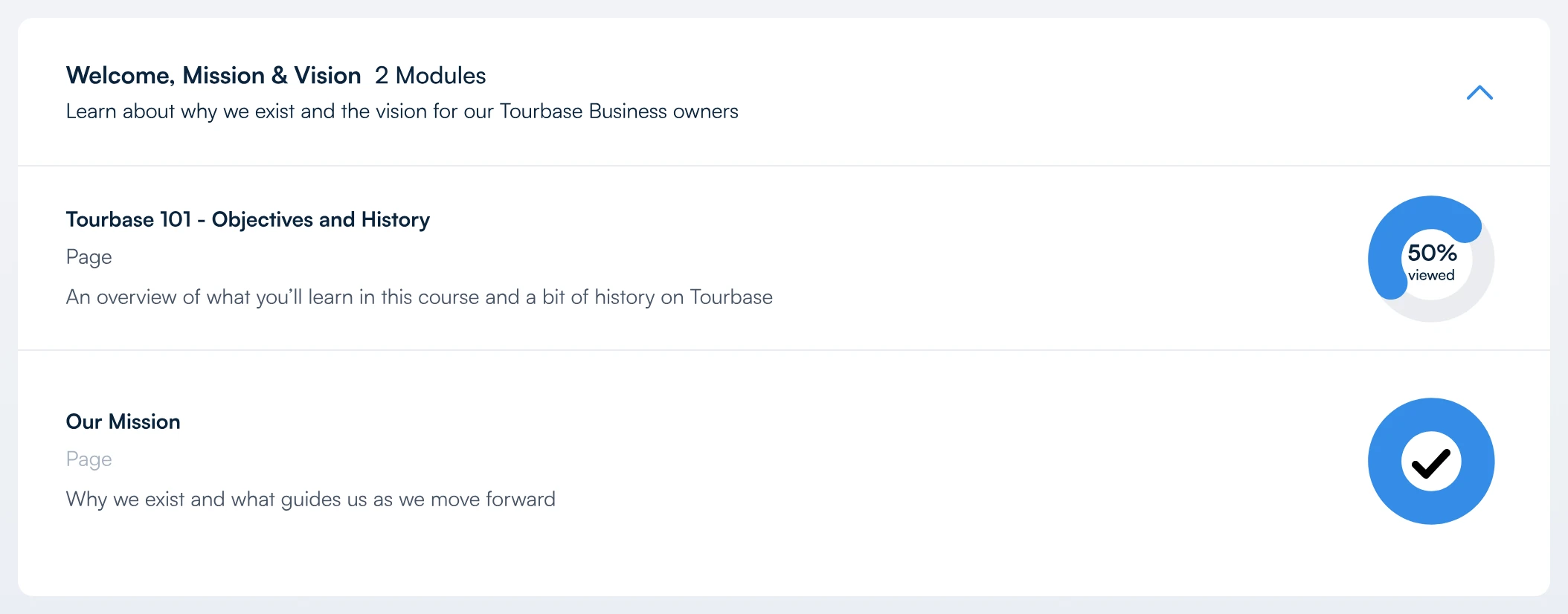
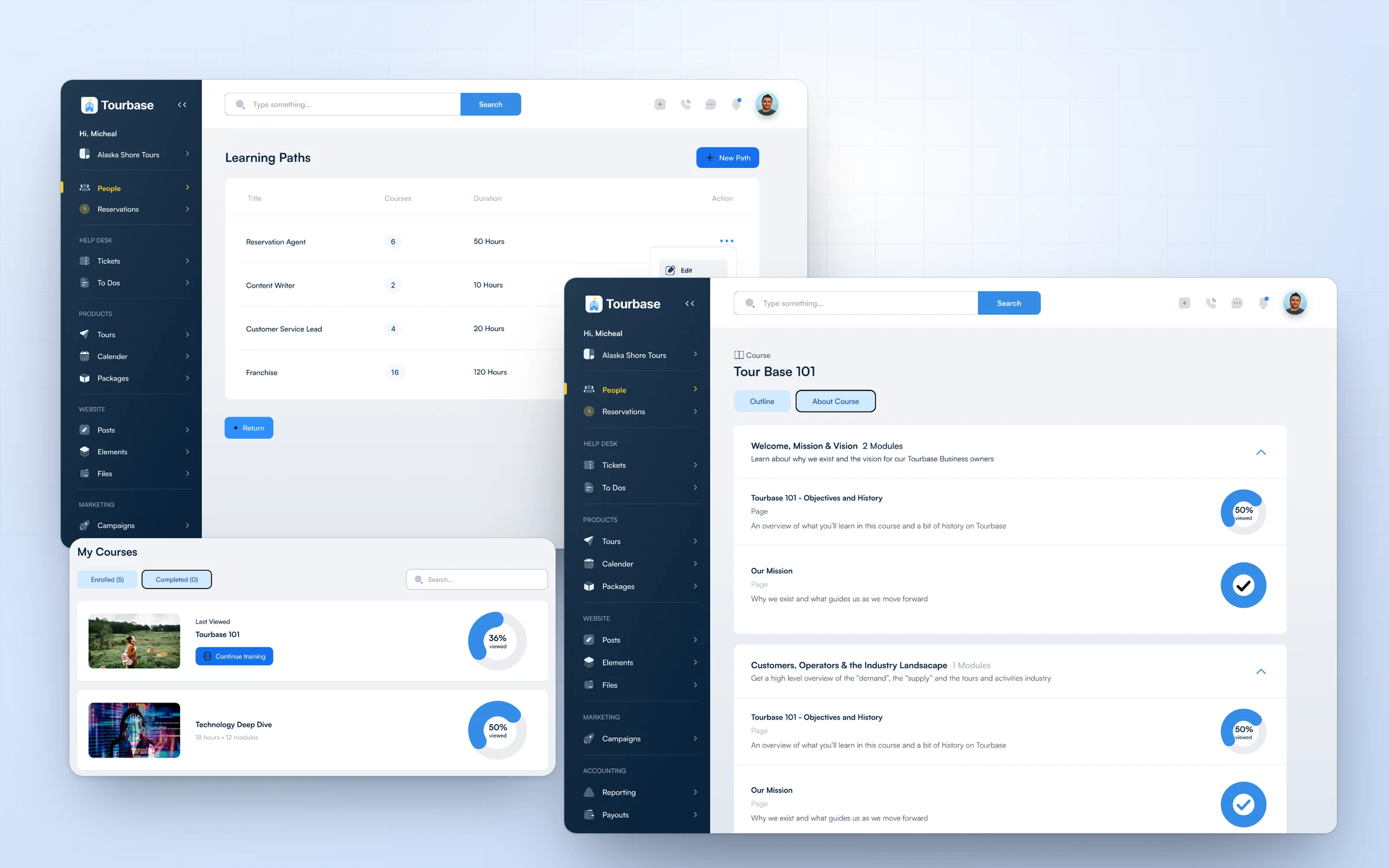
Courses with modules and progress, plus learning paths for reservation agents, content writers, customer service leads and franchise partners, so new people learn the back office without leaving it.

Design System

A Product Layer On A Proven Base

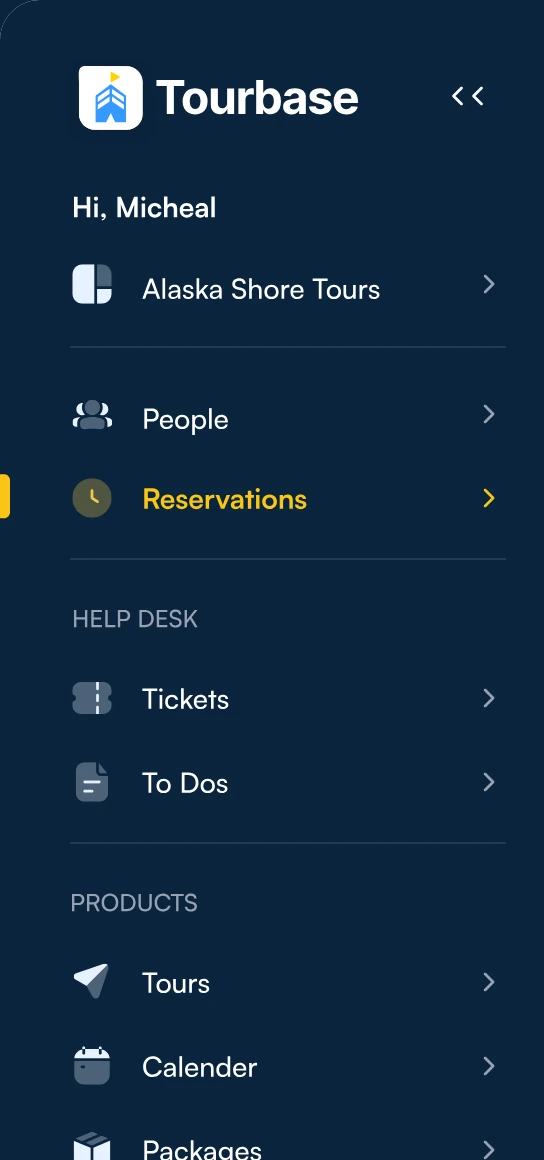
I started from the Untitled UI kit for buttons, inputs, badges and tabs, then built Tourbase’s own layer on top: a navy app shell, two-tone navigation icons, Satoshi type and travel patterns like guest cards, record headers and the itinerary stepper.

01Built once, used everywhere

Reusable UI patterns

Five patterns do most of the work: the app shell, the record header with its action bar, record tabs, the guest card and the status badge. Record tabs alone appear 240 times across the screens.

01App shell 02Record header 03Record tabs 04Guest card 05Status badge
Reservation record with status, action bar, customer, guests, tour, invoice, notes, tabs and what is included 1 2 3 4 5 6
Anatomy of a reservation record
  1. 01Status. Pending, Confirmed or Cancelled, right next to the record number.
  2. 02Action bar. Email guest, email supplier, add payment, view invoice and cancel.
  3. 03Who and what’s owed. Customer, guests by age group, the invoice and notes.
  4. 04The tour. Name, date, time and duration in one block.
  5. 05Tabs. Tour info, guests, actions, status and notes keep depth out of the way.
  6. 06What’s included. What the guest gets, and what they don’t.
02Tokens

Colour

Navy carries the shell, blue carries action and selection, and yellow marks where you are in the navigation. Calm neutrals hold the data.

Shell#0B243D Primary#3699FF Deep blue#225CCB Active#FAC515 Tint#EBF5FF Ink#101828 Muted#98A2B3 Line#EAECF0
03Tokens

Type

Satoshi for navigation and most interface text, Inter for page titles, inputs and data. Body text is 14px, and components share an 8px corner radius.

SatoshiNavigation and interfaceThe navy sidebar set in Satoshi: Tourbase, Alaska Shore Tours, People, Reservations, Tickets
InterTitles, inputs and dataA page title set in Inter: View Reservation R4632, Pending
24201614body12
Building blocksThe parts every screen is assembled from
Status
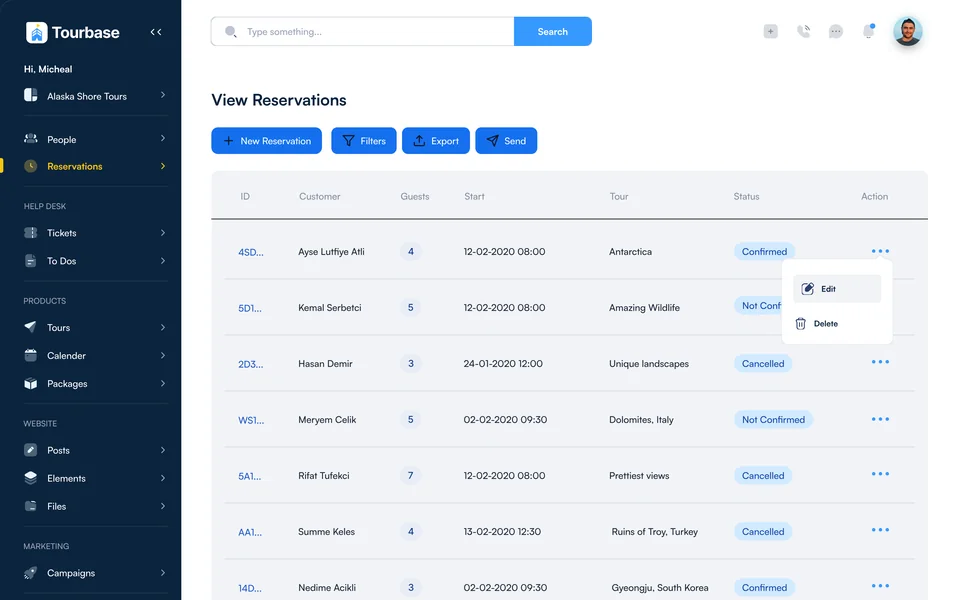
ConfirmedNot ConfirmedCancelled
Reservations table rows with status badges and a row menu
Guest card Guest card with first name, last name, height and weight

Height and weight, because the tour depends on them.

Seats and tabs Time picker reading 5:00 PM to 5:30 PM with 24 seats available Record tabs: tour info, guests, actions, status and notes

Availability where the time is picked, and the same five tabs on every record.

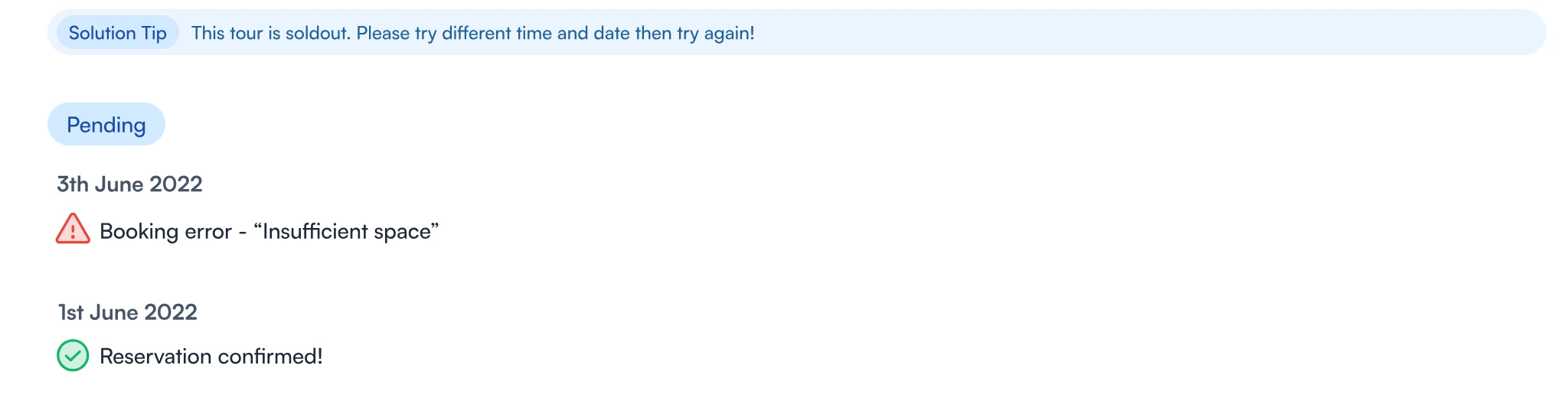
Itinerary and status log Itinerary stepper: reservation, confirmation, departure and return Status log with a solution tip for a sold-out tour, a booking error and a confirmed reservation

A trip’s state in one line, and a log that explains every change.

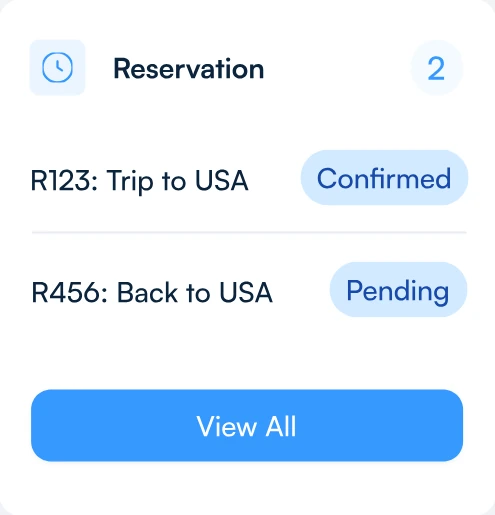
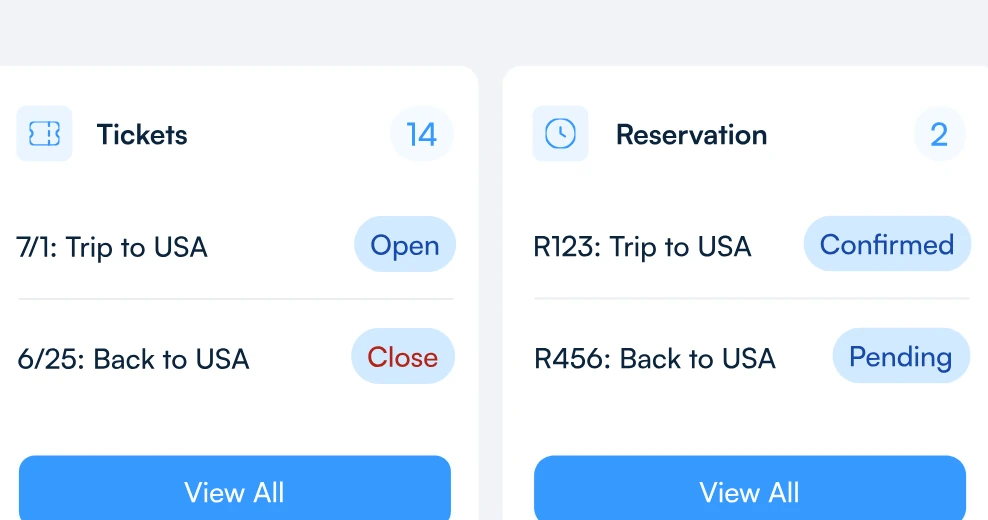
History cards Tickets and reservation cards on a traveler profile, each with its status

Tickets and trips on the profile, with a way into each.

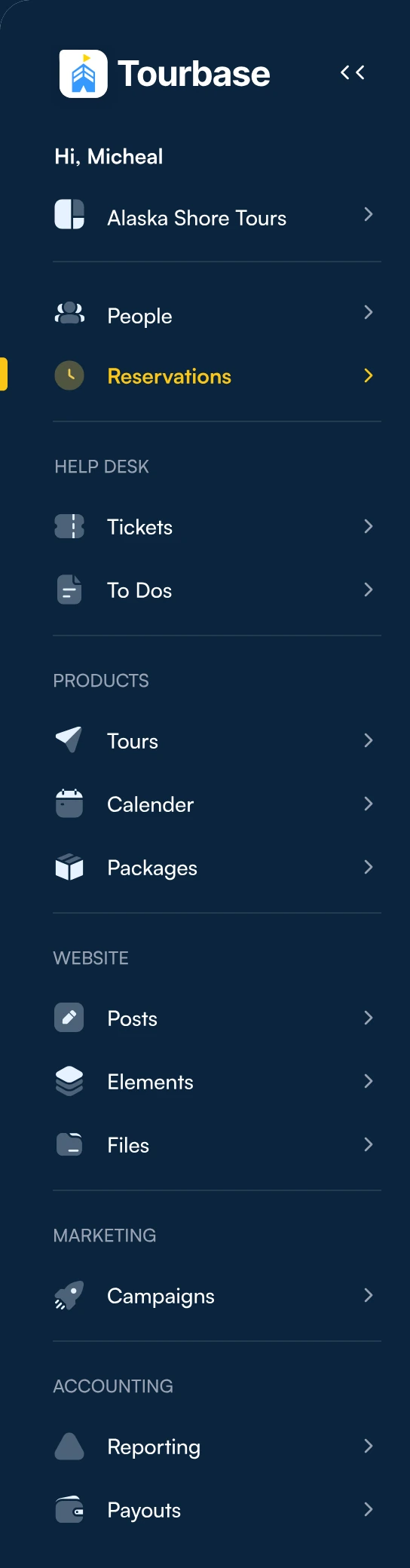
App shell The full navy sidebar with grouped navigation for people, reservations, help desk, products, website and marketing

Grouped navigation with a workspace switcher, the same on every screen.

The Final App

Seven Areas, One Login

Every area of the back office runs in the same shell, with the same parts. Step through them one by one, or let the tour play. Hover to pause.

{{count}}
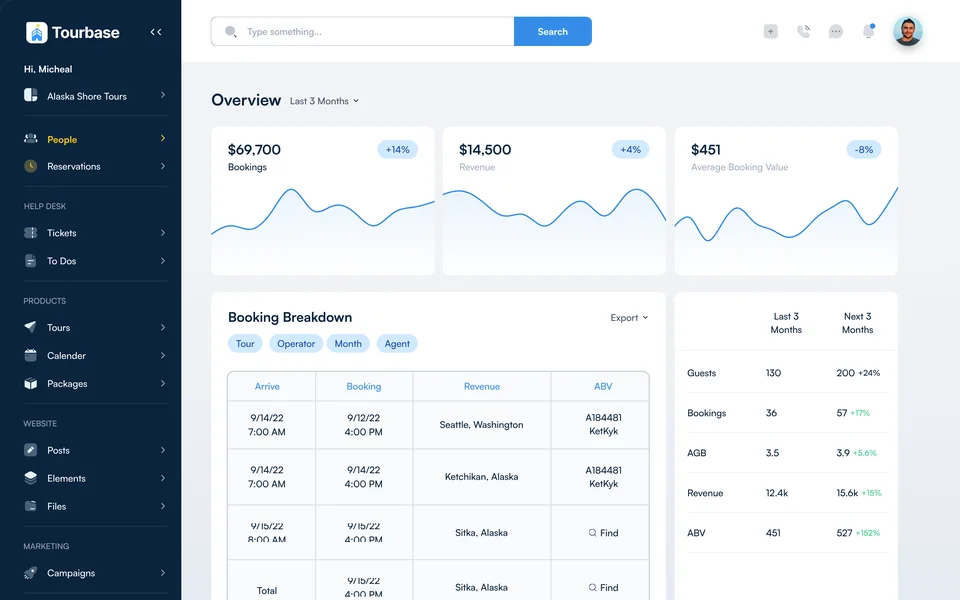
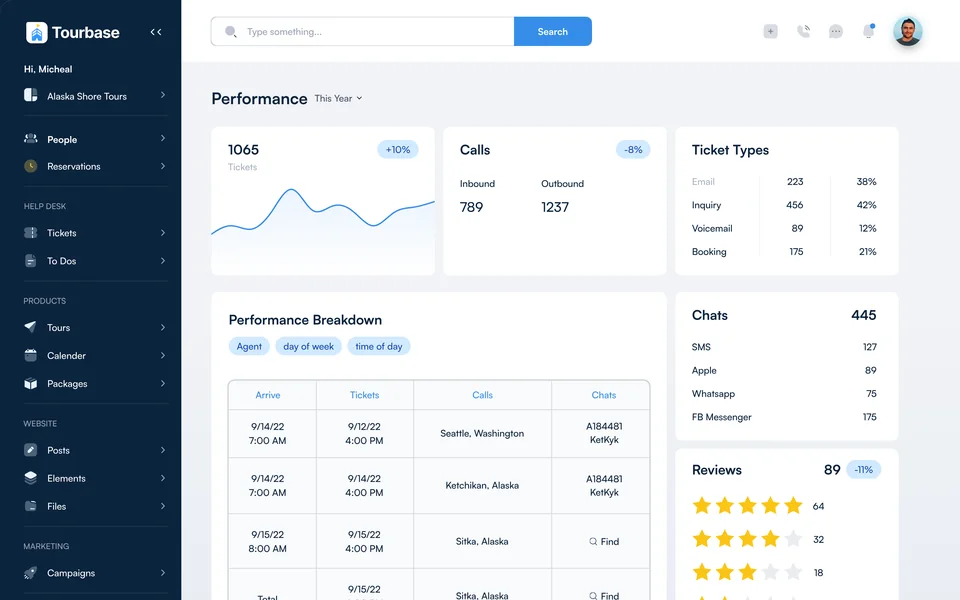
Reservations: the new reservation form beside the reservation record, with seats available in the time picker Travelers: the people table, a traveler profile and the edit person panel Help desk: all tickets in card view with the filter builder and a tickets card Tours: tour types, the itinerary stepper and the departures table Settings: workspaces, role permissions and adding an agent with a weekly schedule Reporting: the overview dashboard with booking breakdown, plus call and revenue cards Training: learning paths, my courses and a course with its modules
Area 01 · Reservations

Book it right the first time

Agents move from customer to tour to guests in guided steps. Seats left show beside the time picker, the record opens with everything on one page, and if a tour sells out the status tab says what went wrong and what to try next.

Reservations tableTwo-step bookingRecord with five tabsInvoice overlayEdit in place
Area 02 · Travelers

Every guest, one profile

Contact details, pipeline stage, communication preference, cruise line and ship, chats, invoices and a full activity log, so whoever picks up the phone has the whole story.

People tableProfile with seven tabsChatsScheduled messagesLead score and tags
Area 03 · Help Desk

Support that knows the trip

Tickets in card or table view, a filter builder that matches any or all conditions, and every ticket also on the guest’s profile.

Card and table viewsSort and layoutAny or all filtersTickets on the profileTo Dos
Area 04 · Tours

Set up a tour once

Every tour type has General, Rates, Websites, Autobook and Variants tabs. Price per unit or per booking, add extras, write the web page and sync inventory from the supplier’s system.

Tour typesDeparturesDeparture detailWebsite content and SEOCalendar and packages
Area 05 · Settings

Many brands, one control room

Workspaces and domains for each marketplace, roles with read and write permissions, plus email and SMS templates, phone flows, payment plans, coupons, cancellation policies and suppliers.

WorkspacesDomainsPhone flowsPayment plans and couponsEmail and SMS templates
Area 06 · Reporting

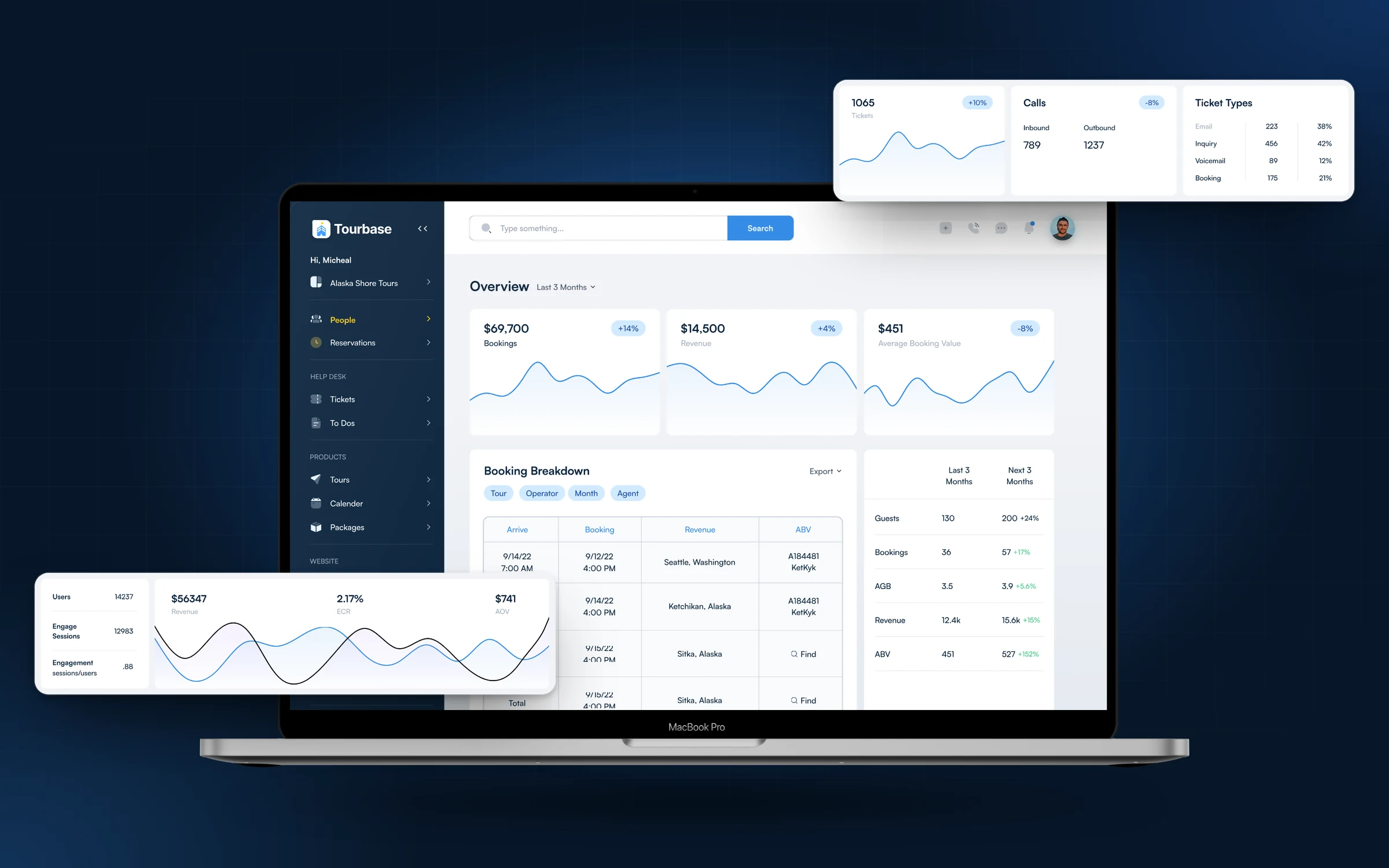
The business at a glance

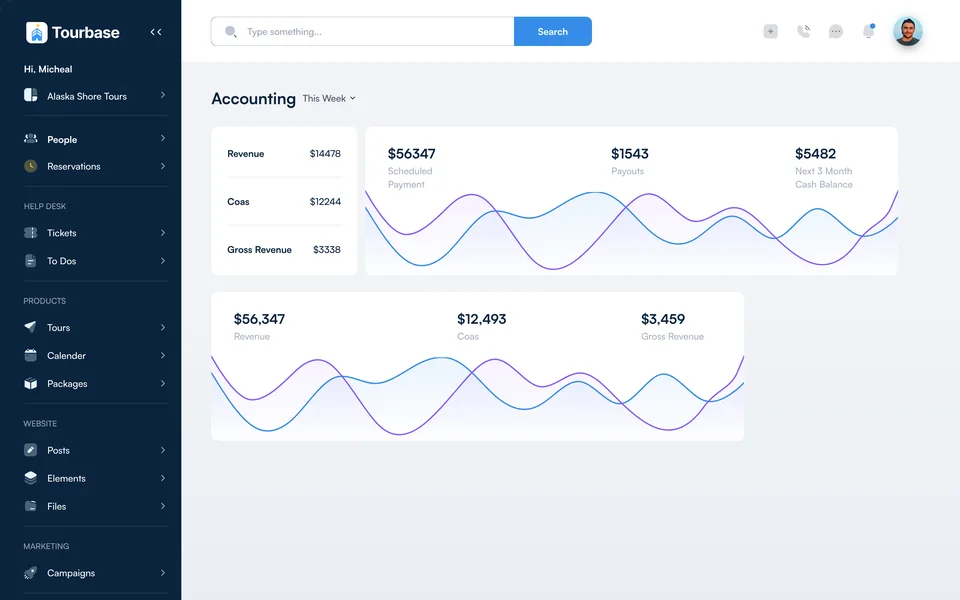
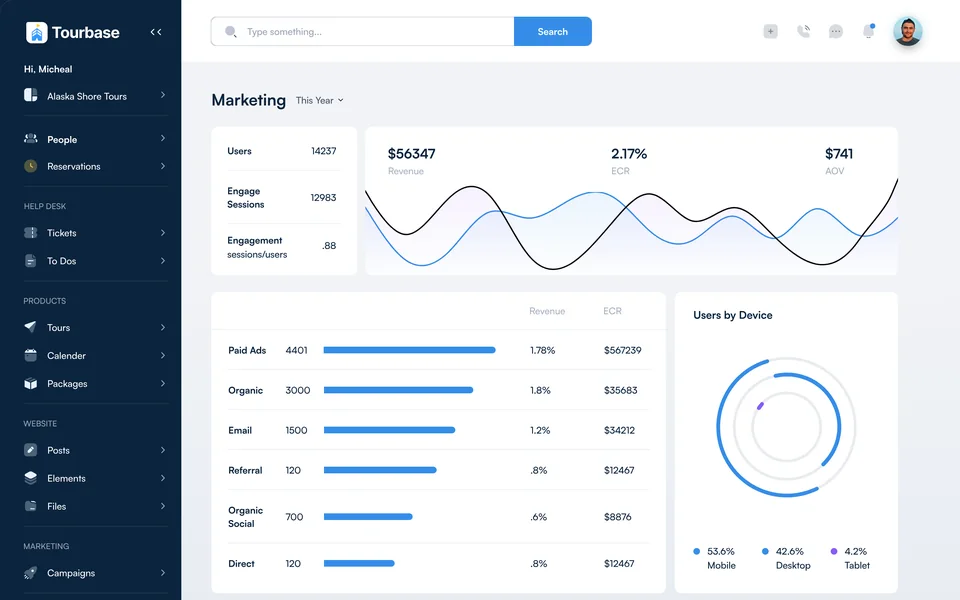
Overview, performance, marketing and accounting dashboards cover bookings and revenue, tickets and calls, chats by channel, guest reviews and traffic by source.

OverviewPerformanceMarketingAccounting
Area 07 · Training

Teach the system inside the system

Courses with modules and progress, plus learning paths for reservation agents, content writers, customer service leads and franchise partners.

My coursesCourses and modulesCourse settingsLearning paths
Outcome

What It Made Easier

For the team growing Tourbase, and for the people running trips every day.

For Tourbase:

  • Faster booking management
  • Better operational visibility
  • Less workflow complexity
  • More consistent internal processes
  • Easier future product expansion

For teams:

  • Easier access to booking details
  • Clearer itineraries
  • Better traveler visibility
  • Fewer disconnected tools
Business Scale

Built For Real Scale

These are Tourbase’s public figures. They show how many destinations, operators and teams the back office has to work for.

revenue generated for tour-operator partners

$40M+
Things to do connectivity partner
Google
Multiple destination marketplaces
23
tour-operator network, connected through the booking systems operators already use
Global
franchise model
Expanding

Business figures from tourbase.com, Google’s list of approved Things to do partners and 1851 Franchise, checked 17 October 2026. The 23 marketplaces are the destination sites listed on tourbase.com.

Key Takeaway

I helped bring bookings, travelers, tickets and tours into one clear back office, built to keep up as Tourbase adds destinations, operators and franchise partners.
More Case Studies

Explore More Work

Eight projects, each told from the first sketch to launch. Pick the one closest to what you’re building.

View All Work
5.0Top Rated Plus on Upwork

Let's Start Your Project Today.

Send one message. Get a clear plan, a fixed price and first designs within 24 hours.

Start A Project
Socialix project preview
SocialixUI/UX · SaaS
SPARK PAY project preview
SPARK PAYApp Design
COFE Cloud project preview
COFE CloudApp Design
voxalyze project preview
voxalyzeWebsite Design
MyMood AI project preview
MyMood AIAI · App Design
Shaikh Zeeshan · Projects
Your project
is next.
300+ projects First screens in 24h