
Shaikh Zeeshan Start A Project

MyMood AI

Simplifying AI Photography for 500K+ Users

Industry
  • Artificial Intelligence01
  • AI Photography02
Project Type
  • Website01
  • Mobile App02
  • Pitch Deck03
Services
  • Product Design01
  • UI/UX02
  • Presentation Design03
Overview

One Selfie, Every Mood

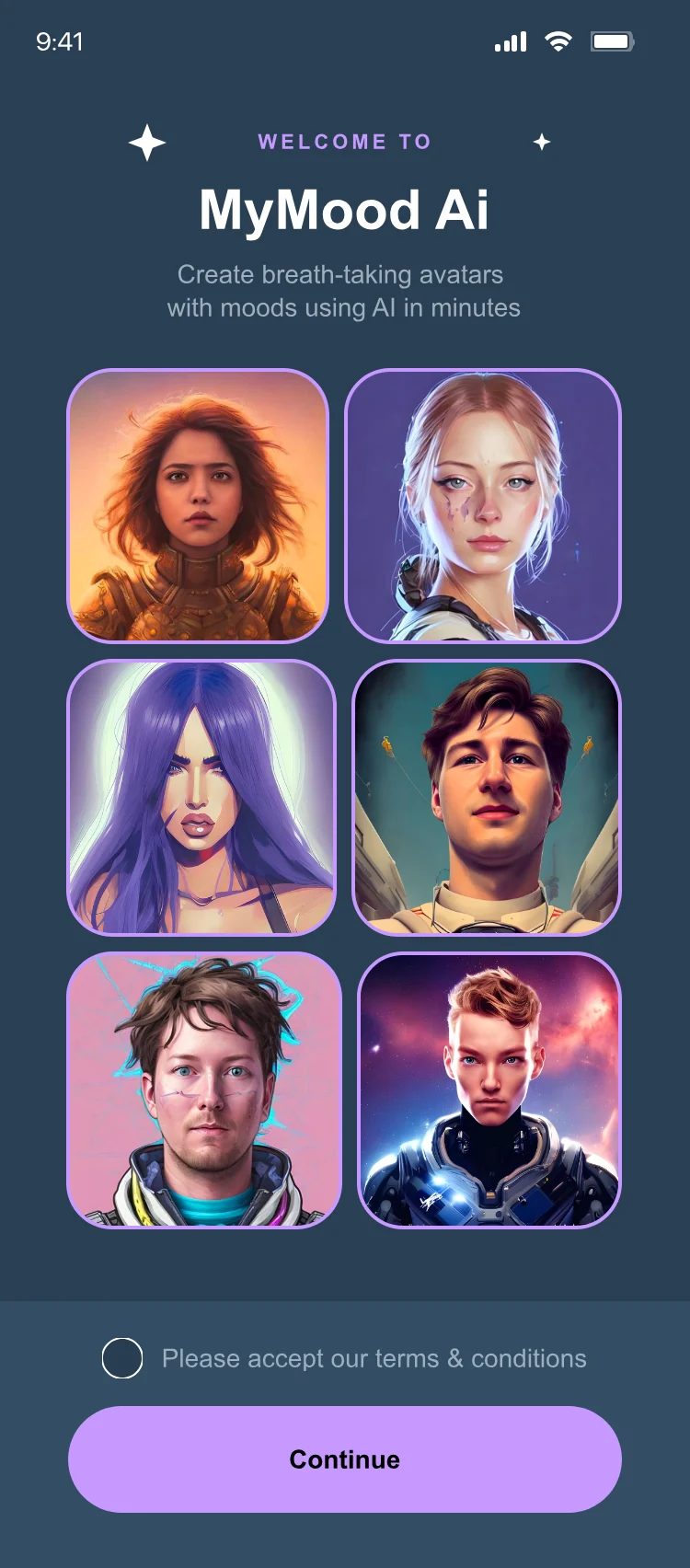
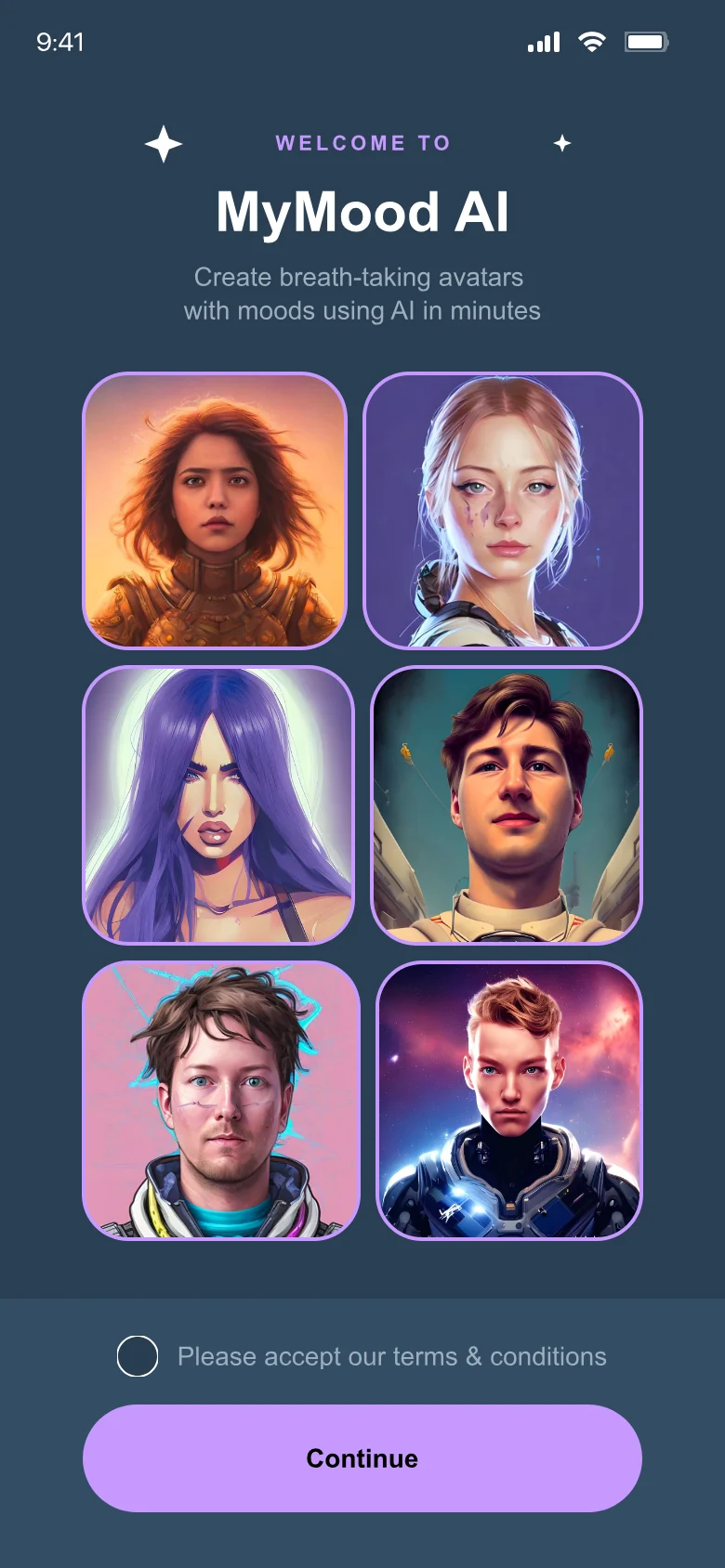
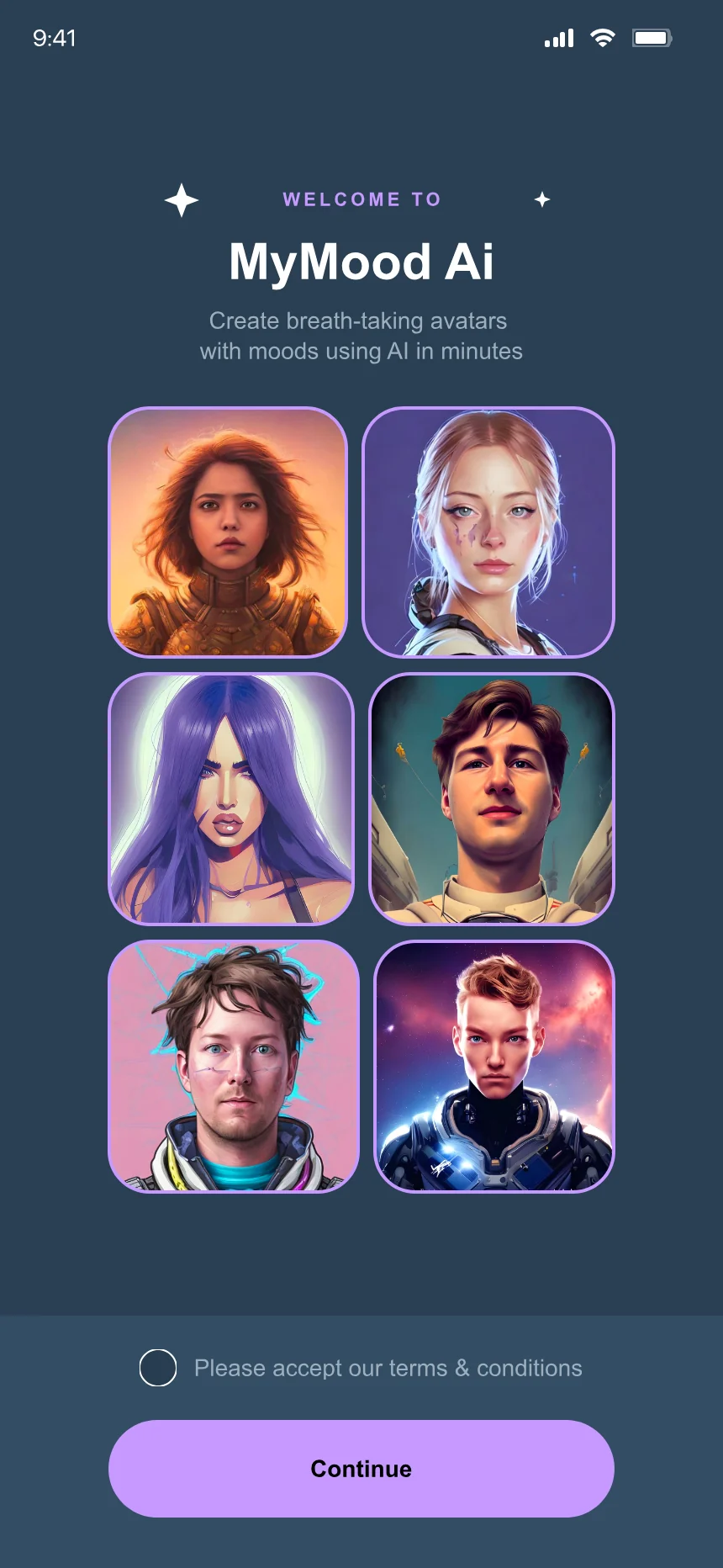
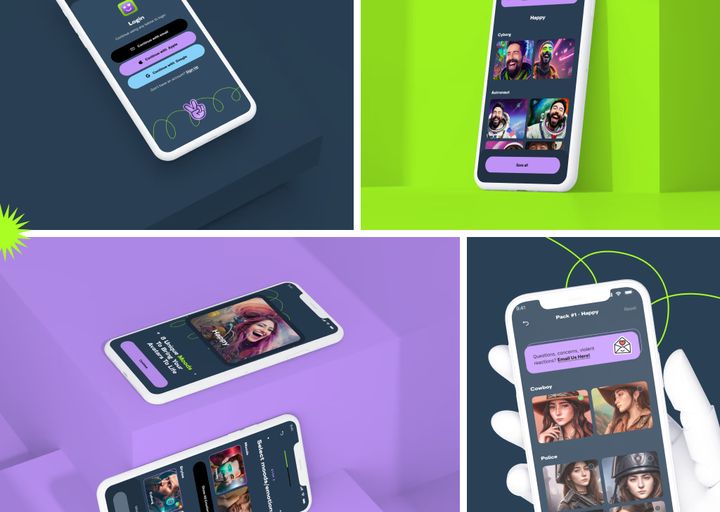
MyMood AI is an AI-powered photography platform that transforms everyday selfies into polished and creative images.

As the product expanded with more styles and AI capabilities, I helped make the overall experience simpler across the mobile app, website, and presentation materials.

The Problem

The Challenge

A large library of AI styles and generation options could easily become overwhelming.

Users needed a clearer path from uploading their photos to discovering styles, generating images, and reviewing the final results.

Kept growing
  • AI styles
  • Moods
  • Generation options
Had to stay
  • One clear path
  • Quick choices
  • Results worth sharing

What I Delivered

How I Helped

I simplified onboarding, style discovery, photo generation, and the overall information hierarchy.

I also created reusable UI patterns and a more consistent visual language across the app, website, and pitch deck.

  • Onboarding
  • Style discovery
  • Photo generation
  • Information hierarchy
  • Reusable UI patterns
  • One visual language for app, website and pitch deck
Tools Figma Webflow
The Product

Two Dials, Endless Looks


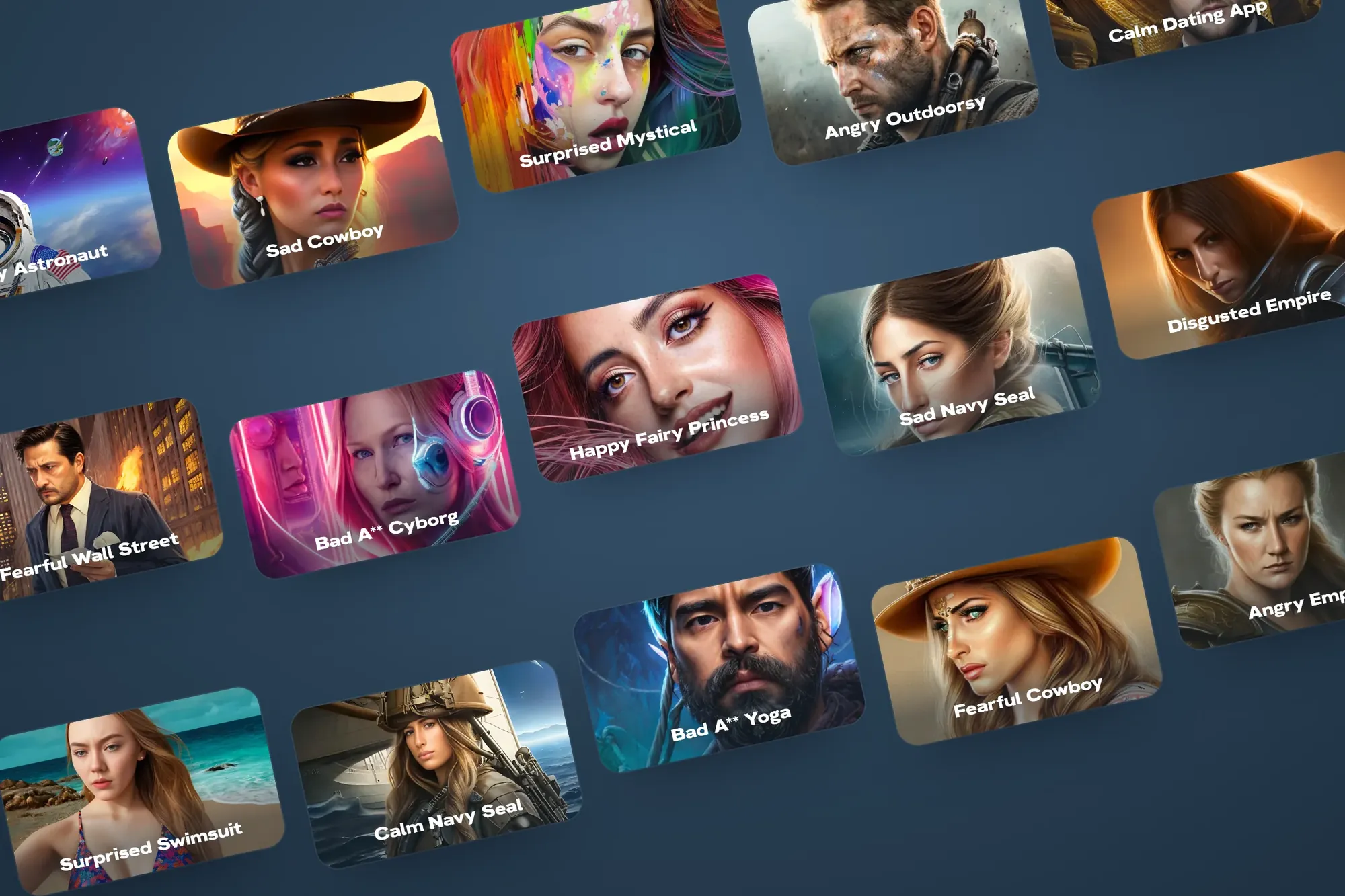
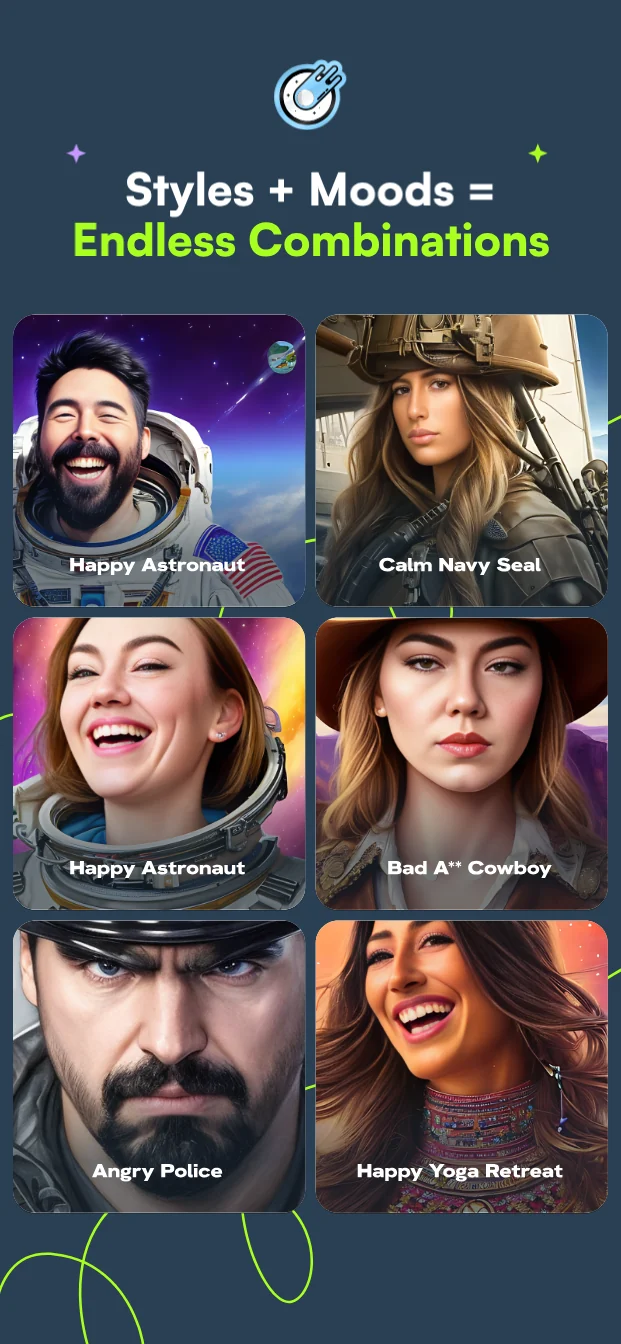
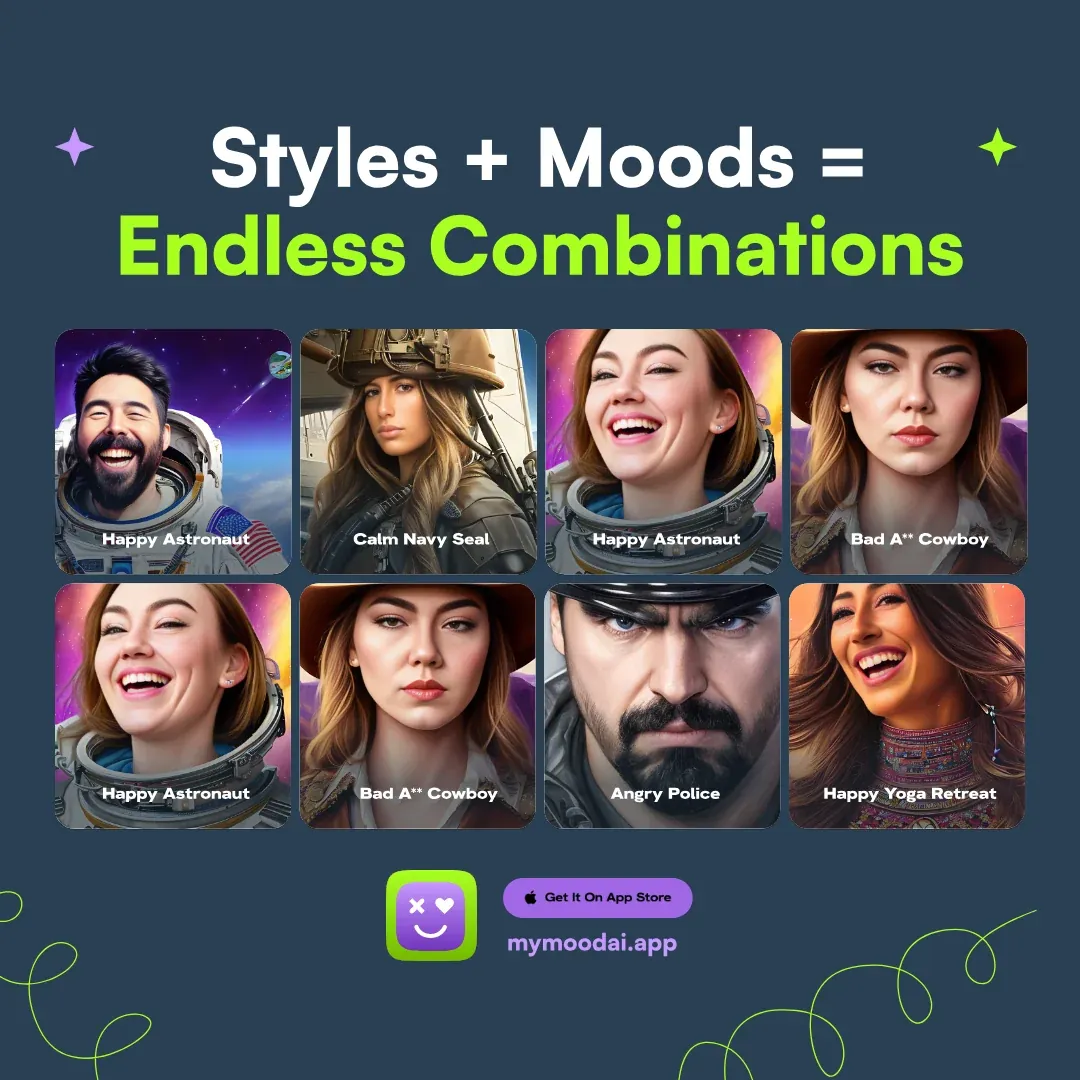

MyMood’s twist was emotion. Every avatar is one mood plus one style, so the same selfies can become a happy astronaut or a fearful cowboy. The design had to make that feel like play, not a spreadsheet.

190+

App screens and states designed for iOS and Android

Getting startedChoosing & payingWaiting & resultsAccount & sharing
8 × 32

Moods and styles, for 256 possible looks from one set of selfies

4 widths

Key screens drawn at 320, 375, 390 and 430 points, from iPhone SE to Pro Max

Screen counts taken from the project’s Figma file.

Design Thinking

Five Ways AI Photos Go Wrong

Before drawing screens, I listed what could break between a selfie and a saved avatar. Each problem became a rule the whole app follows, and each rule became a design decision you’ll see below.

03

Every pack costs real computing power

The design answerSay why it’s paid, then offer three clear sizes.
Decision 03 · Checkout
User Flow

Selfie To Saved, One Clear Path

The whole journey from first open to saved avatars, drawn from the screens in the file. People make only two real decisions along the way. Everything else is one clear next step, and the app does the heavy lifting.

You do
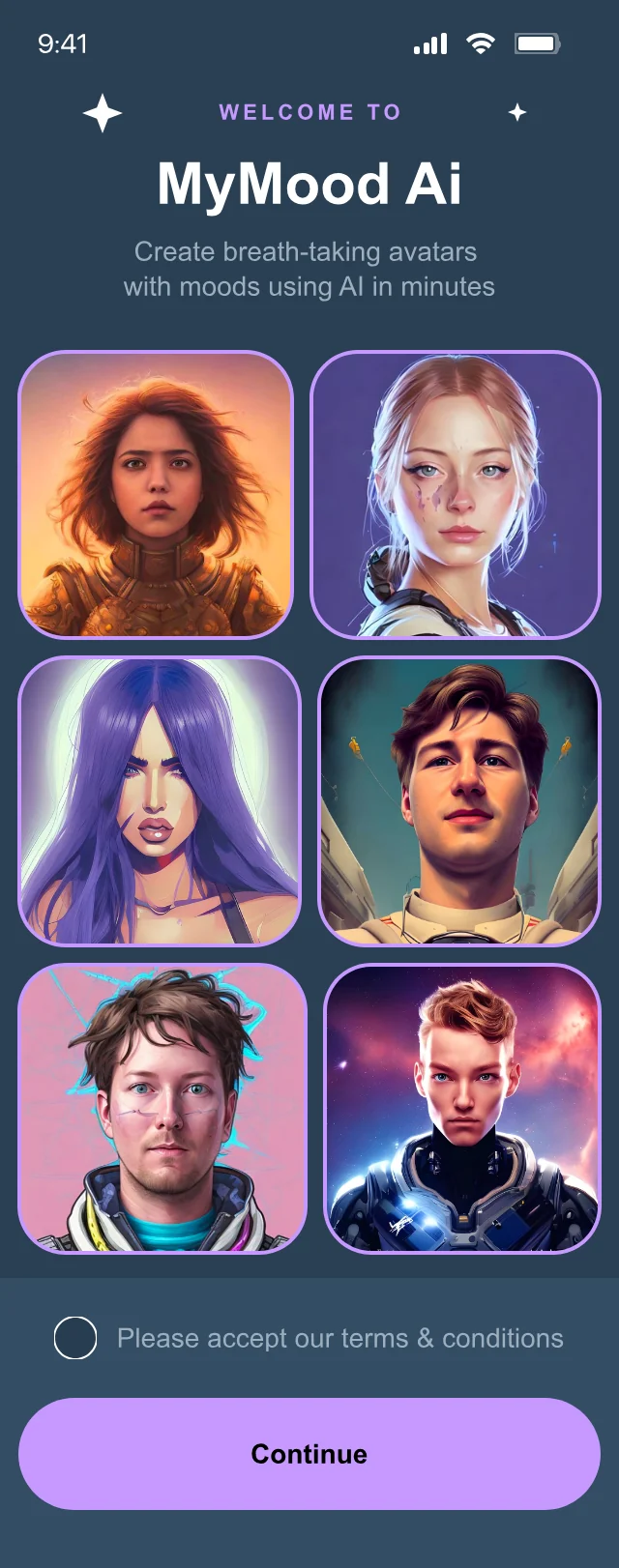

01Open the appA face changes mood as you watch
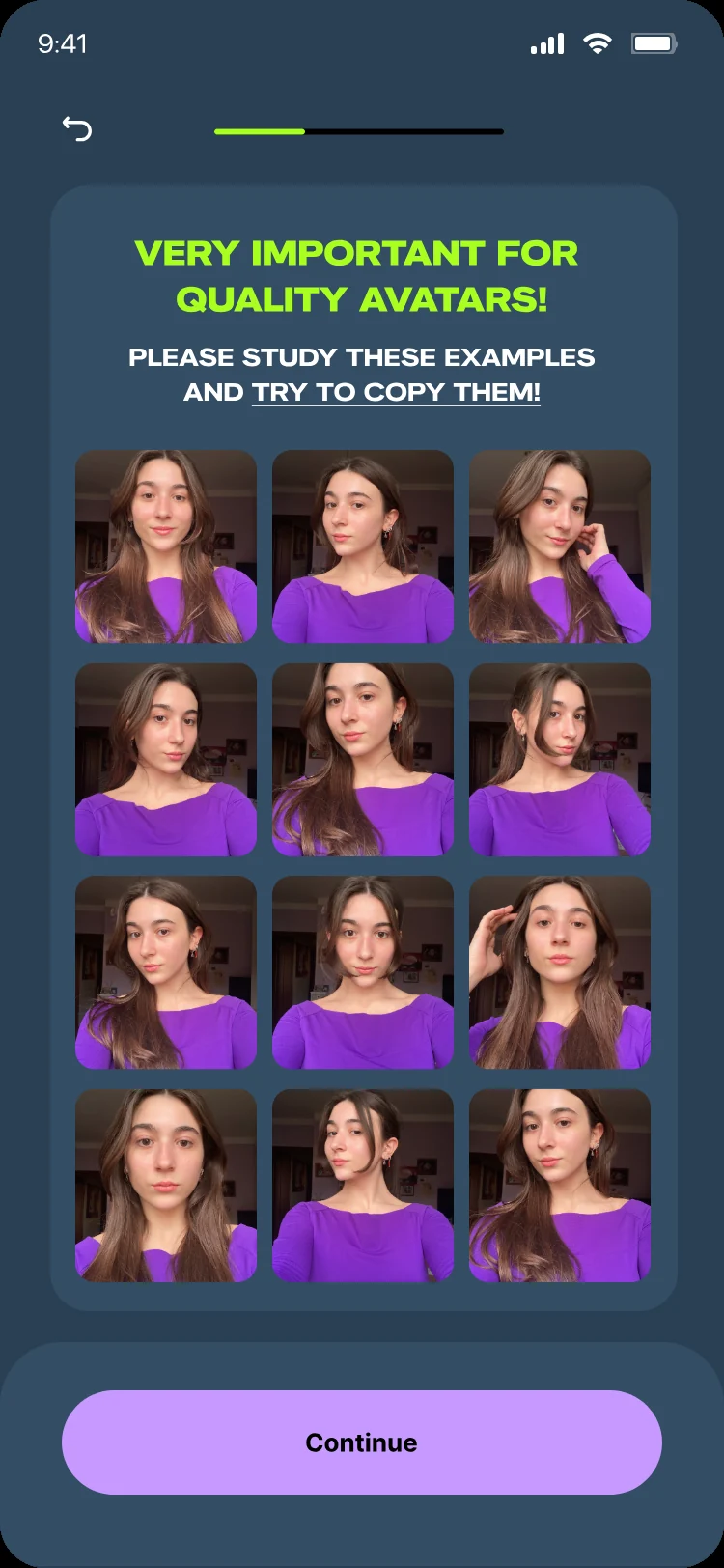
02Read the photo rulesThen pick 20 selfies
03Pick moods and styles10 picks in totalDecision
04Choose a pack and payApple Pay, no account neededDecision
05Find favouritesSave them, or save them all
MyMood does
01Explains the productOne line: styles + moods
02Shows what good looks likeOne rule per card, real examples
03Counts every pickContinue unlocks at 10
04Makes the avatarsAbout 14 minutes, then an alert
05Sorts the resultsBy mood first, then by style

Same step, both sides: what the person does and what the app does. Real screens from the design file.

Wireframes

Structure First, Polish Second

Each key screen started as a grey-box wireframe, so order and hierarchy were agreed before colour and imagery. Here they are next to the final designs, with numbered notes on what each part does.

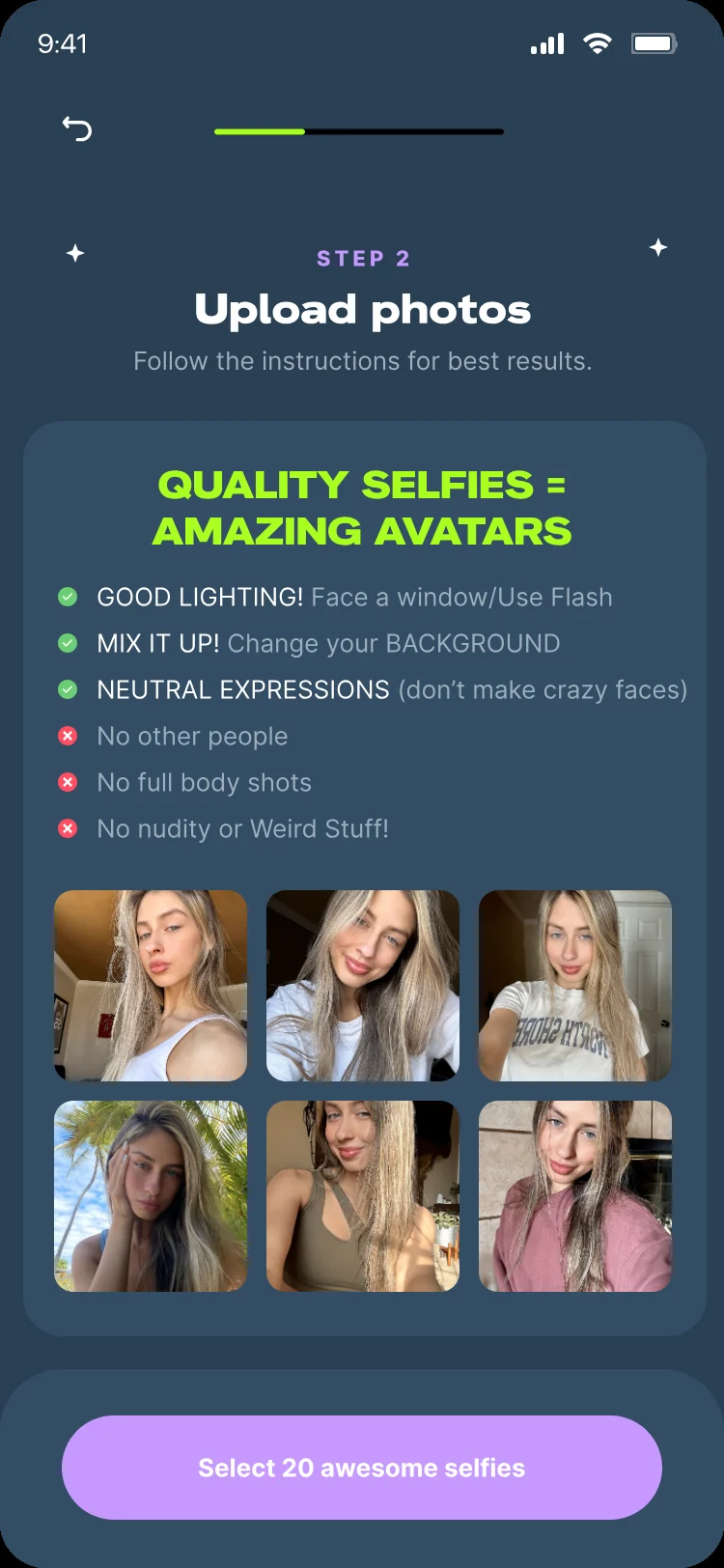
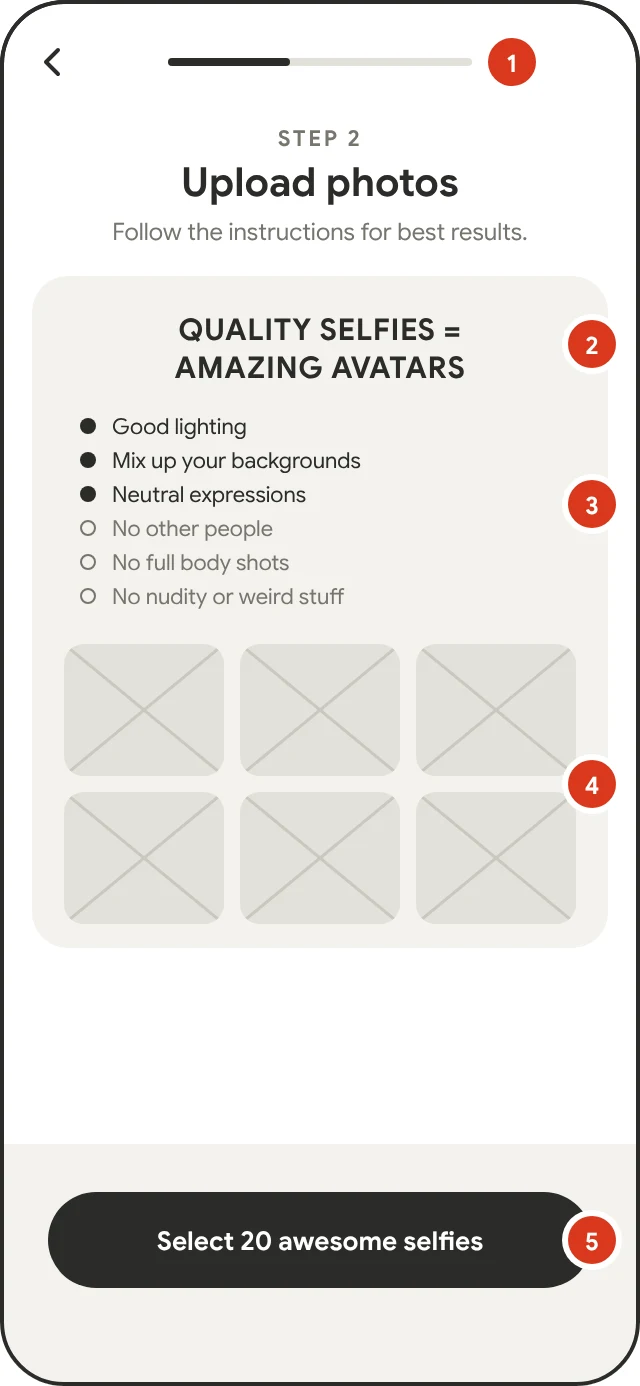
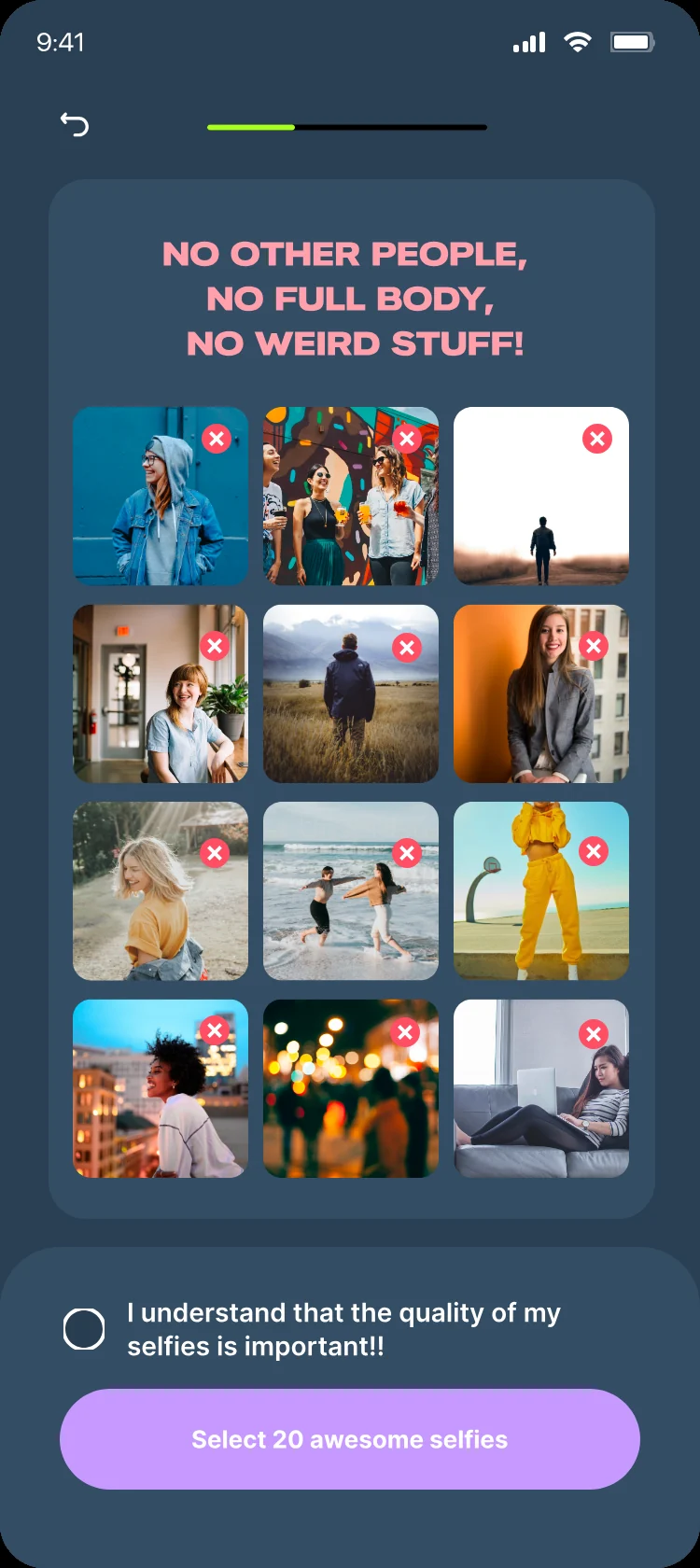
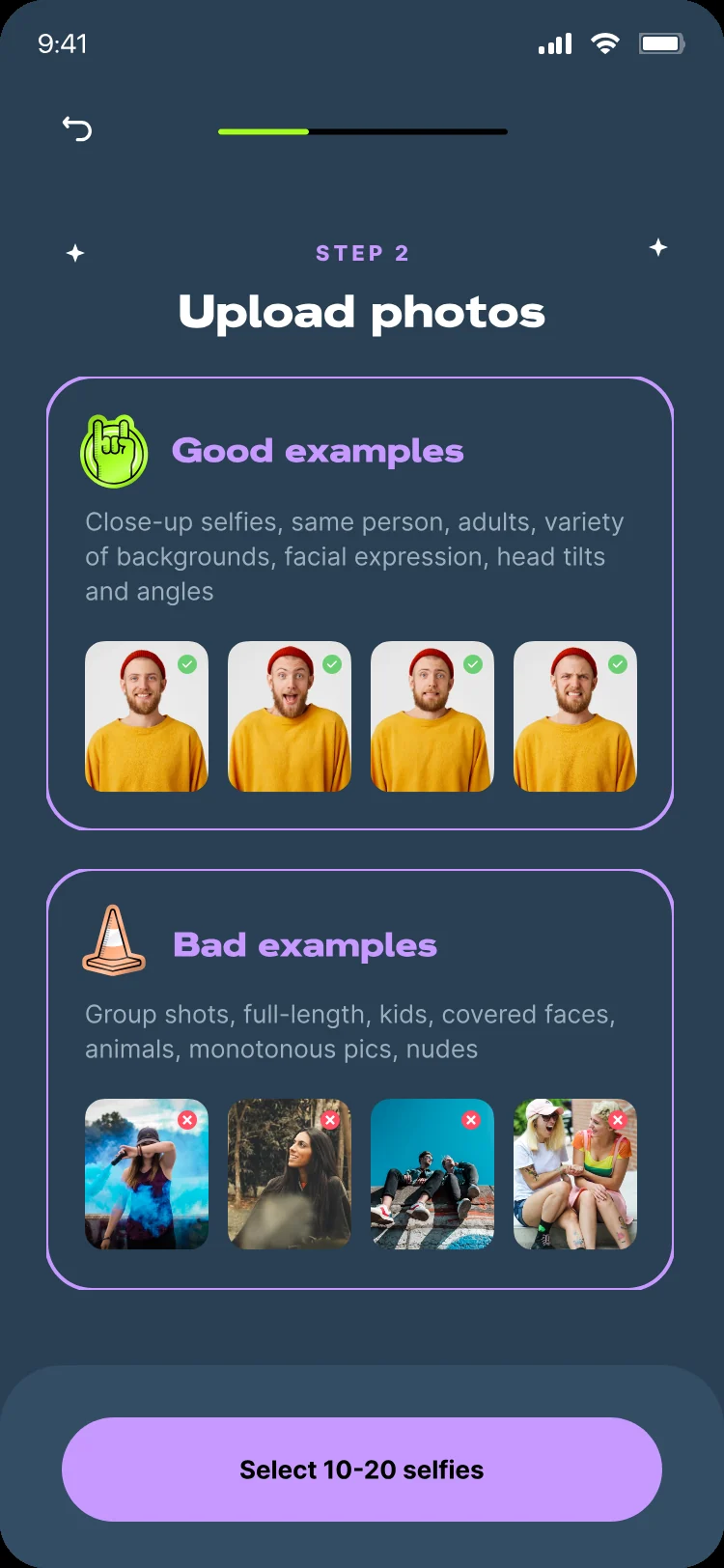
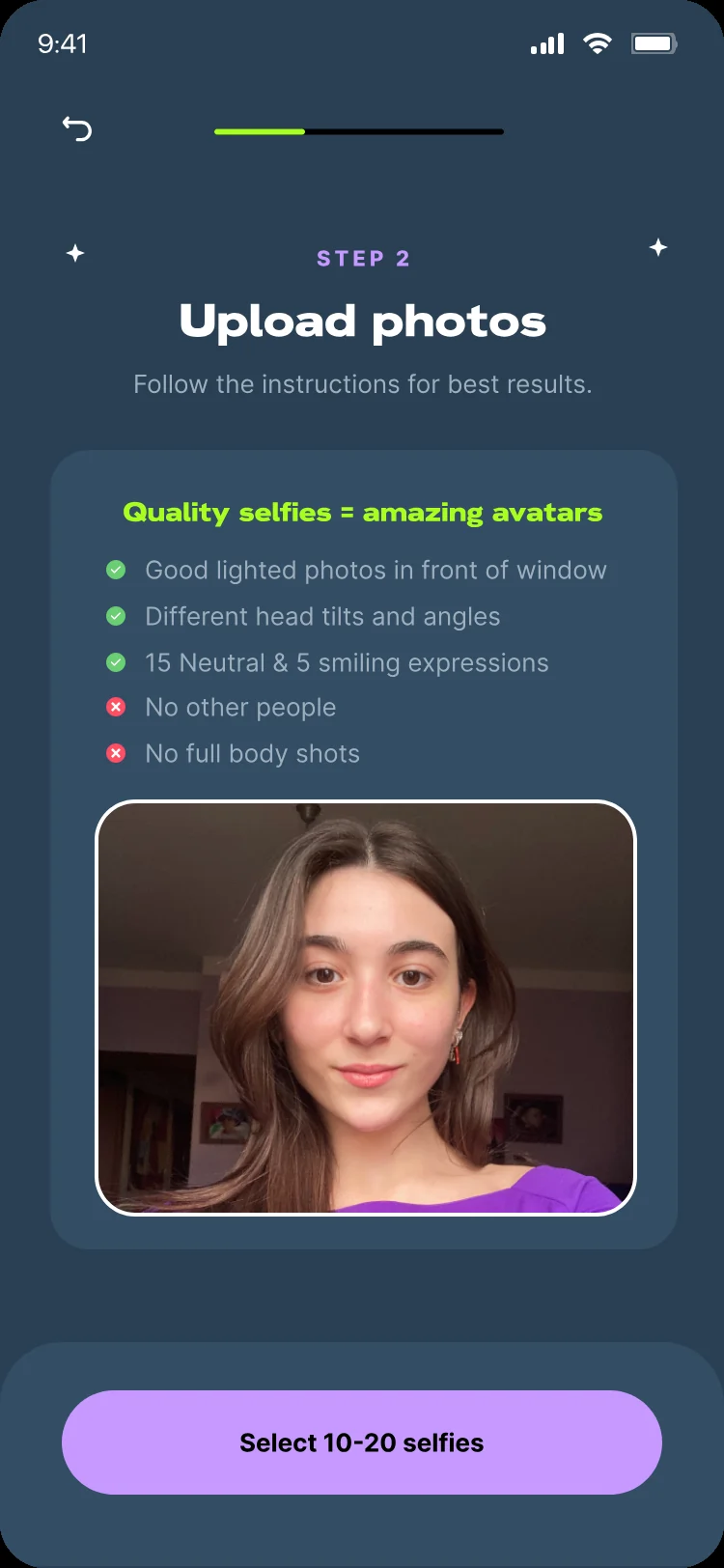
01 · Photo rulesMake good selfies the obvious choice
Wireframe of the upload photos step with numbered notes
Wireframe
Final upload photos step with the Quality selfies checklist and example selfies
Final
  1. The progress bar shows how close people are to their avatars.
  2. One rule as the headline: quality selfies make amazing avatars.
  3. Do’s and don’ts in a short list, scannable in seconds.
  4. Real example selfies show what good looks like.
  5. The button repeats the goal: select 20 awesome selfies.
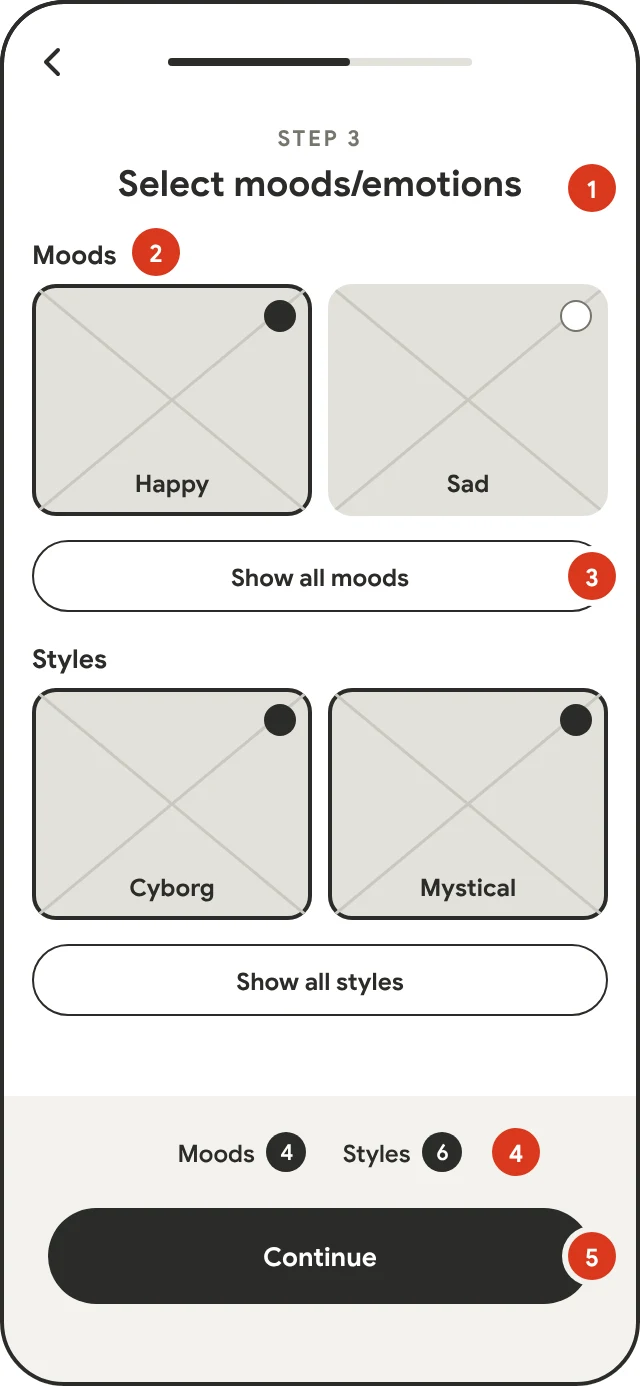
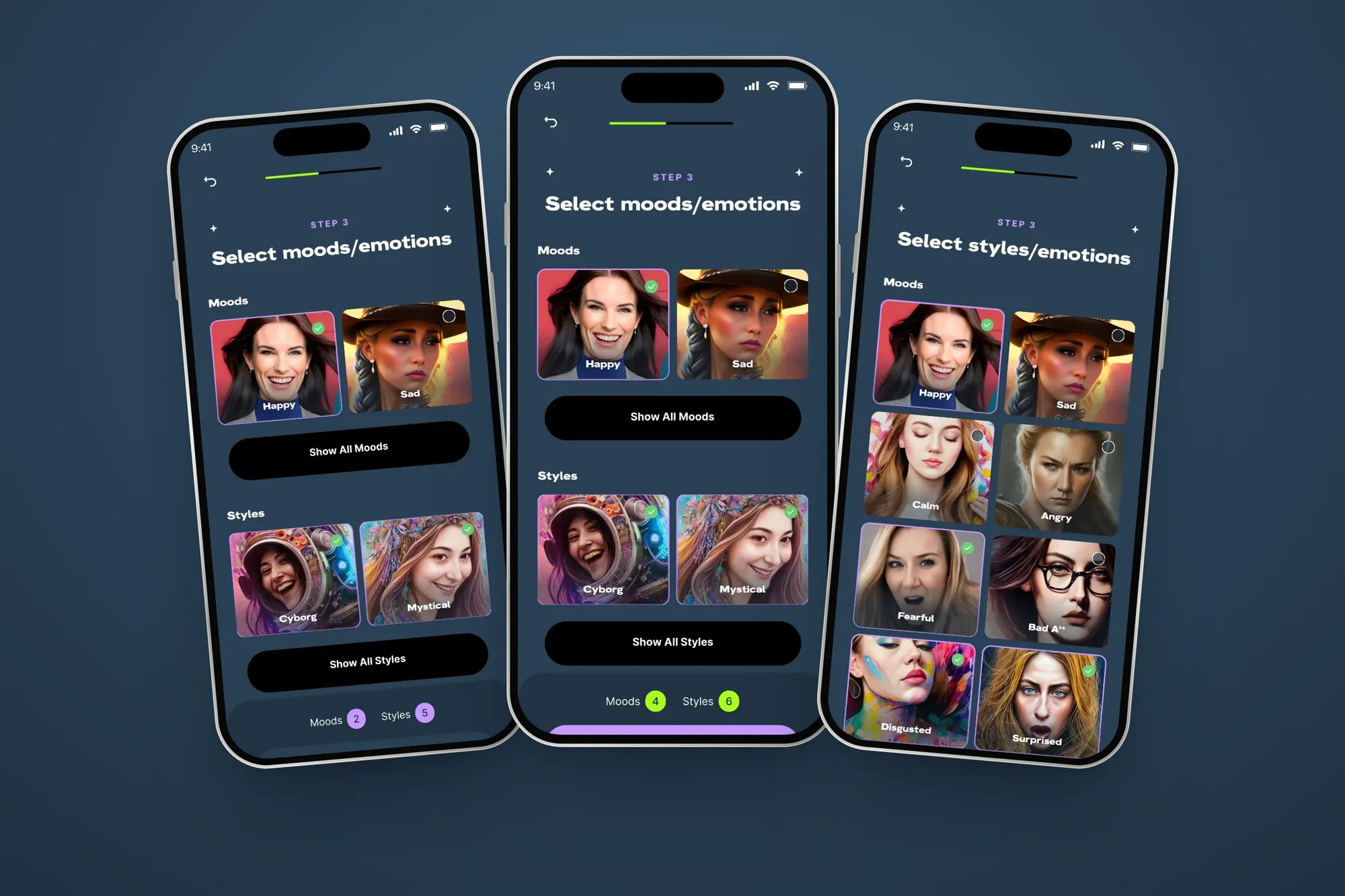
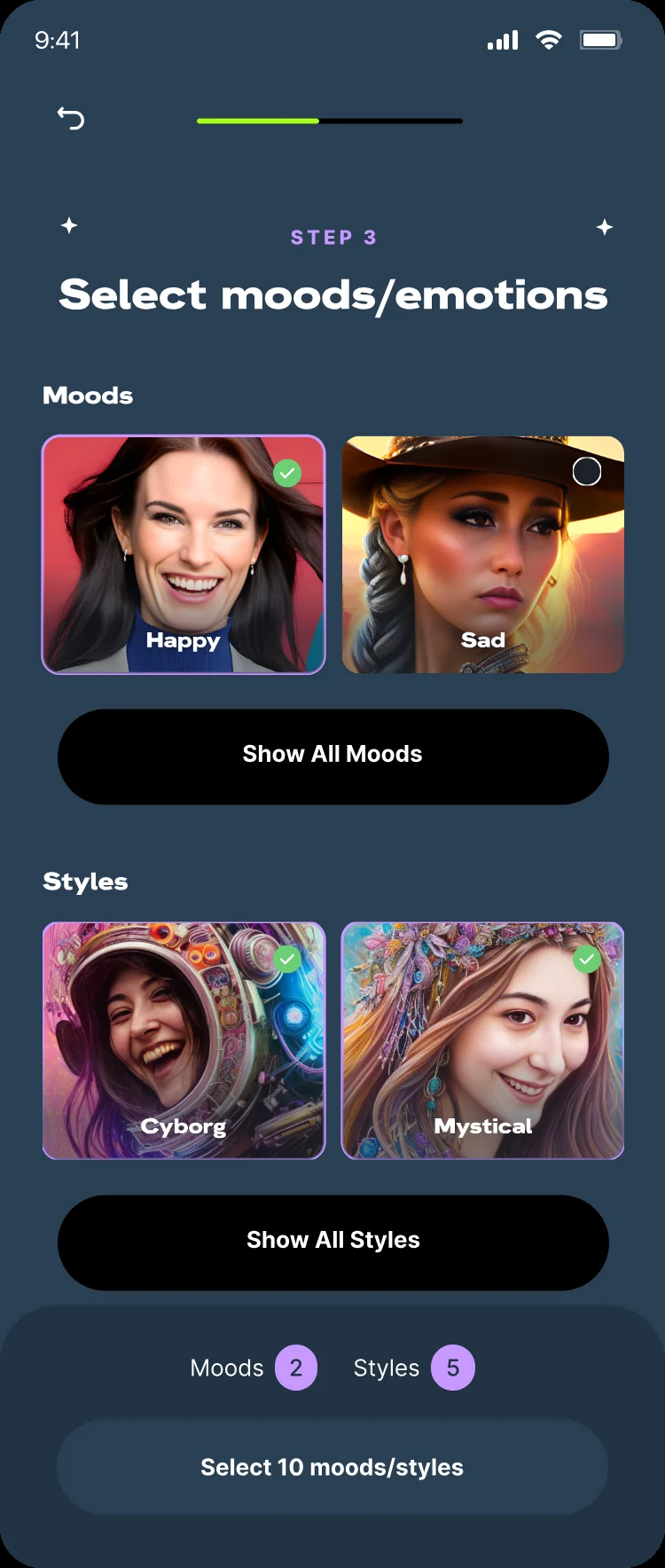
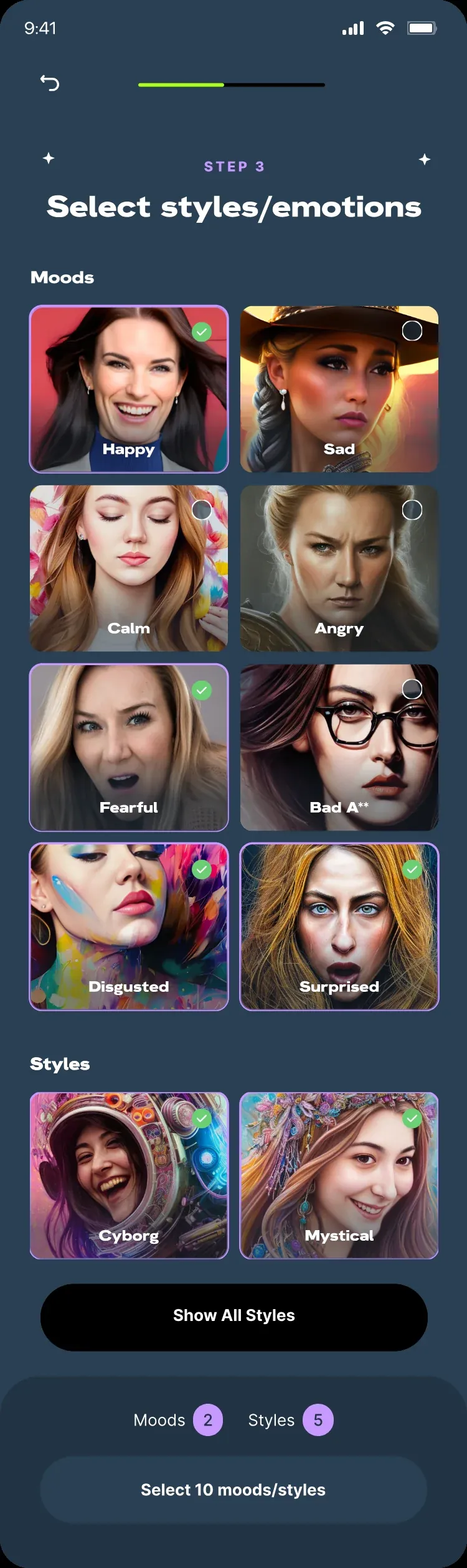
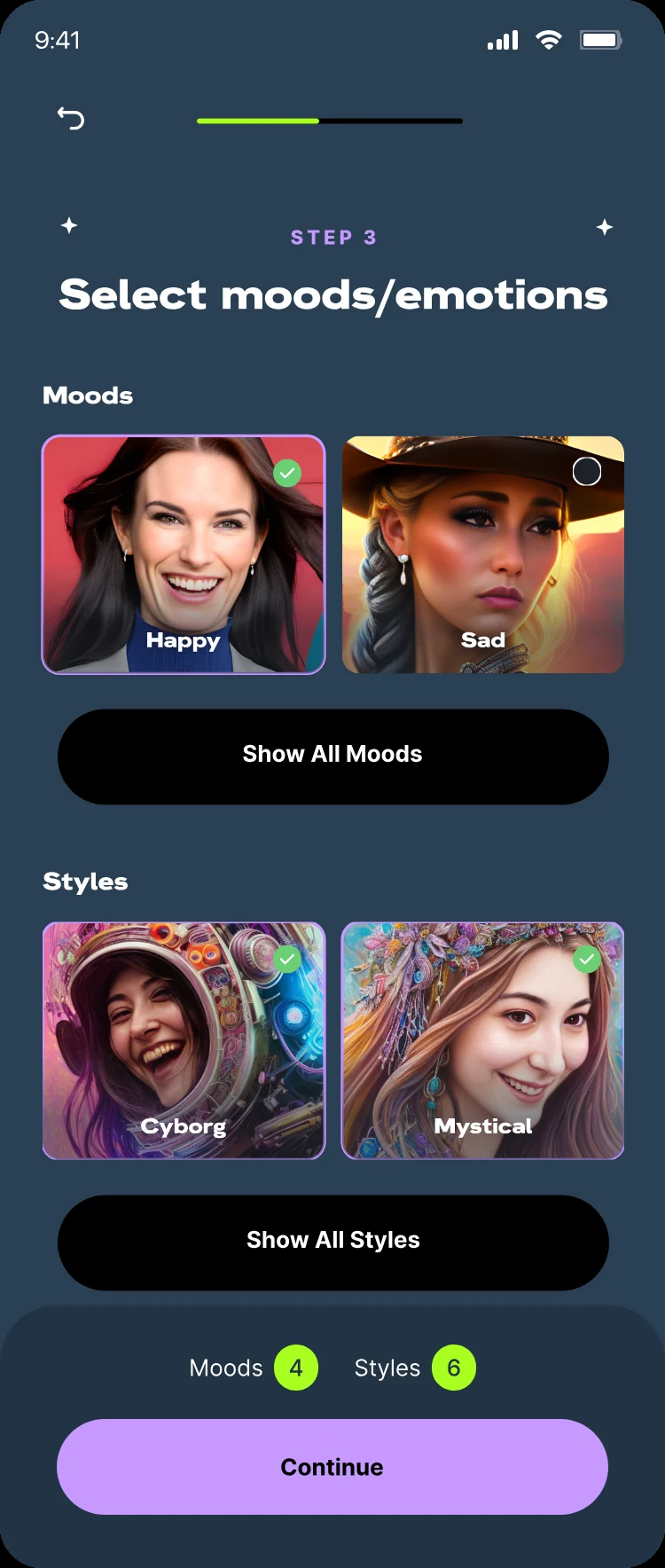
02 · Moods & stylesTwo lists and a clear finish line
Wireframe of the mood and style picker with numbered notes
Wireframe
Final mood and style picker with counters and a Continue button
Final
  1. Step label and title keep people oriented.
  2. Moods come first, because emotion is what makes MyMood different.
  3. Two options per list. Show all opens the rest.
  4. Live counters for moods and styles.
  5. The button unlocks only at 10 picks.
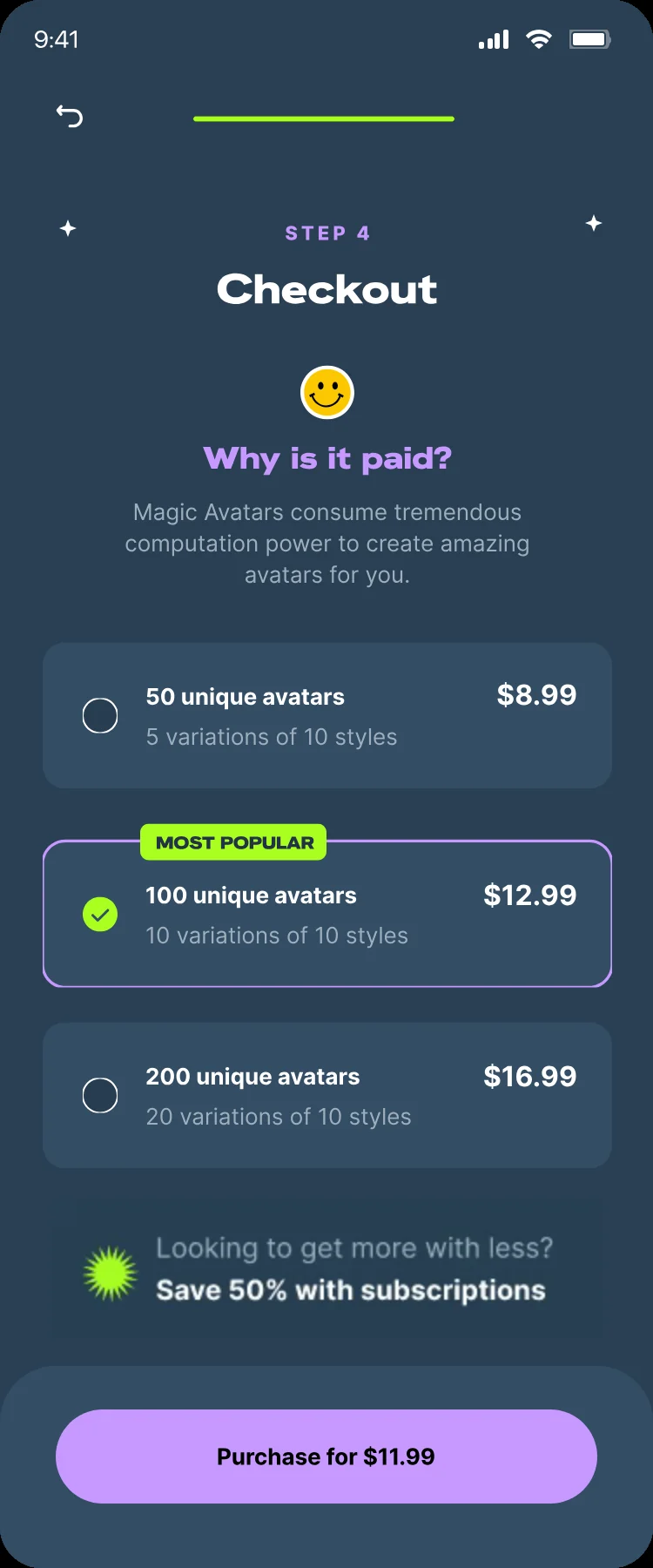
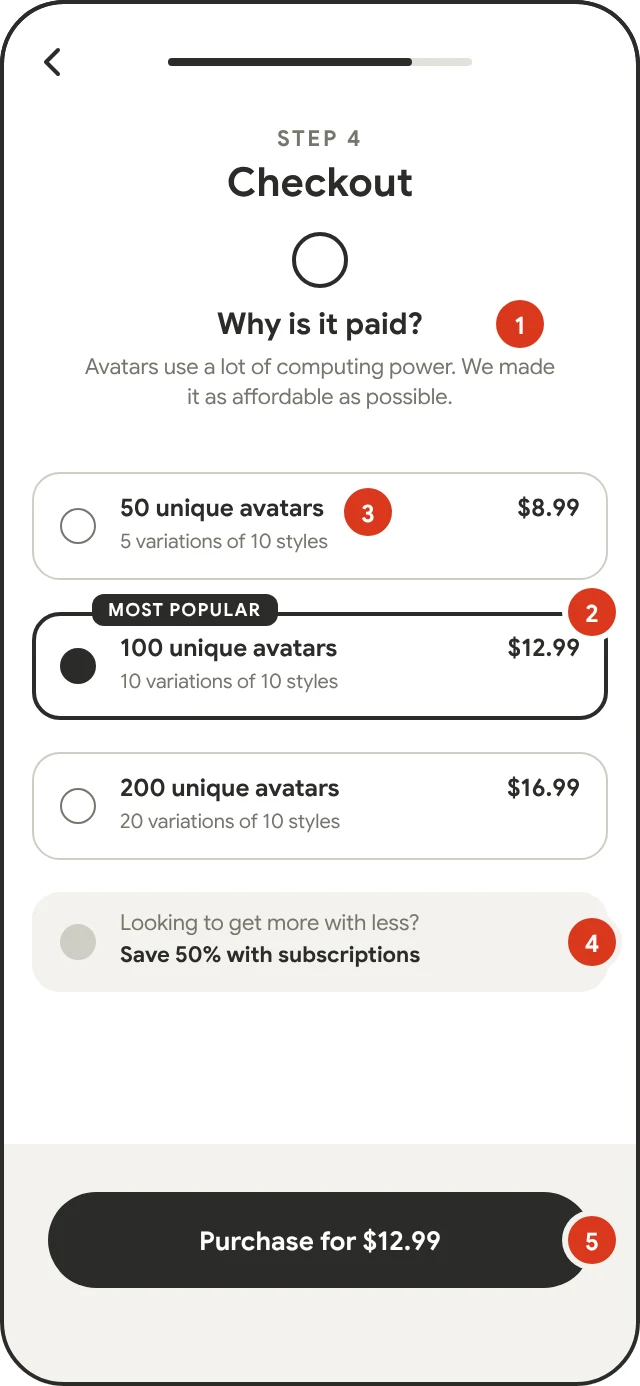
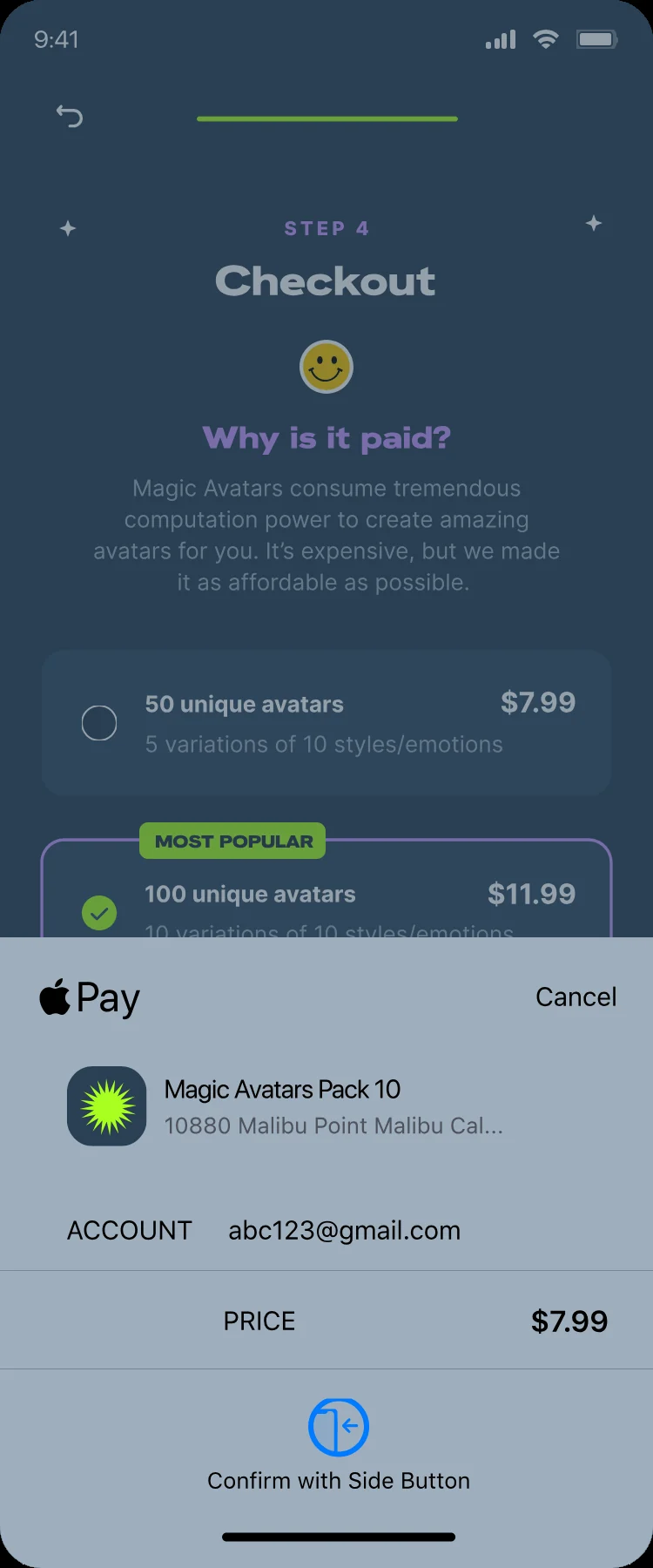
03 · CheckoutHonest before persuasive
Wireframe of checkout with numbered notes
Wireframe
Final checkout with Why is it paid, three pack sizes and a purchase button
Final
  1. “Why is it paid?” is answered before any price.
  2. Three pack sizes, the middle one marked Most popular.
  3. Each option says exactly what you get.
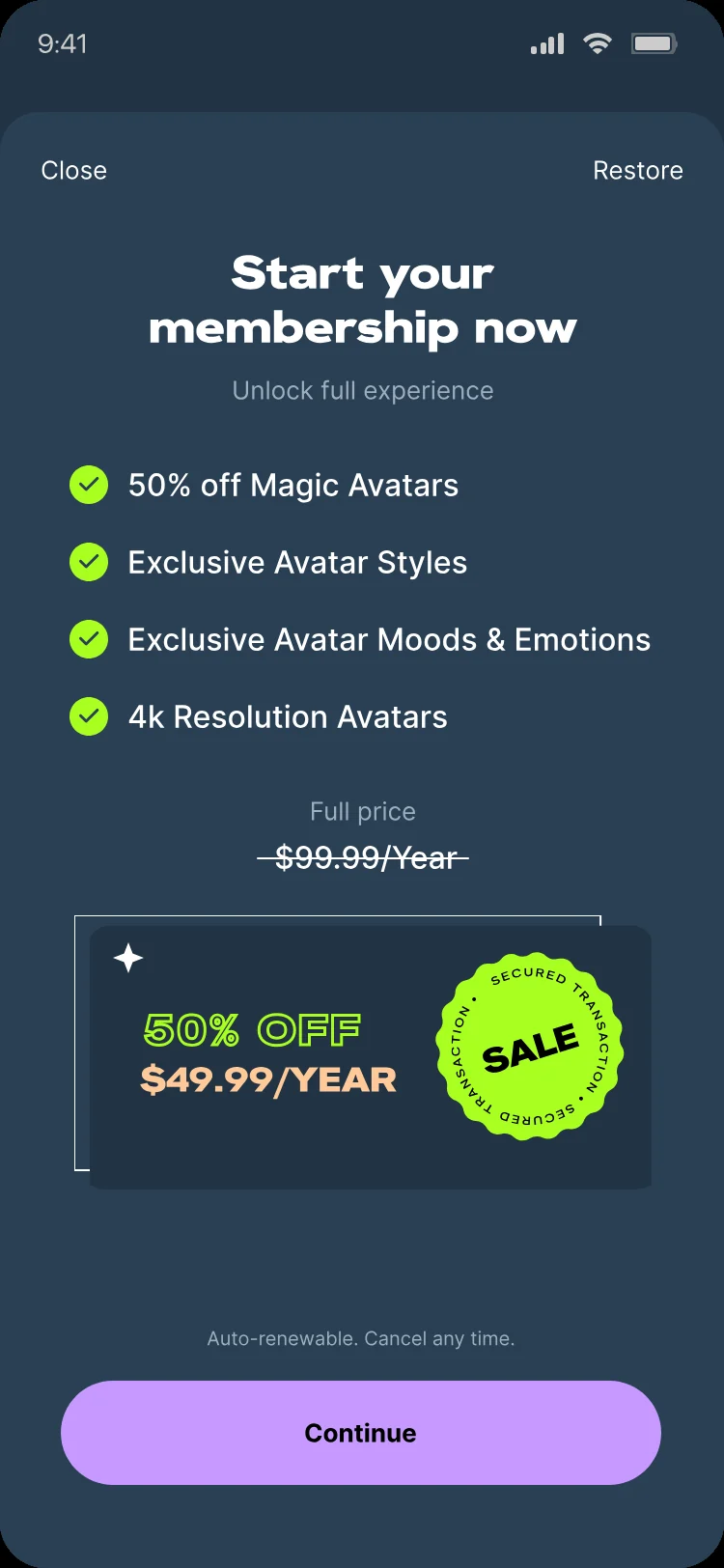
  4. Membership offered as the “more for less” path.
  5. One button with the exact price.
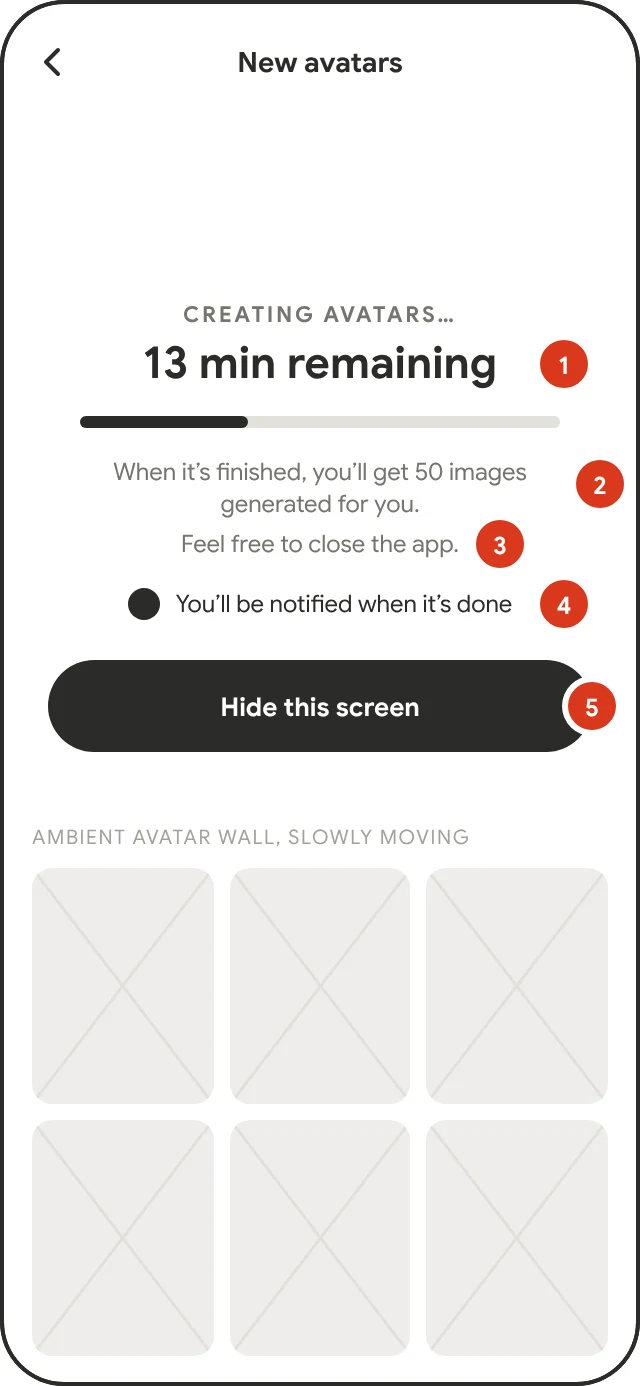

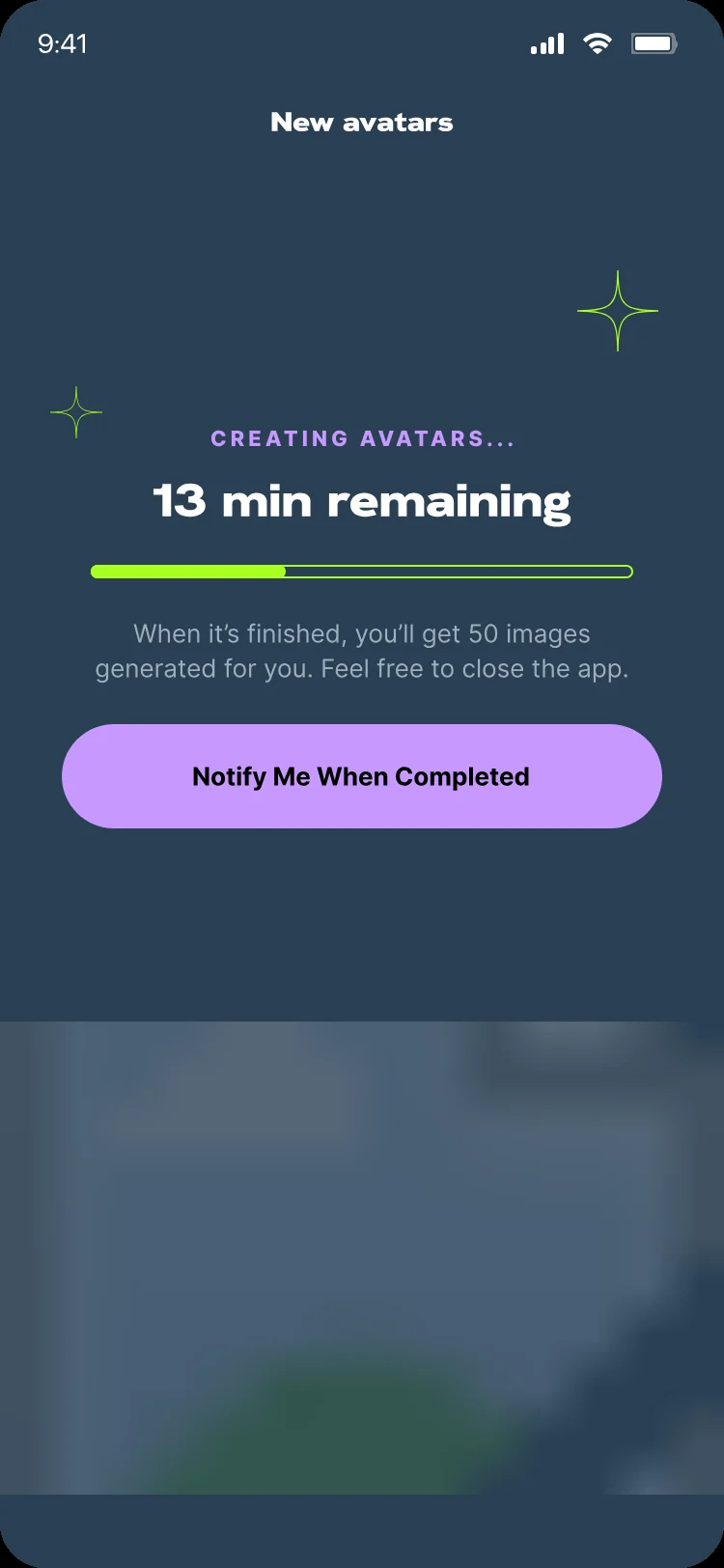
04 · The waitPermission to leave
Wireframe of the creating avatars screen with numbered notes
Wireframe
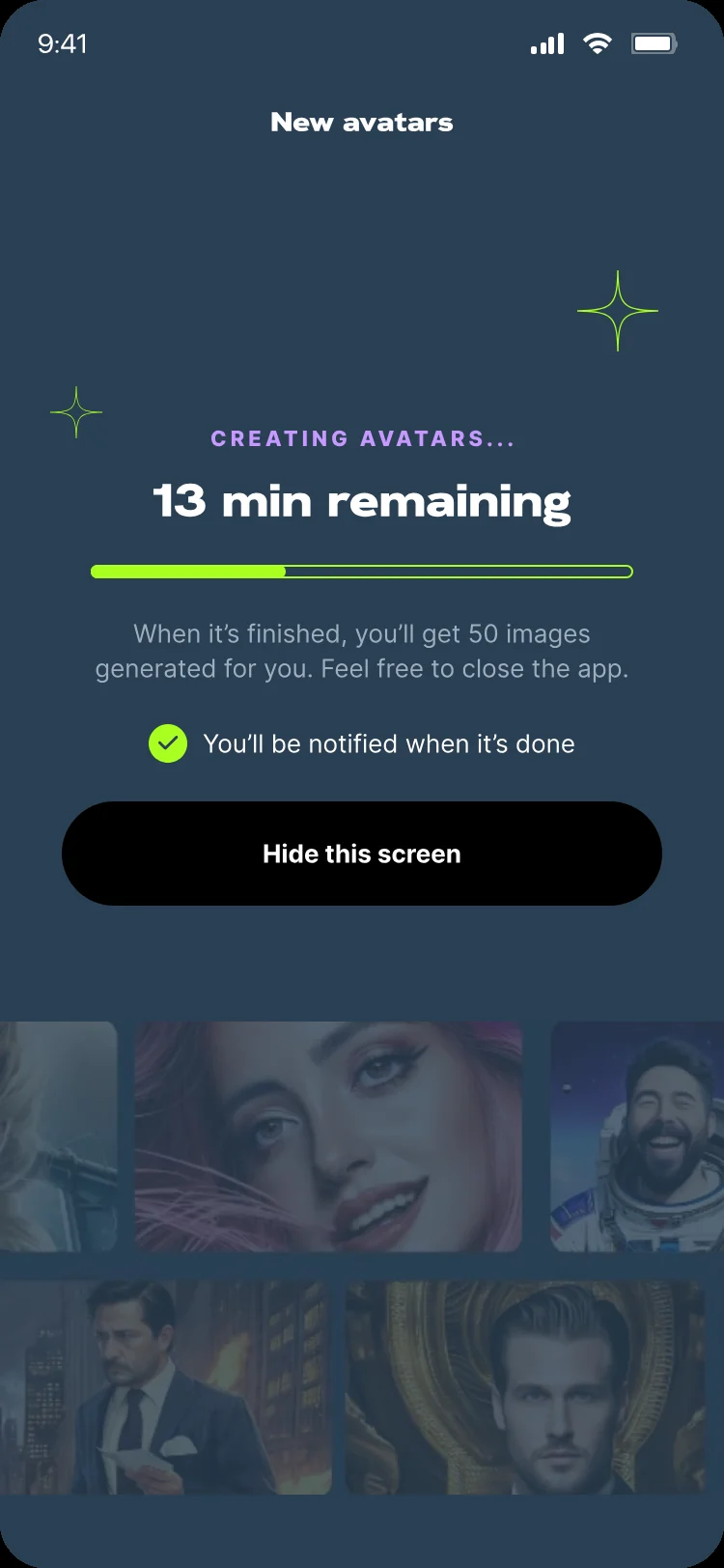
Final creating avatars screen, 13 minutes remaining, with a Hide this screen button
Final
  1. Real time left, not an endless spinner.
  2. What they’ll get: 50 images.
  3. Permission to close the app.
  4. Confirmation they’ll be notified.
  5. “Hide this screen” takes them back to their packs.
05 · ResultsFinding favourites among 200 avatars, without scrolling forever
Wireframe of a results screen with numbered notes
Wireframe
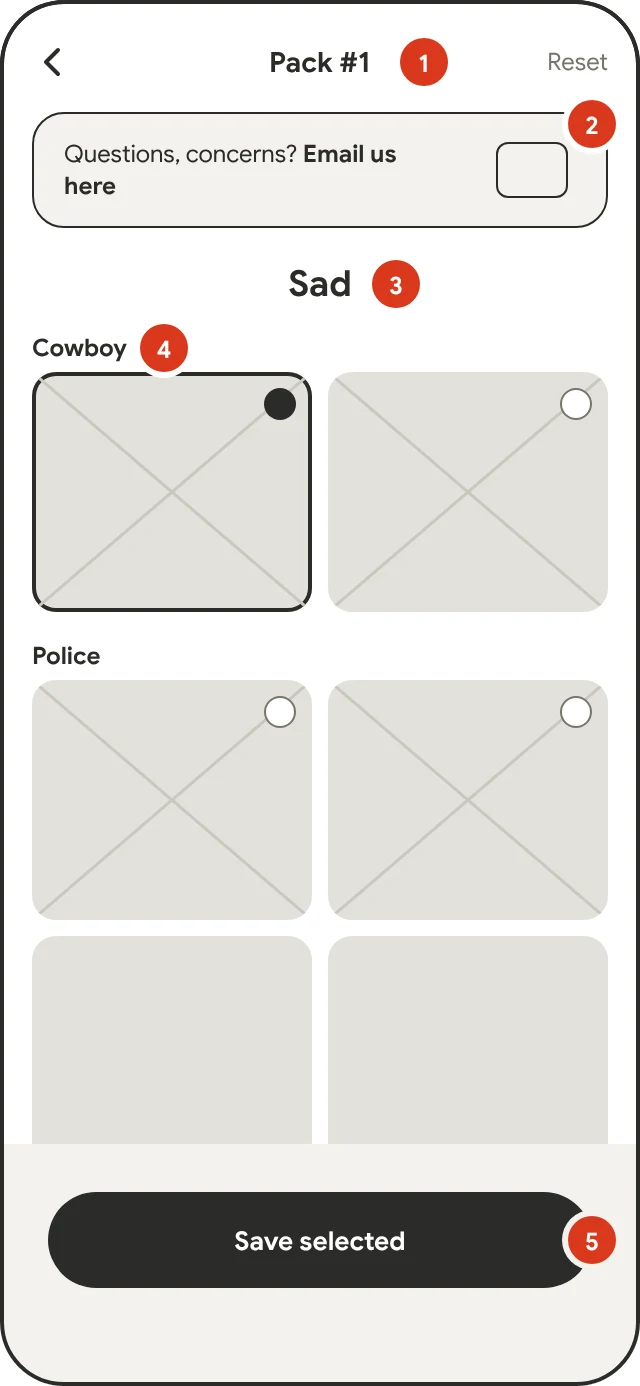
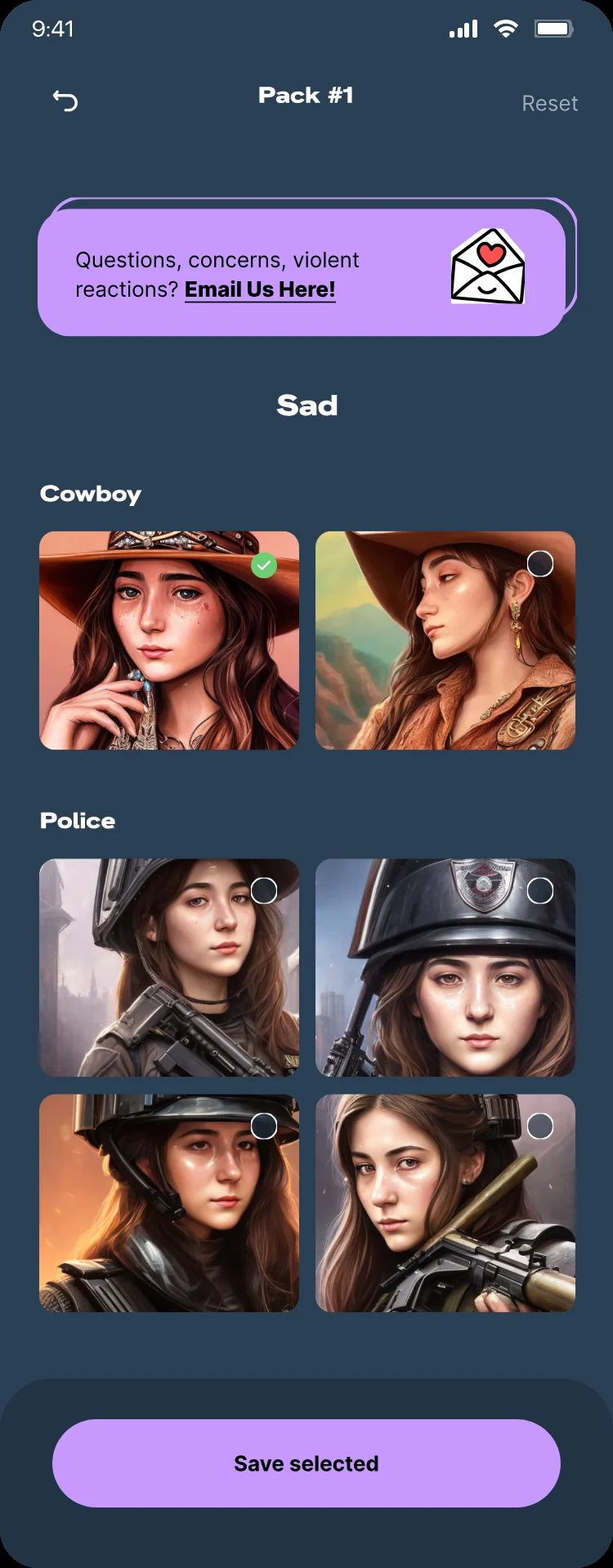
Final Sad mood results grouped by Cowboy and Police styles with a Save selected button
Final
  1. Pack name in the title. Reset clears the picks.
  2. A “Questions, concerns?” line straight to the team.
  3. The mood is the page title.
  4. Avatars grouped by style, with clear check marks.
  5. “Save selected” sits in the thumb zone.
Chapter 01 / 03 · Getting started
Decision 01 · Onboarding

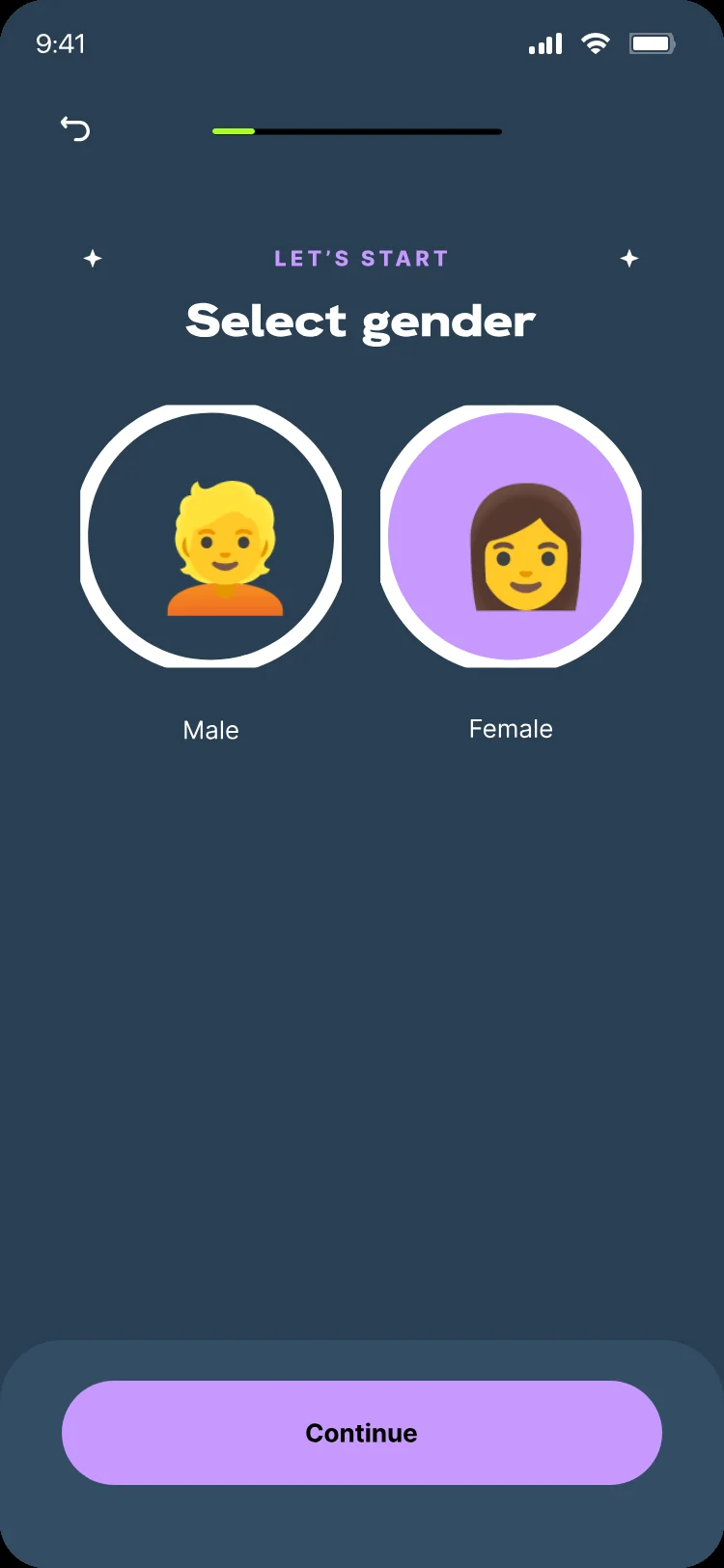
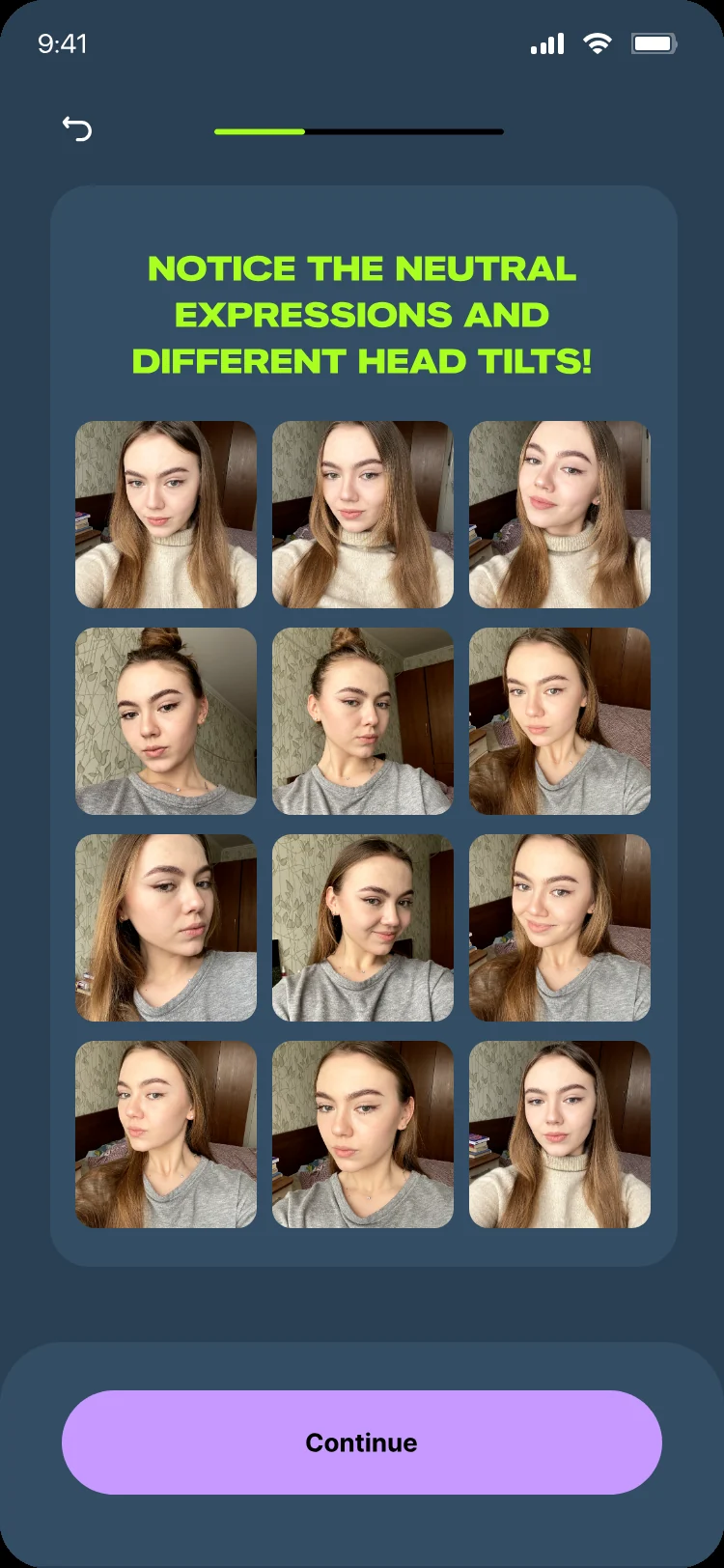
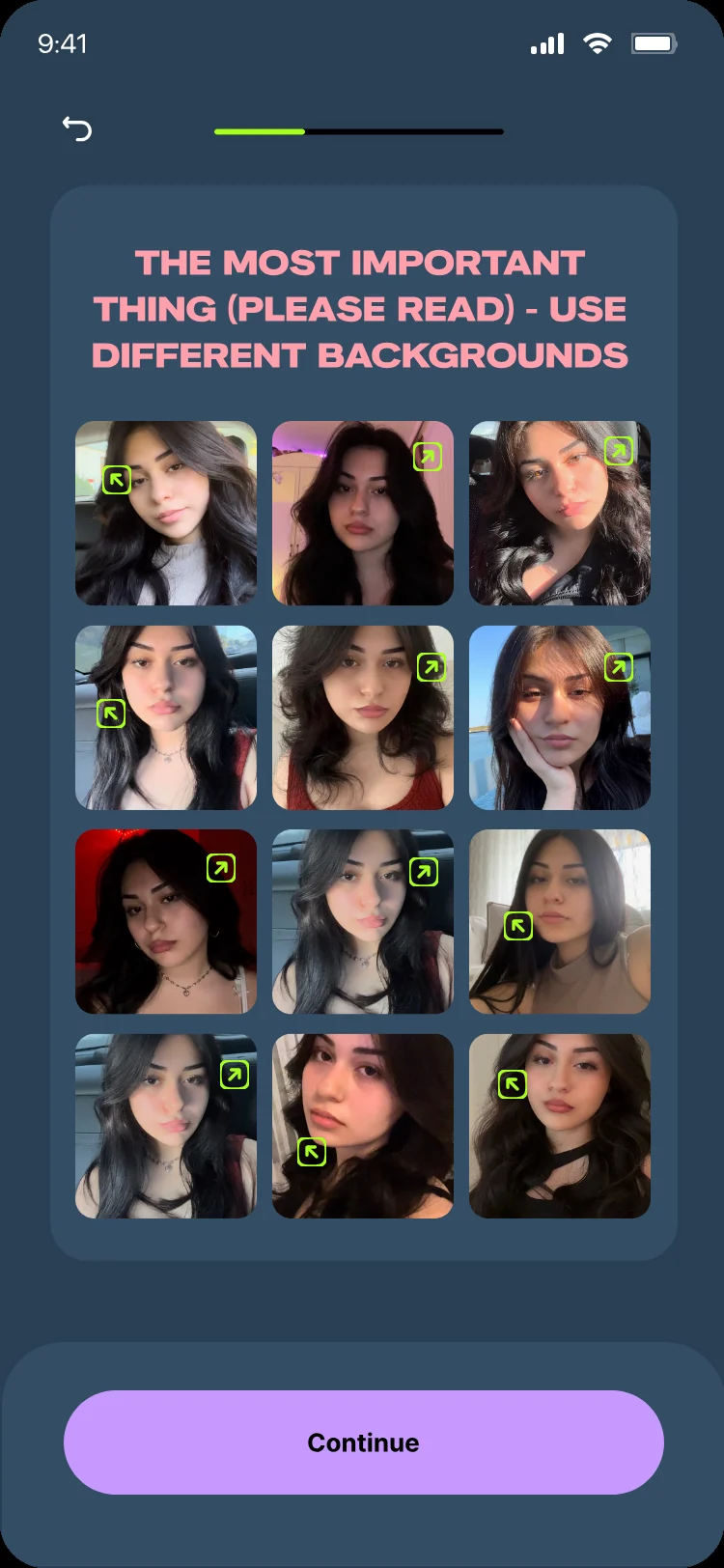
Teach The Rules Before The Camera Roll

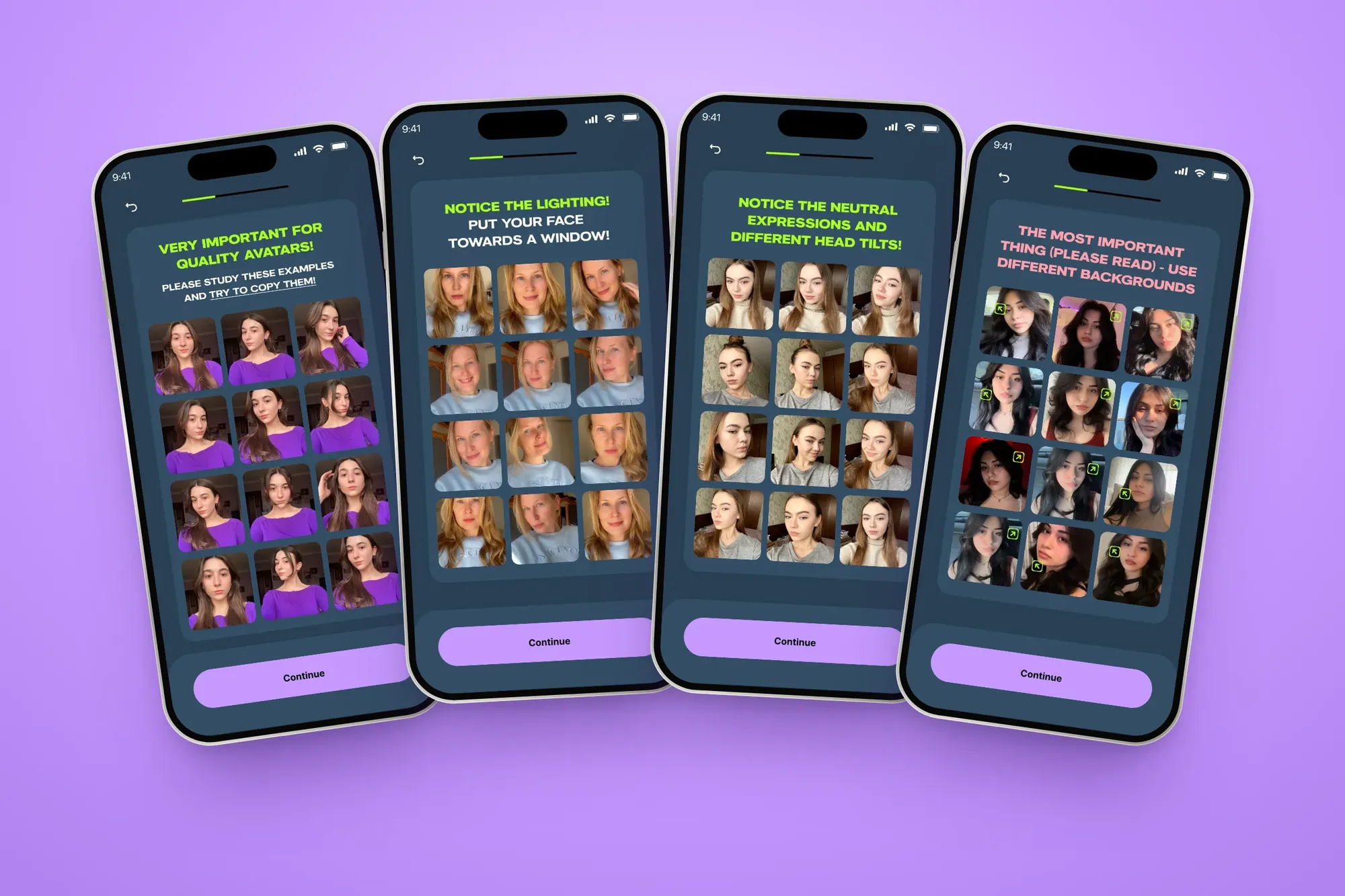
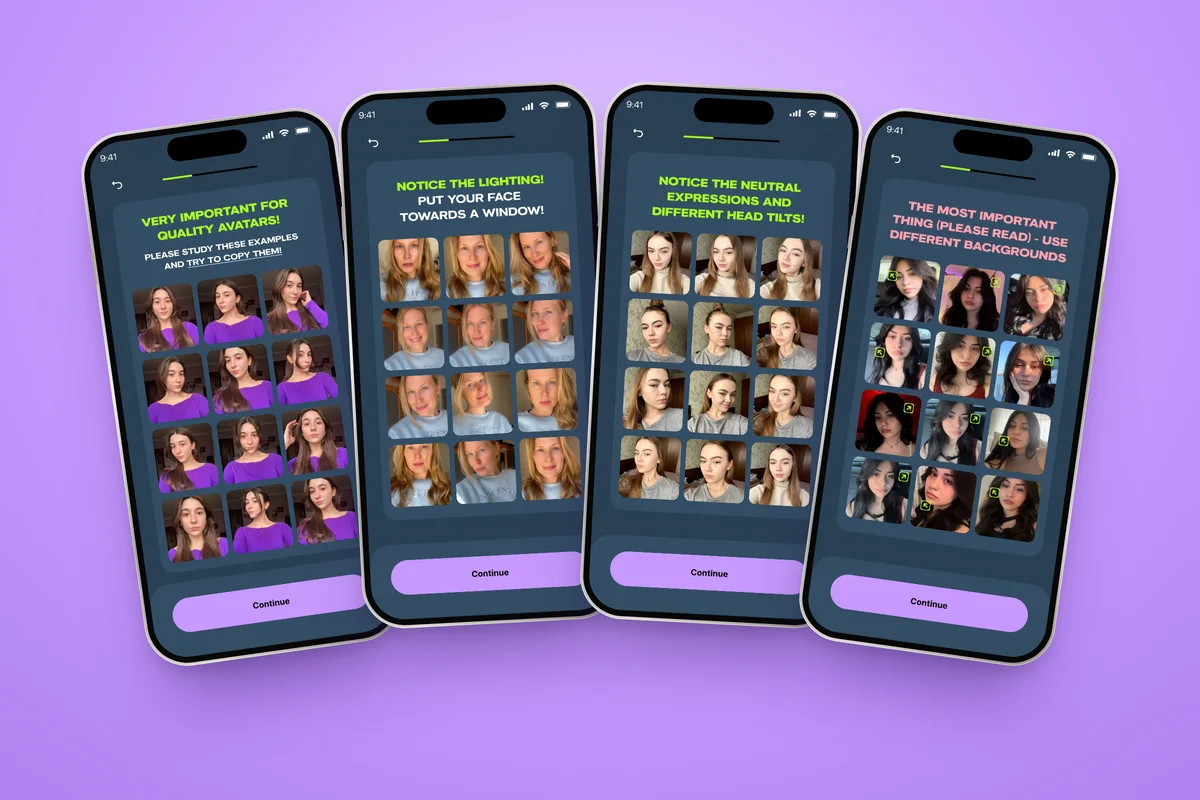
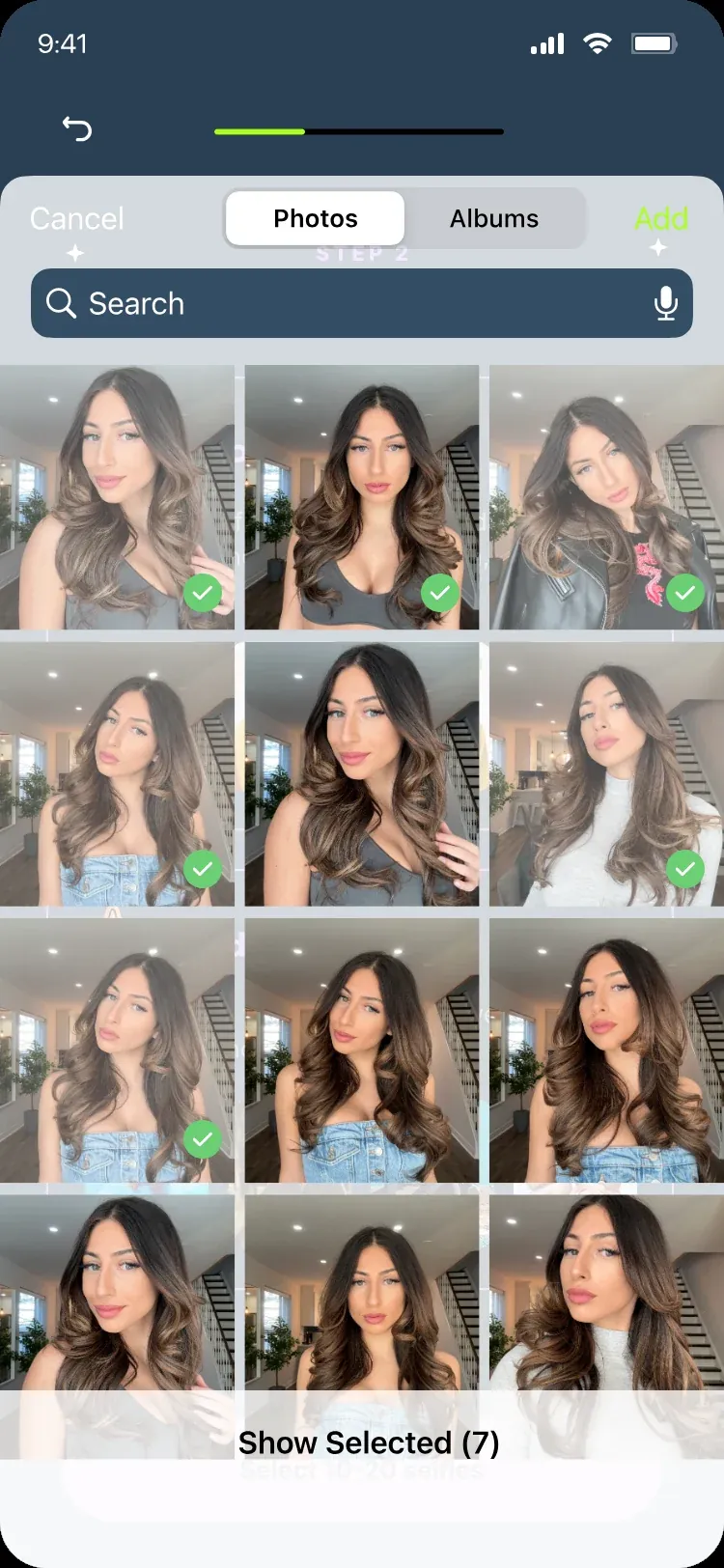
AI avatars are only as good as the selfies behind them, and people blame the app when results disappoint. So the upload step became a short lesson, and it took three rounds to get right.

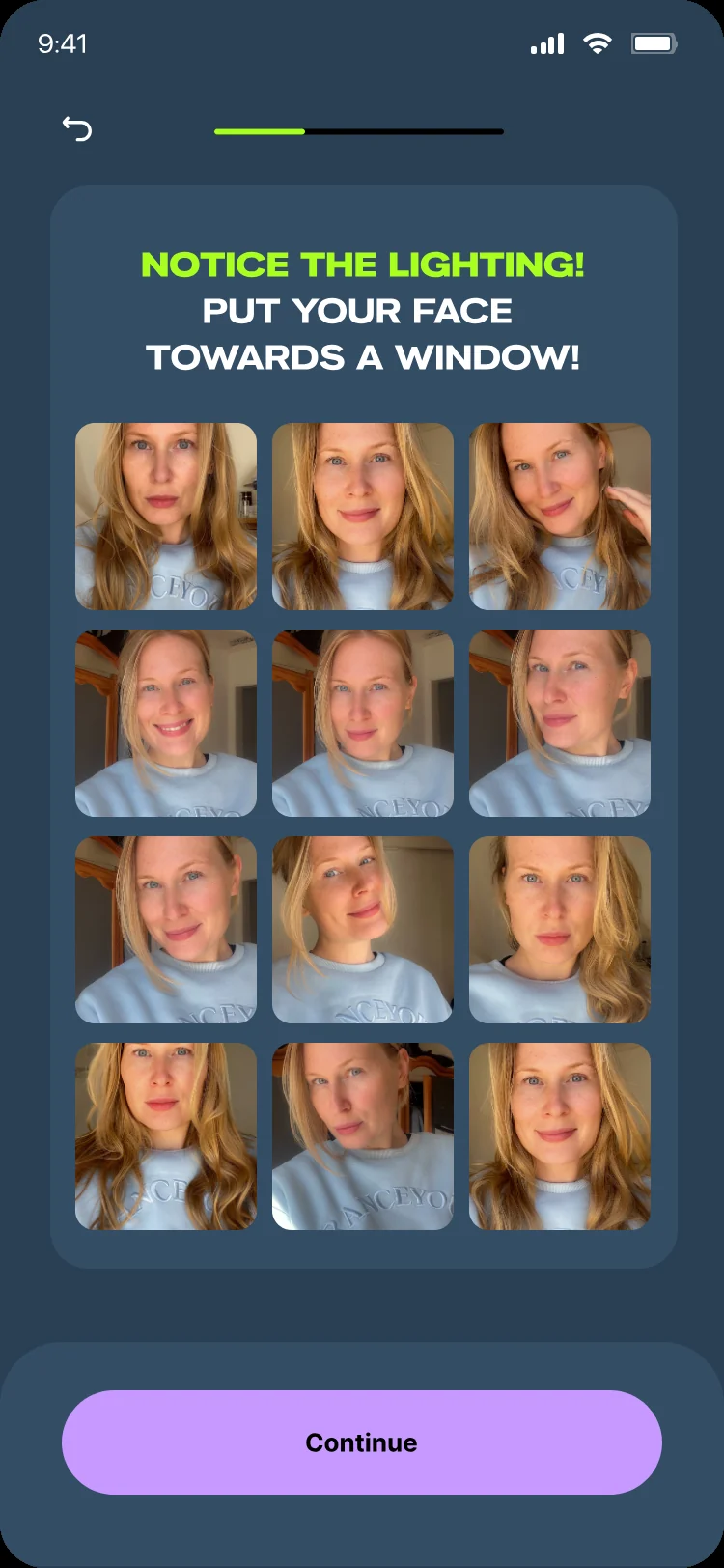
Four photo rulebook screens fanned out on lilac: study the examples, lighting, expressions and backgrounds
Photo rules · One rule per card
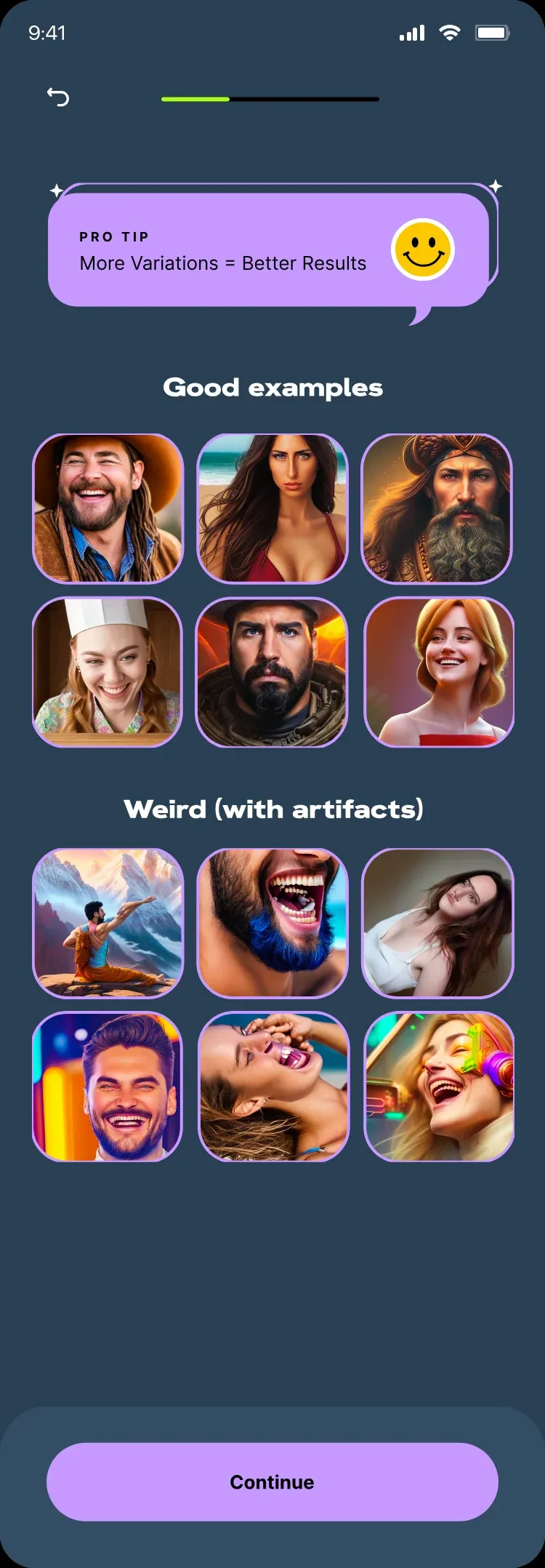
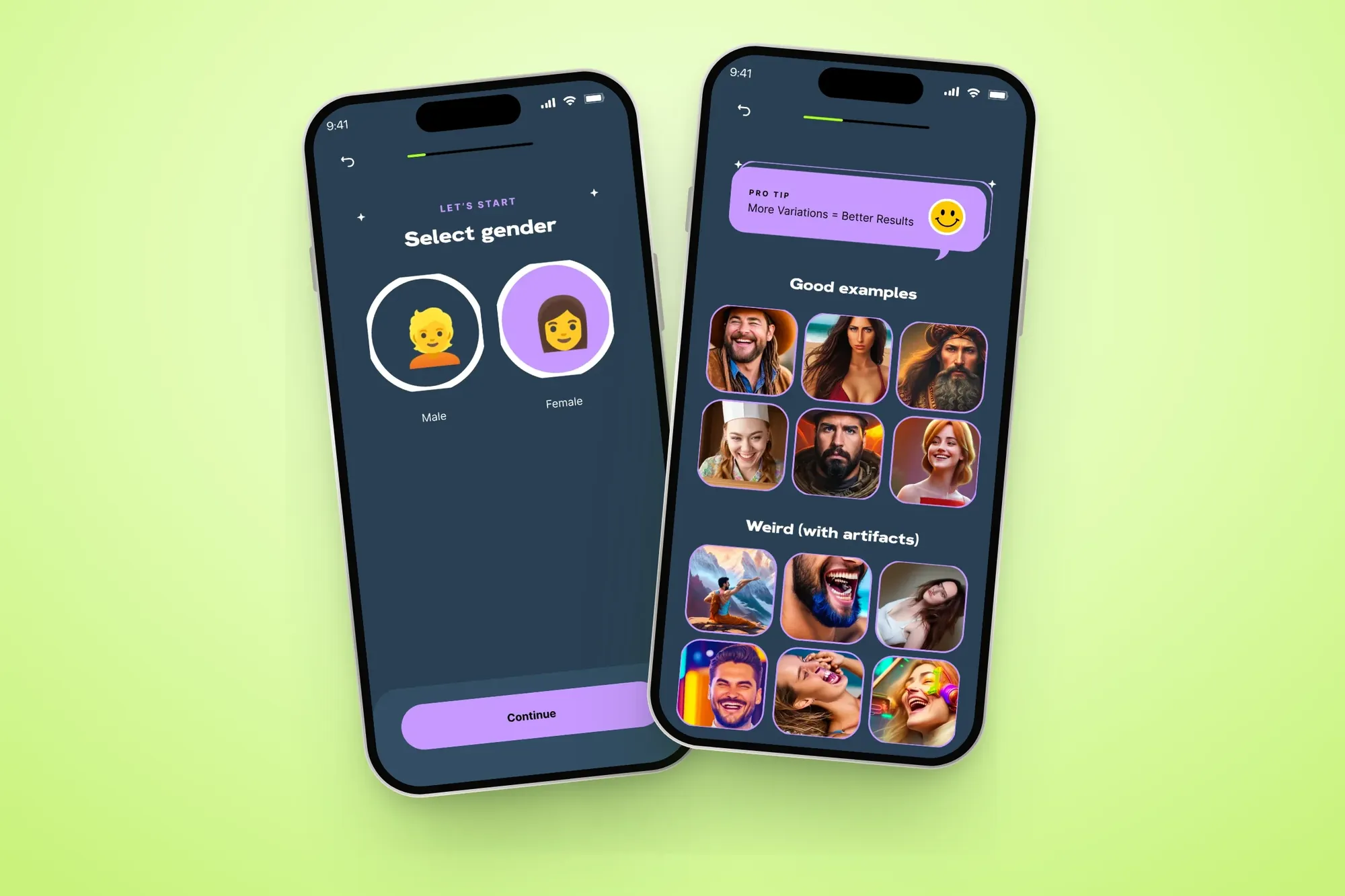
Select gender and What to expect screens, with good examples next to weird ones
Get started · What to expect
Upload step version 1: good and bad examples on one screen
Upload step version 2: a short checklist and a real example selfie
Upload step version 3: the selfie checklist after the five-card rulebook
Good and bad examples on one screen. Easy to skim past.
V1
A short checklist and a real example selfie.
V2
A five-card rulebook on lighting, expressions and backgrounds, with an “I understand” tick before the picker opens.
V3
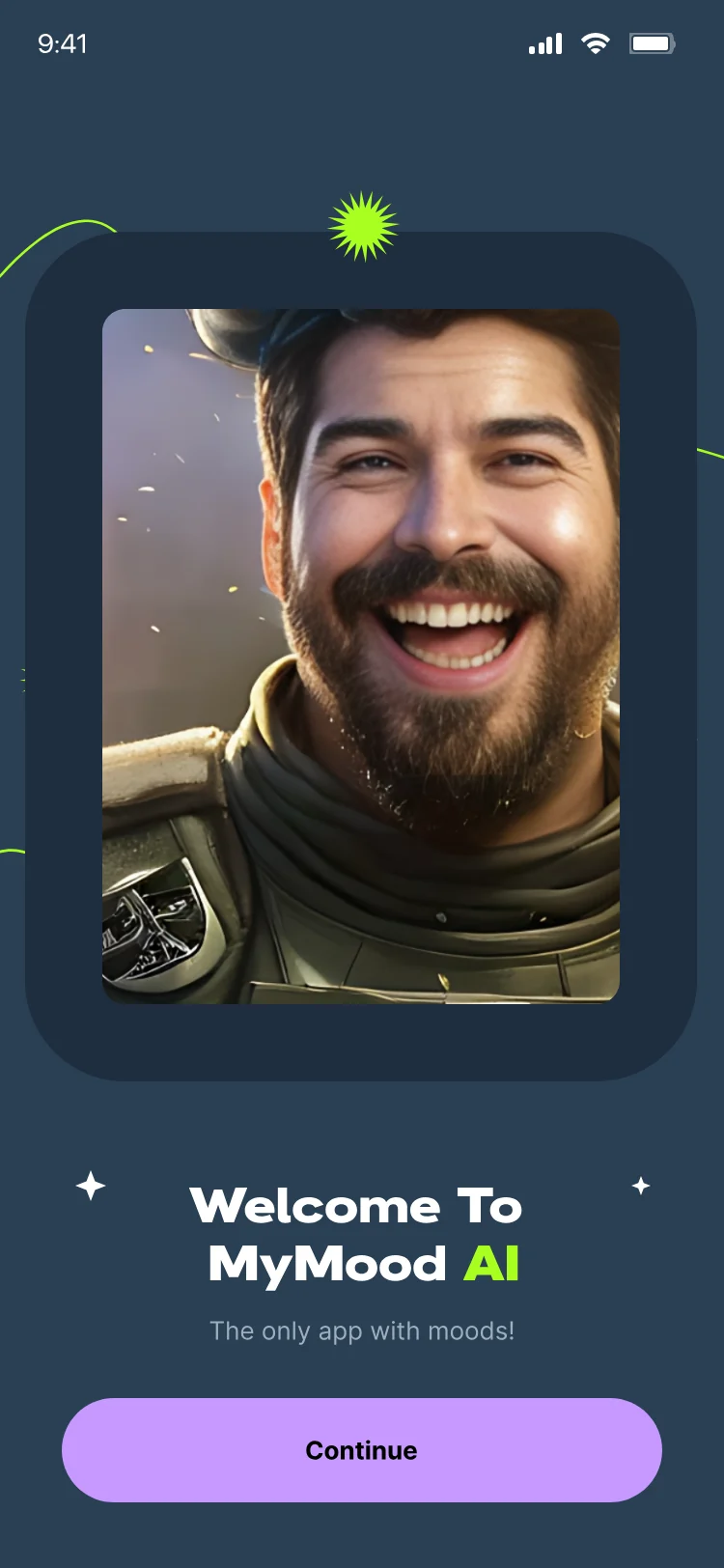
What I designed Animated mood welcome Gender step “What to expect” screen Five-card photo rulebook “I understand” tick Selfie checklist Photo picker with a live count
Chapter 02 / 03 · Choosing & paying
Decision 02 · Moods & styles

Two Short Lists, Not 256 Tiles

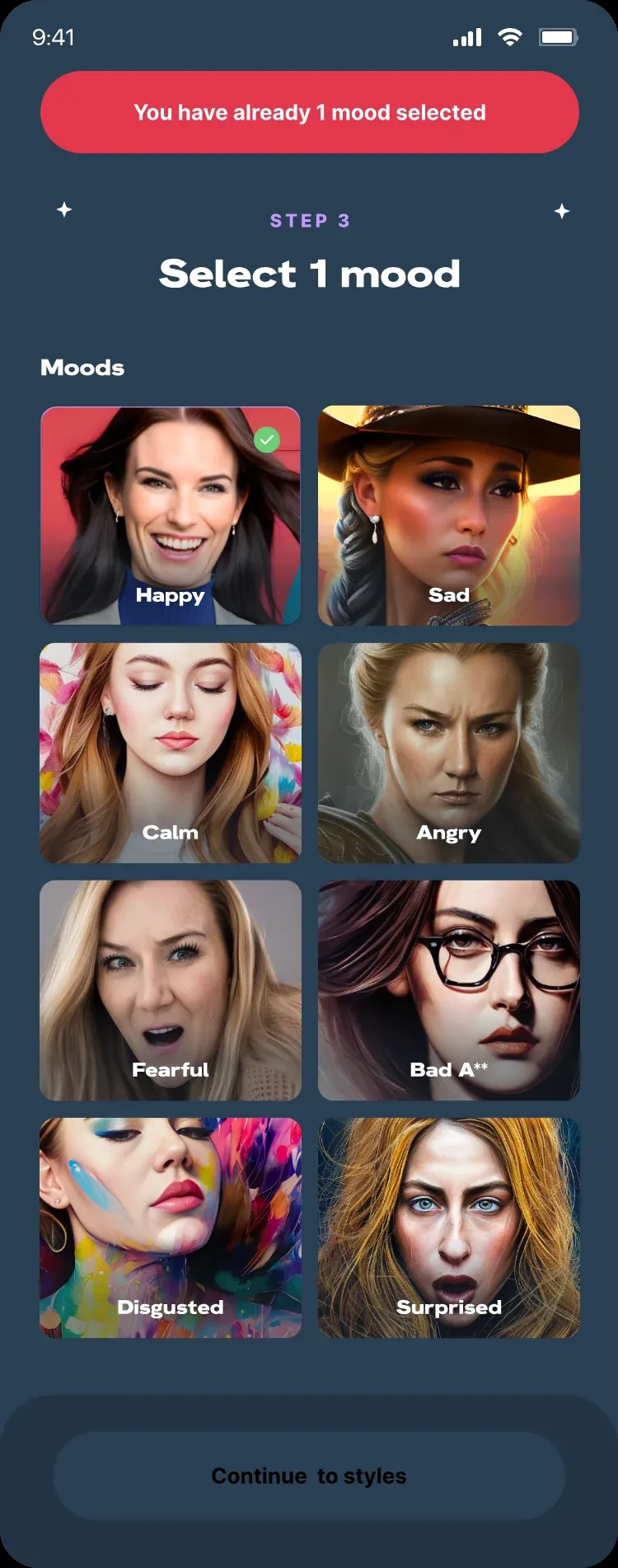
Moods and styles each get their own short list, showing two options with the rest one tap away. Counters update as people pick, and the button stays locked until all 10 picks are made, so it always says what’s left to do.

Three mood and style picker states on navy: locked at 7 of 10, ready at 10 of 10, and the full list open
Moods & styles · Locked, ready, show all
Fifteen mood and style results, from Happy Astronaut to Sad Cowboy, laid out on navy
Mood × style · Real results
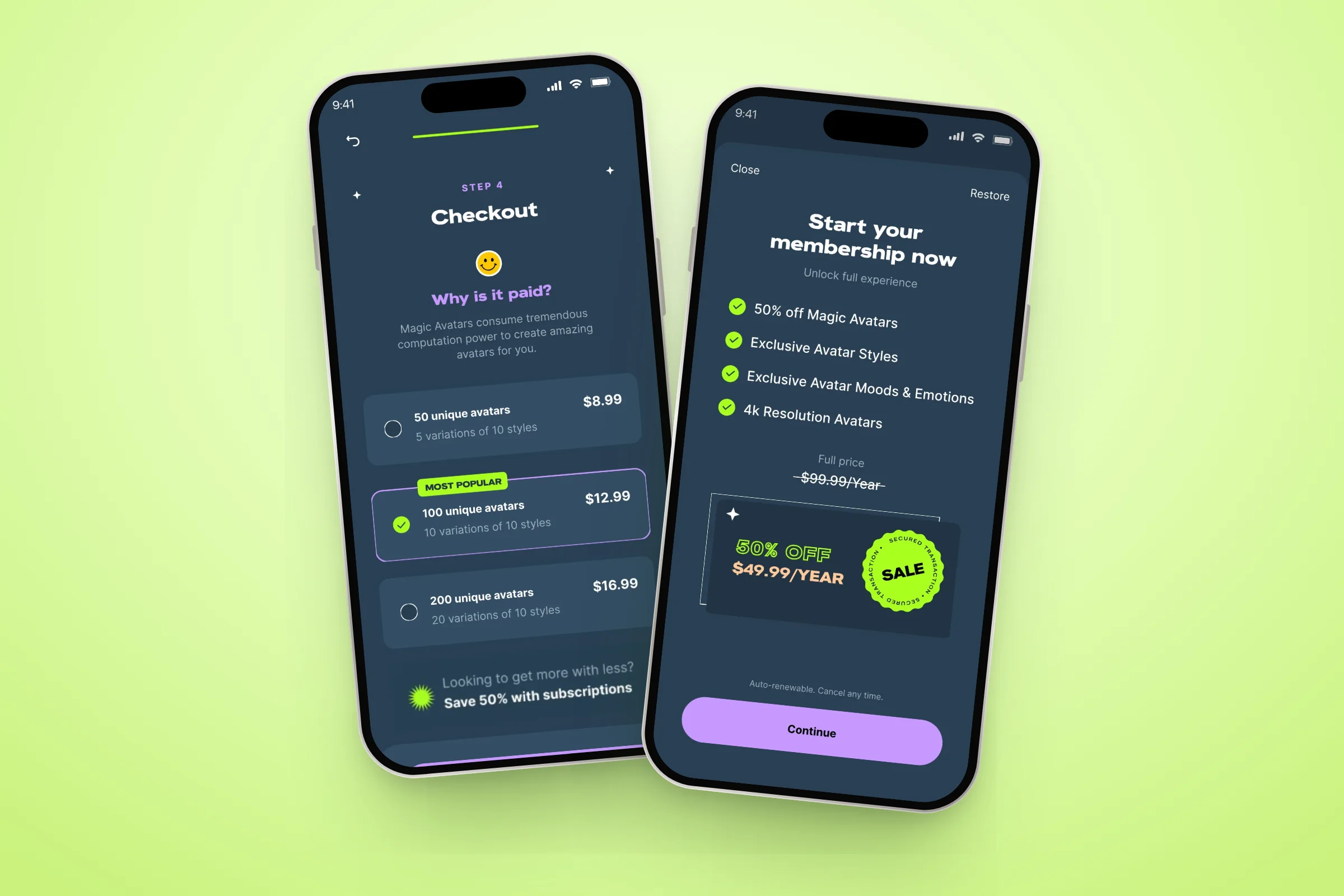
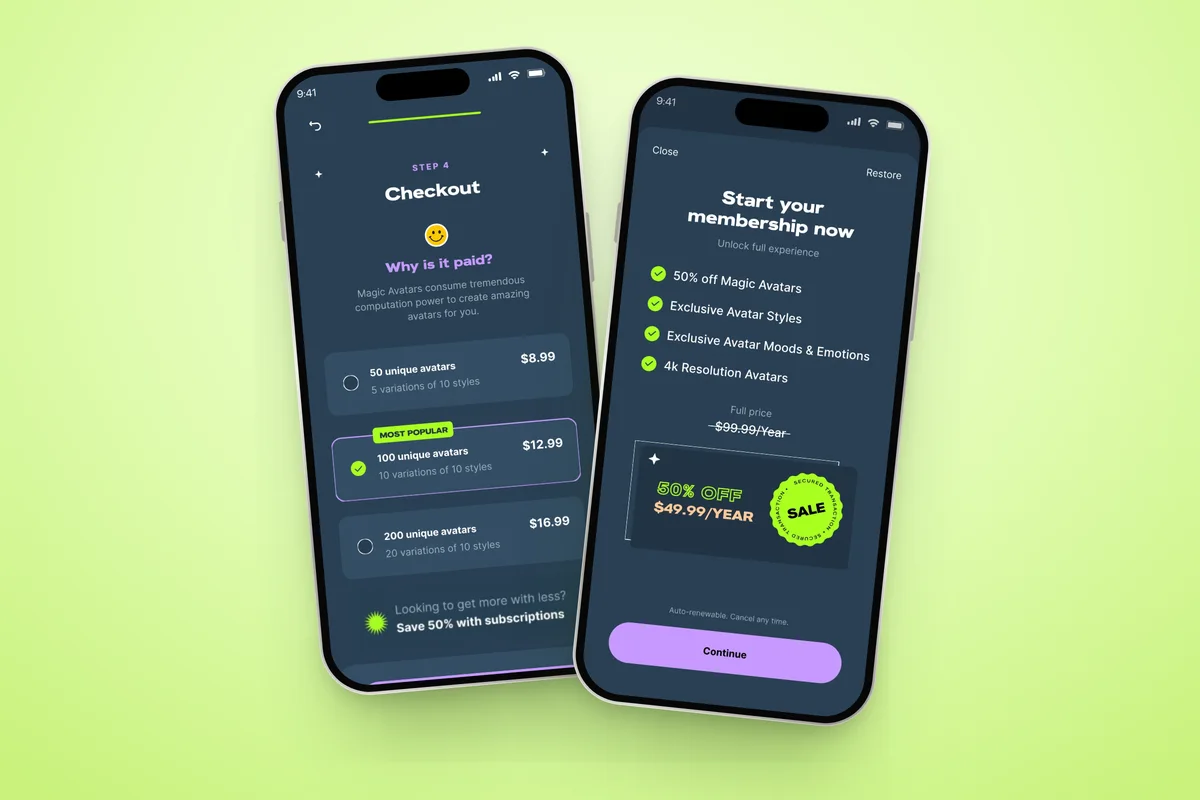
Checkout with Why is it paid and three pack sizes, next to the membership offer
Checkout · Why it’s paid
Moods, from Happy and Calm to Fearful and Disgusted
8 moods
Styles, from Astronaut and Cyborg to Cowboy and Navy SEAL
32 styles
Picks per pack, with live counters and a locked button until they’re made
10 picks
Decision 03 · Checkout

Explain the price before showing it

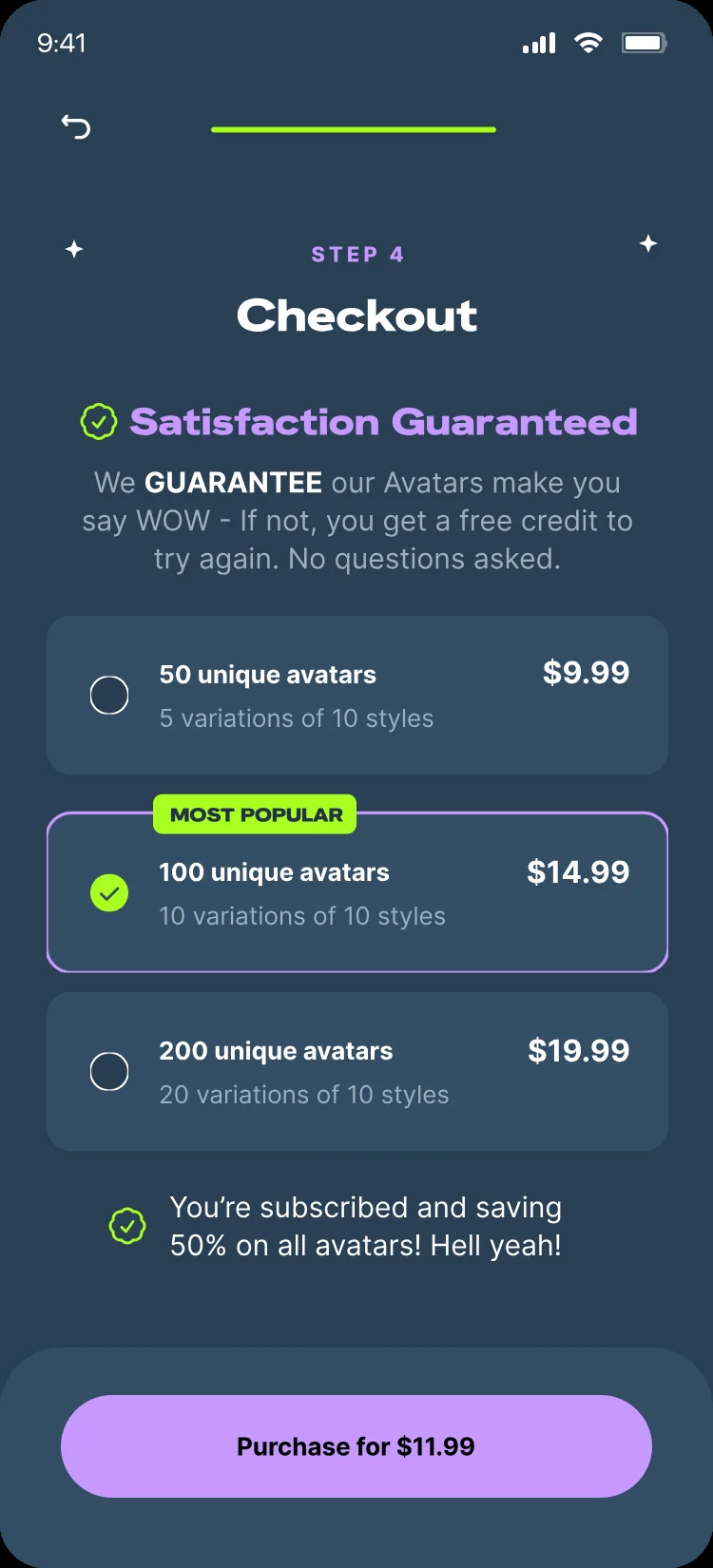
Making avatars uses real computing power, so it can’t be free. Checkout says that in one honest line, “Why is it paid?”, then shows three pack sizes with the middle one marked Most popular. Membership is offered as the “more for less” option, never forced. A later version added a guarantee: if the avatars don’t impress, a free credit to try again.

Checkout: why it is paid, then three sizes
Why it’s paid, then 3 sizes
Membership offer: 50% off
Membership: more for less
Satisfaction guarantee screen
Later: satisfaction guaranteed
What I designed Two short lists Show all moods and styles Live pick counters Locked-until-ready button “Why is it paid?” Three pack sizes Membership, never forced Apple Pay checkout Satisfaction guarantee
Chapter 03 / 03 · Waiting & results
Decision 04 · The wait

Fourteen Minutes, Zero Staring

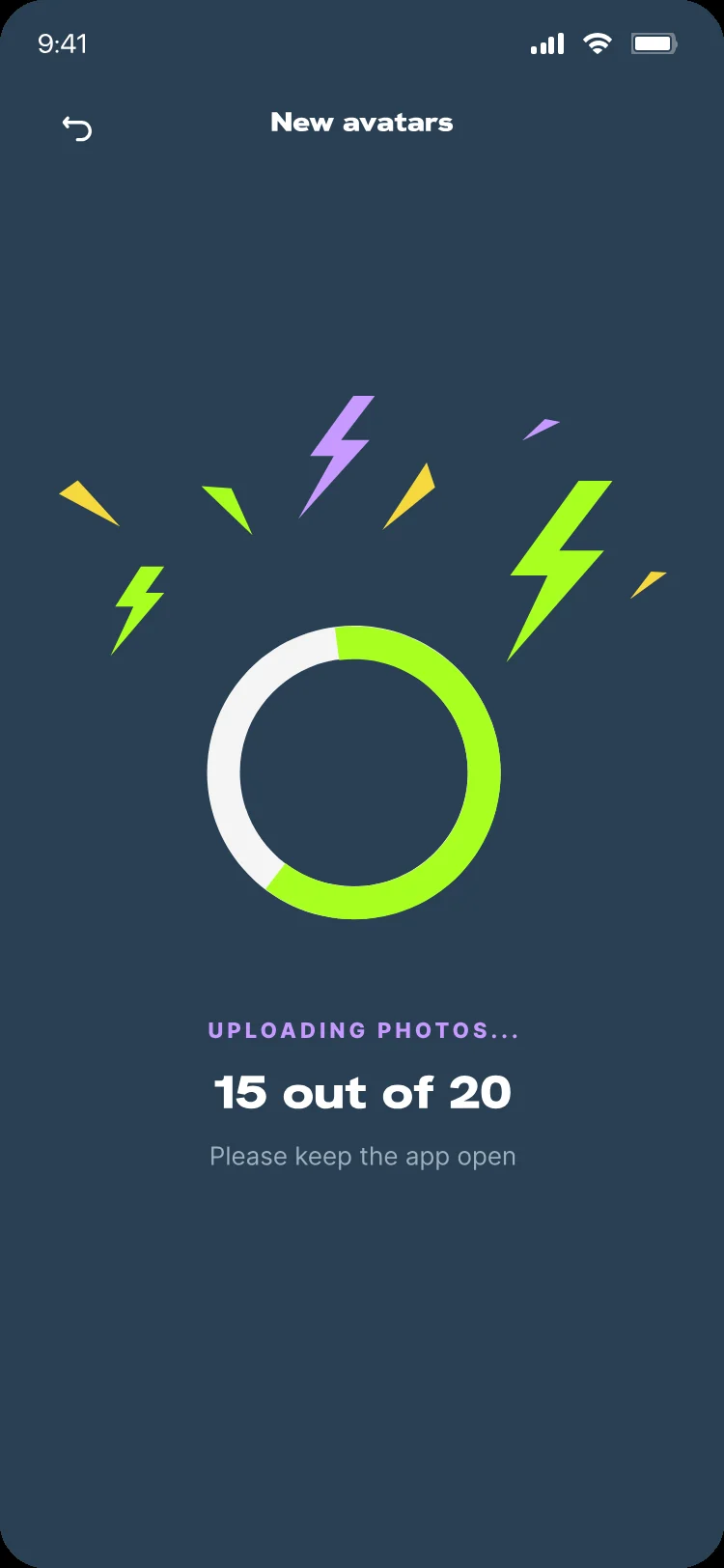
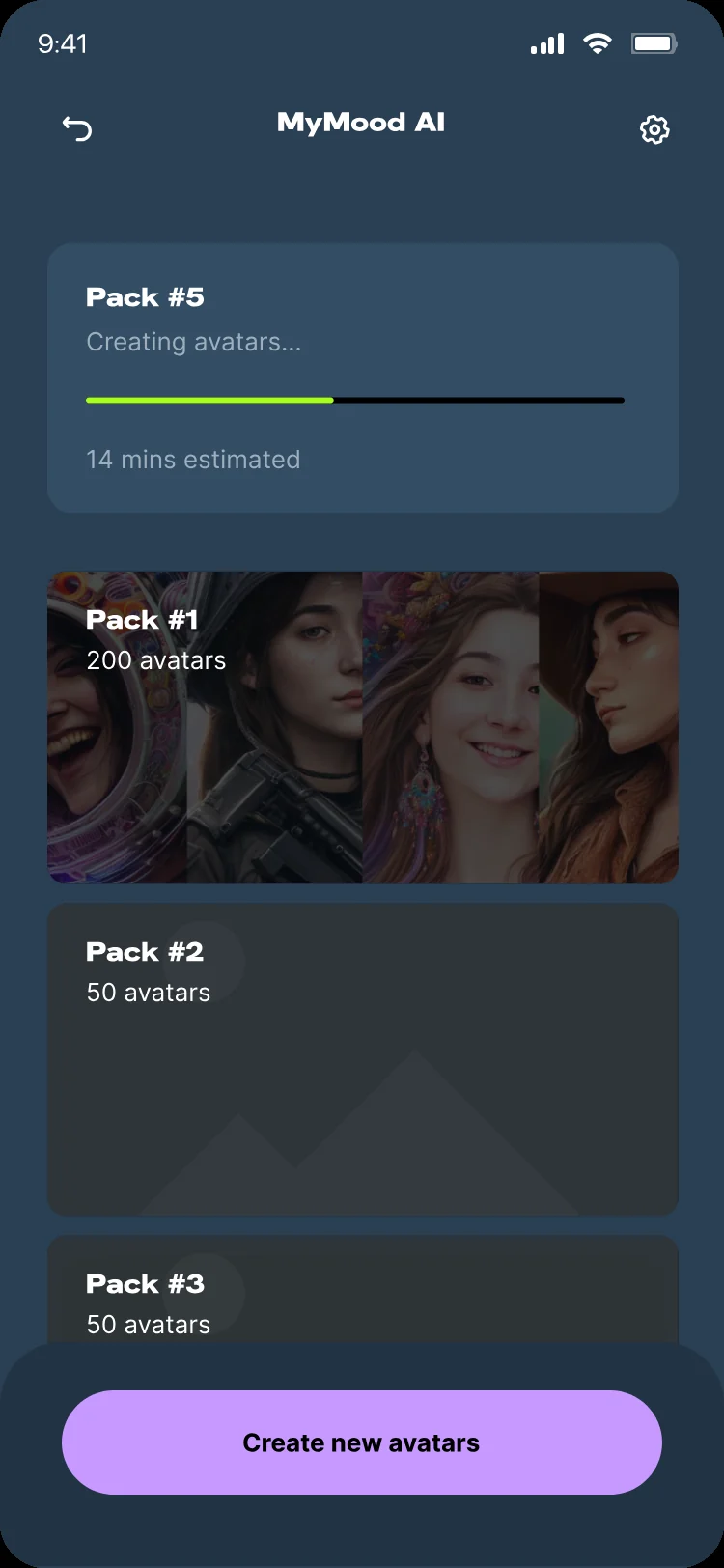
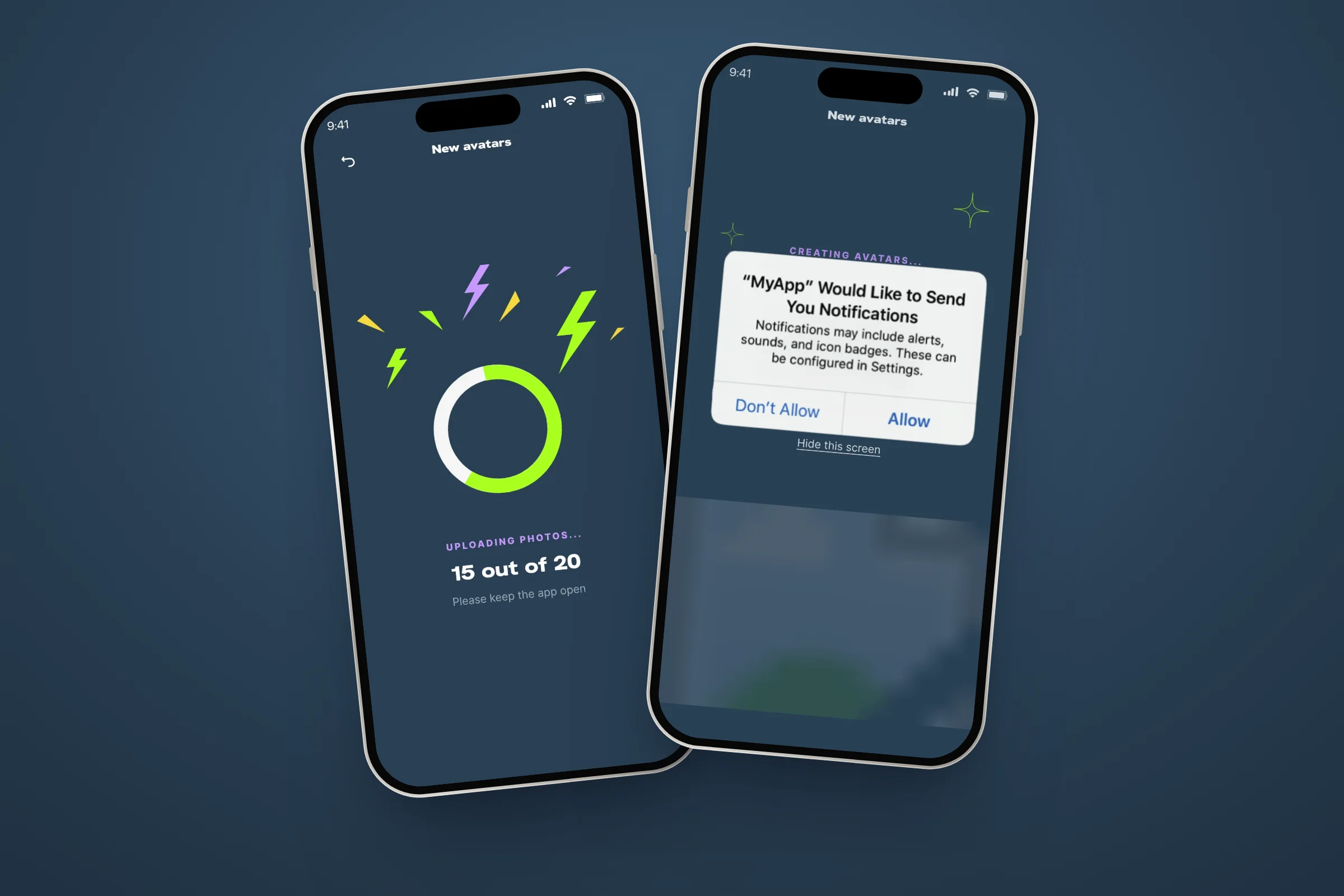
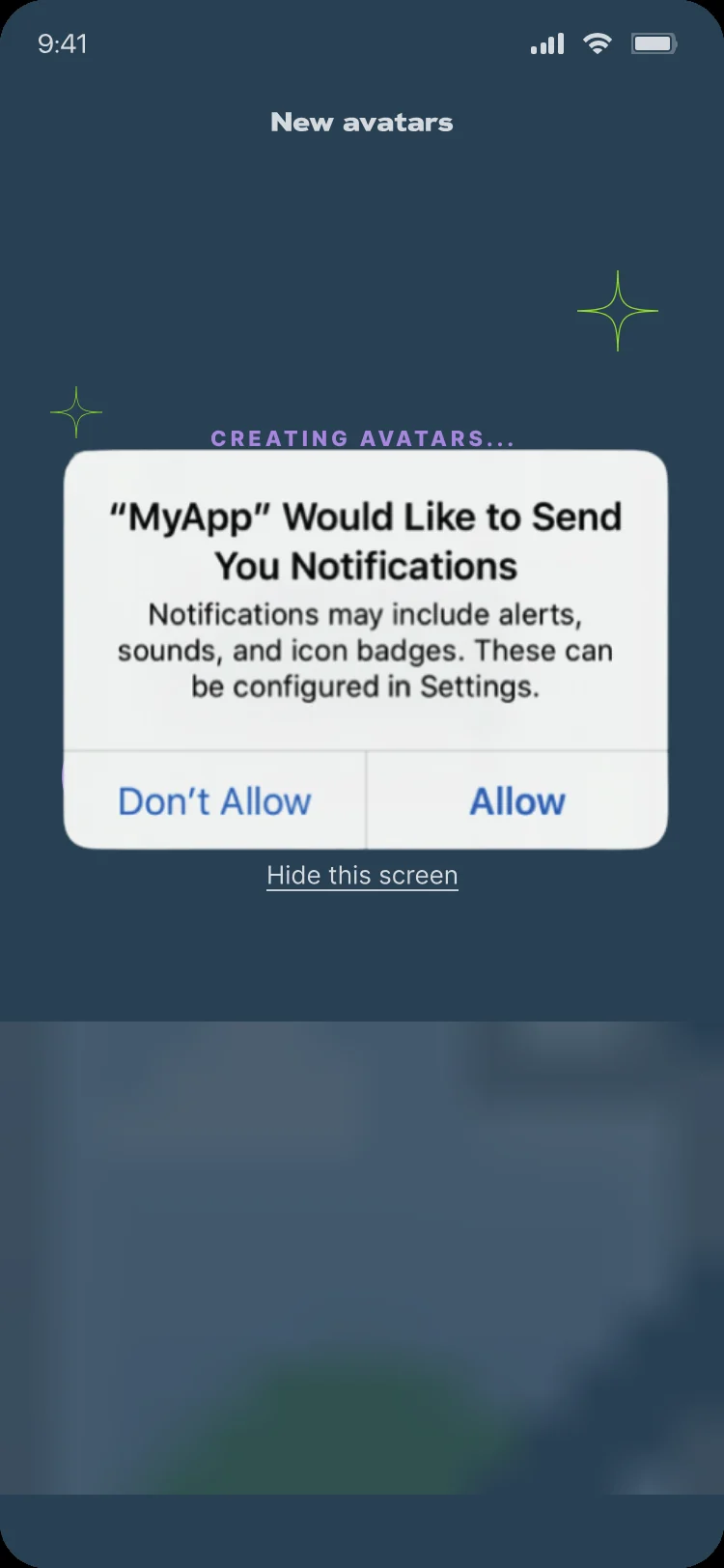
Nobody watches a progress bar for 14 minutes. The app shows real upload progress, asks for notifications at the moment they’re useful, offers a “Notify me” button if people say no, and lets them hide the screen. Back home, the new pack shows its progress while older packs stay open to browse.

Uploading 15 of 20 photos, next to the notification permission asked at the right moment
The wait · Real progress
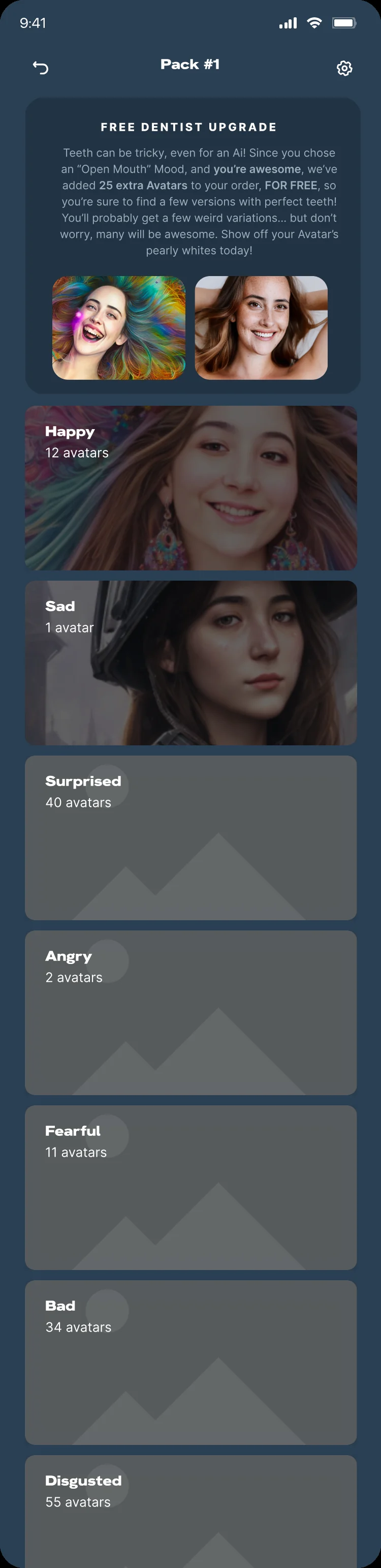
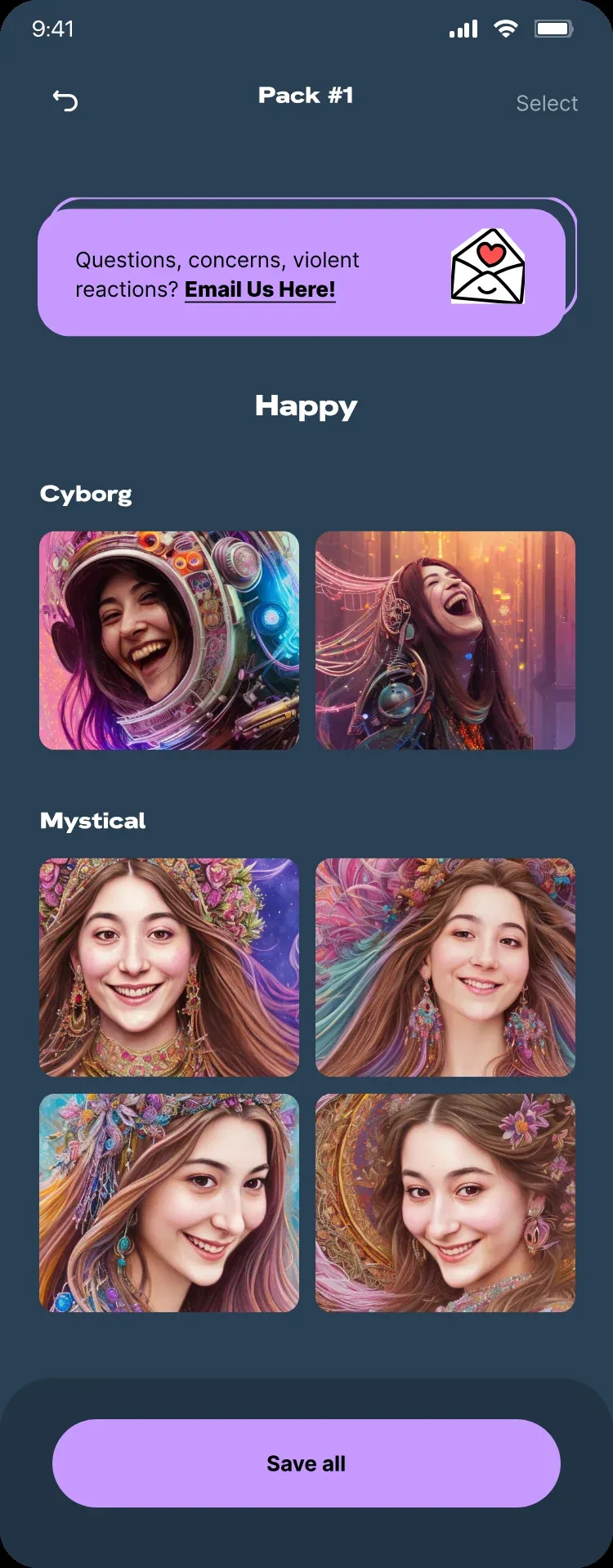
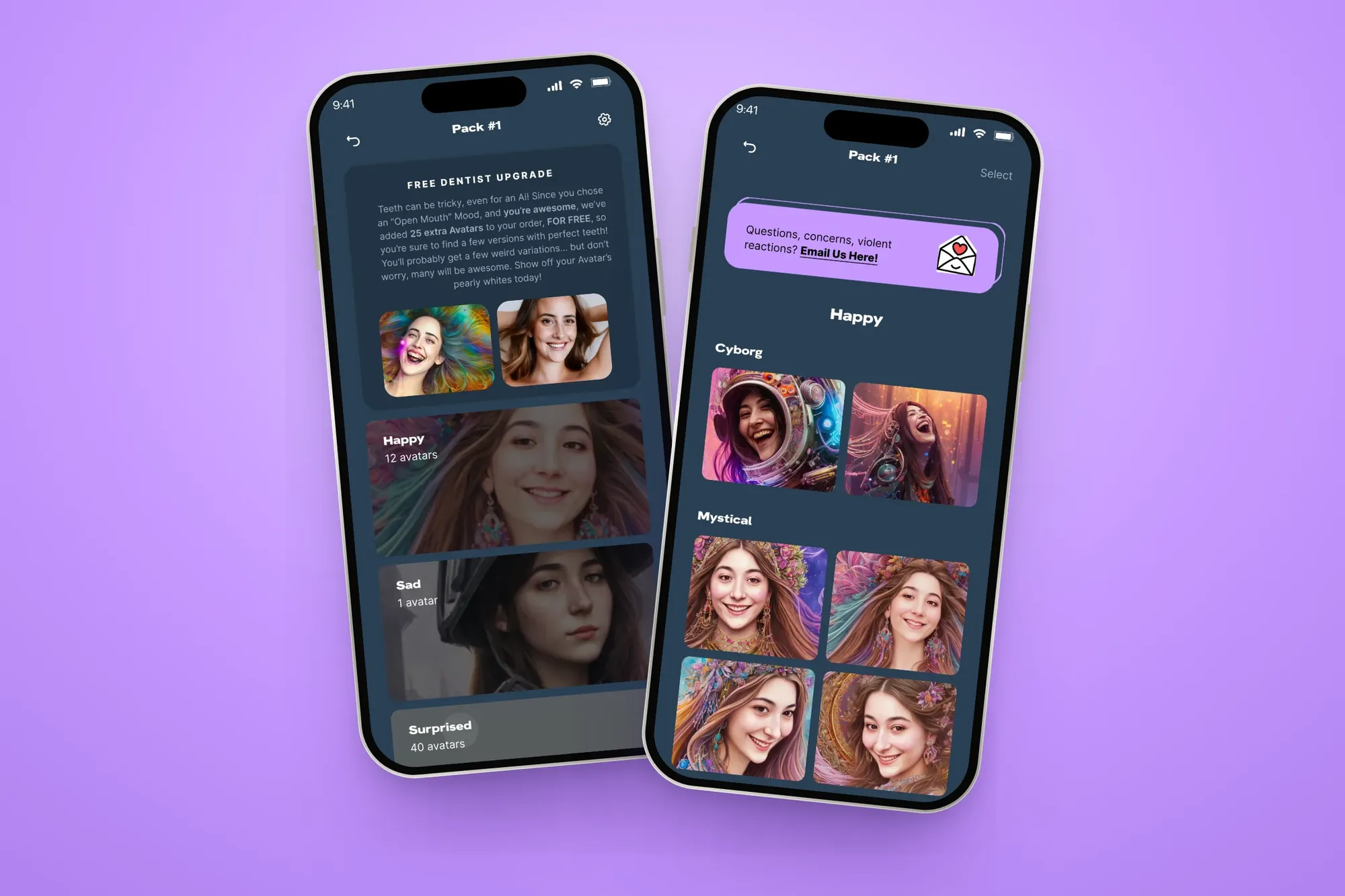
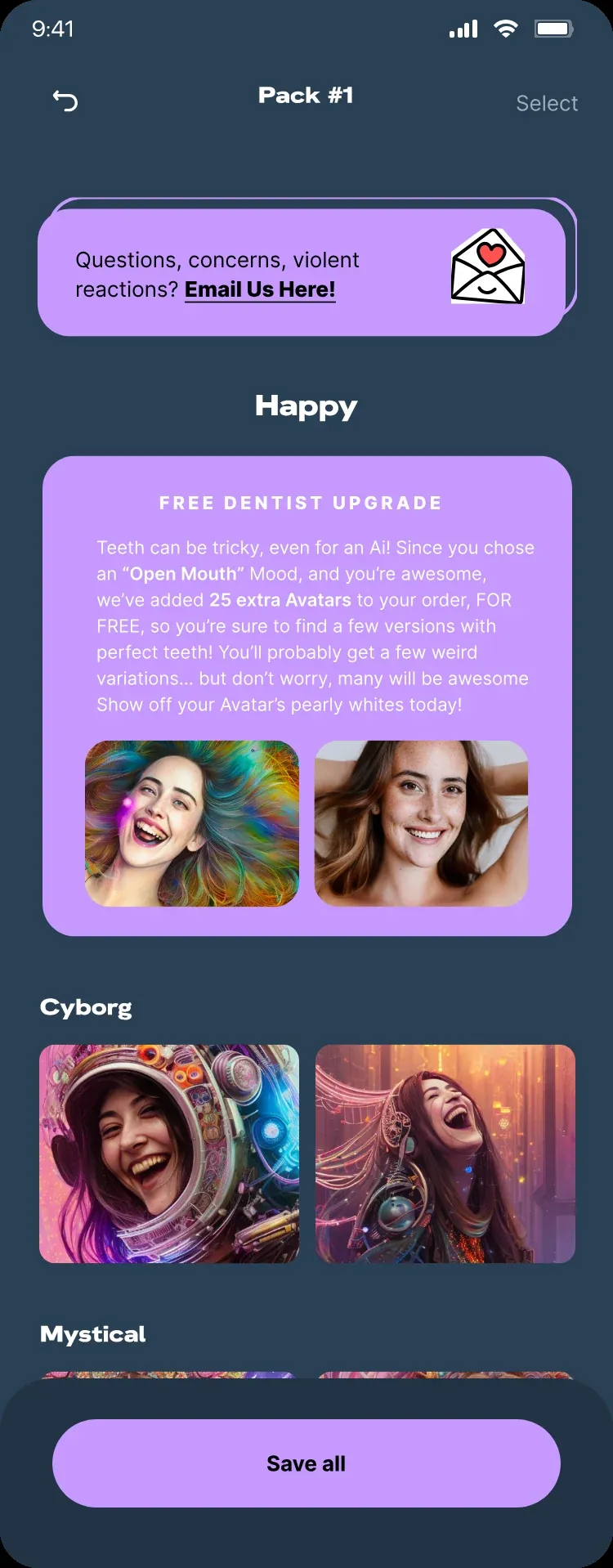
A pack with the Free Dentist Upgrade note, next to Happy mood results grouped by style
Results · Free Dentist Upgrade
To make a pack, so people are free to leave and come back
~14 min
Avatars in the largest pack, sorted by mood, then style
200
Free extra avatars for open-mouth moods, so a few have perfect teeth
+25
Information architecture

Results sorted the way people feel

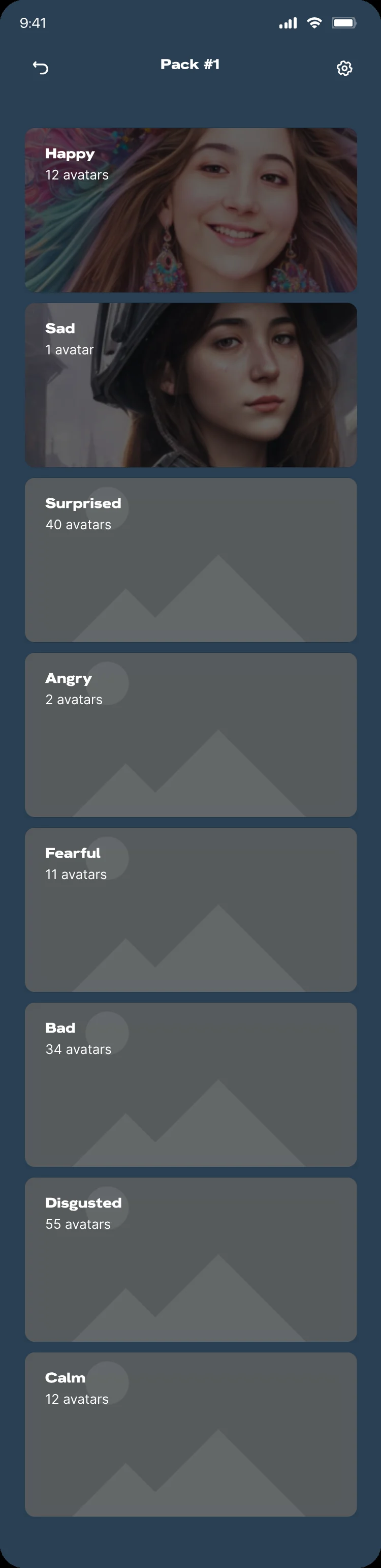
One pack can hold 200 avatars. Instead of one endless grid, results open by mood, then by style, so people reach the version of themselves they want in two taps.

Level 1, Home: every pack, the newest showing live progress
1 · Home
Level 2, Pack: opens by mood, with a count on each
2 · Pack
Level 3, Mood: avatars grouped by style
3 · Mood
Level 4, Avatar: select, save selected or save all
4 · Avatar
What I designed Real upload progress Alerts asked at the right moment “Notify me” fallback “Hide this screen” Pack progress on home Results by mood, then style Free Dentist Upgrade Save selected or save all A line to the team on every results screen
Decision 05 · Trust

Plan for AI’s mistakes

AI gets teeth, hands and small details wrong. Instead of hiding it, the app shows “weird” examples next to good ones before anyone pays. When someone picks an open-mouth mood, it adds 25 free extra avatars so they’ll find a few with perfect teeth. And every results screen carries a line straight to the team.

What to expect: good examples next to weird ones with artifacts
Good vs weird, up front
Free Dentist Upgrade: teeth can be tricky, even for an AI
25 free extras
Results with a Questions, concerns line to the team
A line to the team
Also In The Product

Two More Calls That Mattered

Smaller decisions outside the main path, which made the app easier to start and easier to share.

Decision 06

Avatars first, sign-up later

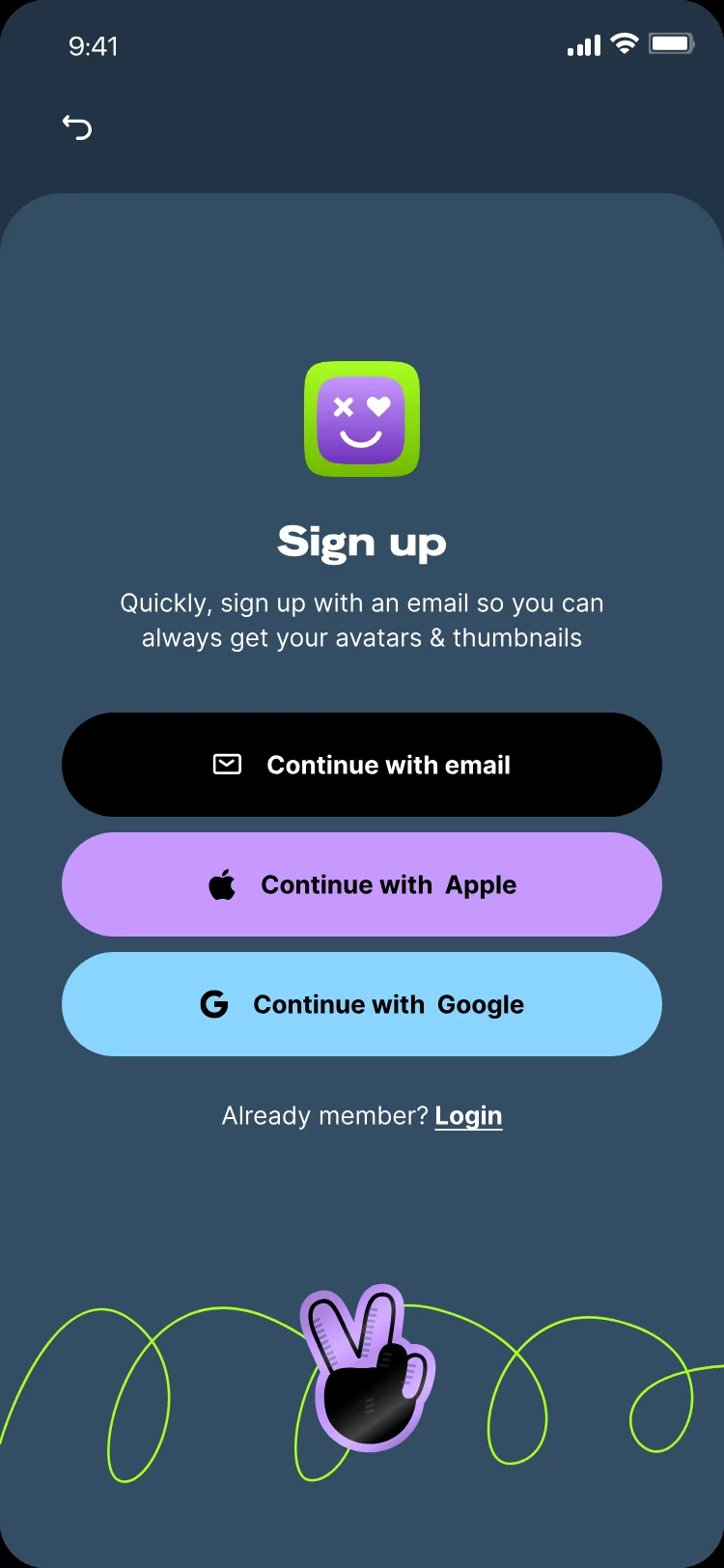
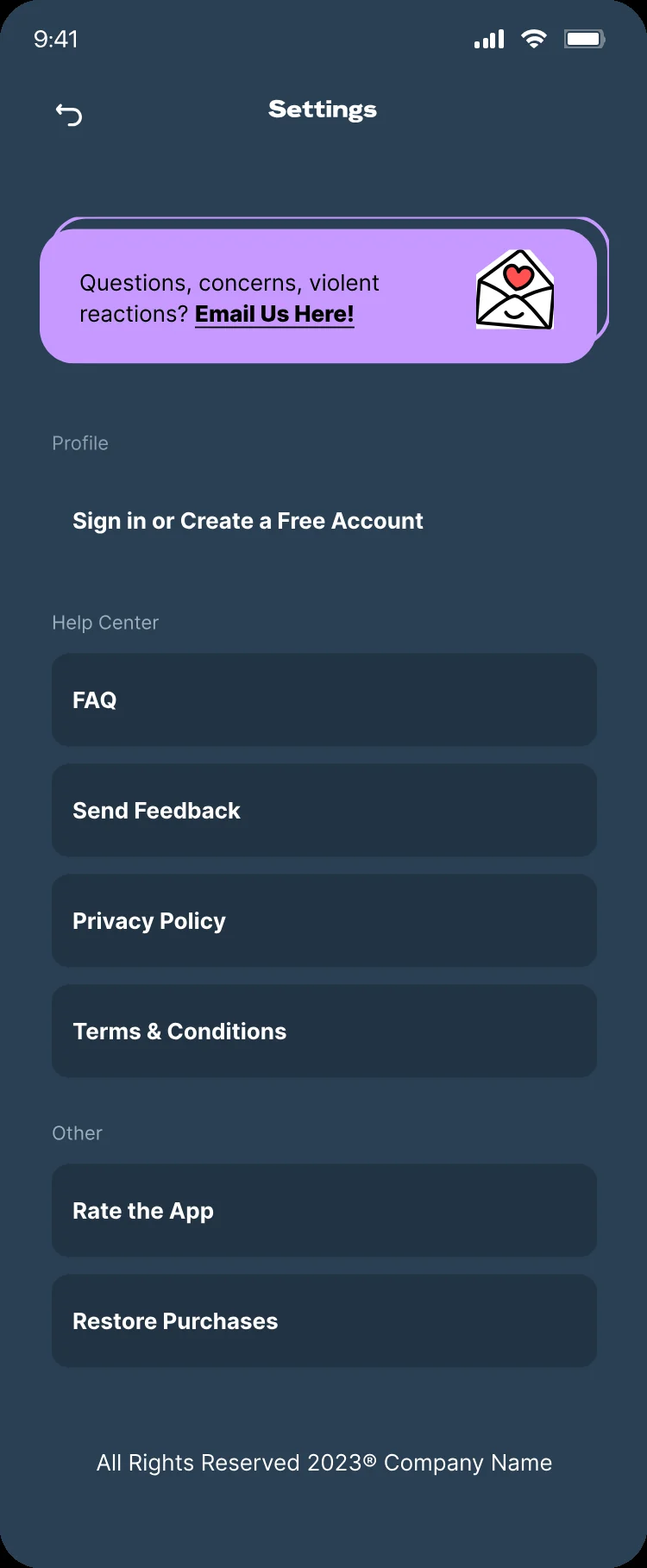
There’s no account wall before the good part. People pay with Apple Pay and get their avatars. An account is offered later, in Settings and on its own screen, with one clear reason: so you can always get your avatars back.

Apple Pay sheet over checkout, no account needed Sign-up screen offered after purchase Settings with the option to create an account
Decision 07

Let happy users bring the next ones

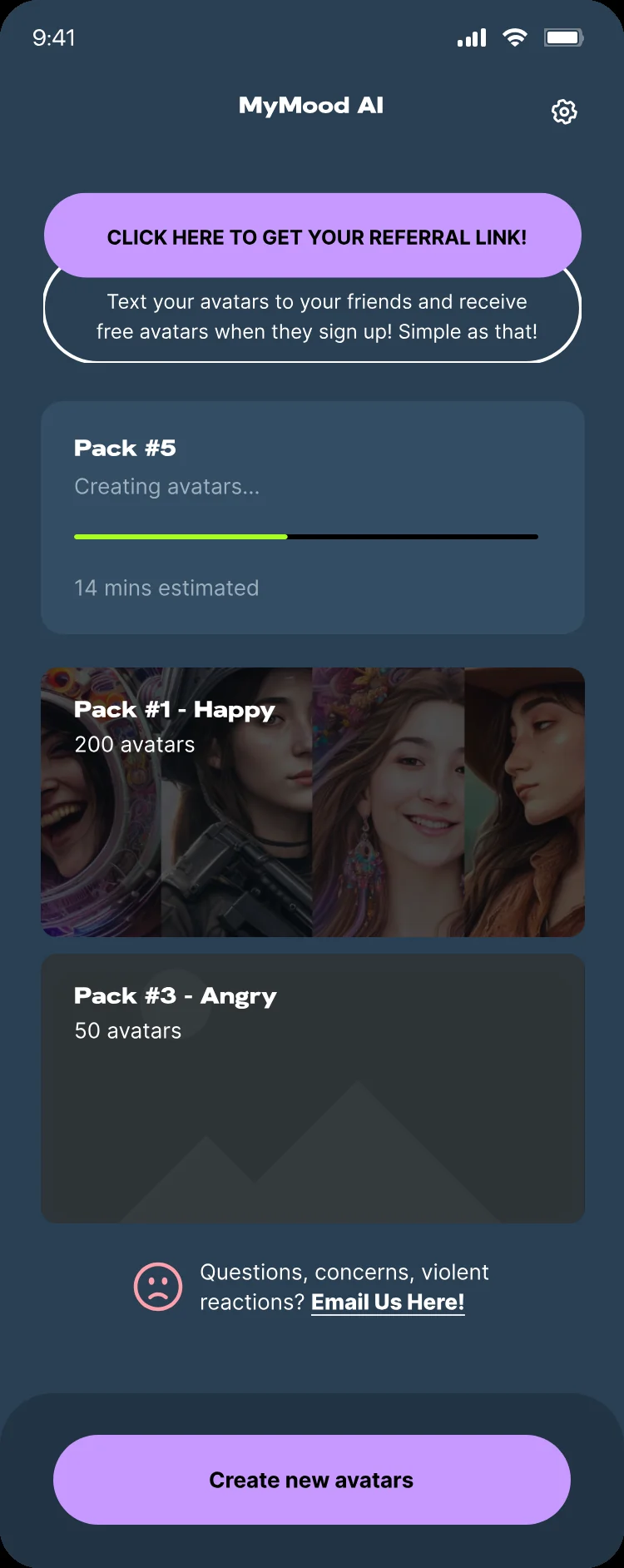
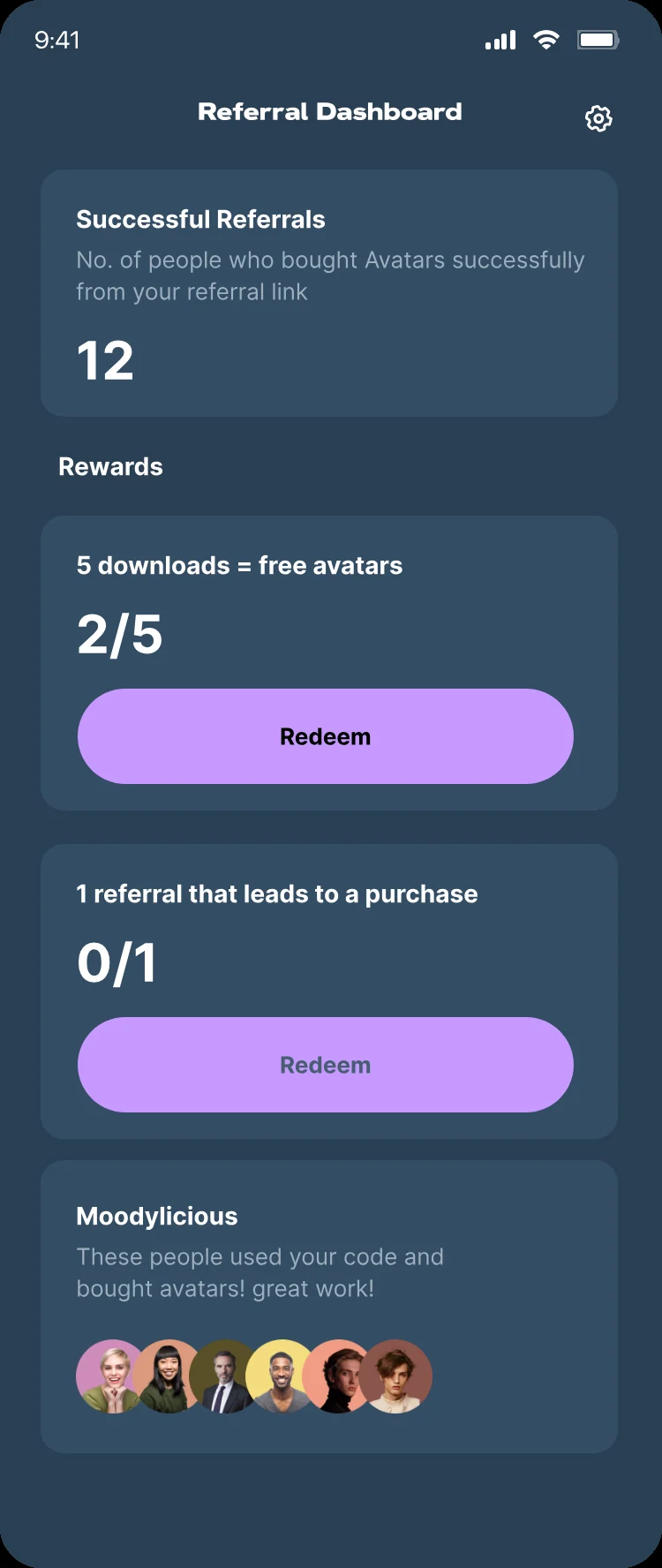
People love showing off their avatars, so sharing became a growth loop. A referral link sits at the top of home: send your avatars to friends and get free ones when they buy. A simple dashboard shows progress toward each reward.
Home with a referral link at the top Referral dashboard showing progress toward rewards
Design System

Patterns That Repeat

A small set of reusable patterns carries every step, on one set of colour and type tokens. That is what kept 190+ screens feeling like one app, and made new styles and features quick to add.

01Built once, used everywhere

Reusable UI patterns

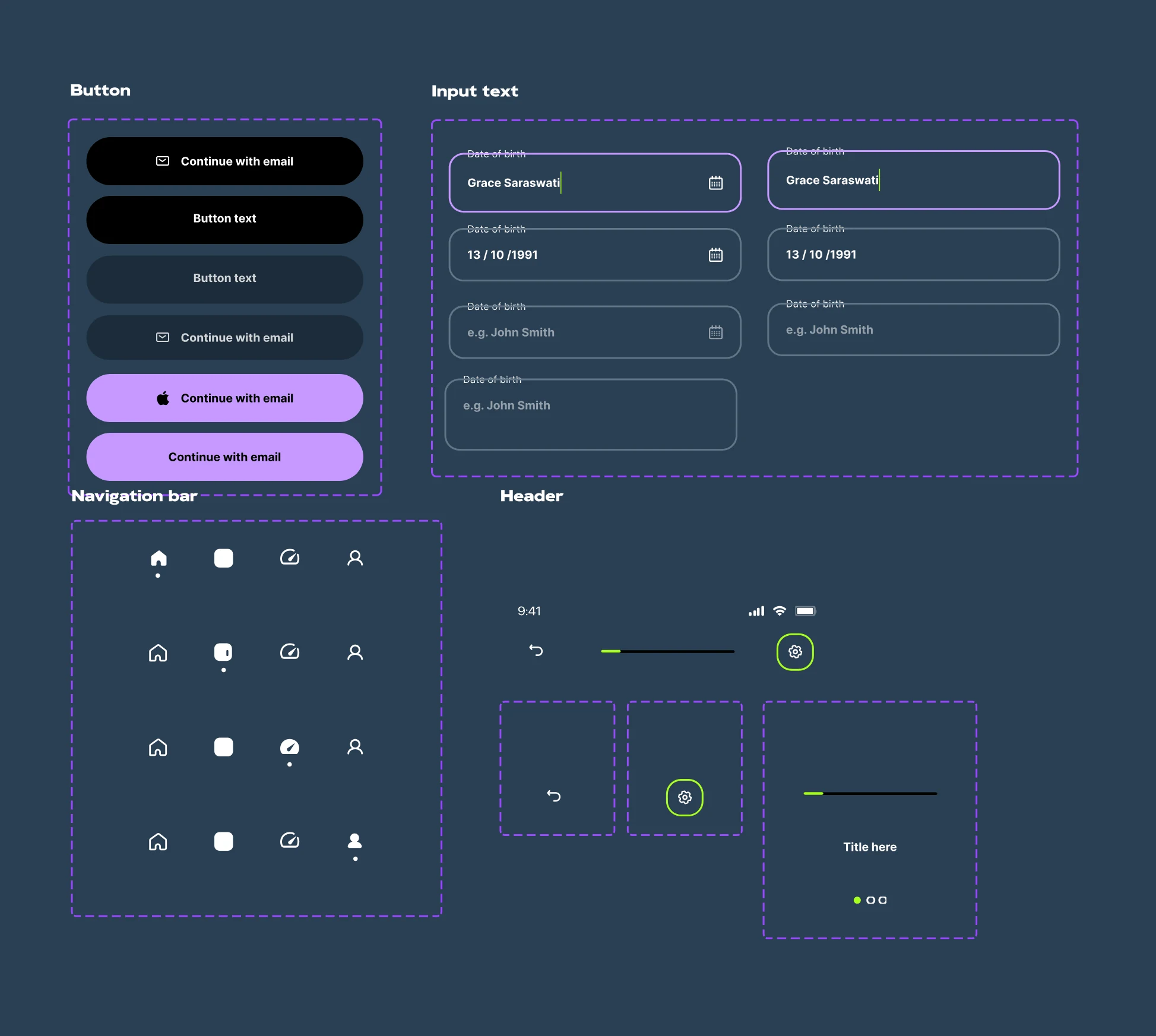
Five patterns do most of the work: a step header with back, progress and title; a choice tile with image, label and check; a sticky action bar with one primary button; a feedback banner on results; and a pack card with cover, count and live progress.

01Step header 02Choice tile 03Sticky action bar 04Feedback banner 05Pack card
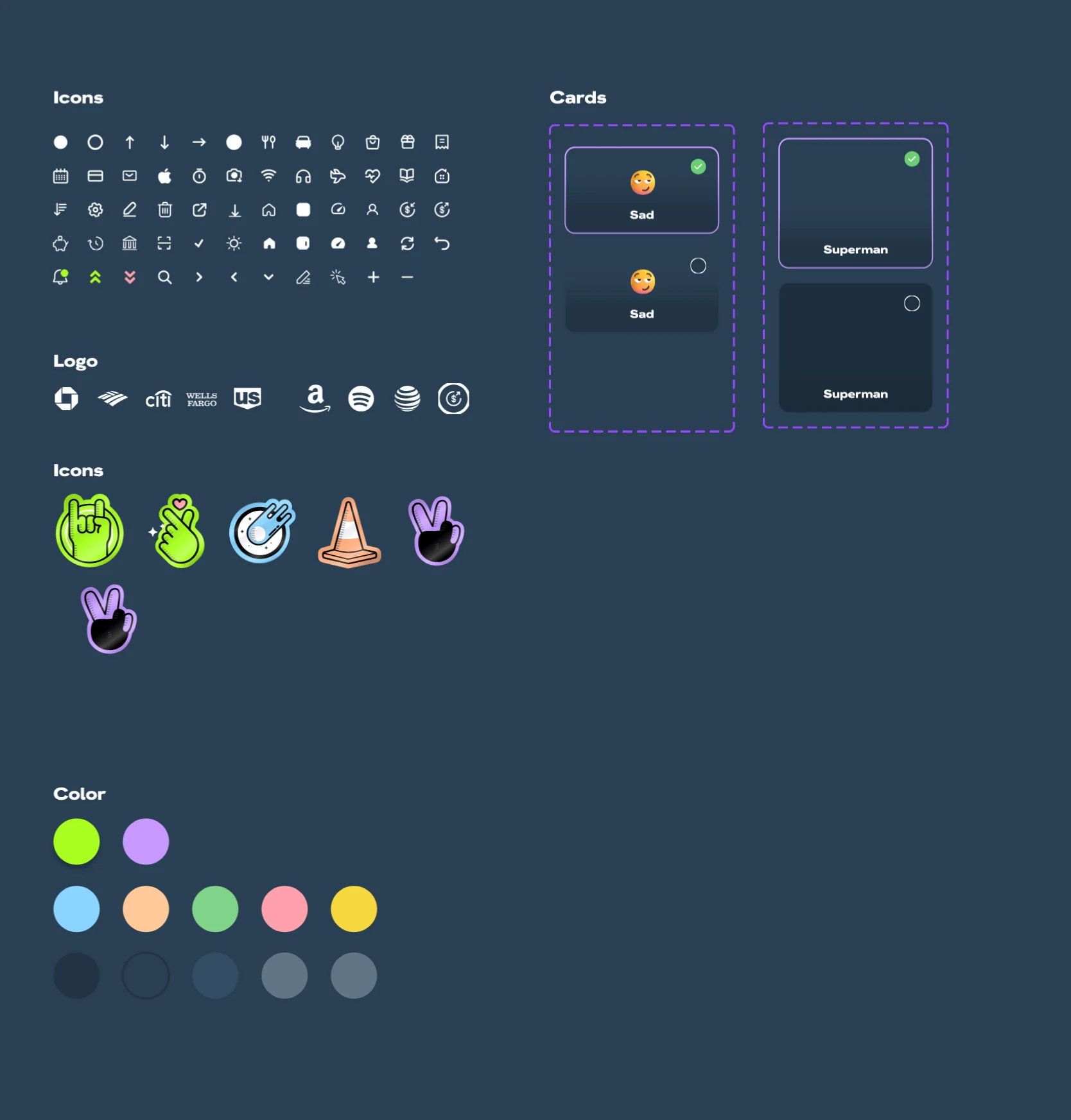
Component sheet: buttons, inputs, navigation bar and header Component sheet: icons, logos, cards and colour
02Tokens

Colour

Deep navy grounds every screen so the avatars glow. Lilac and lime carry action and progress, with green and red kept for success and alerts.

Navy#2A4054 Deep navy#223343 Lilac#C699FF Lime#A9FF22 Success#6BCE74 Alert#FF4E64
03Tokens

Type

HK Grotesk Wide in Extra Bold for titles, step labels and the rulebook cards: wide and loud. Inter for body text, lists and every control.

HK Grotesk Wide Extra Bold specimen
InterRegular to Bold, for body text, lists and every control.
One layout, four iPhone widthsKey screens drawn at 320, 375, 390 and 430 points, so nothing breaks on an iPhone SE or a Pro Max
Screen at 320 points wide
320
Screen at 375 points wide
375
Screen at 390 points wide
390
Screen at 430 points wide
430
Product Communication

The Same Story Outside The App

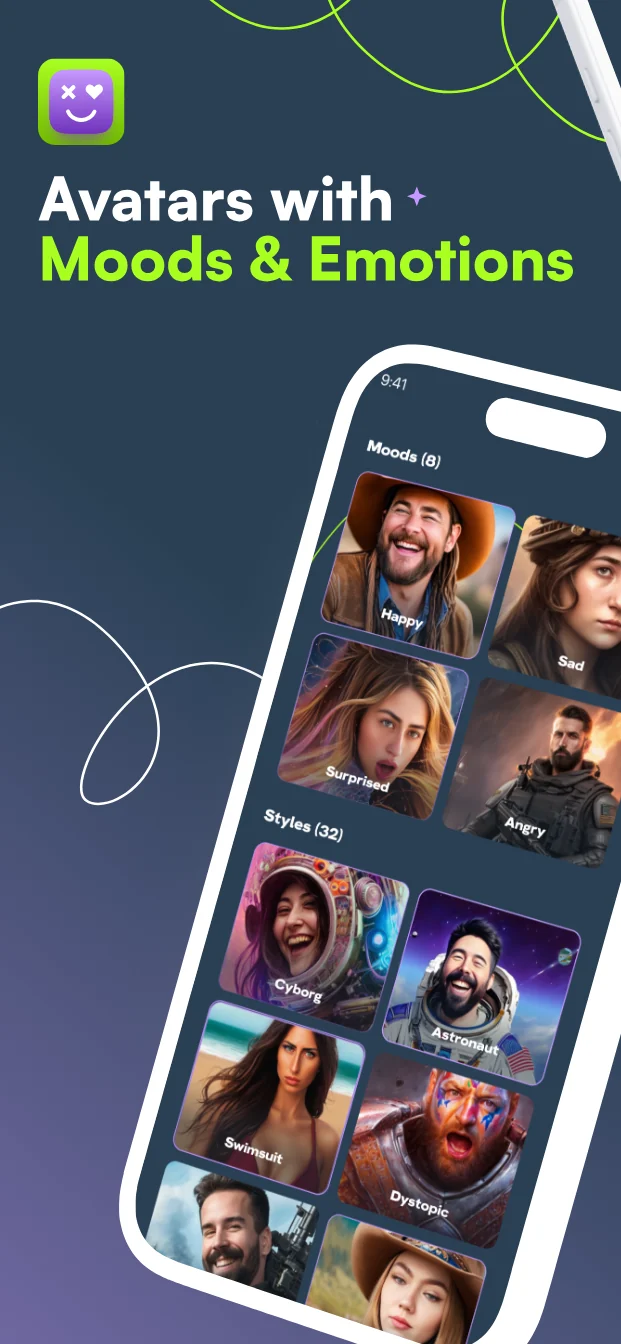
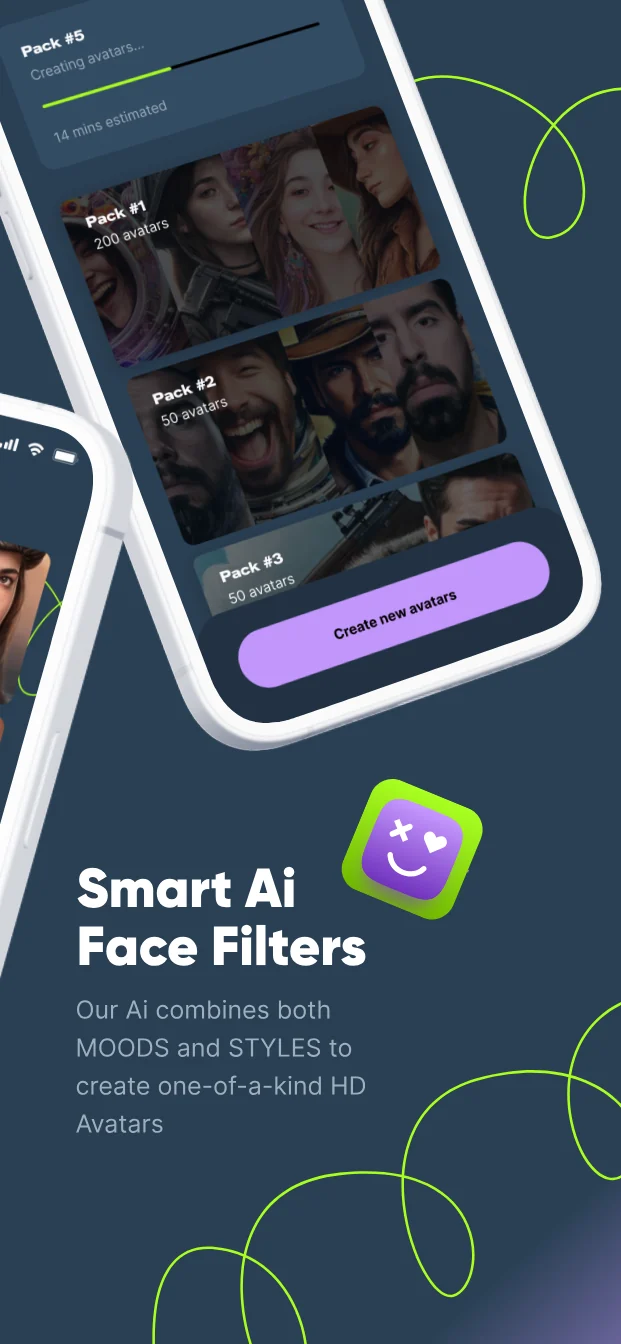
The visual language carried into the App Store screenshots, the app icon and the social launch kit, so MyMood looked like one product wherever people met it.

MyMood AI app icon App Store · 6.5-inch screenshot set

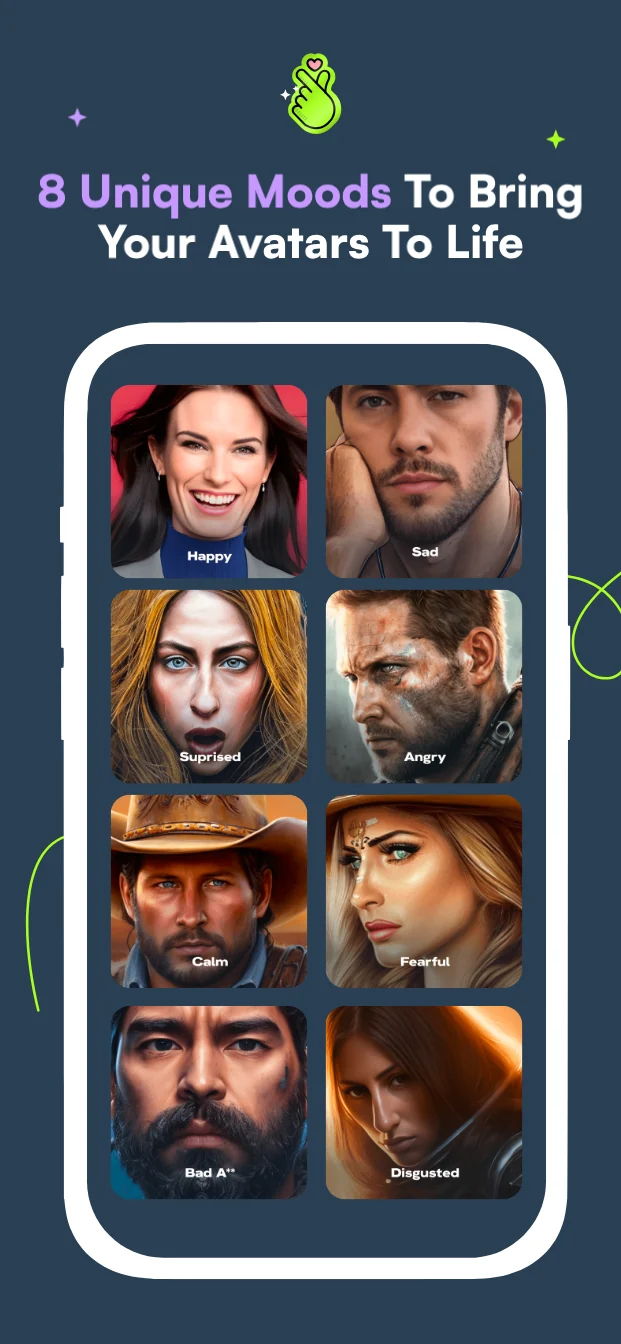
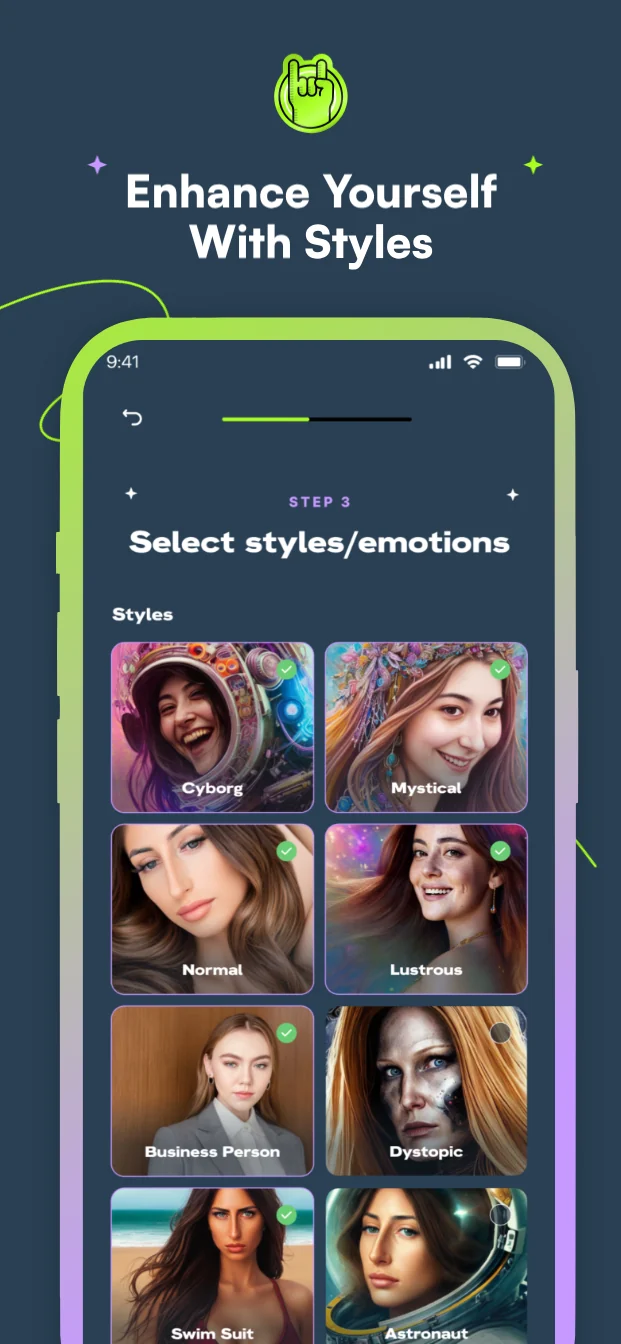
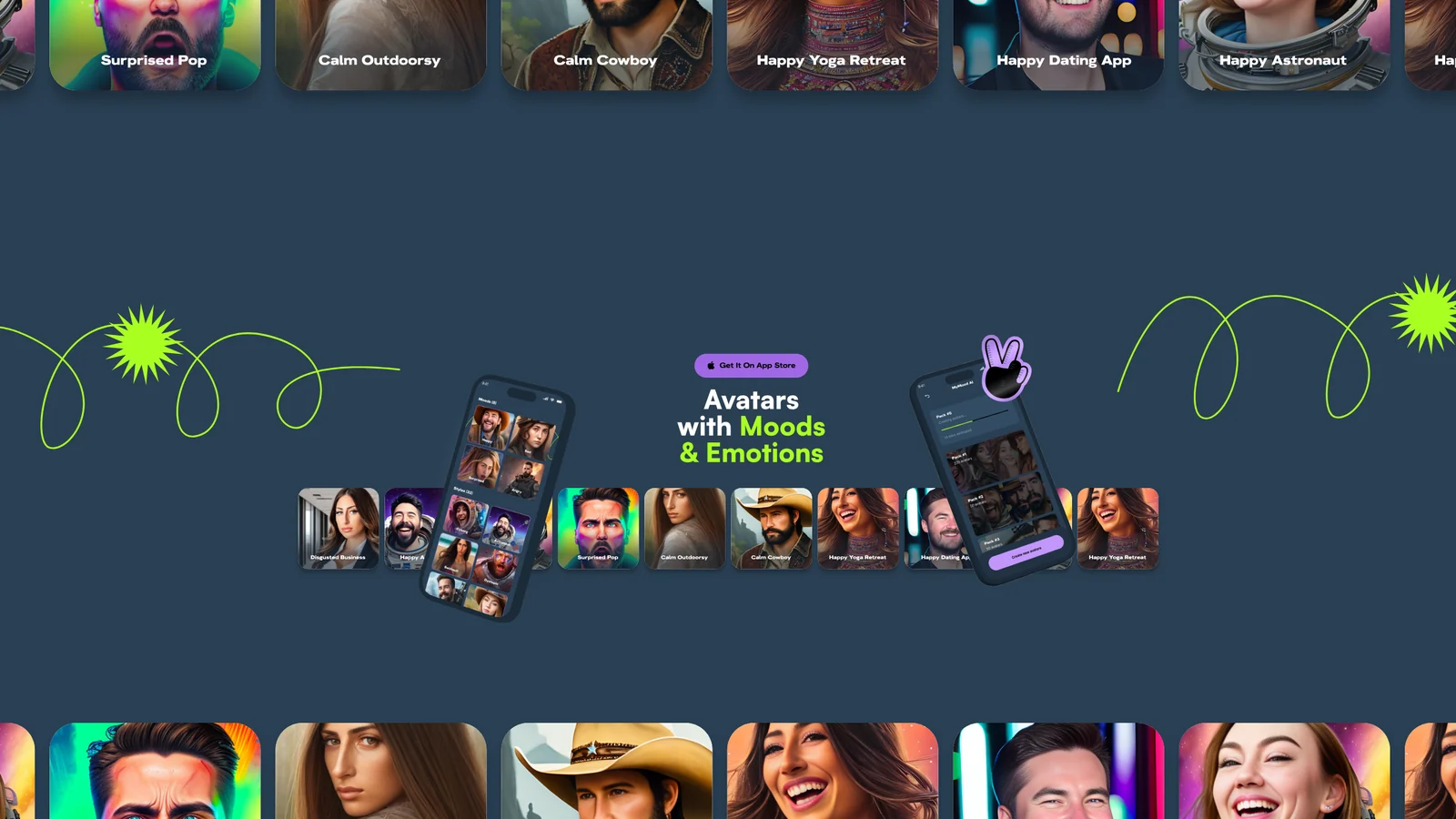
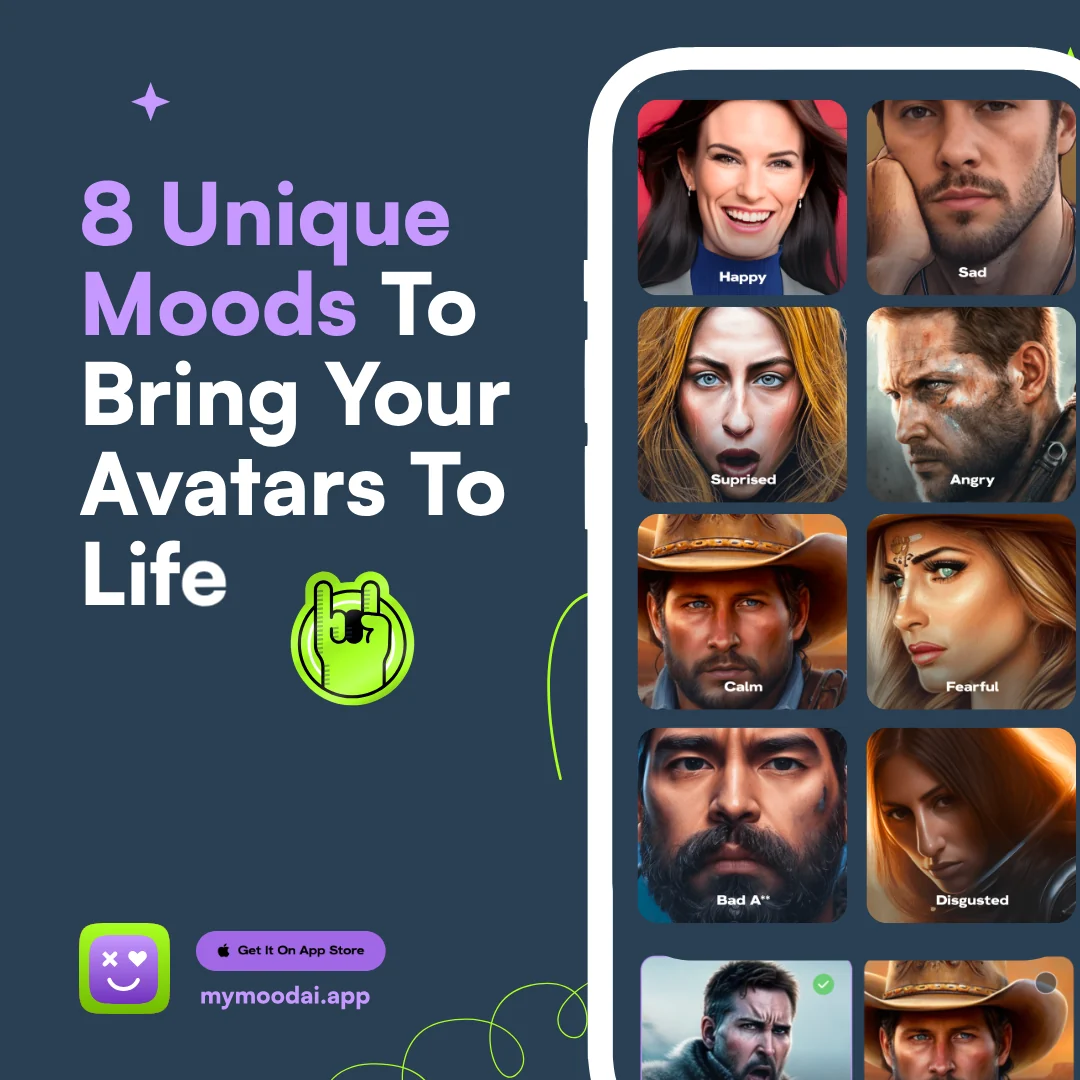
Five screenshots, one idea each: avatars with moods and emotions, styles plus moods, unique moods to bring avatars to life, and smart AI face filters.
App Store screenshot 1 App Store screenshot 2 App Store screenshot 3 App Store screenshot 4 App Store screenshot 5
The Final App

Every Screen, One App

The finished MyMood AI app, from the first welcome to saved avatars: thirty-five of the 190+ screens and states designed for iOS and Android, all speaking one visual language.
Outcome

What It Made Easier

For the team growing the product, and for everyone turning a selfie into a new look.
For MyMood AI:

  • Easier feature expansion
  • Clearer product communication
  • More consistent branding
  • Stronger UX foundation for growth

For users:

  • Faster onboarding
  • Easier style discovery
  • Simpler photo generation
  • Clearer path from upload to final image
Results

Built For Real Scale

These are MyMood AI’s reported figures and its public store numbers. They show how many people the experience had to work for.

Headline result

210M+

AI photos created with MyMood AI

Spread across 500K+ customers, that is more than 400 photos each, and every one of them started with the same upload, choose and wait flow.

Each dot is one million photos

500K+

Reported customers

1M+

Downloads on Google Play

Google Play

16K+

Reviews, rated 4.5 out of 5

U.S. App Store

7K+

Ratings, rated 4.5 out of 5

Customer and photo counts as reported by MyMood AI. Downloads, reviews and ratings from Google Play and the U.S. App Store, October 2026.

Key Takeaway

I helped turn a complex AI photography product into a simpler, more scalable experience for both the business and its users.

More Case Studies

Explore More Work

Eight projects, each told from the first sketch to launch. Pick the one closest to what you’re building.

View All Work
5.0Top Rated Plus on Upwork

Let's Start Your Project Today.

Send one message. Get a clear plan, a fixed price and first designs within 24 hours.

Start A Project
Socialix project preview
SocialixUI/UX · SaaS
SPARK PAY project preview
SPARK PAYApp Design
COFE Cloud project preview
COFE CloudApp Design
voxalyze project preview
voxalyzeWebsite Design
MyMood AI project preview
MyMood AIAI · App Design
Shaikh Zeeshan · Projects
Your project
is next.
300+ projects First screens in 24h