
Shaikh Zeeshan Start A Project

Because Intelligence

Designing a Shopify Platform That Powered $1.8B+ in GMV

Industry
  • E-commerce01
  • Conversion Optimization02
  • SaaS03
Project Type
  • SaaS Platform01
  • Dashboard02
  • Pitch Deck03
Services
  • Product UI/UX01
  • Presentation Design02
Overview

Advanced Personalization, Made Simple

Because is a Shopify personalization and experimentation platform that helps ecommerce teams launch targeted storefront experiences without relying heavily on developers.

My role was to make advanced campaign, targeting, and experimentation workflows easier for everyday marketing teams.

The Problem

The Challenge

The product offered powerful functionality, but campaign creation, targeting, testing, and reporting could feel complex.

The experience needed stronger hierarchy and clearer workflows without reducing flexibility.

Felt complex
  • Campaign creation
  • Targeting
  • Testing
  • Reporting
Had to stay
  • Full flexibility
  • Every campaign type
  • Fine-grained rules
  • Real results
What I Delivered

How I Helped

I redesigned key dashboard workflows, simplified campaign creation, improved information hierarchy, and introduced reusable UI patterns.

I also designed the pitch deck, so the story Because told outside the product matched the product itself.

  • Dashboard workflows
  • Campaign creation
  • Targeting and testing flows
  • Information hierarchy
  • Reusable UI patterns
  • Pitch deck
Tools Figma Next.js
The Product

Show, Target, Prove

Because lets a marketing team design a storefront message, decide exactly who sees it, and prove whether it works, all from inside Shopify. The design job was to keep all of that power while making every step feel obvious.
180+

Platform screens and states designed, from onboarding to A/B testing

DashboardsCampaign creationTargeting & orderingA/B testingOnboarding & styles
11

Template categories, from shipping and inventory to reviews and give back

1 workspace

Design, templates and targeting side by side for every campaign type, so learning one teaches all of them

Screen counts taken from the project’s Figma file.

Design Thinking

Five Places Marketers Got Stuck

Before redrawing screens, I listed where a marketer could stall between installing Because and seeing results. Each one became a rule for the product, and each rule became a design decision you’ll see below.
Notes from the working file Real questions left beside the screens they shaped
RulesCan we make pre-made rules?
Became Playbooks
EditorMaybe have global design settings inside the creation flow, so users don’t have to leave it.
Styling lives in the editor
A/B TestingRules varying can skew results. Figure out how to limit that, like using the rules from campaign A.
Test with one set of rules
OnboardingLabels with placeholder text could be harmful, because users might not notice the fields aren’t filled in yet.
Real labels, empty fields
PublishingWhen someone edits a published banner, will it open a separate editor flow?
One editor for every state
PlaybooksMaybe the preview can stay reachable after a playbook is added, in case a user forgets.
Playbook preview on demand
OnboardingWhat do customers think we do?
Goal-first onboarding
EditorHow important are advanced settings like margins and line height?
Basic first, Advanced on request
User Flow

Install To Insight, One Clear Path

Five steps from install to results. Merchants make two real decisions, what to show and who sees it. Because does the setup work.
  1. 01OnboardBrand colours and fonts imported
  2. 02Pick a templateCopy and rules pre-filledDecision
  3. 03DesignBeside a live store preview
  4. 04TargetA rule that reads like a sentenceDecision
  5. 05ProveTest it, then read the lift
Chapter 01 / 03 · Create
Decision 01 · Campaign creation

One Workspace Instead Of A Wizard

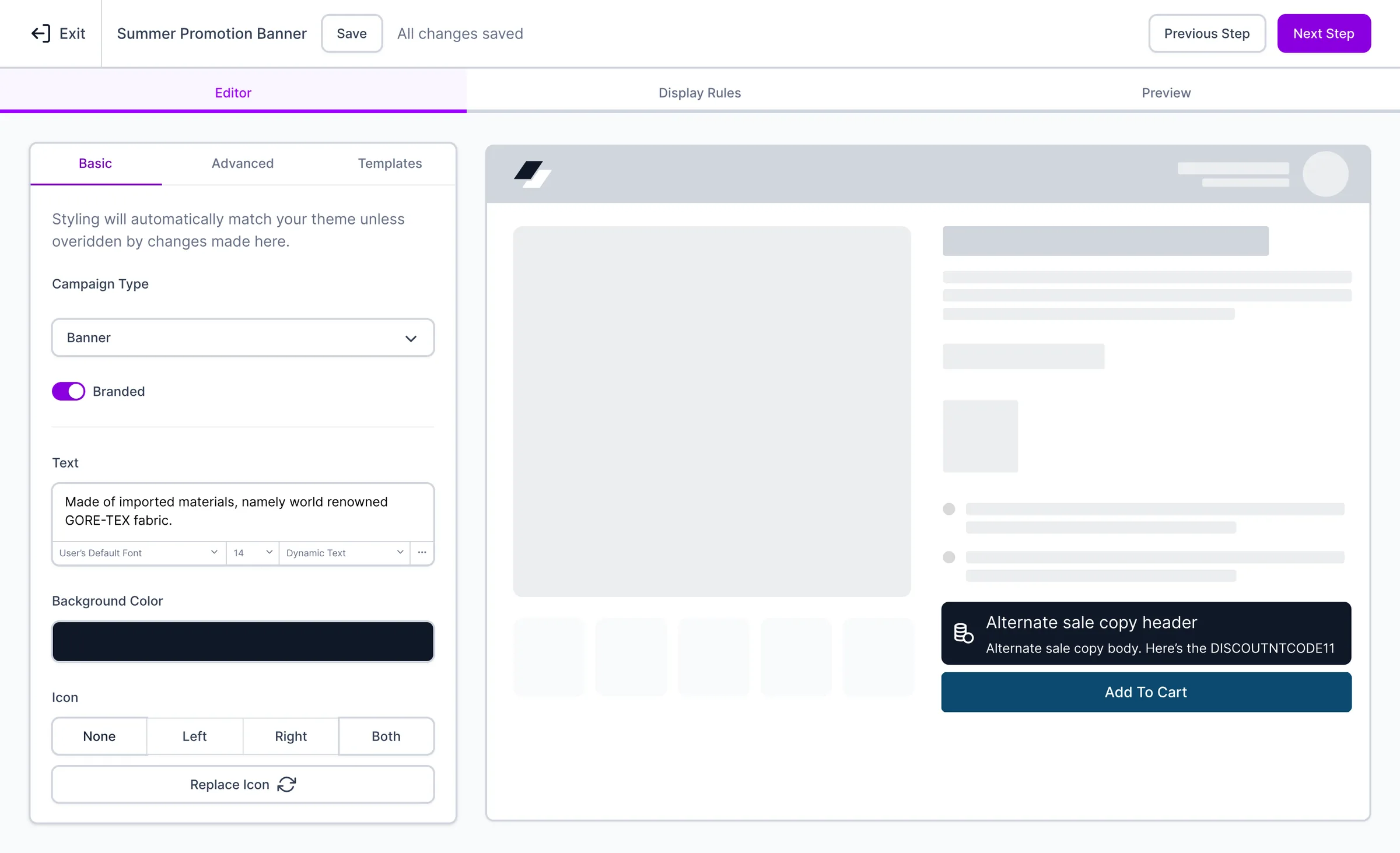
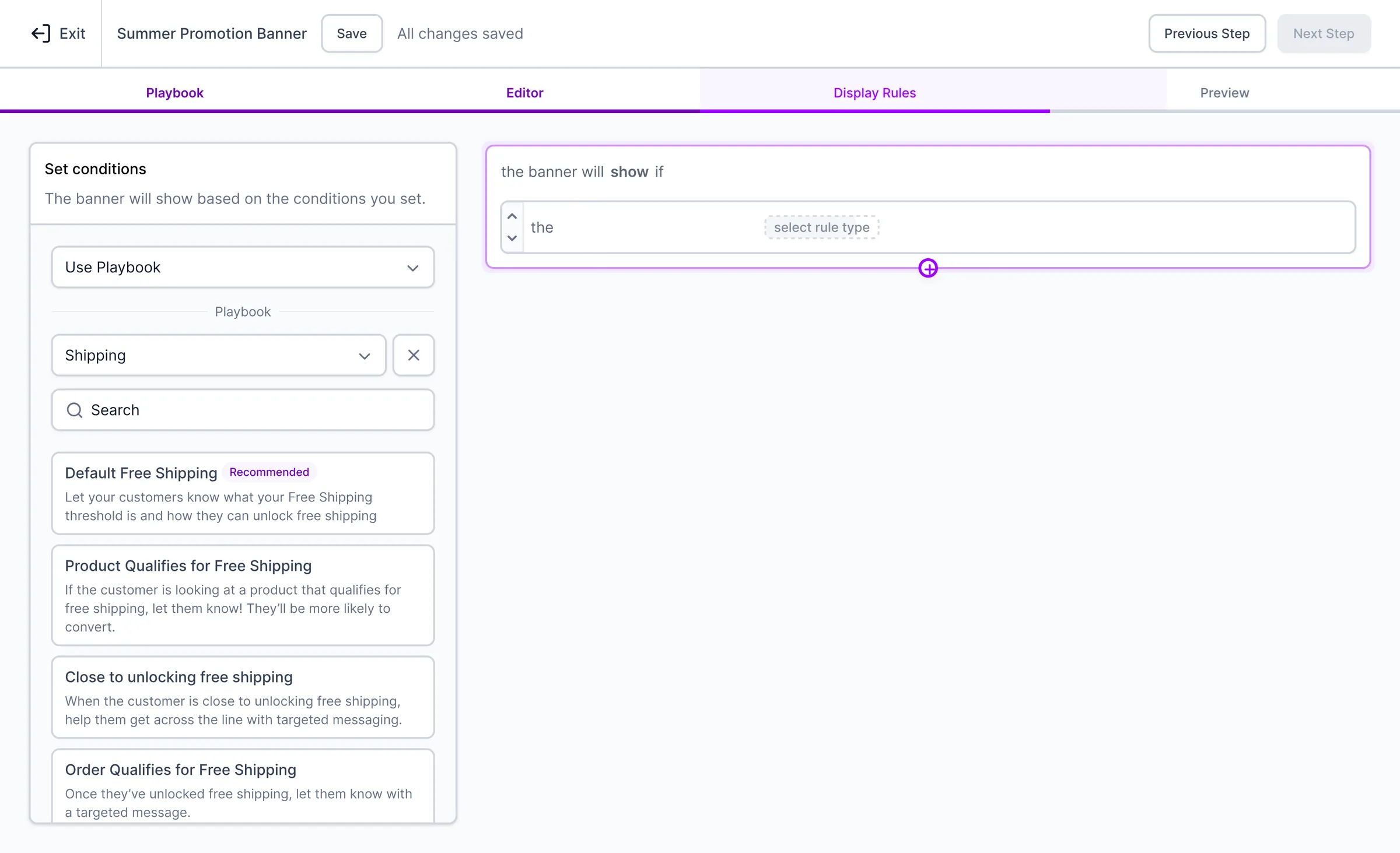
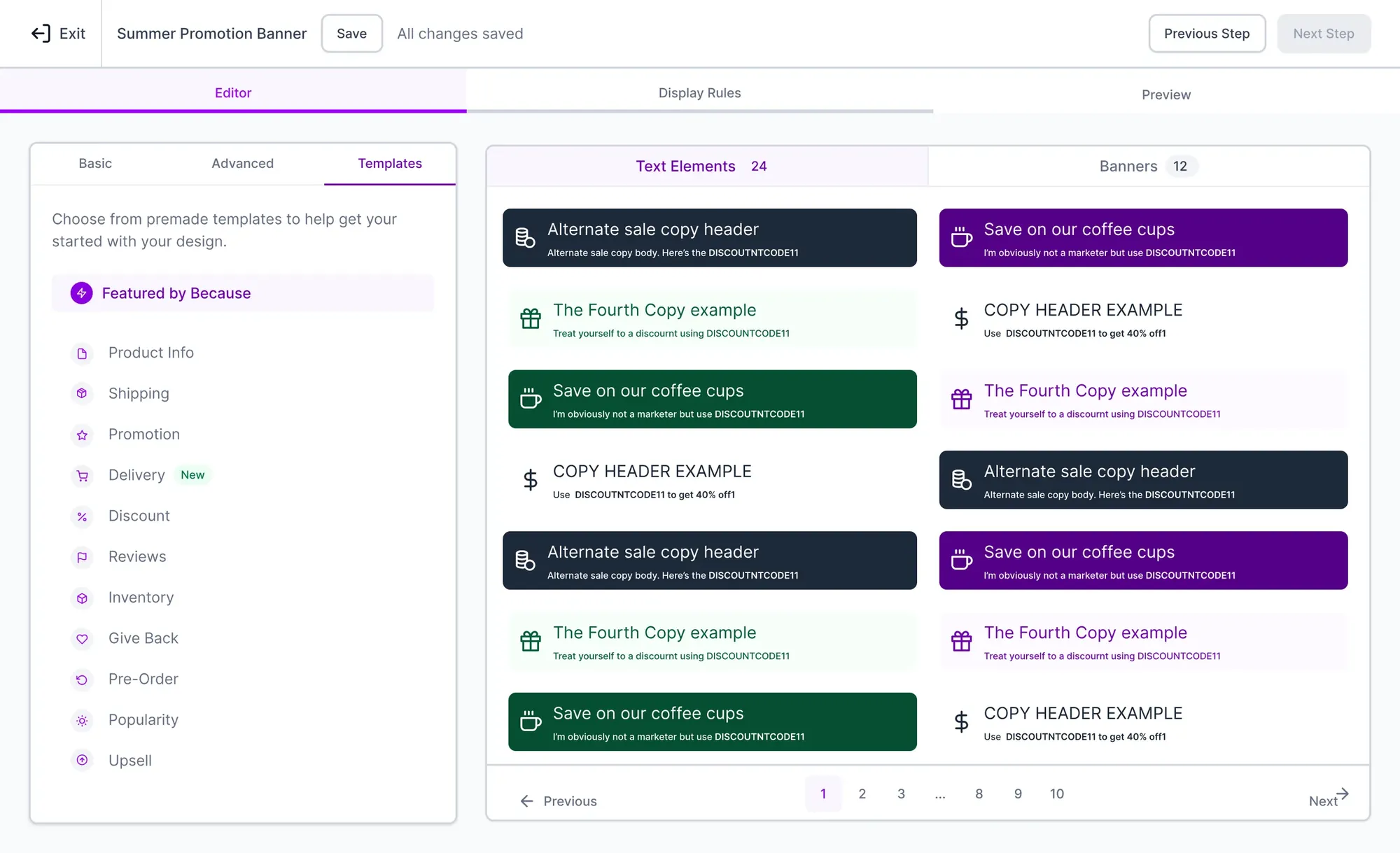
Creating a campaign used to mean walking a fixed path: playbook, editor, rules, publish. Fixing one headline after setting rules meant stepping back through it. I collapsed it into one workspace with three tabs and pinned a live storefront preview beside every edit, because copy, design and targeting get tuned together.
Summer Promotion Banner · one workspace
Campaign editor on the Editor tab, with a live storefront preview The same workspace with the Templates tab open The same workspace on the Display Rules tab with a playbook applied
Workspace · Editor, Templates, Display Rules
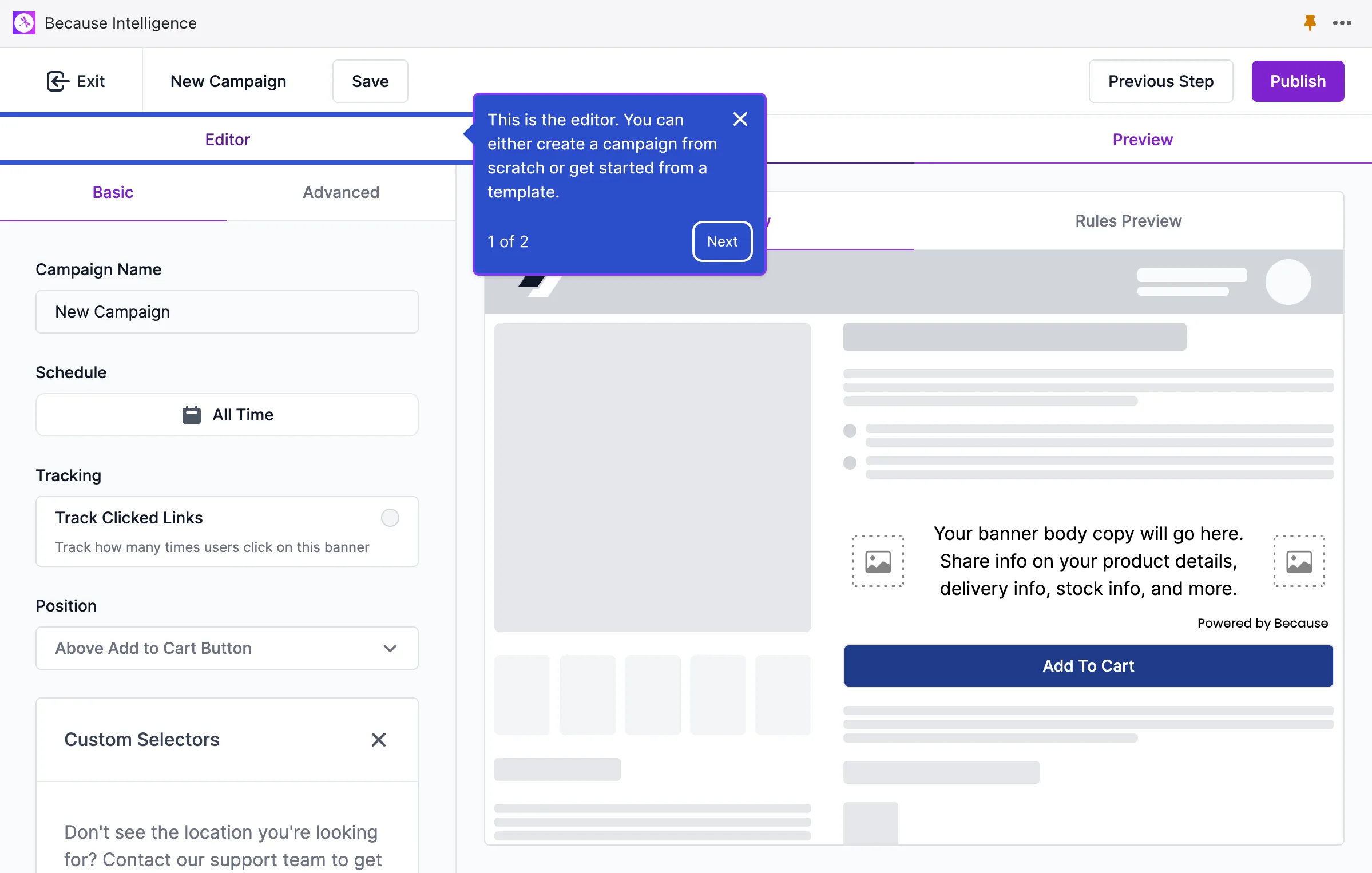
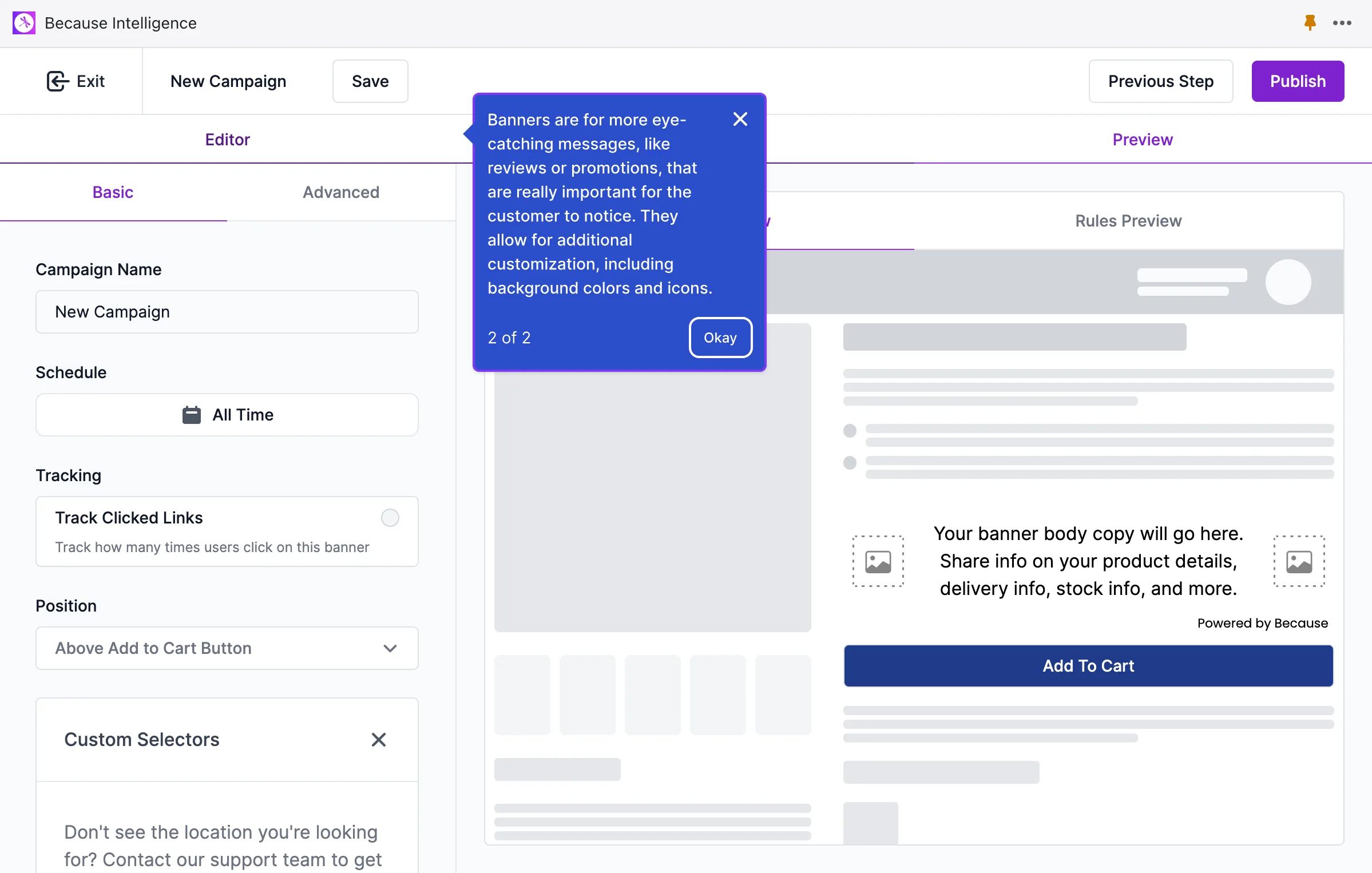
First-run tour
First-run product tour, popover 1 of 2 First-run product tour, popover 2 of 2
First-run tour · Two popovers
Templates tab
Editor with the Templates tab open, text elements and banner templates in a grid
Templates · Inside the editor
Editor, Display Rules and Preview, the same for every campaign type
3 tabs
A live storefront preview pinned beside every edit
1 preview
A first-run tour of two popovers that explains the editor, then gets out of the way
2 hints
Decision 02 · Templates

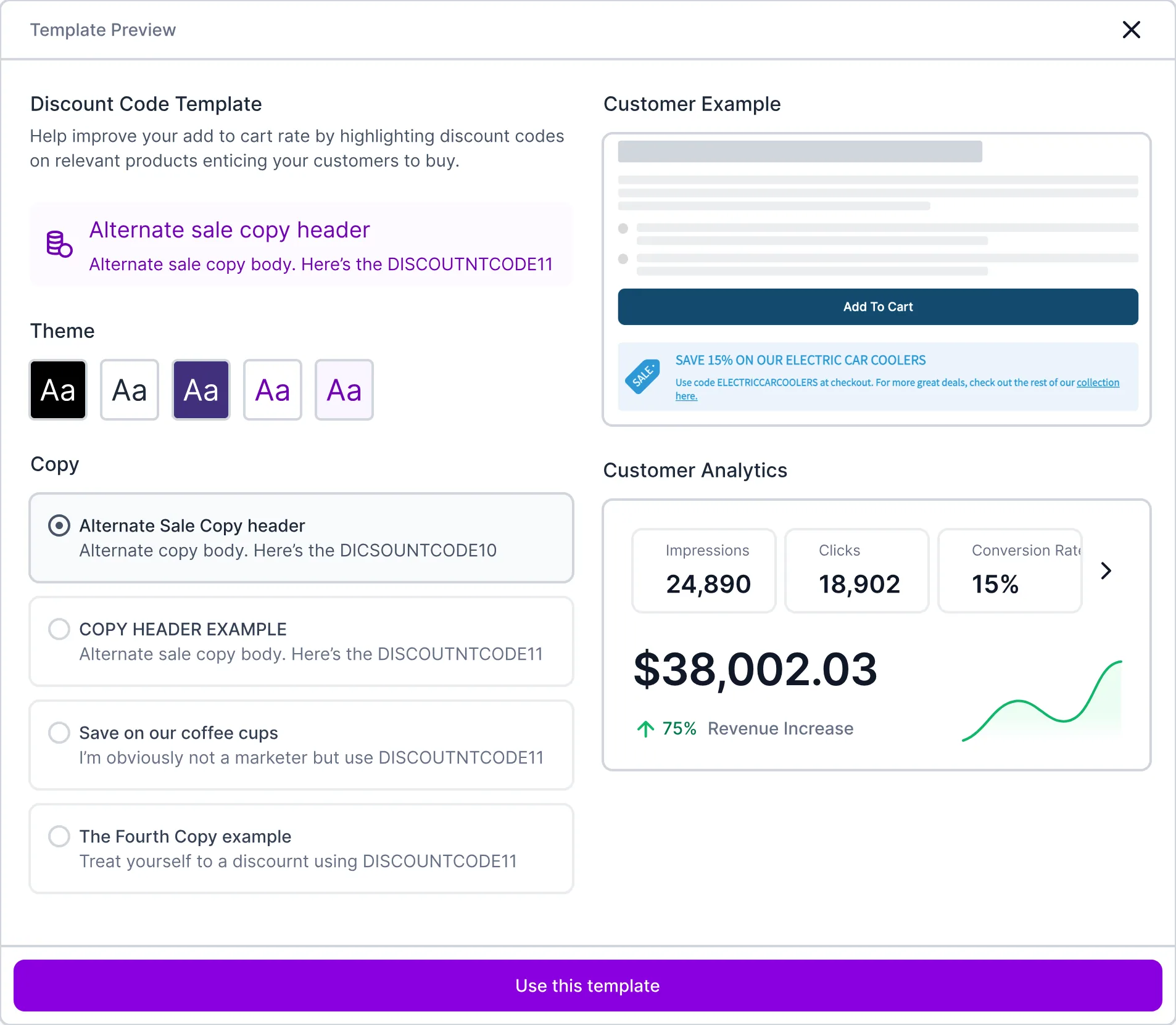
Templates that show their results

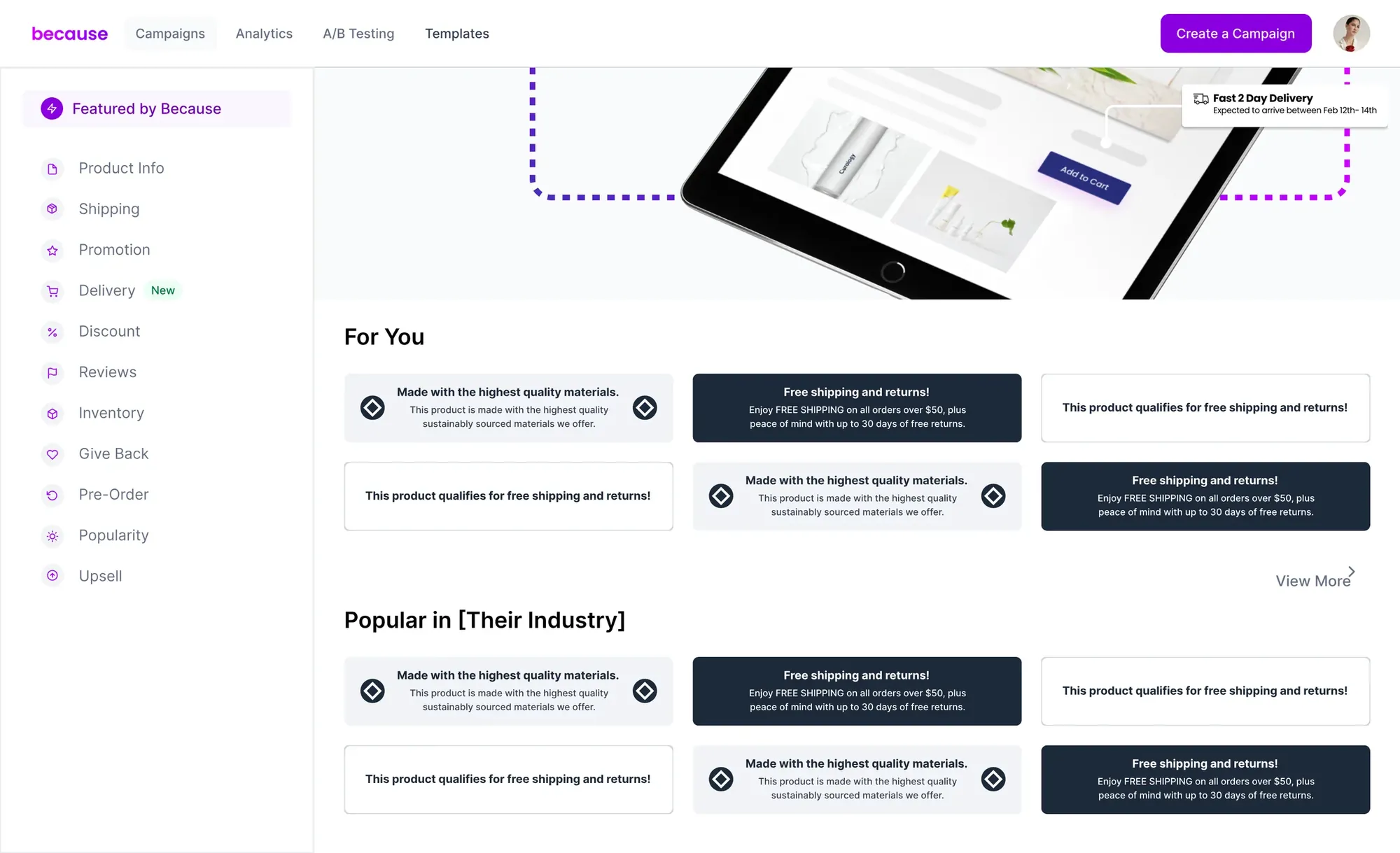
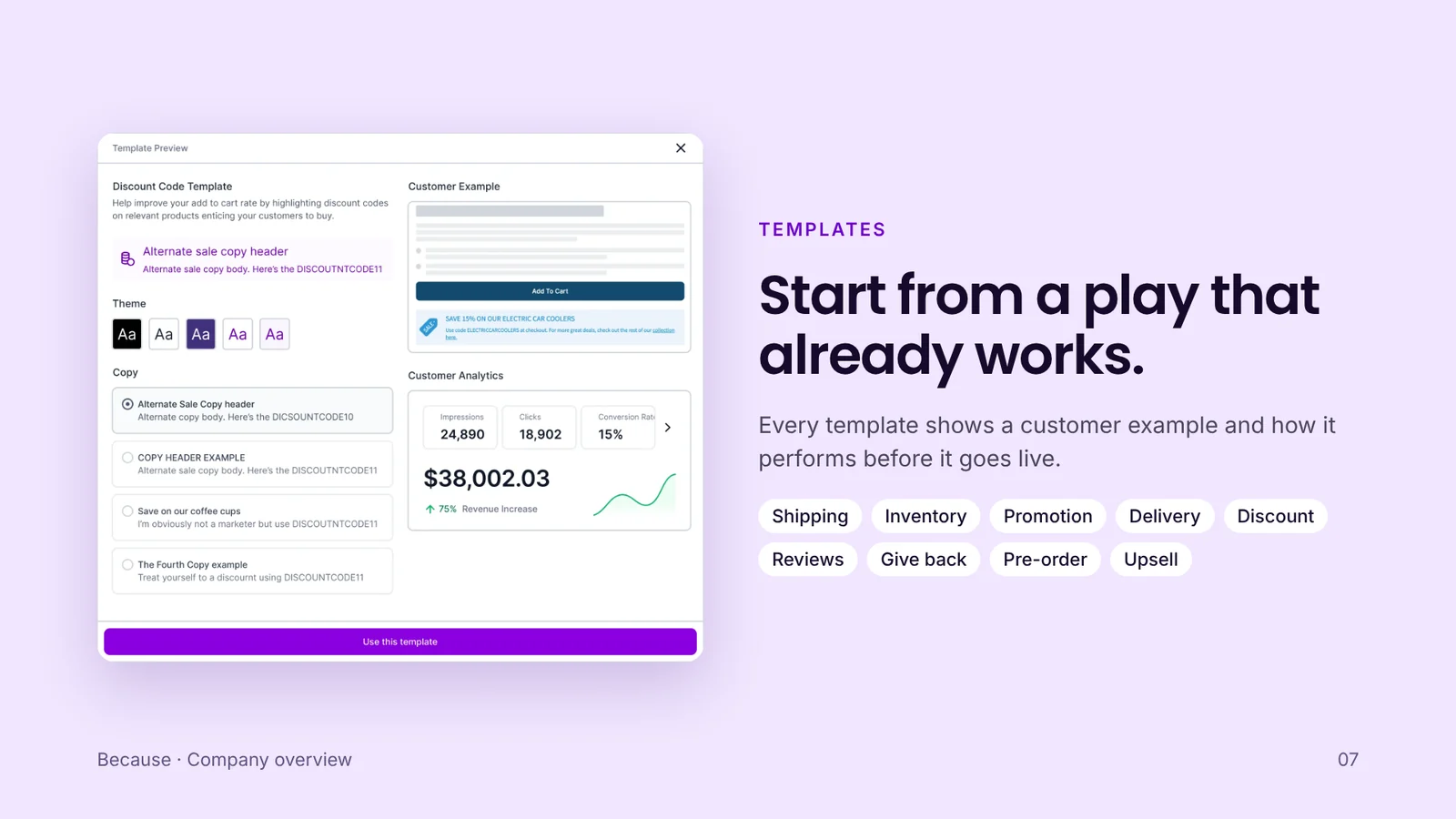
A blank editor is where new campaigns stall. Marketers knew the goal, not the words or the layout. So I designed a template library sorted by intent, and every preview shows a customer example and how the template performs before it goes live.

Templates · preview
Templates page with Featured by Because, For You and Popular in your industry rows Template preview with theme, copy options, a customer example and customer analytics
What I designed One workspace, three tabs Live storefront preview Basic and Advanced styling Templates inside the editor Template library by intent Template preview with results Customer example on every template First-run product tour
Chapter 02 / 03 · Target
Decision 03 · Targeting

Rules That Read Like A Sentence

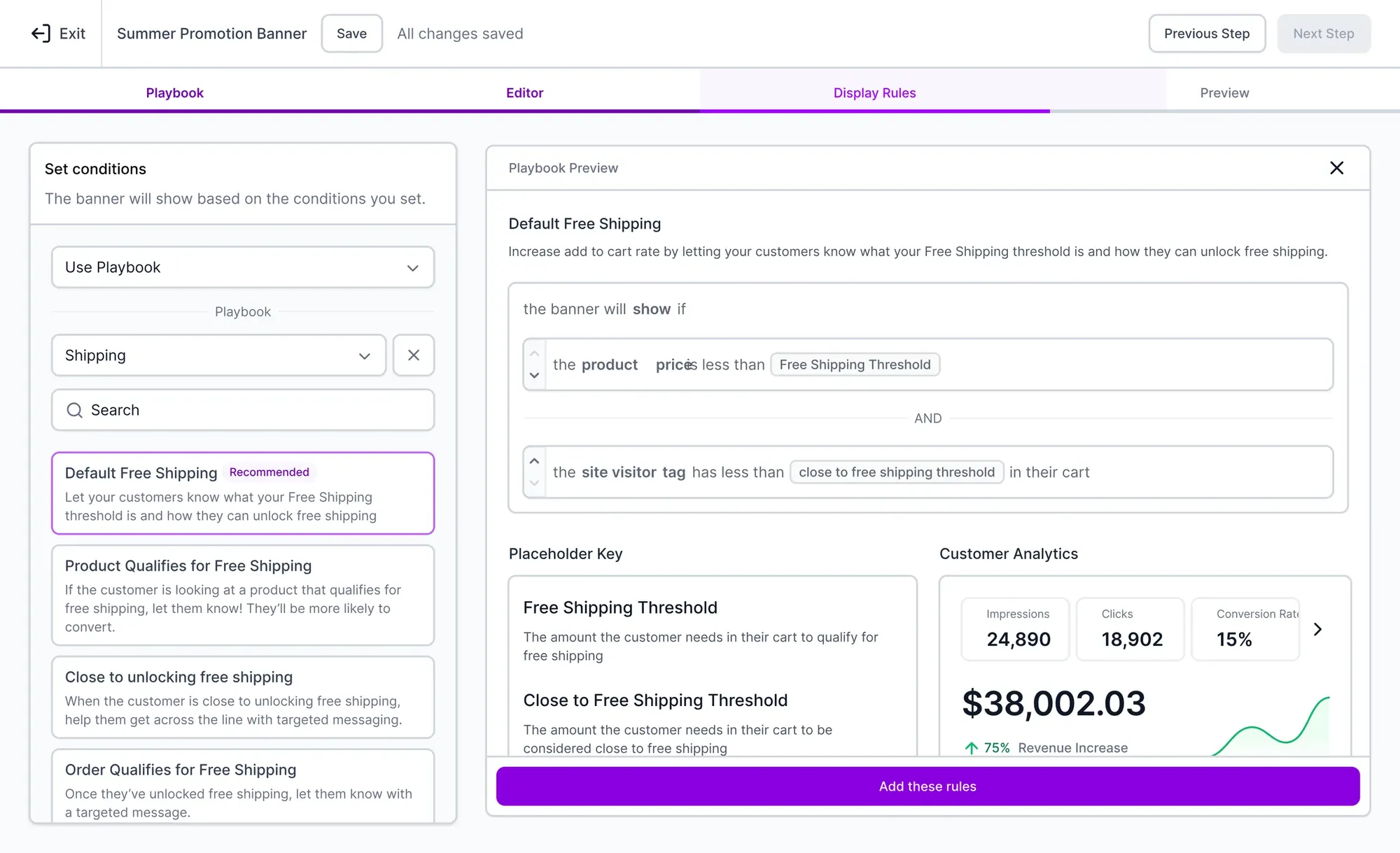
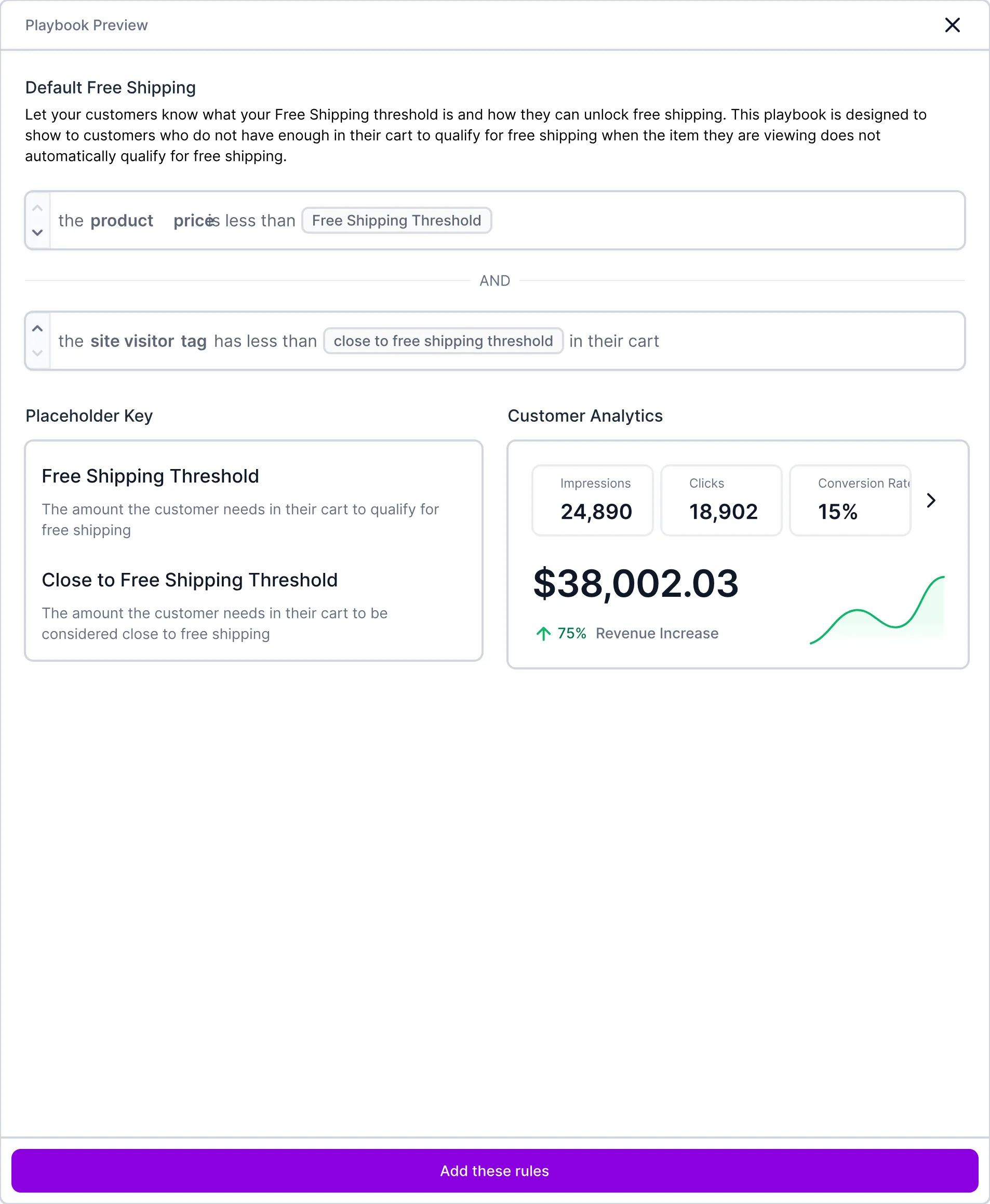
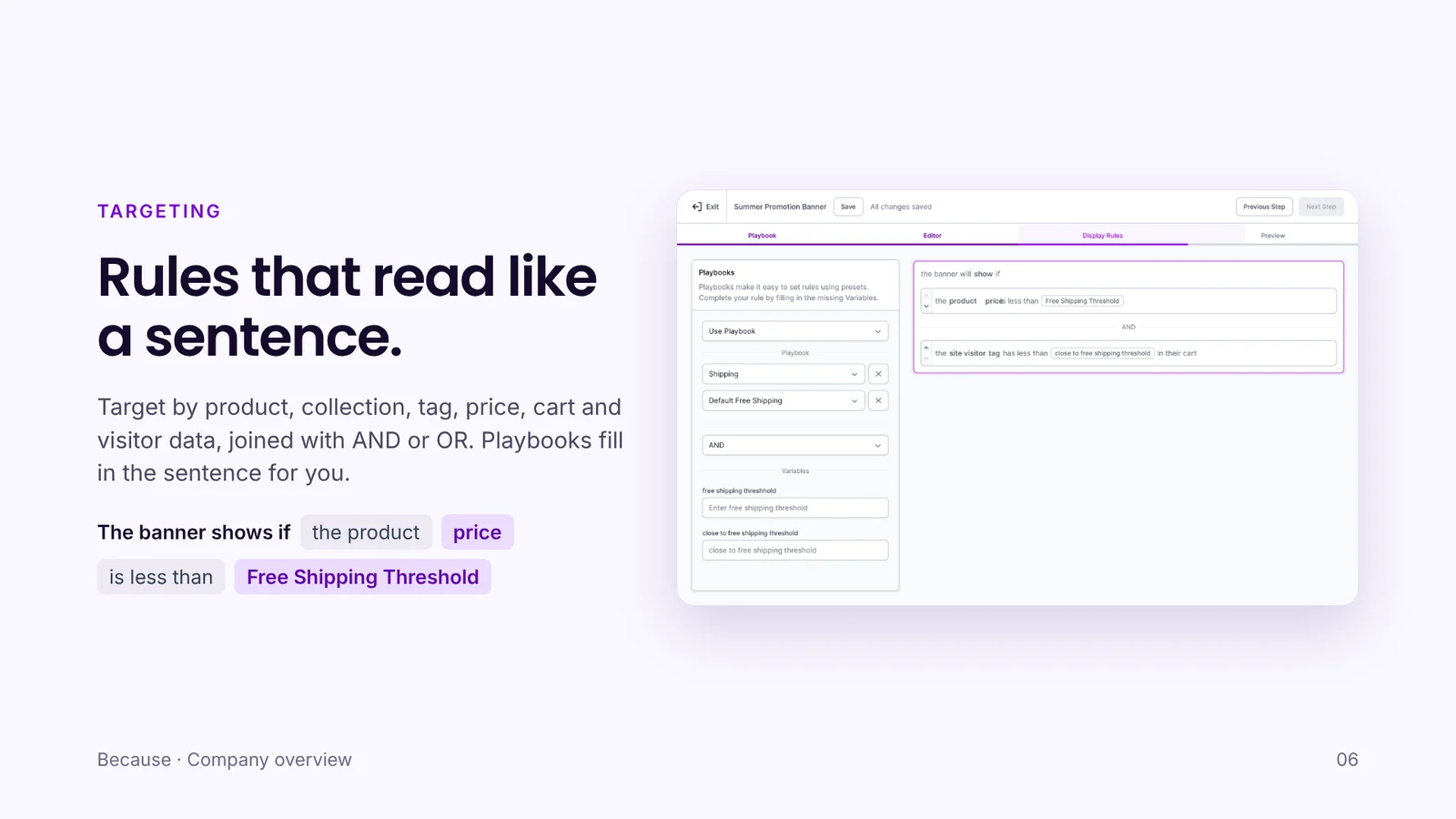
Targeting is where marketers got lost. Segments, tags, cart values and visitor data all lived in different places. I made the sentence the backbone: conditions join with AND or OR, and playbooks pre-fill the whole rule, so marketers only fill in the blanks. If you can read a rule out loud, you can trust it.

Rule builder · recreated in motion
The banner will show if the product price is less than Free Shipping Threshold
AND
the site visitor cart total is close to Free Shipping Threshold
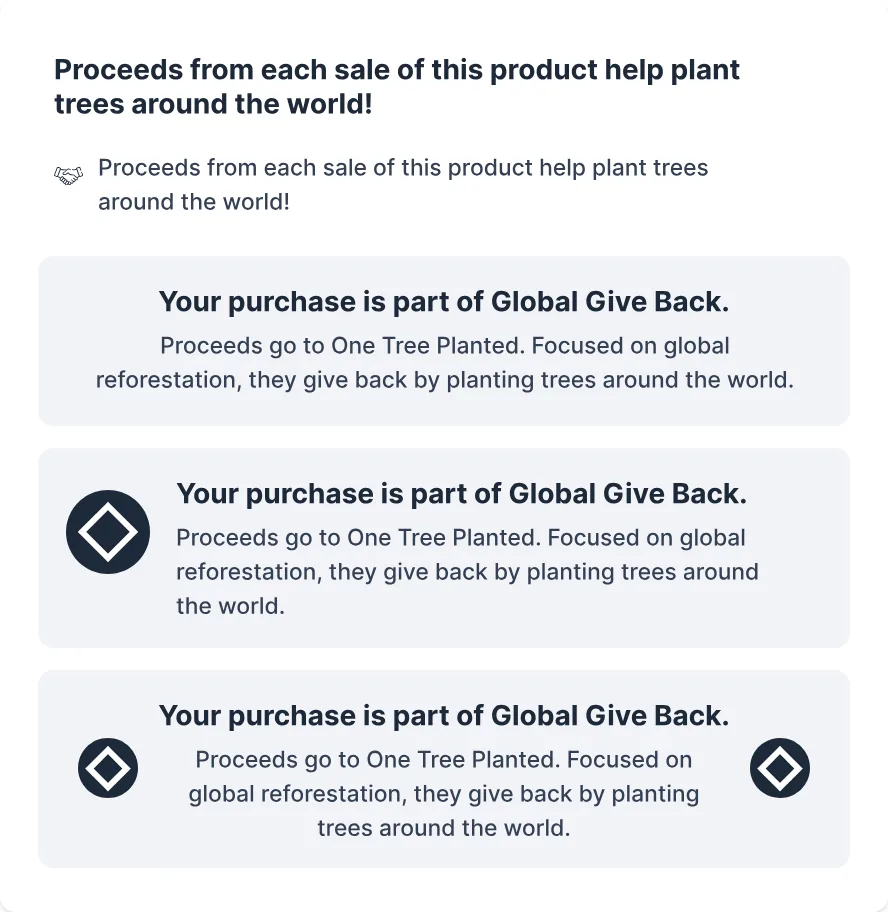
Shipping playbooks
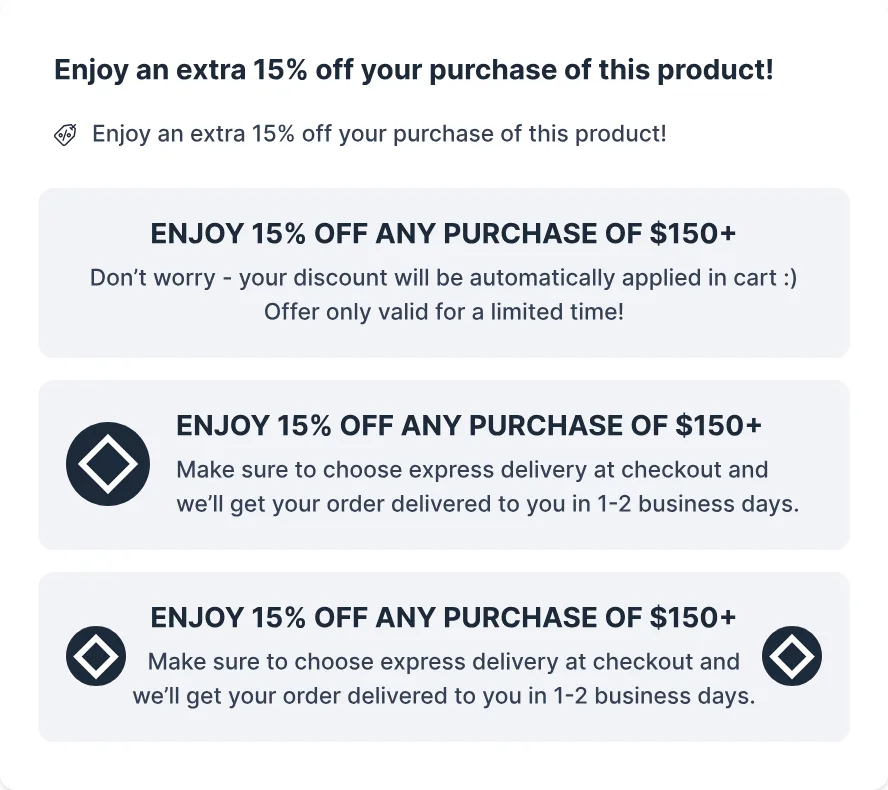
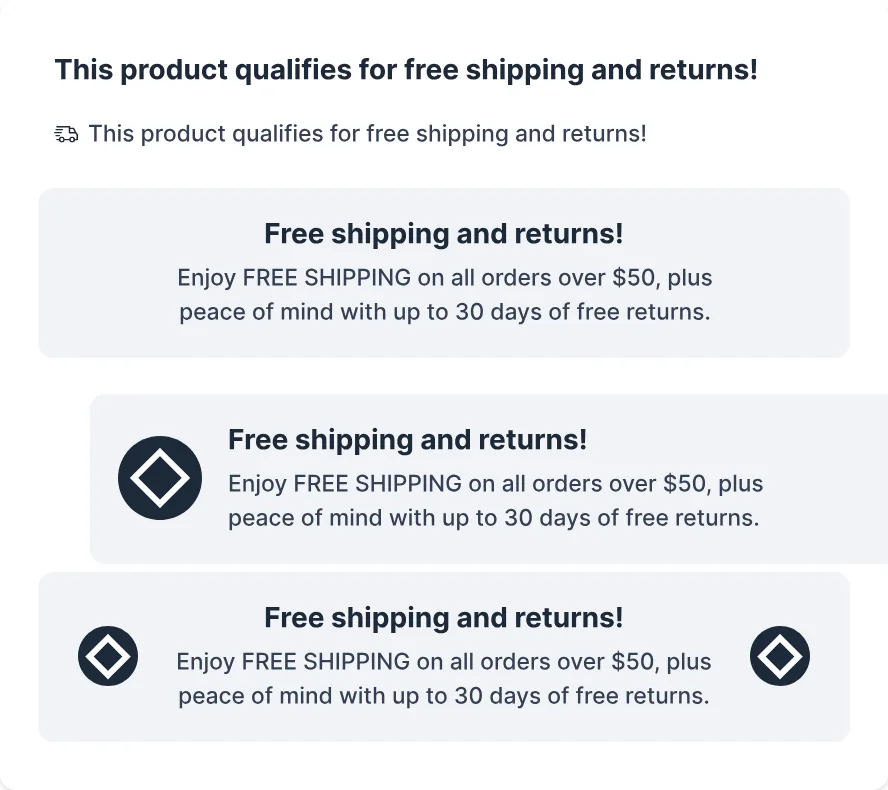
Default Free ShippingLet your customers know what your free shipping threshold is and how they can unlock it.
Product Qualifies for Free ShippingIf the customer is looking at a product that qualifies, let them know.
Close to Unlocking Free ShippingWhen the customer is close to unlocking it, help them get across the line.
Order Qualifies for Free ShippingOnce they have unlocked it, tell them with a targeted message.
Display Rules · playbook applied
Display rules tab with a playbook applied and variables to fill in
Playbook applied · Fill in the blanks
Playbook preview
Playbook preview with the rule, a placeholder key, customer analytics and example campaigns
Playbook preview · Rule, key, results
Conditions join the way a marketer would say them out loud
AND / OR
Rules target the product being viewed, or the site visitor
2 subjects
Playbook categories that pre-fill the rule, from shipping to give back
11 types
Decision 04 · Campaign ordering

Rules for when campaigns collide

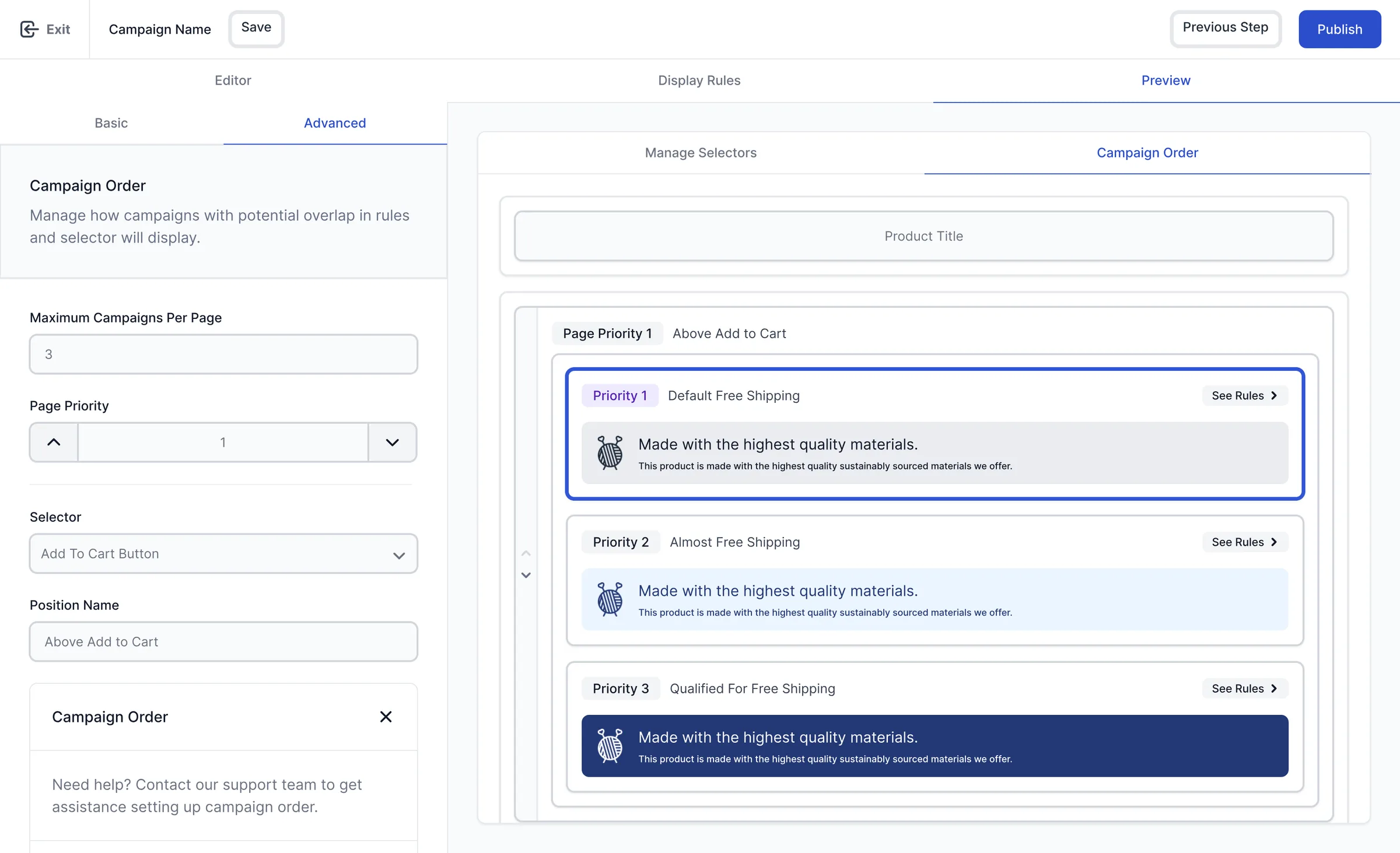
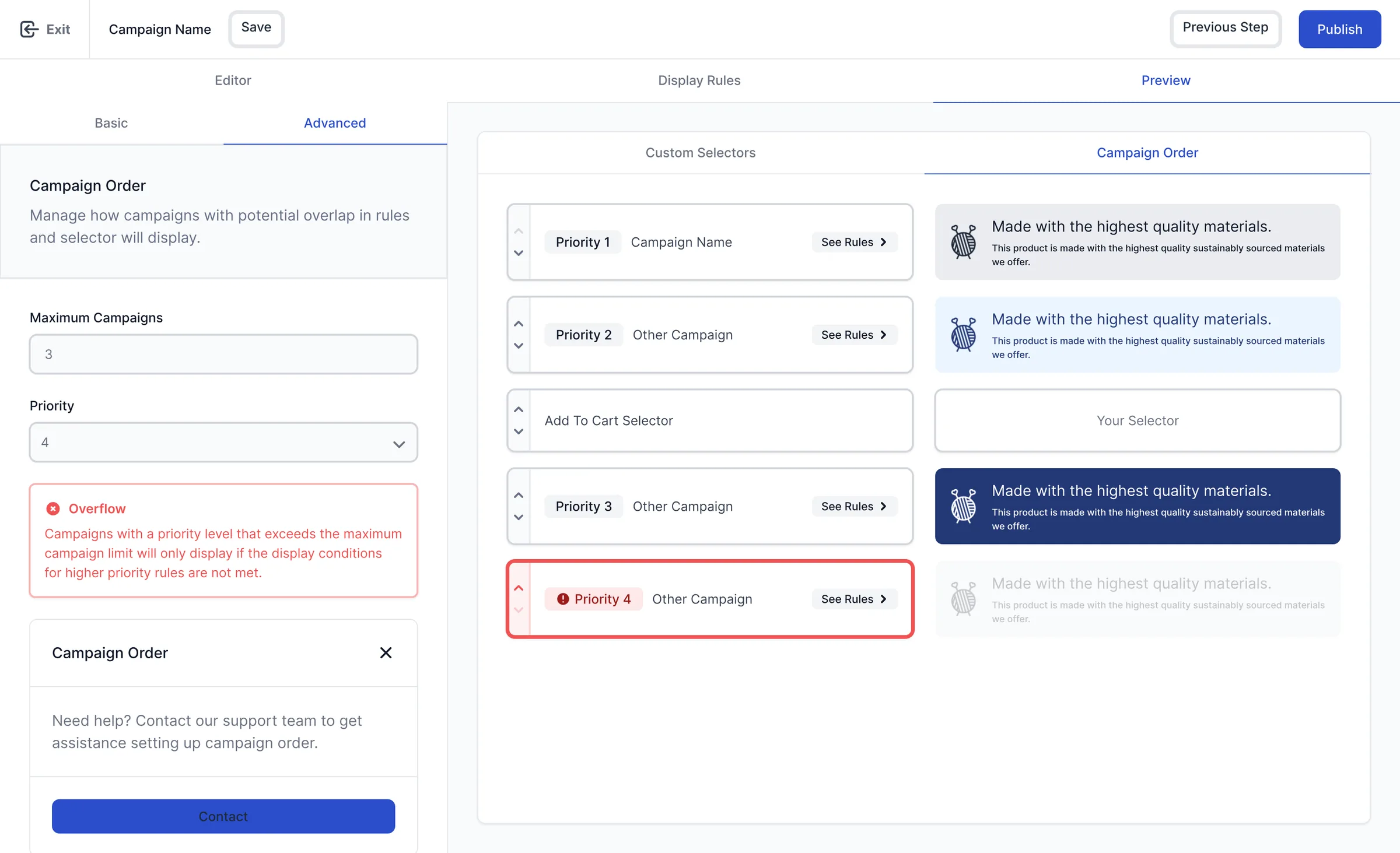
With many campaigns live, two will eventually want the same spot on the same product page. Each position gets a priority stack and a maximum number of campaigns. Push one past the maximum and the screen shows which campaign won’t display, and why.

Campaign order · preview
Campaign order screen with page priority, positions on the product page and their priority stacks Campaign order screen showing an overflow warning when a campaign exceeds the maximum
What I designed Sentence-style rule builder AND and OR conditions Product and visitor targeting Playbooks that pre-fill rules Playbook preview Variables to fill in Priority stack per position Overflow warning
From my working notes

The loop behind the screens

I wrote the ordering logic as a loop before drawing anything. Start at priority one, show the highest eligible campaign, move to the next position, and stop when the page is full. The screens were designed on top of that loop, so what merchants see always matches what the storefront does.

Position 1 · Above add to cart
Chapter 03 / 03 · Prove
Decision 05 · A/B testing

Results You Can Read At A Glance

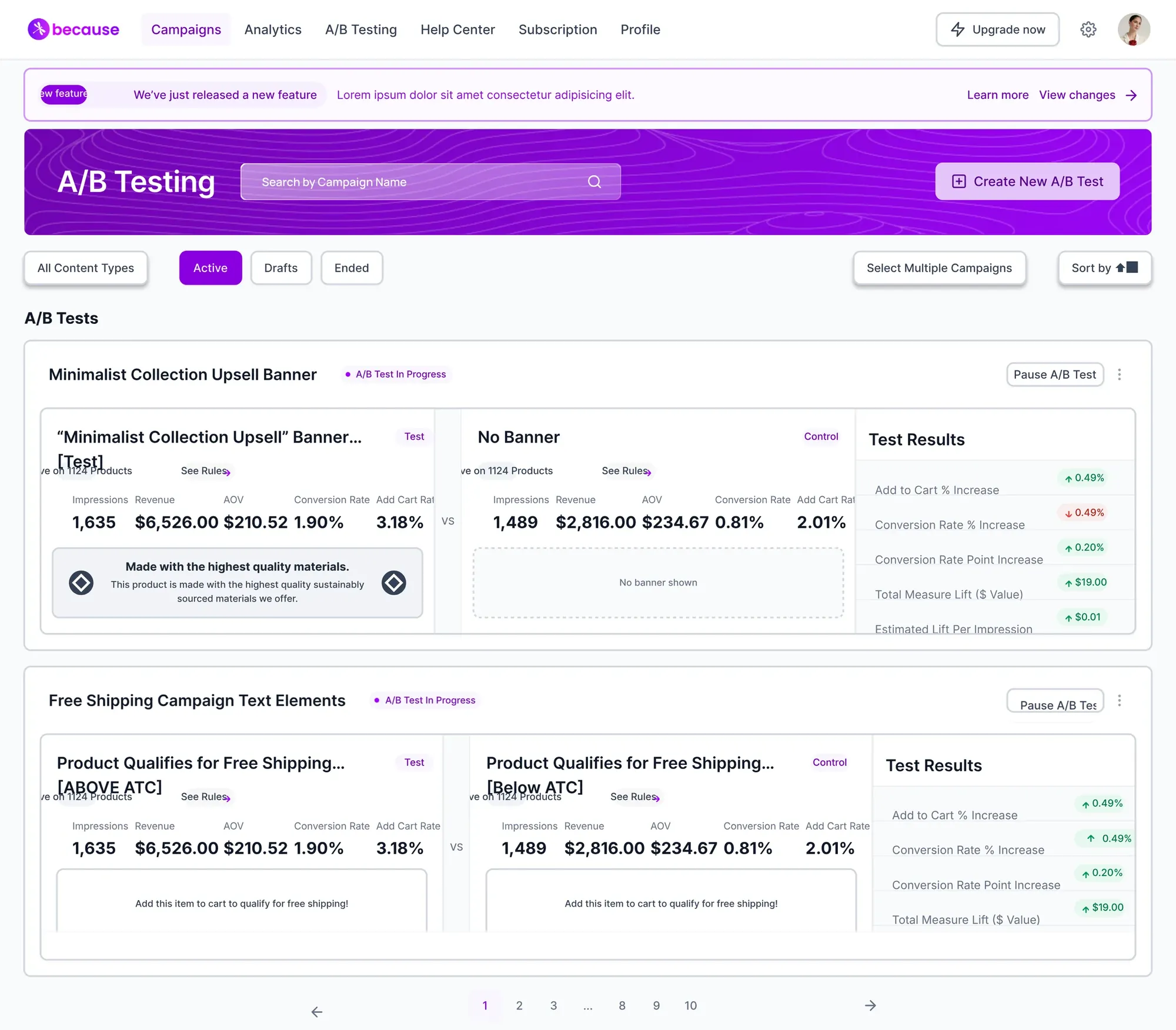
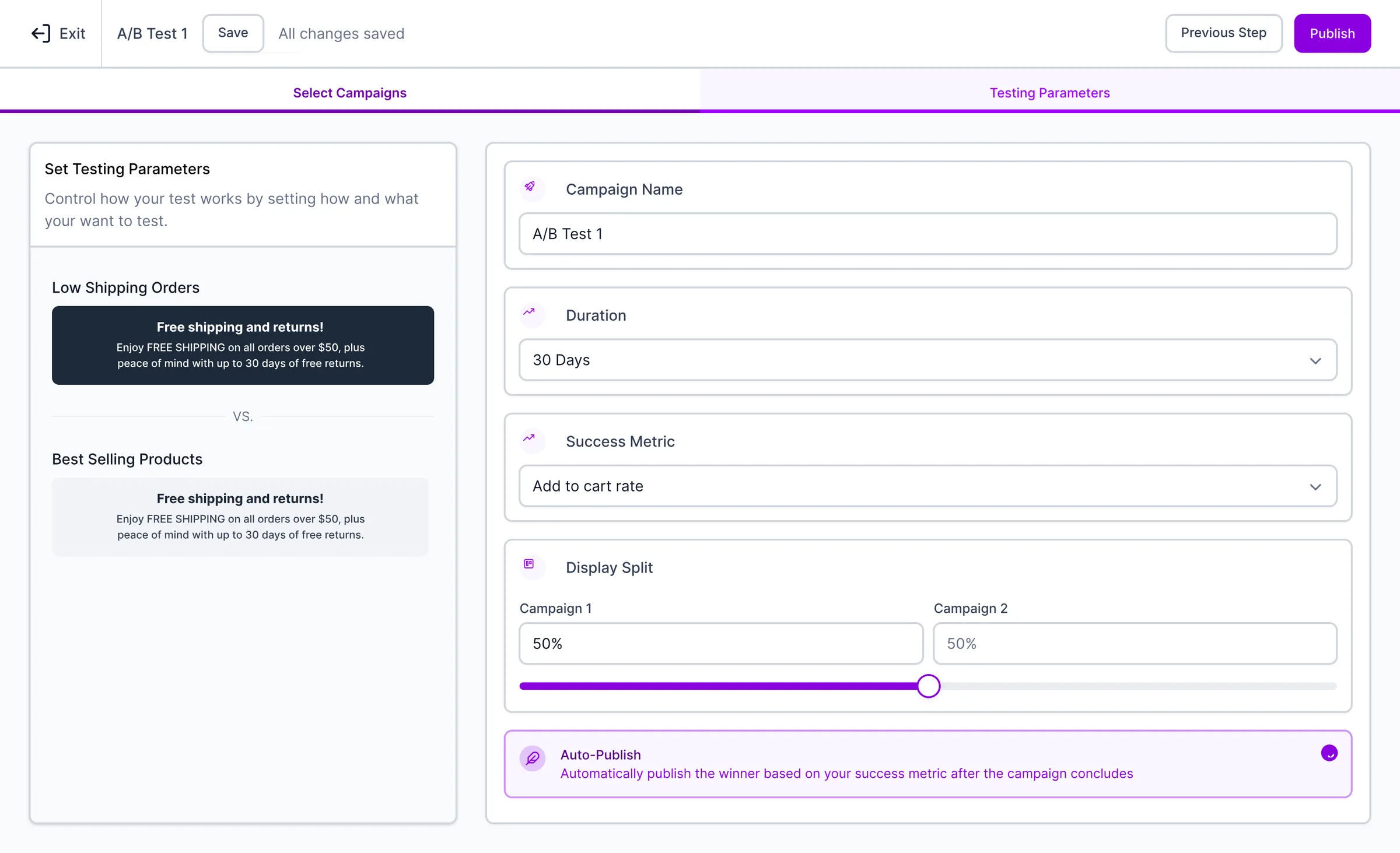
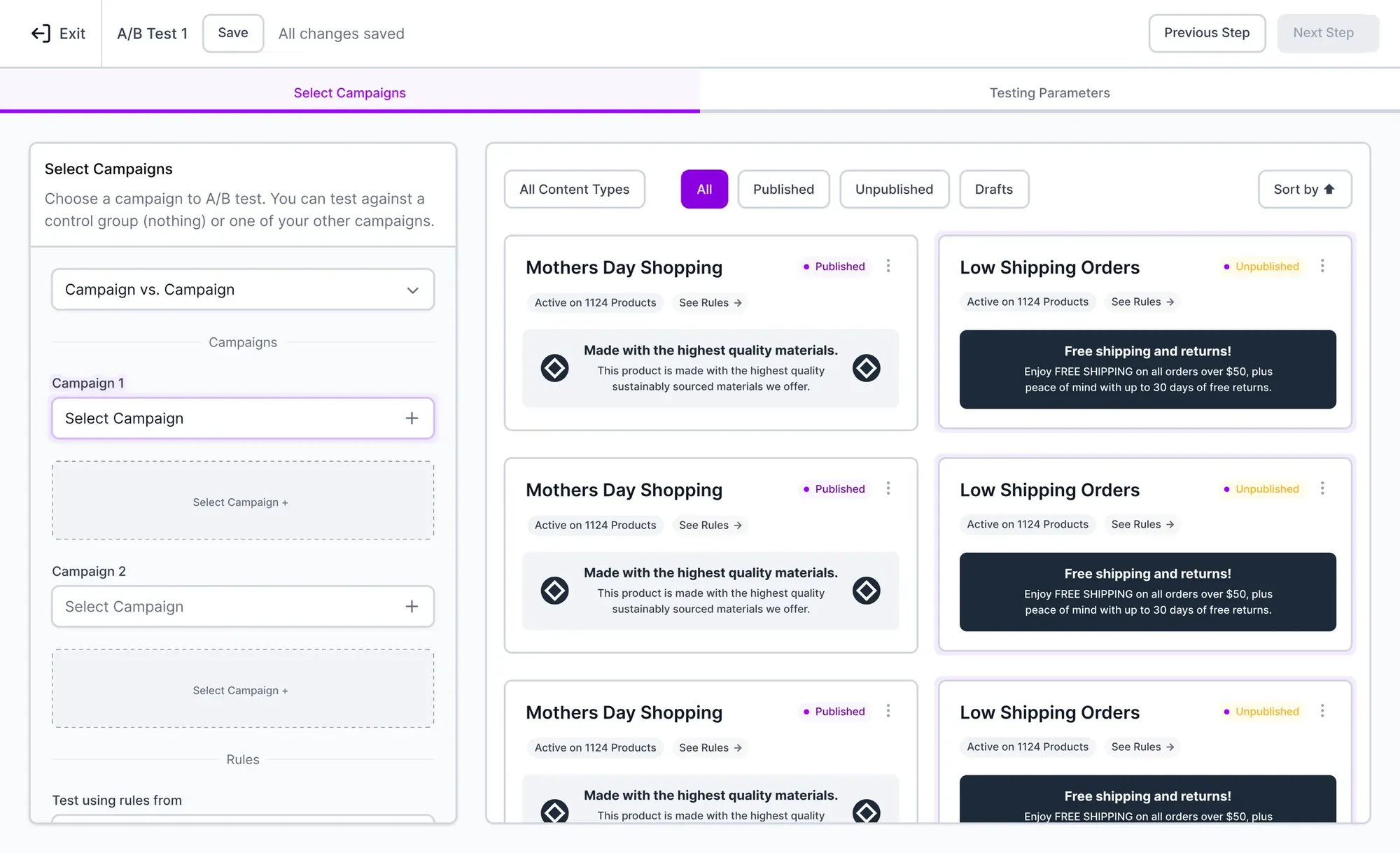
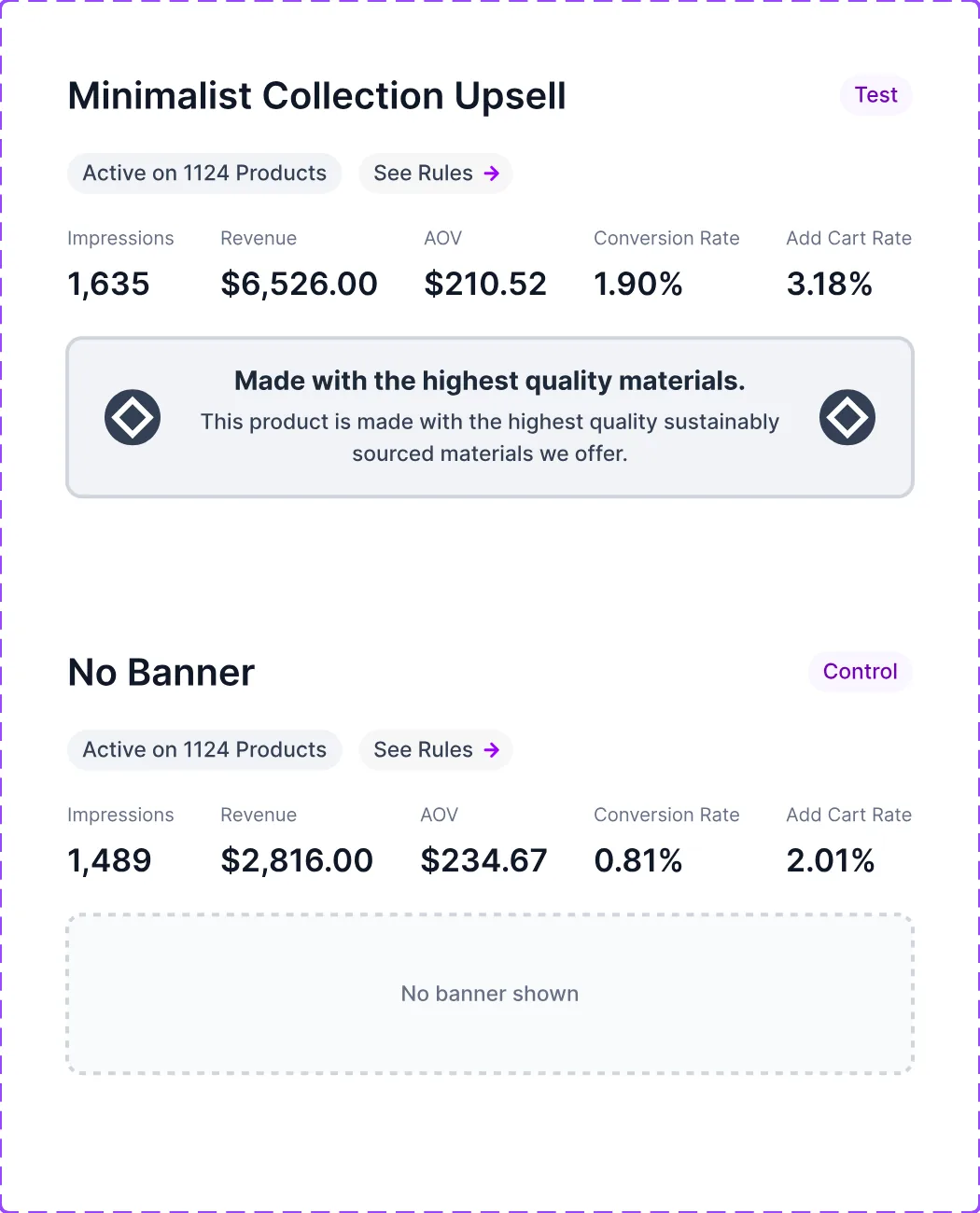
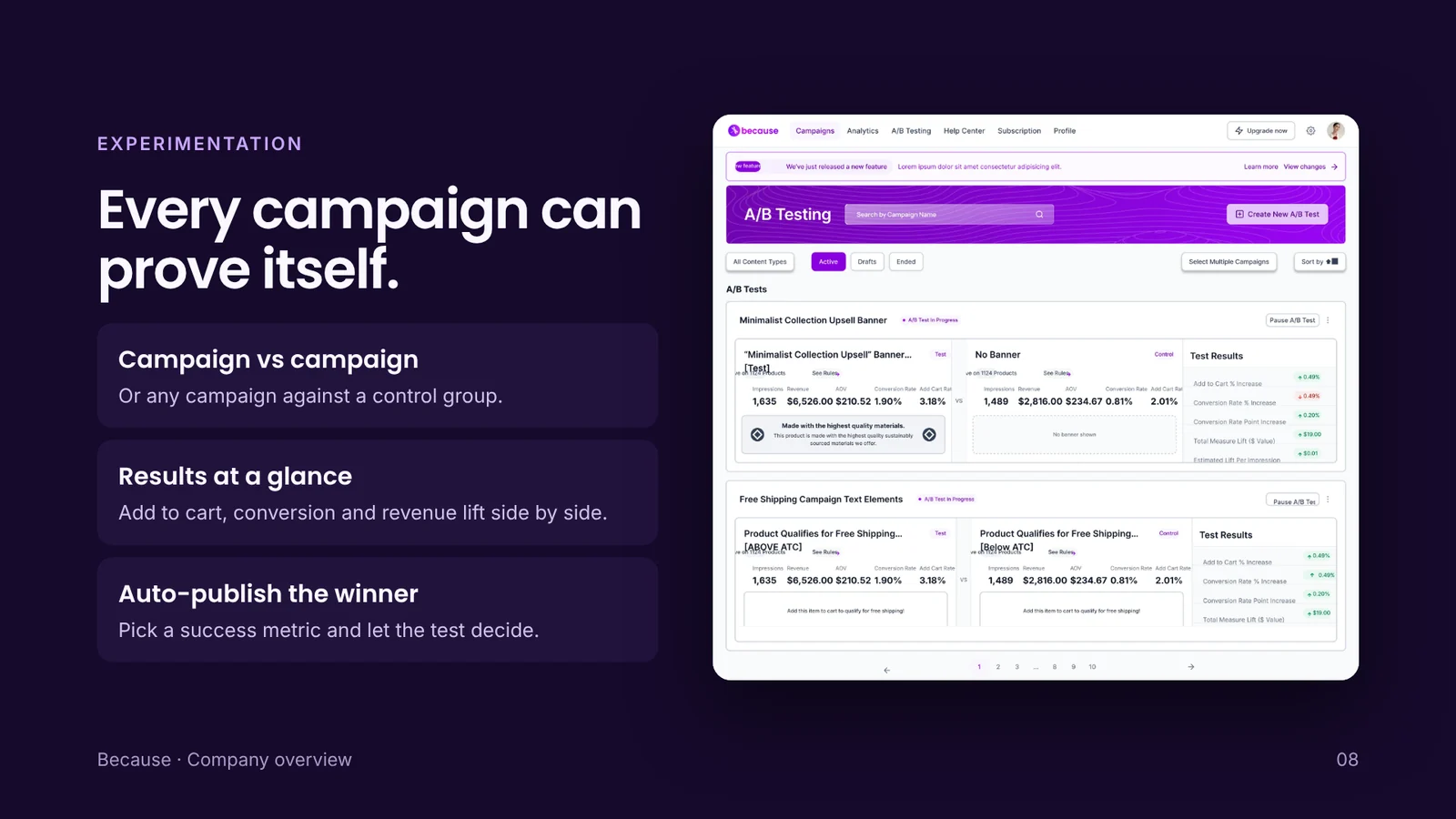
Tests used to read like a report, with the outcome left for the marketer to work out. Now variants sit side by side on the same campaign cards as the rest of the product, and a results column shows each lift in green or red. Setup takes two steps, with auto-publish for the winner, because a test is only useful if someone acts on it.

New A/B test · set up, publish, read
A/B test setup step one: choose campaign versus campaign or test versus control and pick campaigns
A/B test setup step two: name, duration, success metric, display split slider and auto-publish
A/B testing dashboard with the active test and its results
A/B test · Set up, publish, read
A/B test card with the minimalist collection upsell banner against no banner, and their results
Test card · Variants side by side
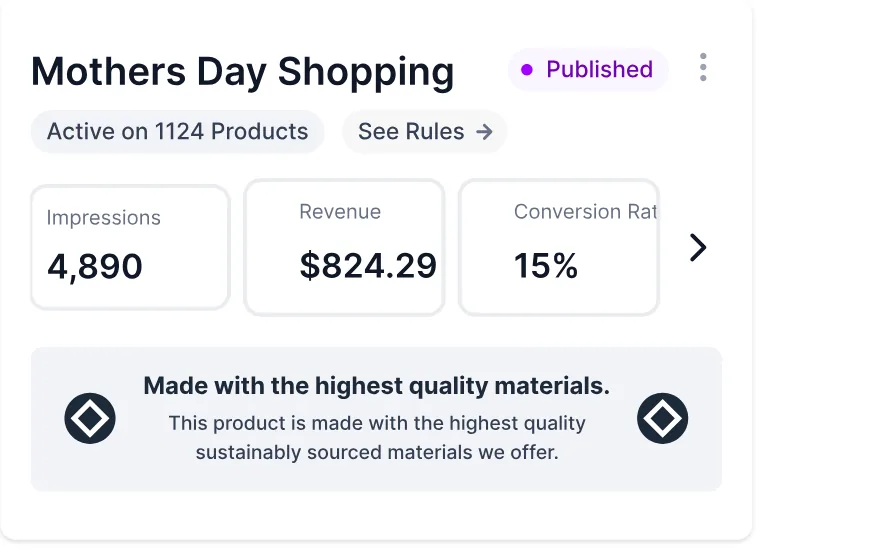
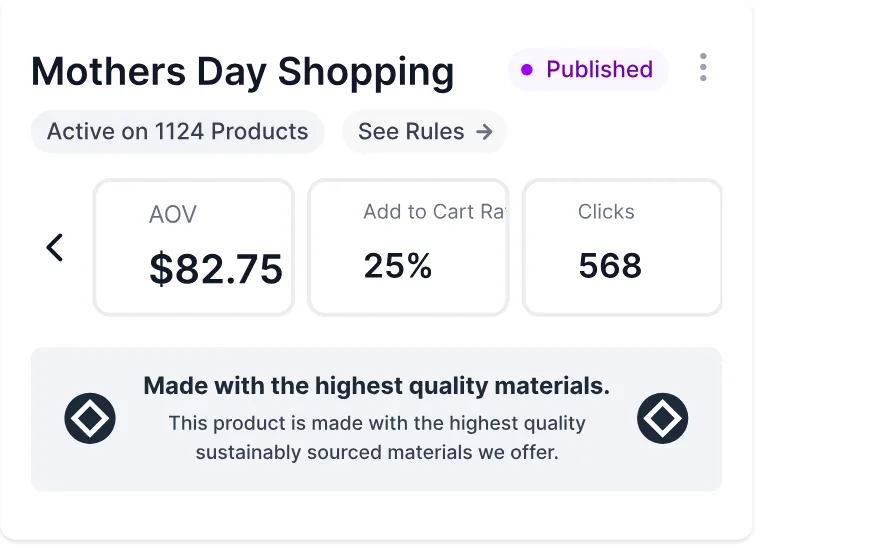
Campaign card with impressions, revenue and conversion rate tiles The same card swiped to AOV, add to cart rate and clicks tiles
Metric tiles · Swipe for more numbers
From picking the campaigns to a live test
2 steps
Campaign against campaign, or against a control group
A vs B
Pick a success metric, and the winner can publish itself when the test ends
Auto
Dashboards

Every campaign shows its numbers

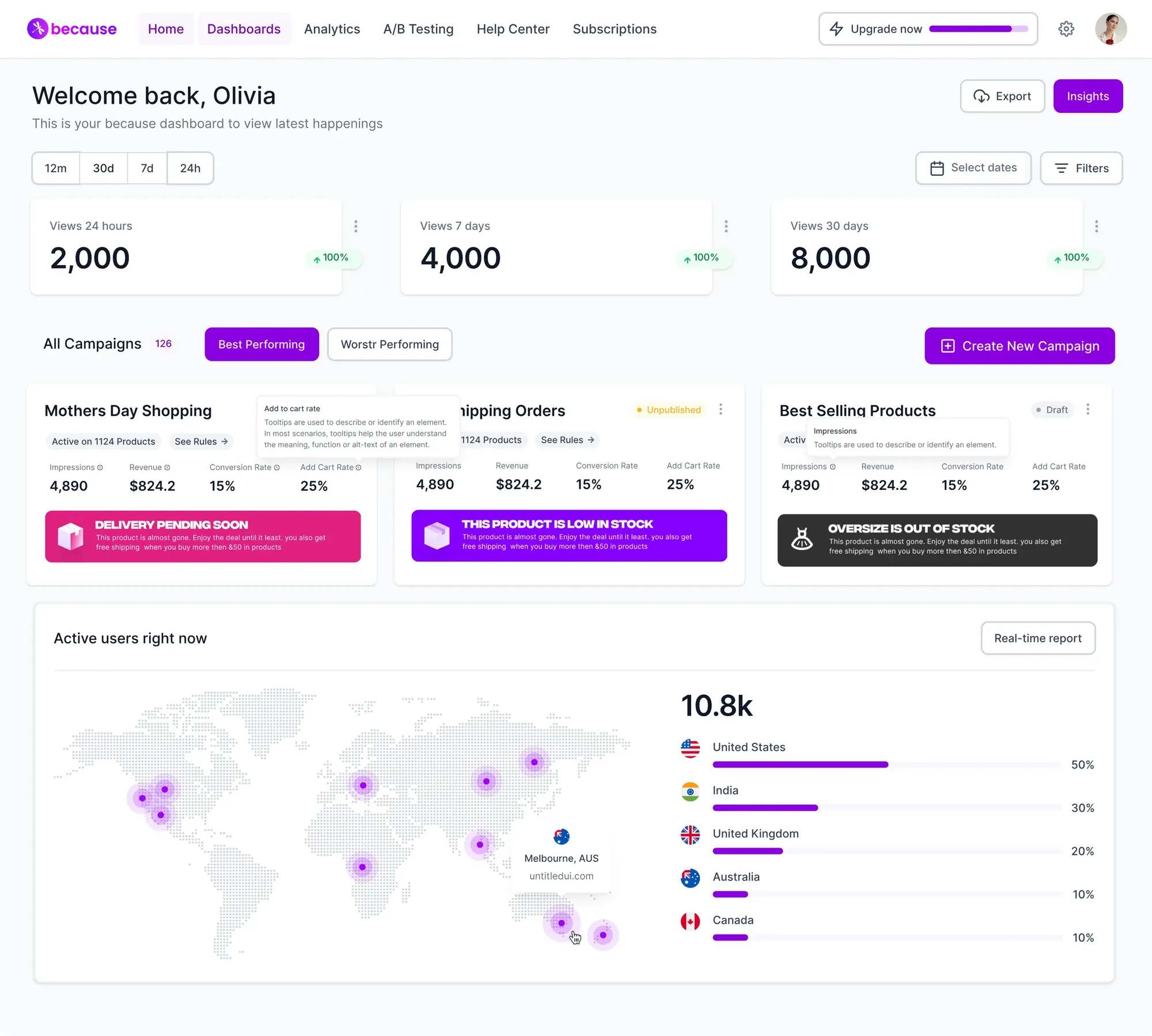
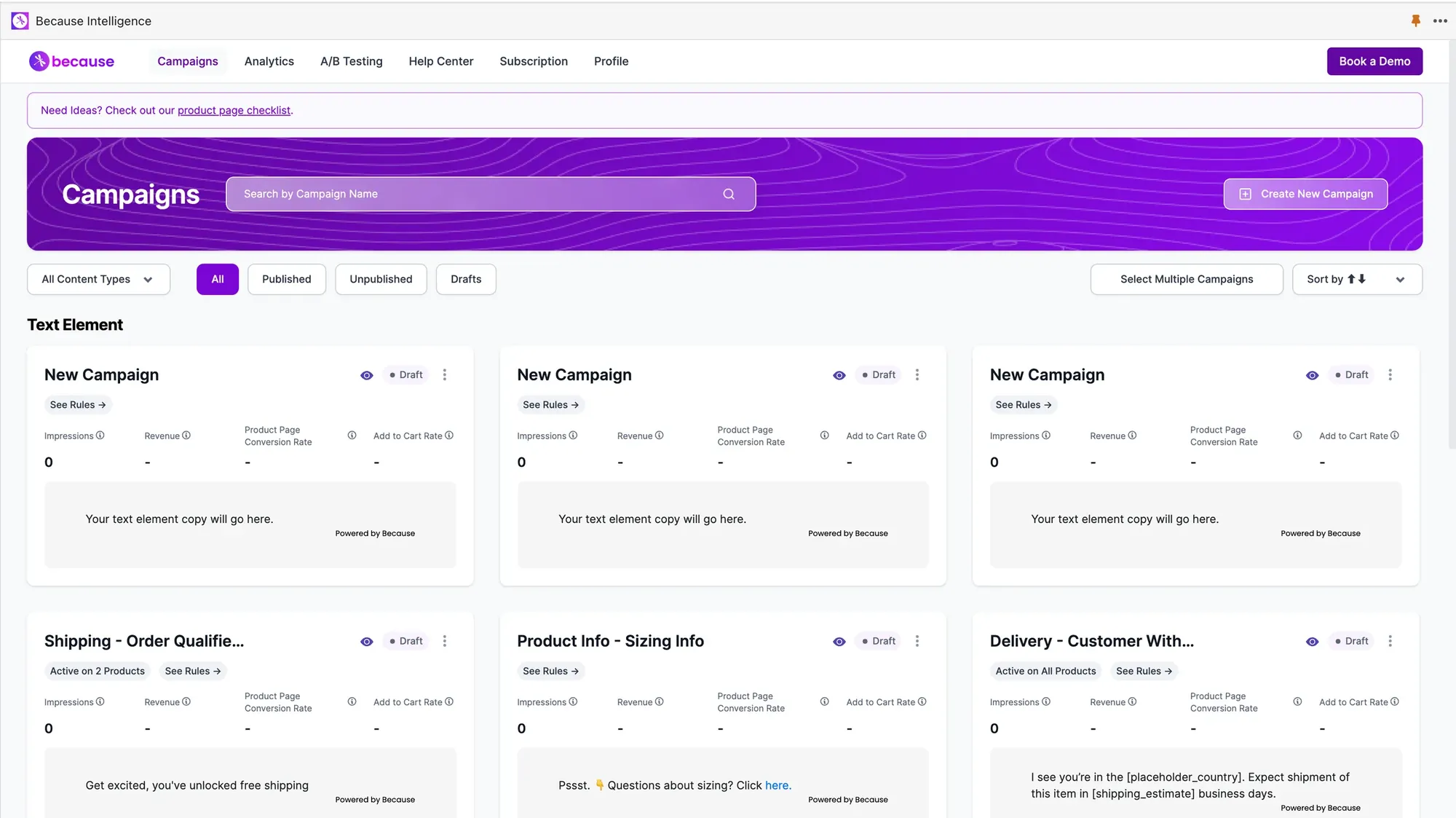
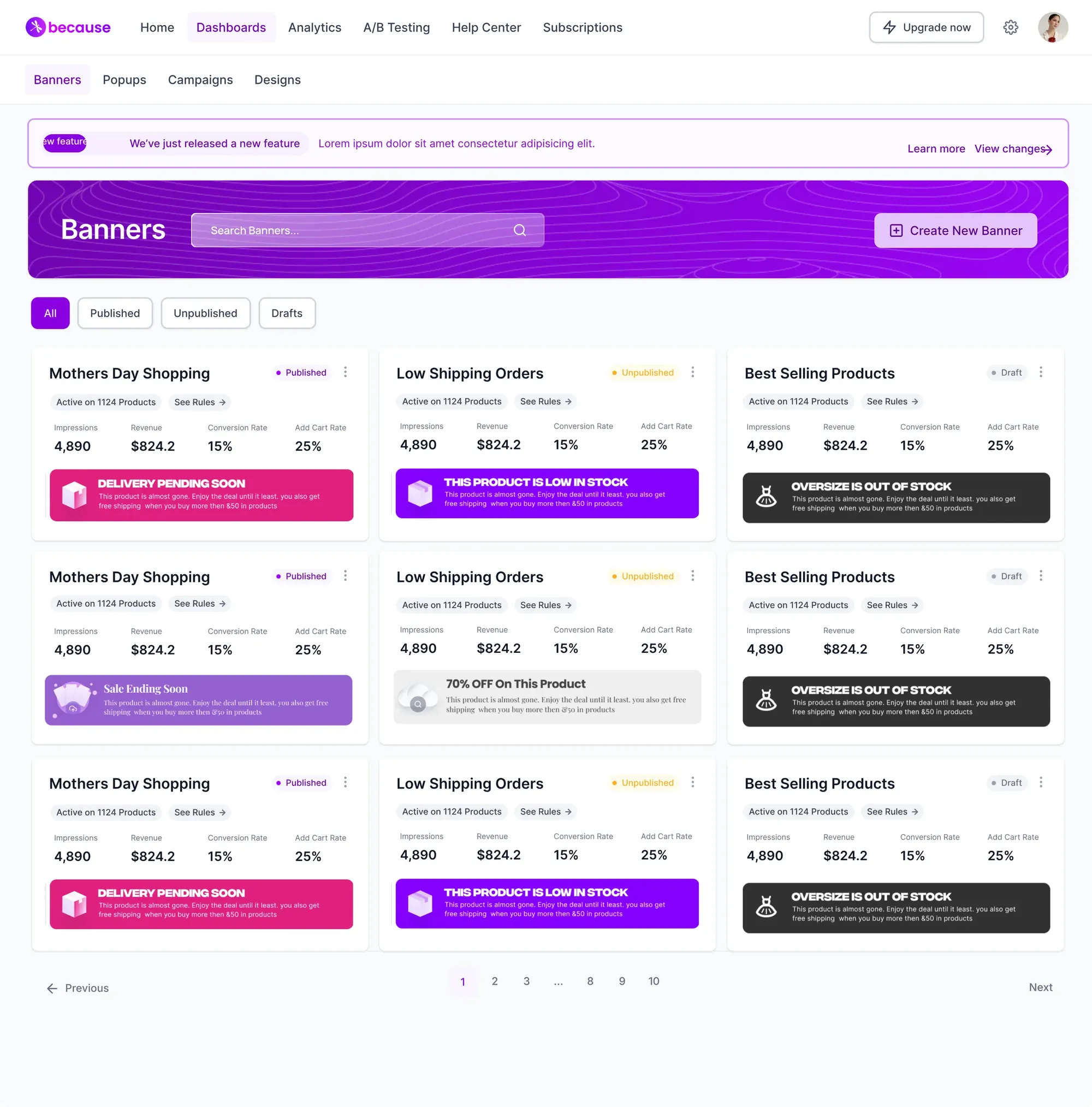
Every campaign card carries impressions, revenue, conversion and add to cart, next to a live preview of the banner itself. The dashboard answers “what’s working?” before anyone opens a report, and any campaign can become a test from there.

Home dashboard with views, campaigns with metrics and live banners, and active users by country
Home
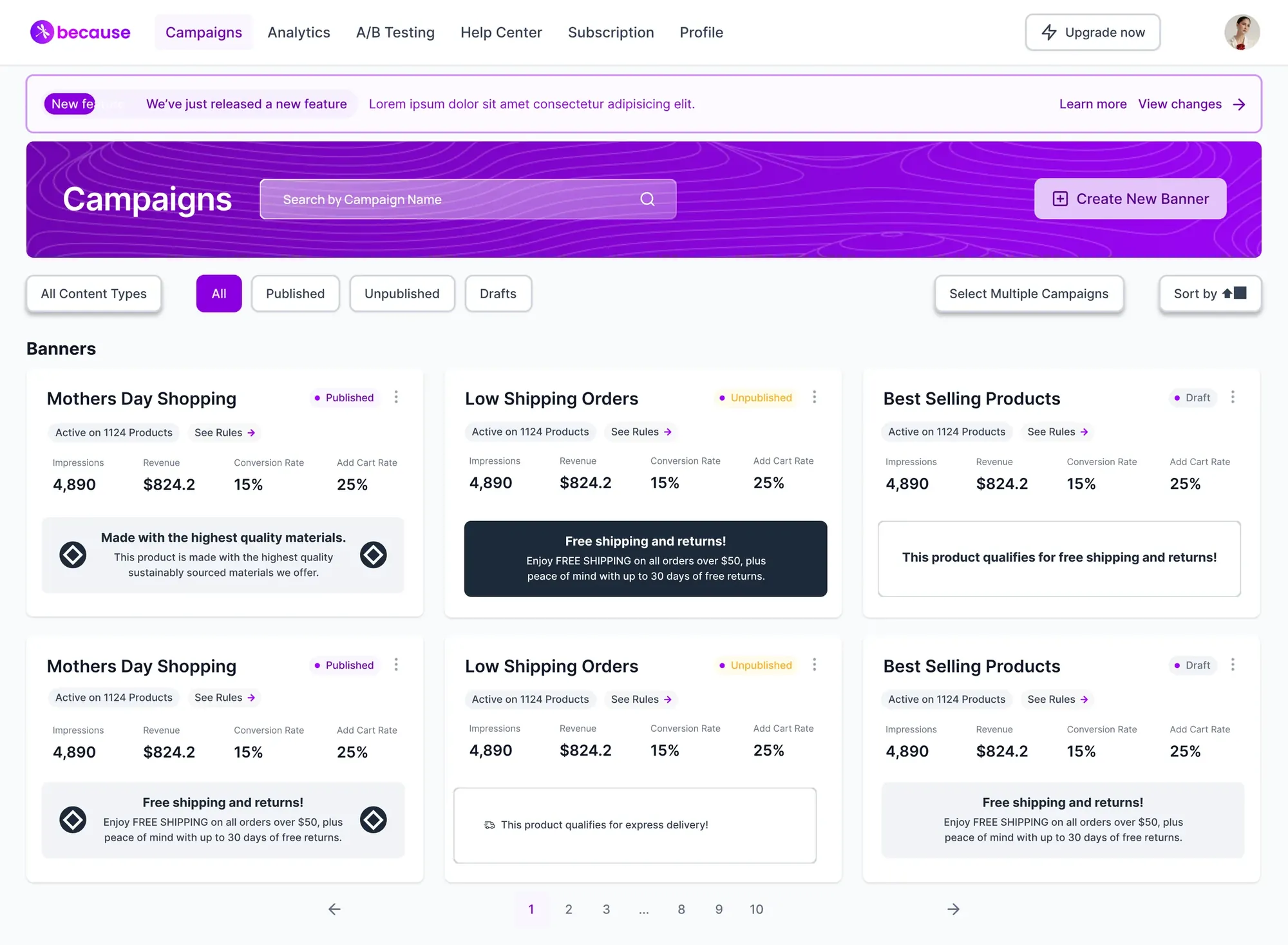
Campaigns dashboard with filters and campaign cards
Campaigns
A/B testing dashboard with variants side by side and test results
A/B testing
What I designed Two-step test setup Campaign vs campaign or control Display split slider Success metric picker Auto-publish the winner Lift in green or red Metrics on every card Swipeable metric tiles
Also In The Product

Two More Calls That Mattered

Smaller decisions outside the main path, which made Because faster to start and easier to keep on brand.

Decision 06

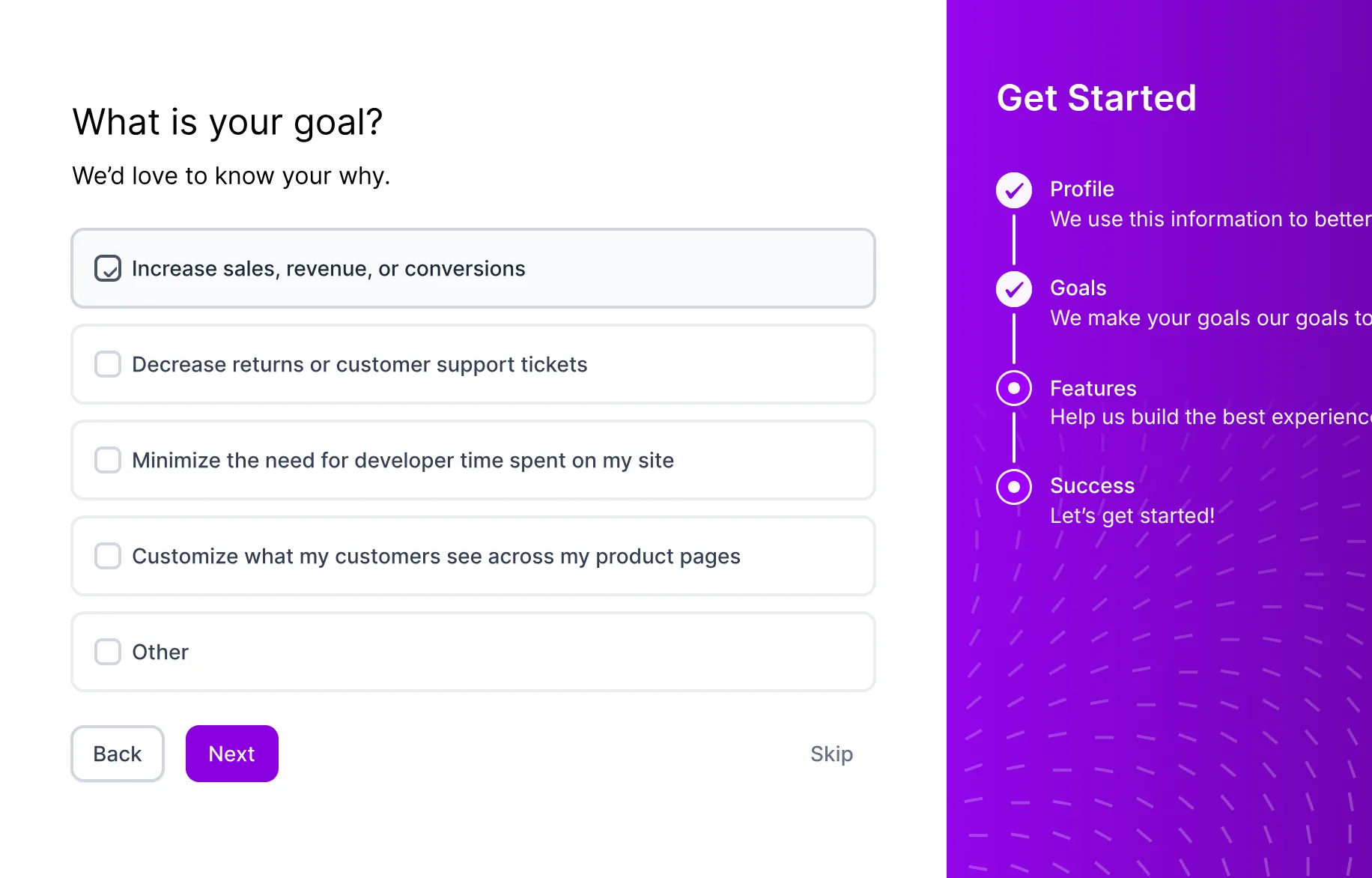
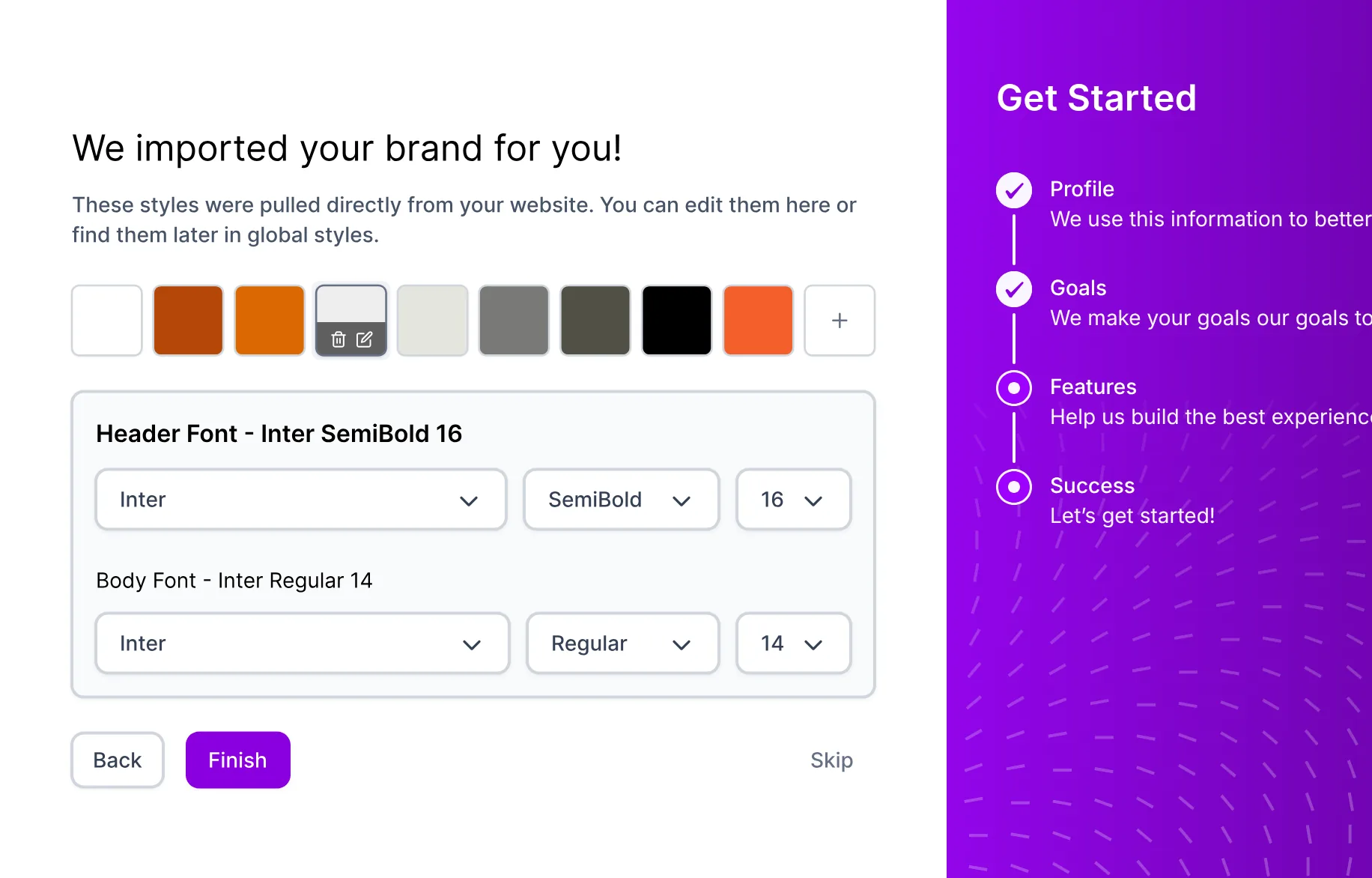
Onboarding that does the setup

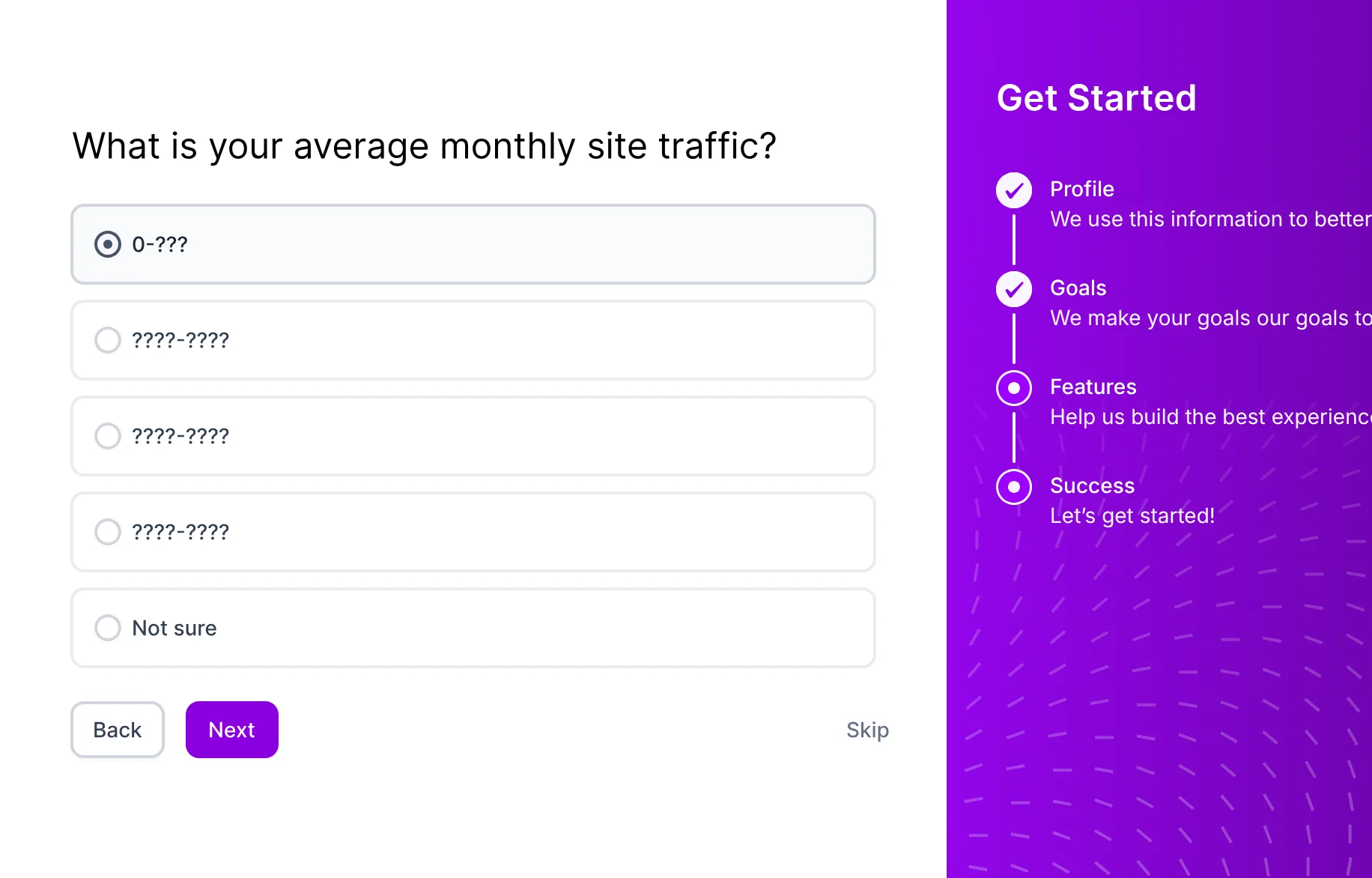
A new merchant’s first banner used to look nothing like their store. Now a few questions about goals and traffic come first, then Because pulls brand colours and fonts straight from the site. Stores with 10k+ monthly visitors are offered a strategy call with the team; everyone else gets a guide and a short demo.

1Goal2Traffic3Brand imported
Get started with Because
Onboarding: what is your goal? Onboarding: what is your average monthly site traffic? Onboarding: we imported your brand for you
Decision 07

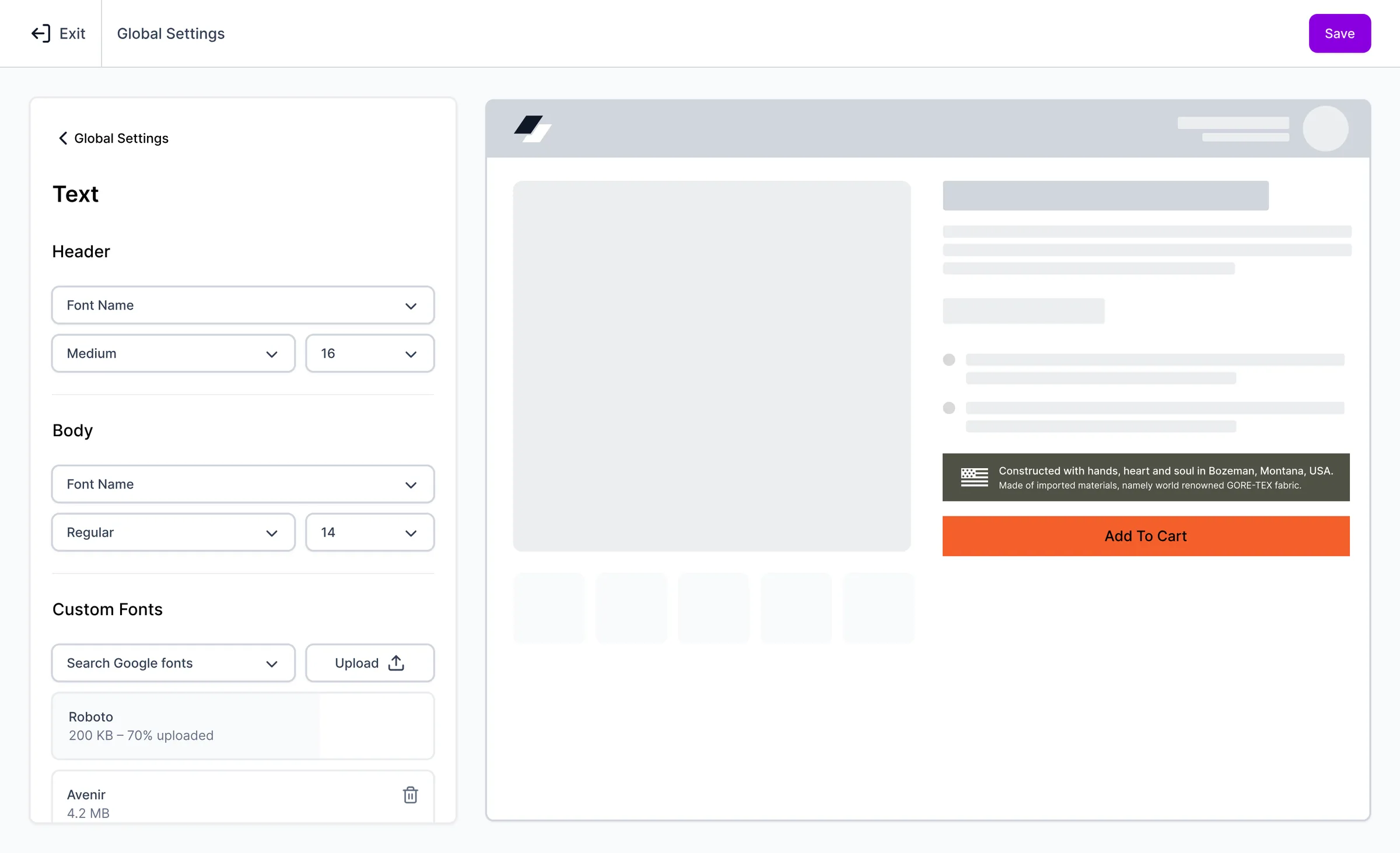
Global styles keep every banner on brand

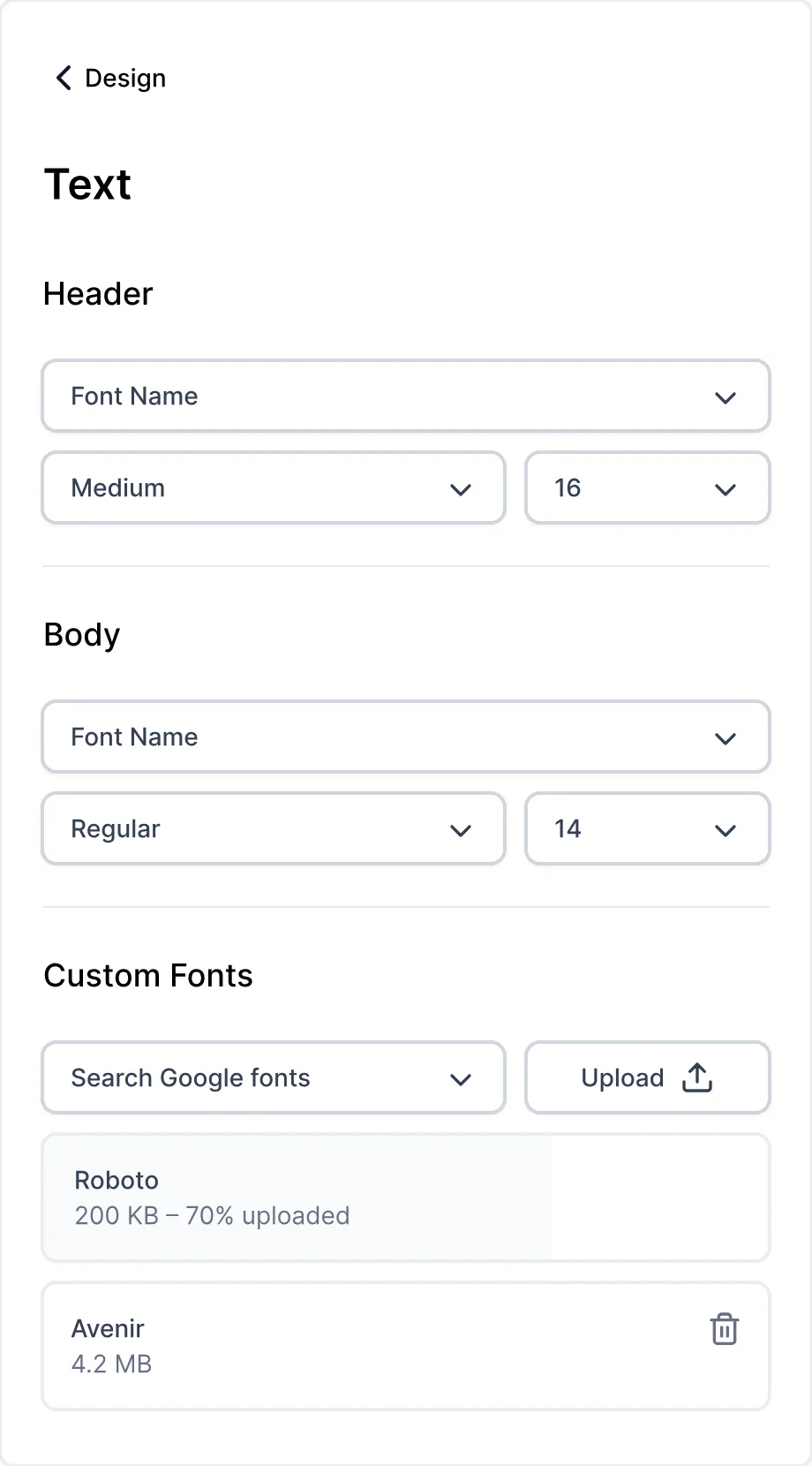
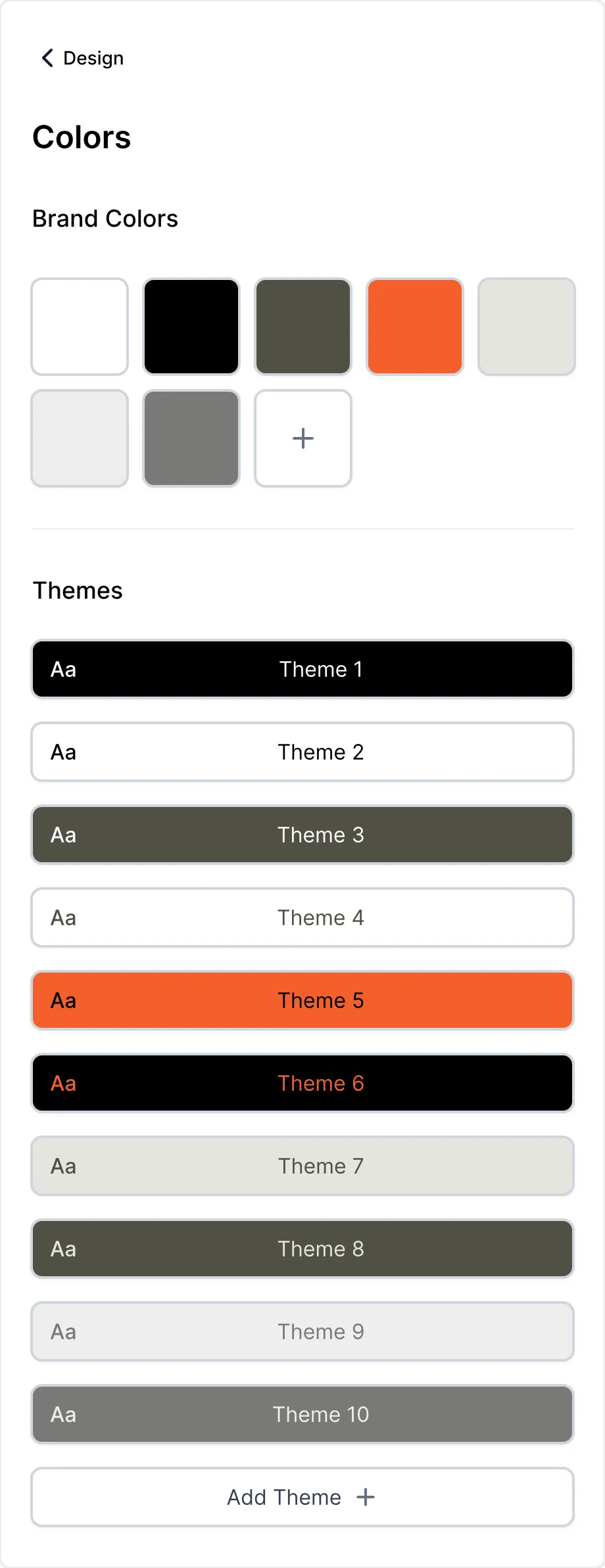
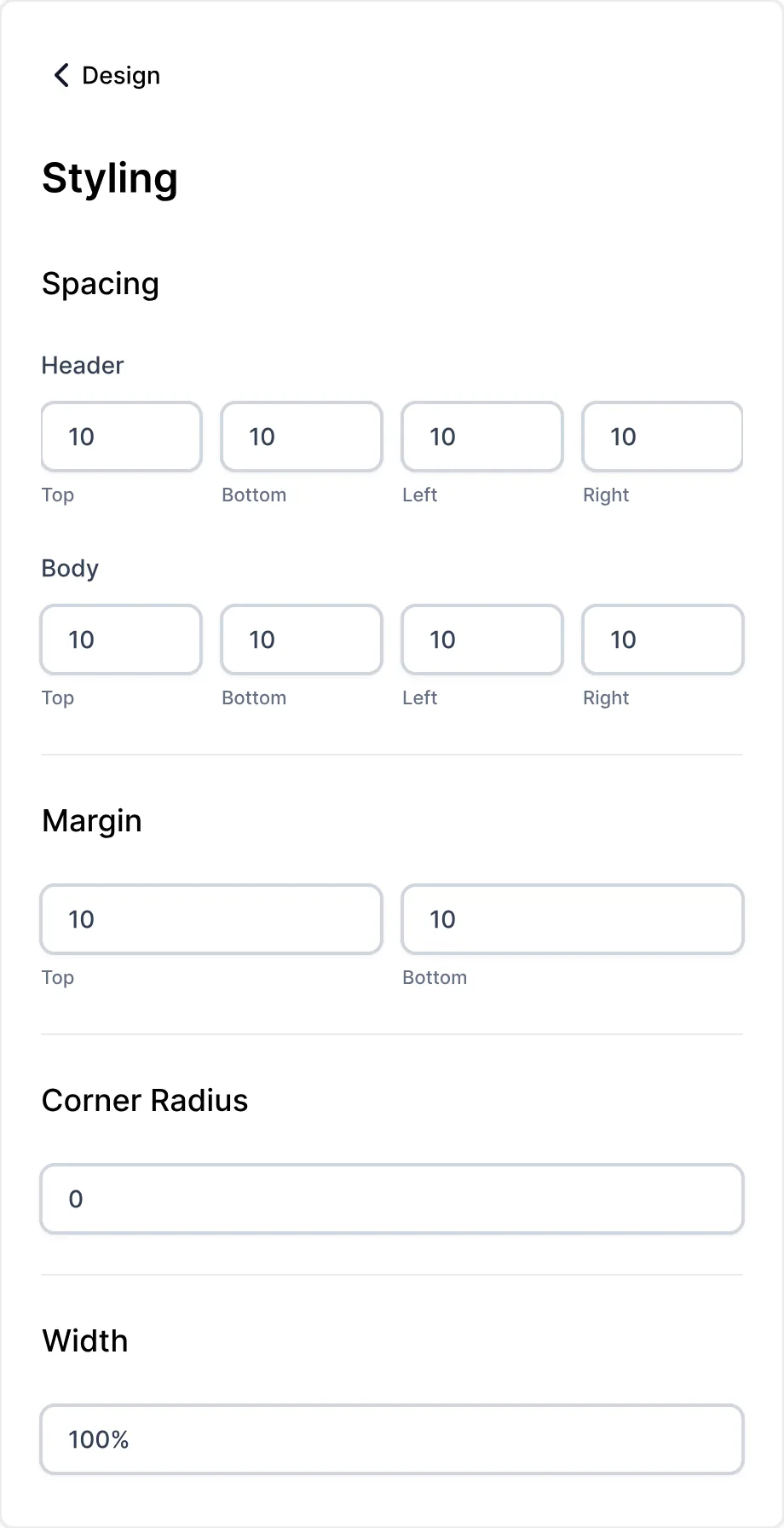
Text, colour and style settings live in one place, so every new banner matches the store by default. Styling follows the theme unless a campaign overrides it in its own editor, with Basic settings first and Advanced on request.

Design System

Patterns That Scale

Every screen is built from the same small set of patterns, on one set of colour and type tokens in Because violet. New features became new combinations of existing parts, not new components. That is what kept 180+ screens feeling like one product.

01Built once, used everywhere

Reusable UI patterns

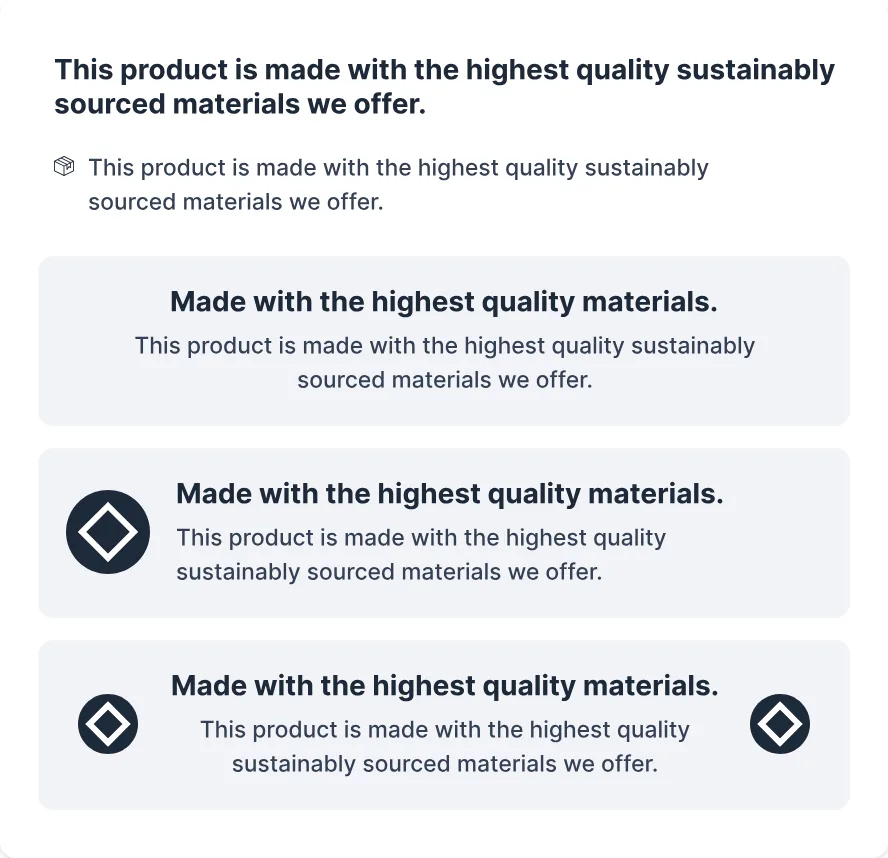
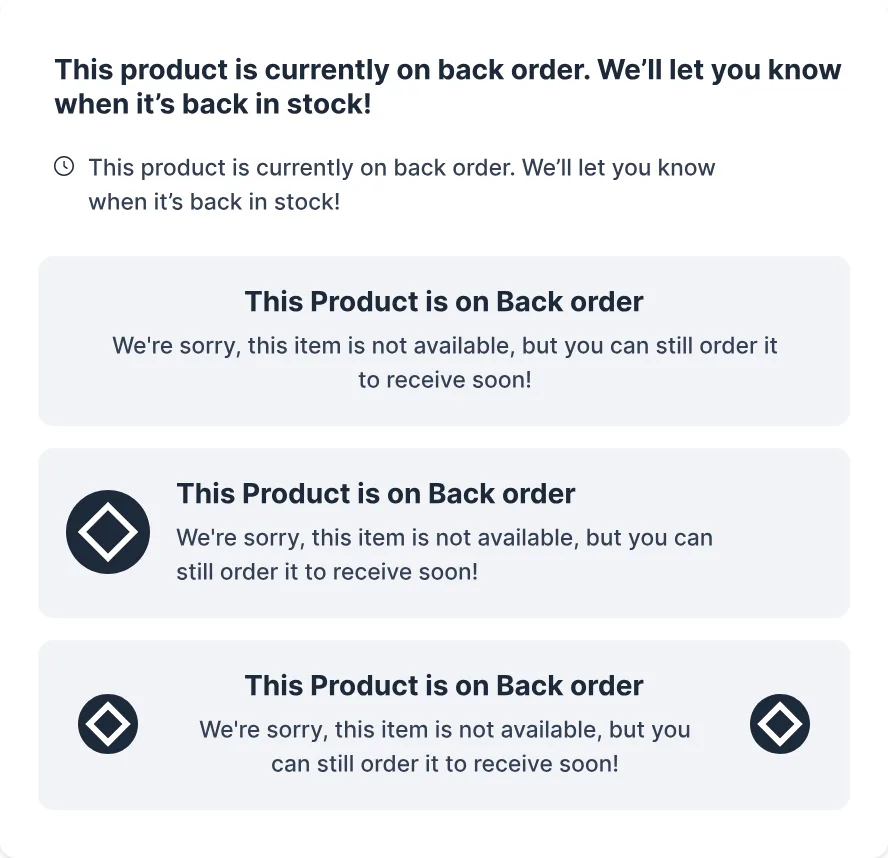
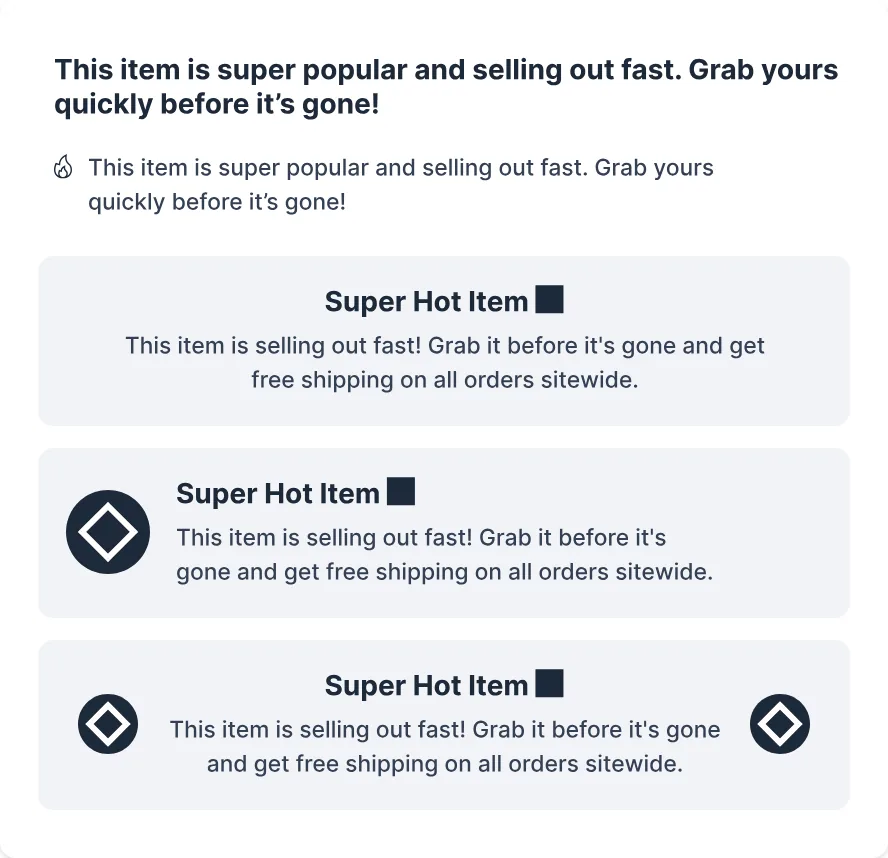
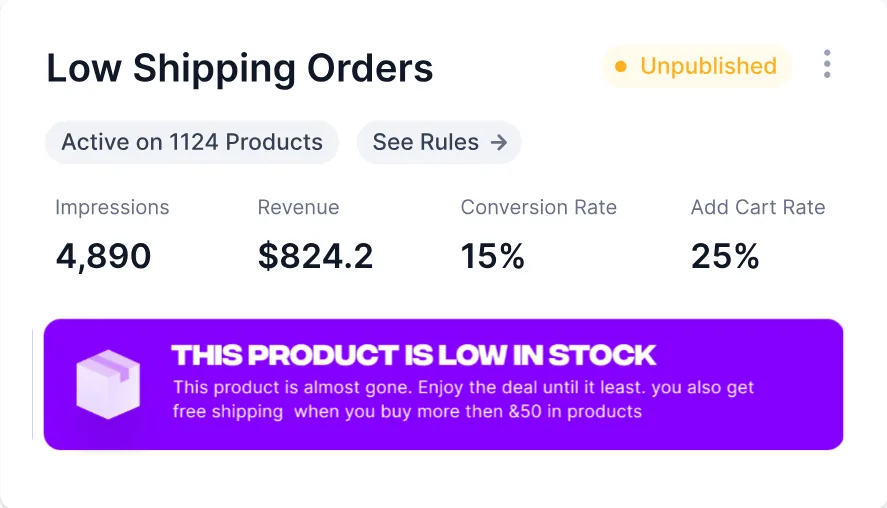
Five patterns do most of the work: a campaign card with status, scope and metrics; a status badge; rule tokens; one editor shell with three tabs; and a banner made of icon, header and body.

01Campaign card 02Status badge 03Rule tokens 04Editor shell 05Banner
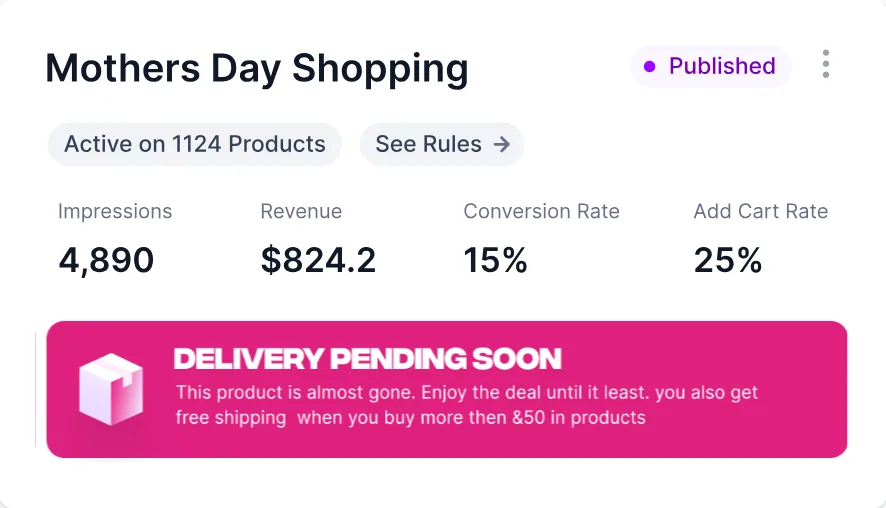
Campaign card: name, published status, product scope, see rules link, four metrics and a live banner preview 1 2 3 4 5
Anatomy of a campaign card
  1. 01Name. What the campaign is, in the merchant’s words.
  2. 02Status. Published, Unpublished or Draft, readable from across the room.
  3. 03Scope. How many products it runs on, with a direct link to its rules.
  4. 04Metrics. Impressions, revenue, conversion and add to cart, on every card.
  5. 05Live preview. The banner exactly as shoppers see it.
02Tokens

Colour

Violet carries action and selection, so the next step is always the brightest thing on screen. Pink and graphite theme the banners, and calm neutrals hold everything else.

Violet#8704FF Deep violet#5B03AD Tint#F9F5FF Pink#DF2180 Graphite#313131 Surface#F9FAFB
03Tokens

Type

Inter everywhere, from page titles to the smallest metric label. One family in four weights keeps dense dashboards calm and easy to scan.

AaInter
Regular 400Medium 500Semibold 600Bold 700
Building blocksThe parts every screen is assembled from
Status
Published Unpublished Draft Active A/B test
Unpublished campaign card with its status badge, metrics and live banner
Editor shell
EditorDisplay RulesPreview
BasicAdvancedTemplates

Styling will automatically match your theme unless overridden by changes made here.

Banner

The same three tabs hold every campaign type.

Rule tokens
the producttagisSummer SaleorJune
the site visitortaghas less thanclose to threshold

Grey tokens are fixed grammar. Violet tokens are the parts a marketer changes.

Banner system
Pink delivery pending banner Violet low in stock banner Dark out of stock banner

One structure: icon, header, body. Themes and copy change, the layout never does.

Global styles
Global colour settings Global text settings

Set once for the store, and every new banner starts on brand.

Inside Shopify admin The campaigns dashboard running inside Shopify admin on a development store

The same patterns, running inside Shopify admin.

Pitch Deck

The Product Story, On Slides

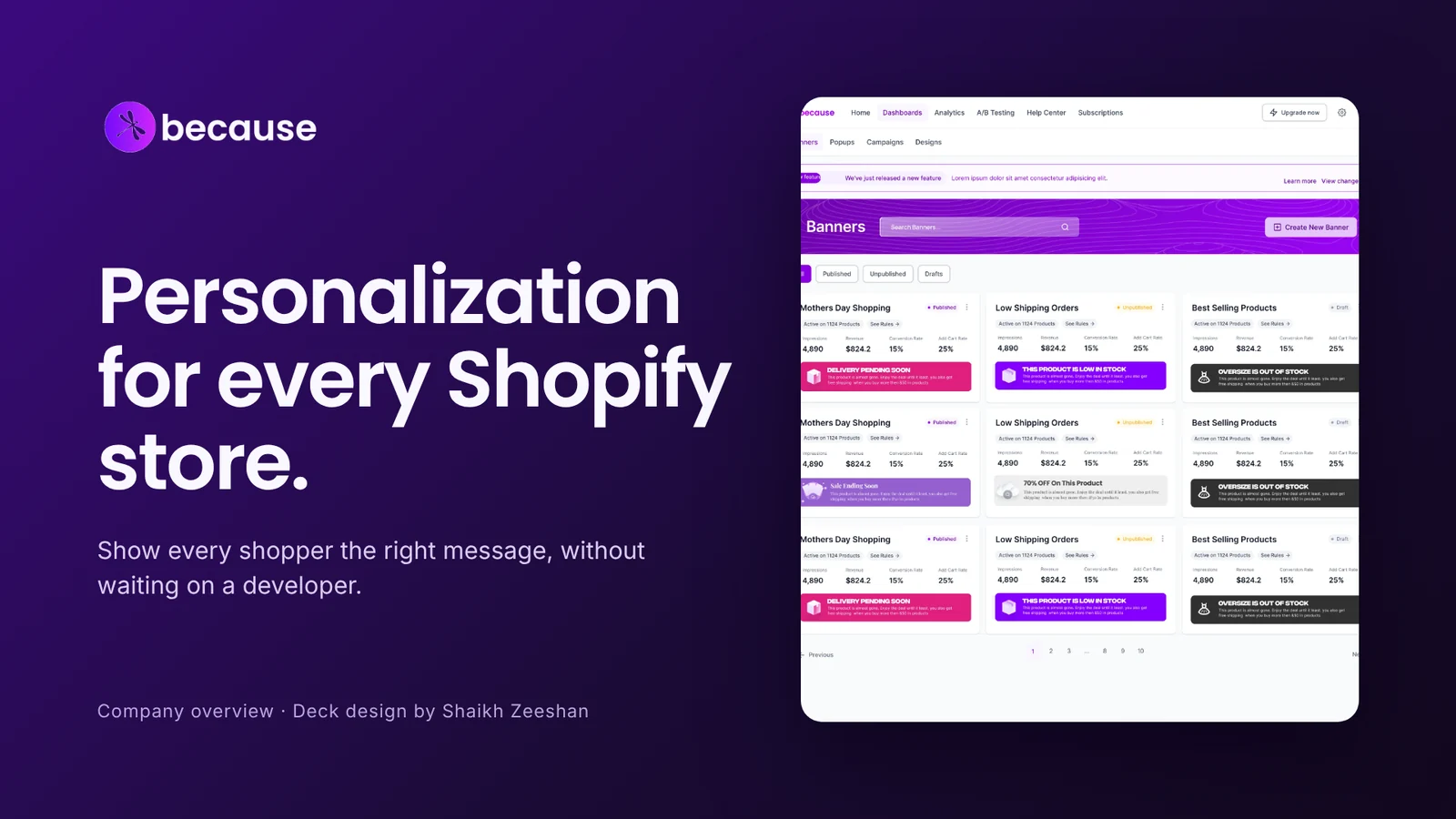
I designed the Because pitch deck in the same violet system, built around real screens from the platform, so the story told in a meeting matched the product people would use. Thirteen slides move from the problem to the proof.

Pitch deck · 13 slides · 16:9
Slide 1. Cover: personalization for every Shopify store, beside the banners dashboard
01 · Cover
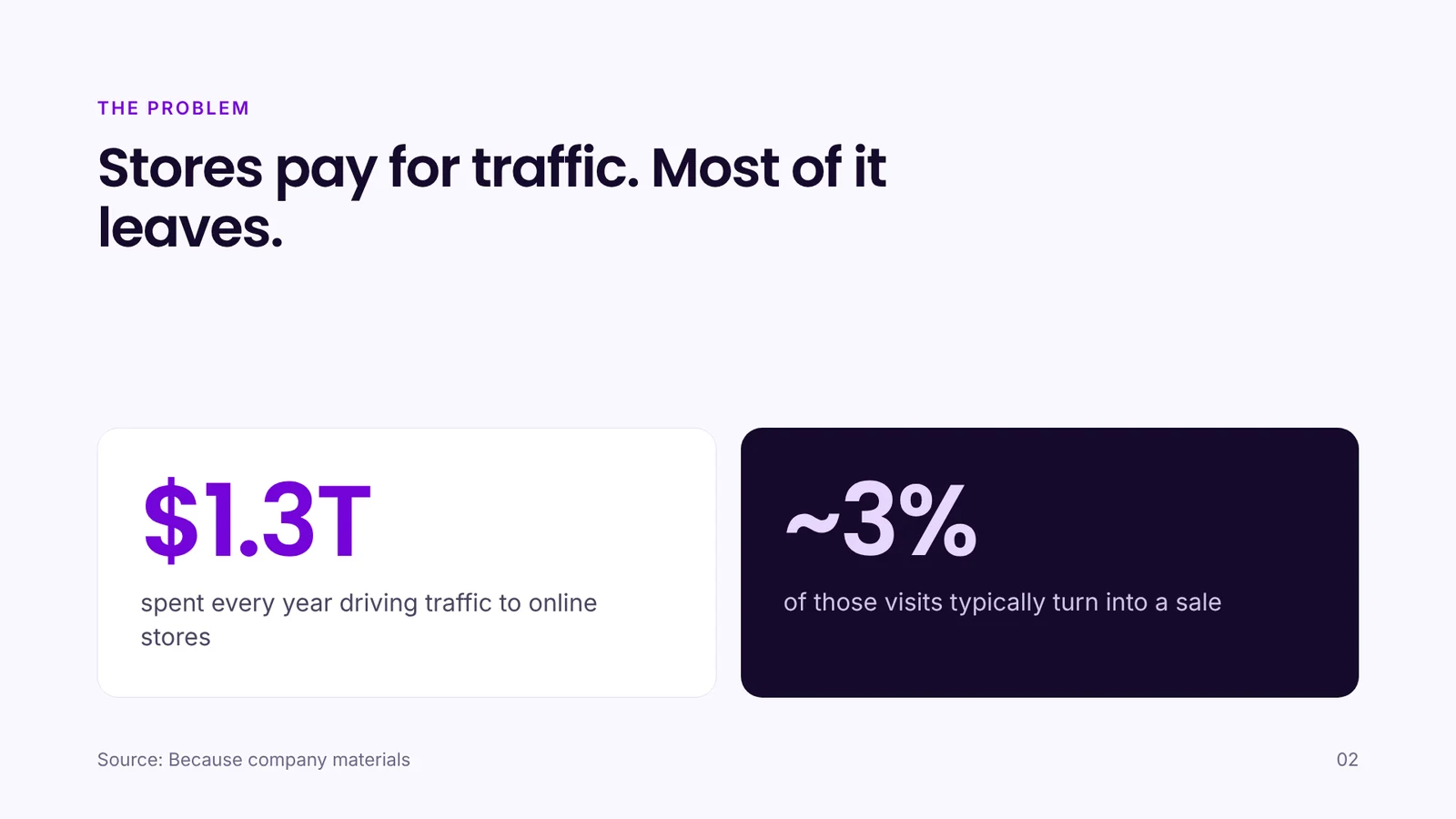
Slide 2. The problem: stores pay for traffic, most of it leaves
02 · Problem
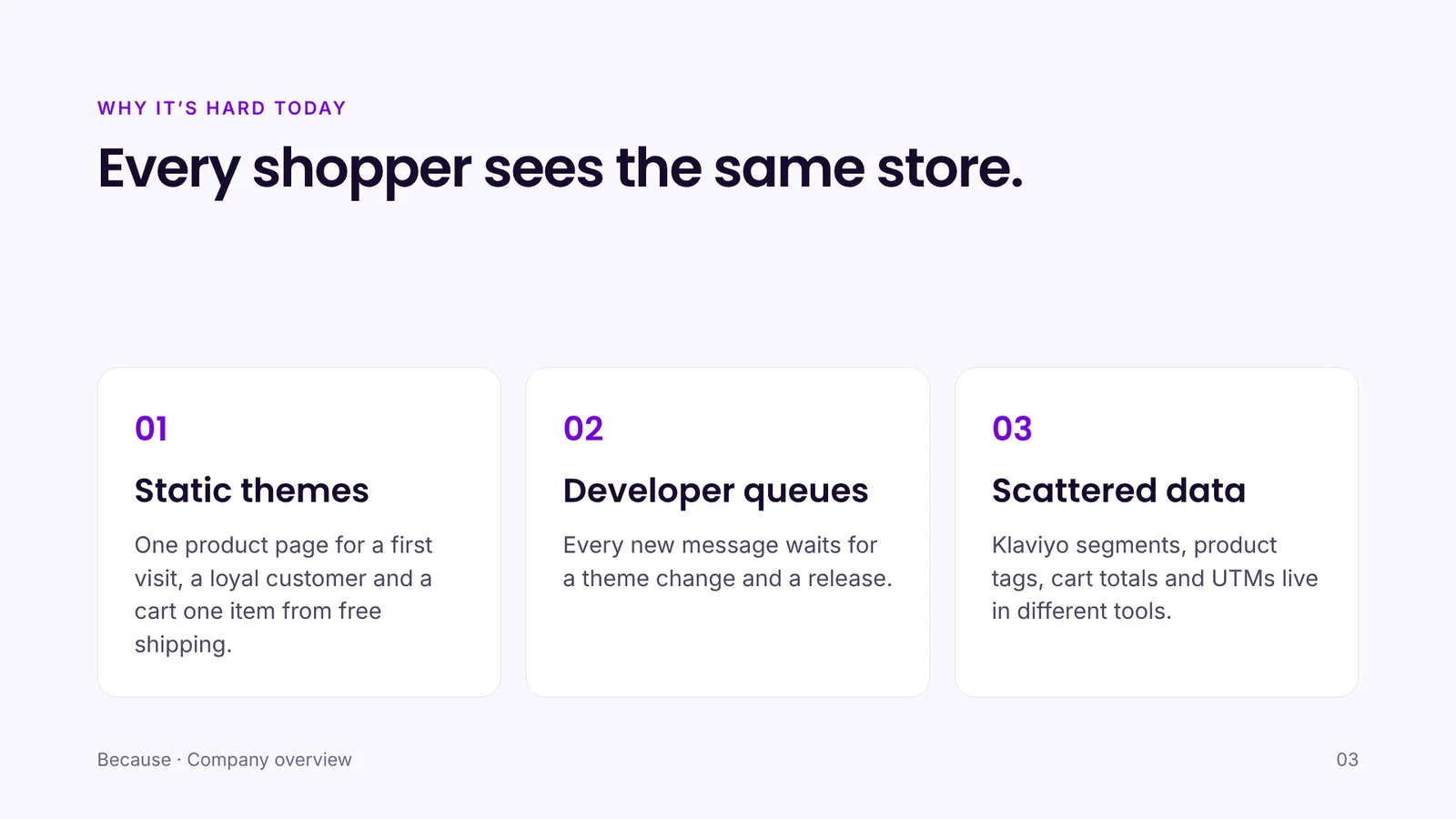
Slide 3. Why it is hard today: static themes, developer queues, scattered data
03 · Why it’s hard
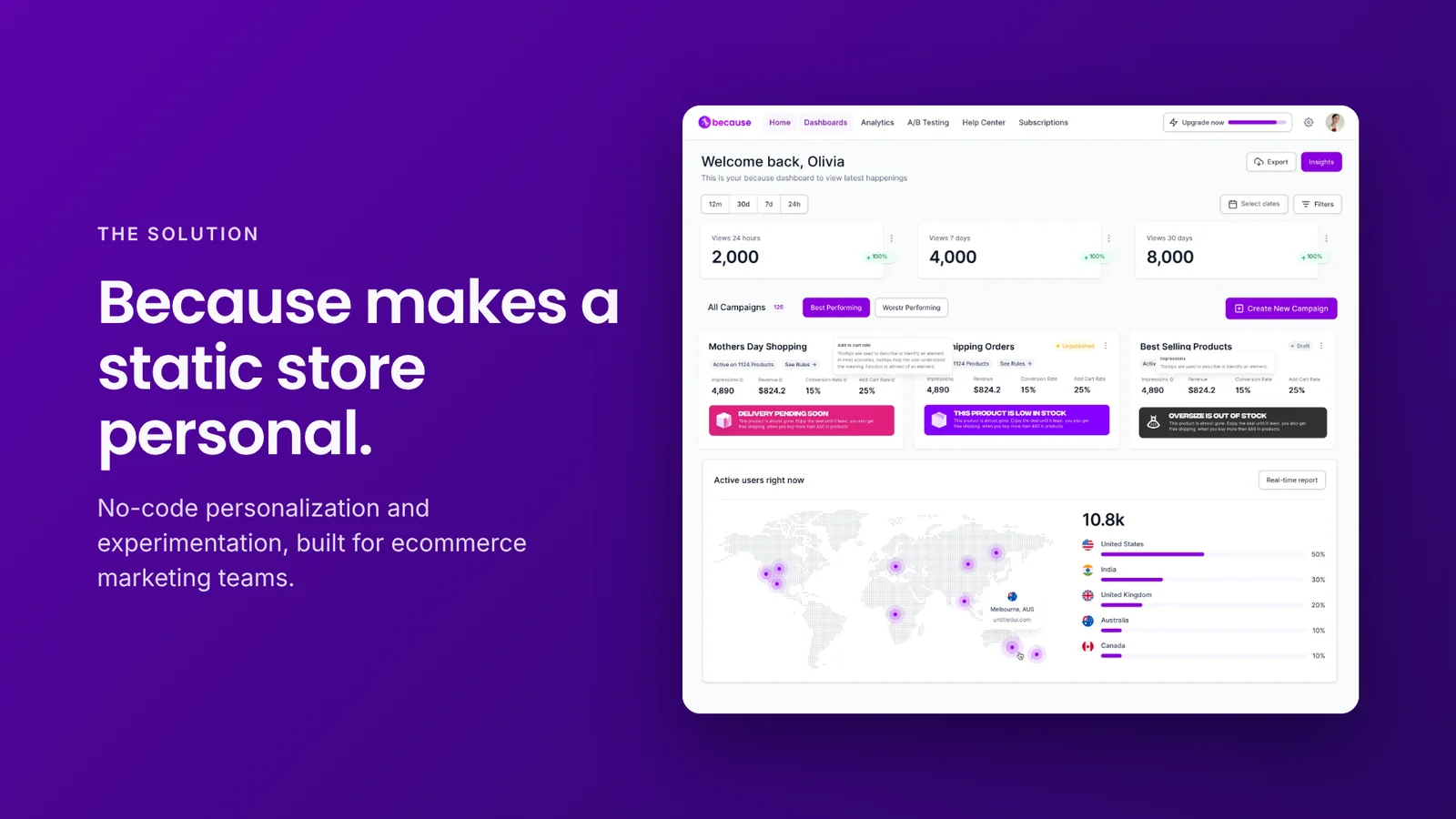
Slide 4. The solution: Because makes a static store personal
04 · Solution
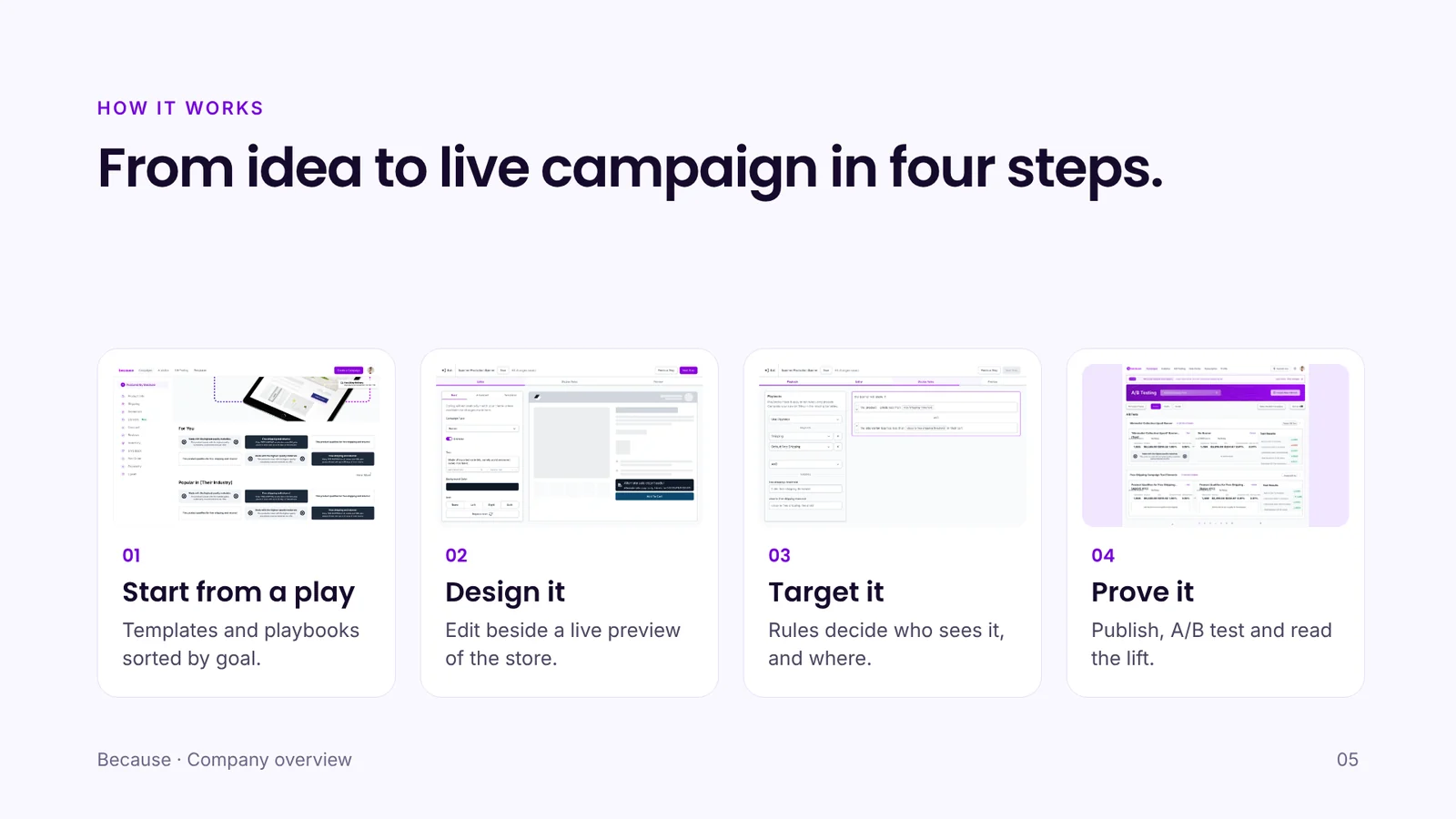
Slide 5. How it works: from idea to live campaign in four steps
05 · How it works
Slide 6. Targeting: rules that read like a sentence
06 · Targeting
Slide 7. Templates: start from a play that already works
07 · Templates
Slide 8. Experimentation: every campaign can prove itself
08 · Experimentation
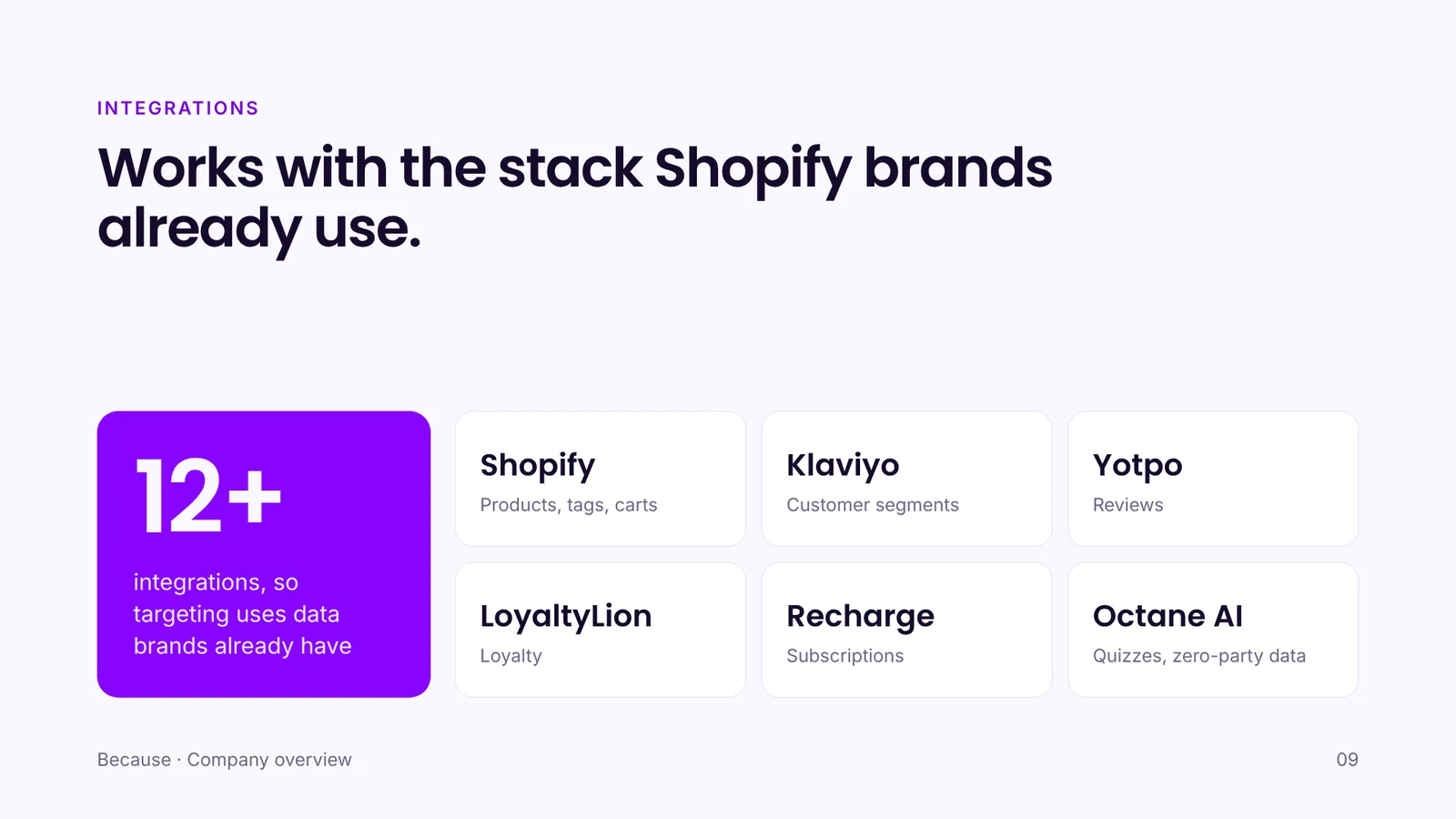
Slide 9. Integrations: works with the stack Shopify brands already use
09 · Integrations
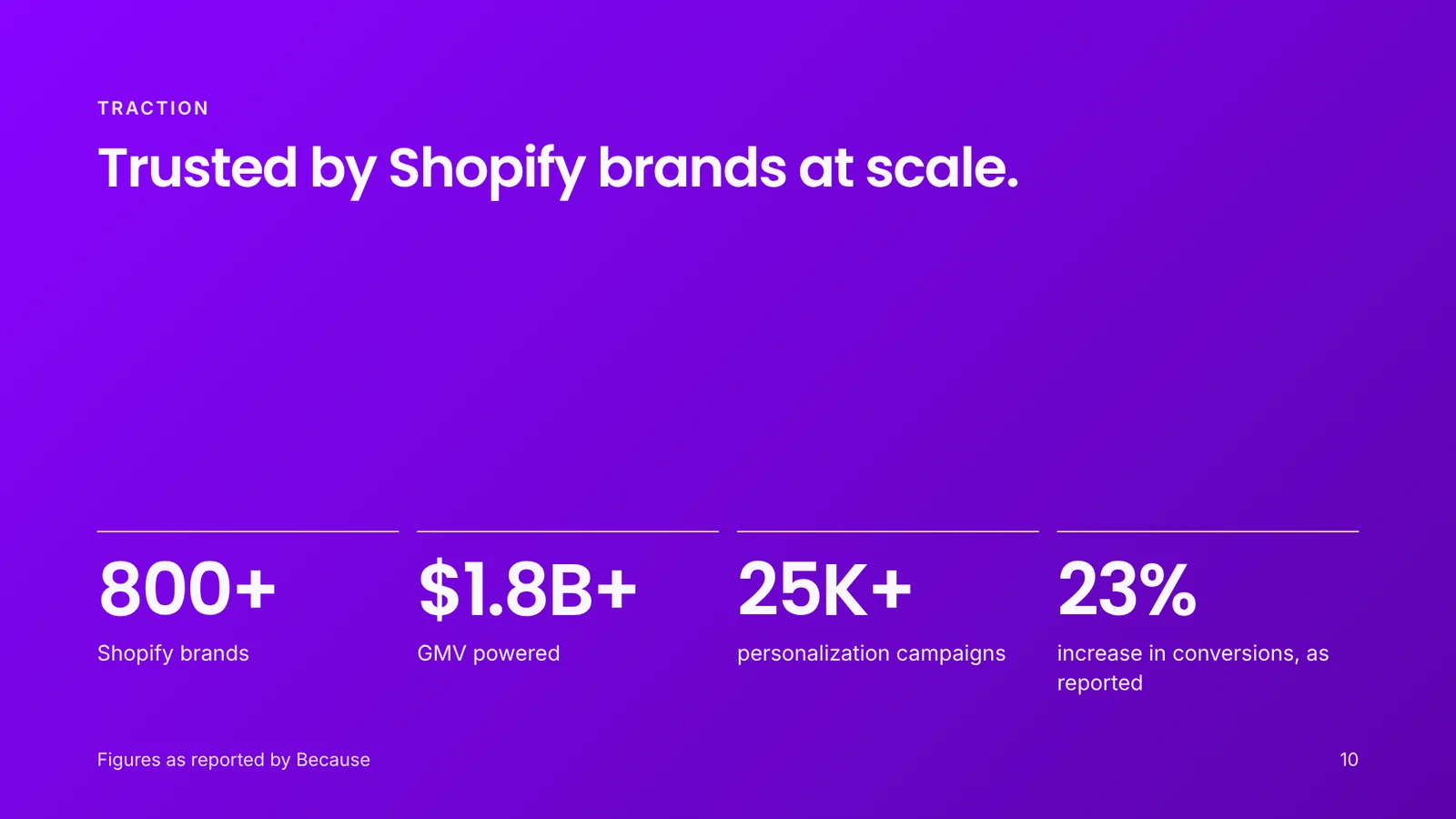
Slide 10. Traction: trusted by Shopify brands at scale
10 · Traction
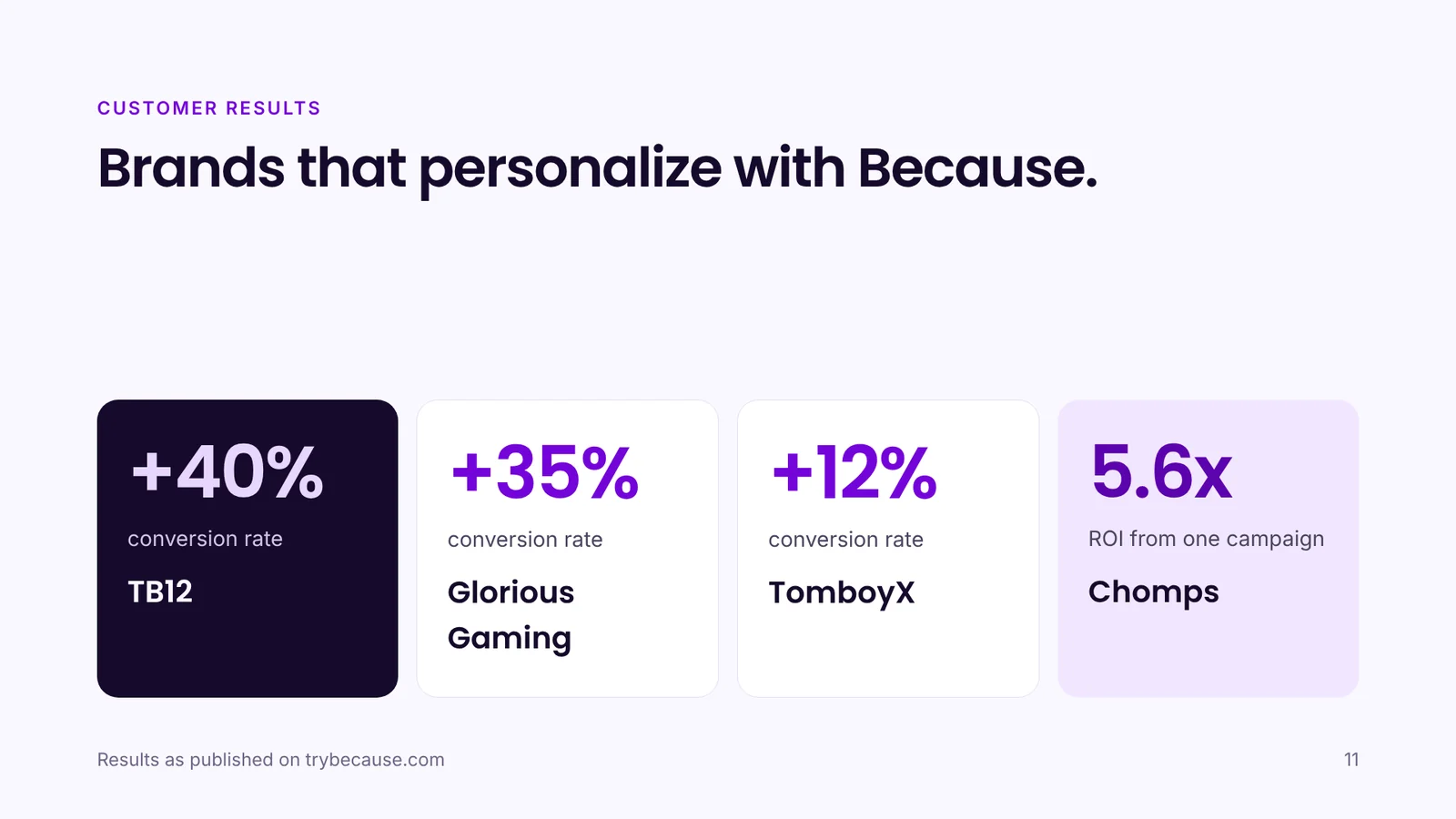
Slide 11. Customer results from Because case studies
11 · Customer results
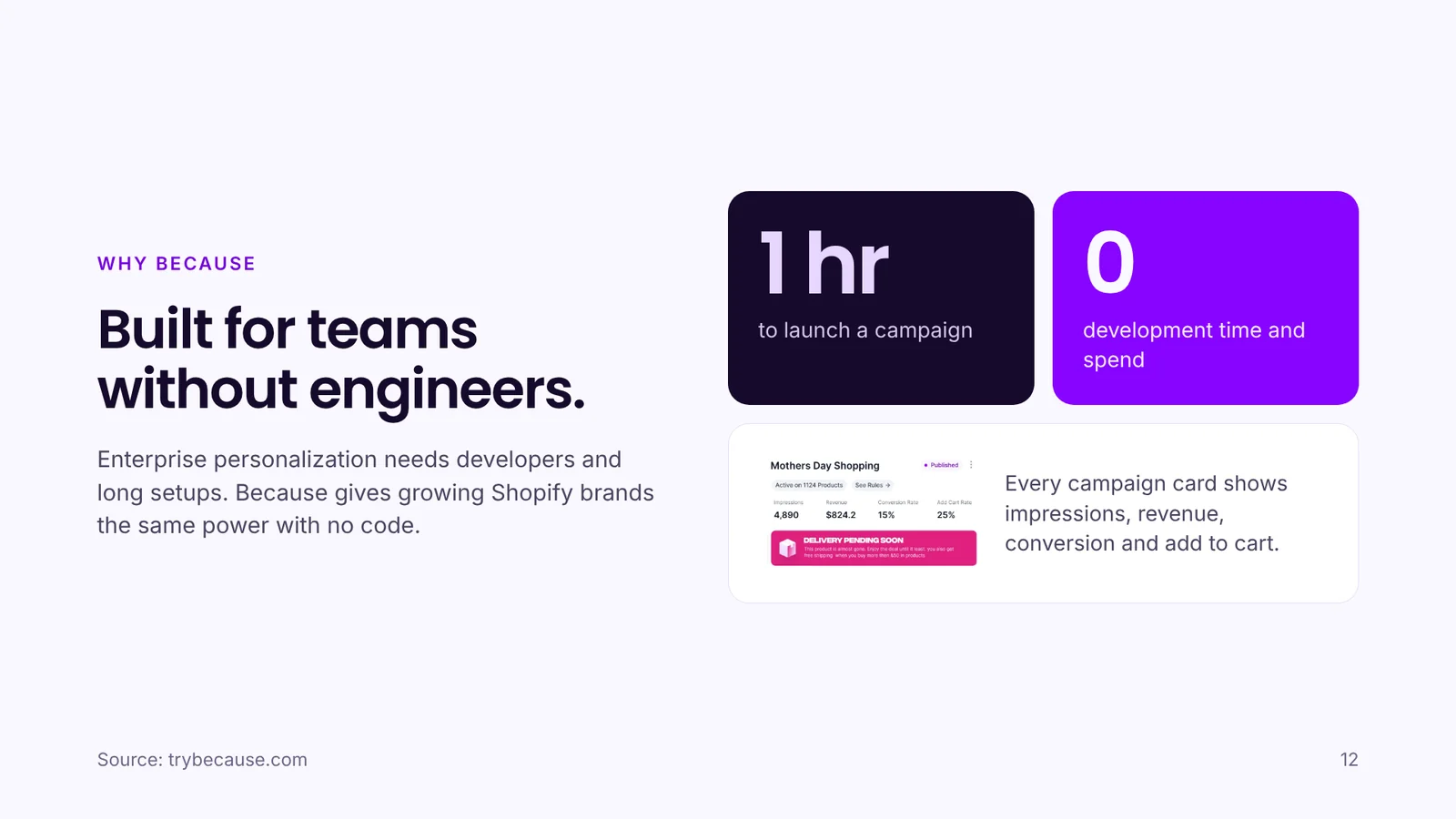
Slide 12. Why Because: built for teams without engineers
12 · Why Because
Slide 13. Close: personalize every store
13 · Close
The Final Product

Every Screen, One Platform

The finished Because platform inside Shopify admin, from the dashboards to campaign creation, targeting and A/B testing: a cross-section of the 180+ screens and states, all built from one set of patterns.

Outcome

What It Made Easier

For the team growing Because, and for the marketers launching campaigns every day.

For Because:

  • Easier product adoption
  • More scalable UI patterns
  • Clearer product positioning
  • Stronger foundation for new features

For customers:

  • Launch campaigns faster
  • Target customer segments
  • Run experiments
  • Test messaging and offers
  • Review performance
  • Make changes with less developer support
Business Growth

Built For Real Scale

These are Because’s reported figures. They show how many brands and campaigns the experience had to work for, all the way to an acquisition.

Headline result

$1.8B+

GMV powered by Because

Gross merchandise value powered by Because across 800+ Shopify brands and 25K+ personalization campaigns, as reported by the Because team.

Each dot is $10 million in GMV

800+

Shopify brands on the platform

25K+

Personalization campaigns launched

$3M

Seed round raised

BecauseIntelligems

2025

Acquired by Intelligems

Seed round, brand count and acquisition as publicly reported. GMV and campaign totals as reported by the Because team.

Key Takeaway

I helped make advanced Shopify personalization easier to use, contributing to a stronger product experience for a platform that later scaled across hundreds of brands and was acquired by Intelligems.

More Case Studies

Explore More Work

Eight projects, each told from the first sketch to launch. Pick the one closest to what you’re building.

View All Work
5.0Top Rated Plus on Upwork

Let's Start Your Project Today.

Send one message. Get a clear plan, a fixed price and first designs within 24 hours.

Start A Project
Socialix project preview
SocialixUI/UX · SaaS
SPARK PAY project preview
SPARK PAYApp Design
COFE Cloud project preview
COFE CloudApp Design
voxalyze project preview
voxalyzeWebsite Design
MyMood AI project preview
MyMood AIAI · App Design
Shaikh Zeeshan · Projects
Your project
is next.
300+ projects First screens in 24h